Live 映像檔
嘗試使用 Plasma 的最簡單的方式是用 live 映像檔製作一個 live USB 開機隨身碟。使用 Docker 映像檔也是一個測試 Plasma 的快速又簡單的方式。
下載有 Plasma 的 live 映像檔 下載有 Plasma 的 Docker 映像2026 年 6 月 16 日,星期二
Plasma 6.7 brings powerful new features to KDE’s classic desktop, and refines its user experience to new levels.
Enjoy thoughtfully-designed improvements that solve real problems, a sneak peek of future theming bliss, better performance, and more.
Read on to learn all about it!
After 21 years, hopefully it will have been worth the wait… per-screen virtual desktops have finally arrived!
No more being told your audio is too loud or quiet, or wondering if it’s your microphone or an app that’s misbehaving.
With Plasma’s virtual keyboard enabled, press and hold a key to type special characters related to it.
In Plasma 6.6, we introduced the ability to create your own Global Themes, and switch between them as part of the day-night cycle. Plasma 6.7 puts you even more in control with a quick toggle to switch between light and dark Global Themes immediately.
Plasma 6.7 adds the Vietnamese lunar calendar to its available set of non-Gregorian calendars. Now you can keep up with dates and events using both calendar systems with more ease than ever!

The System Tray is already the place for monitoring apps running in the background using traditional methods. Plasma 6.7 extends this support by also showing apps using the newer “Background Apps” system, which is more common for apps using the Flatpak package format.
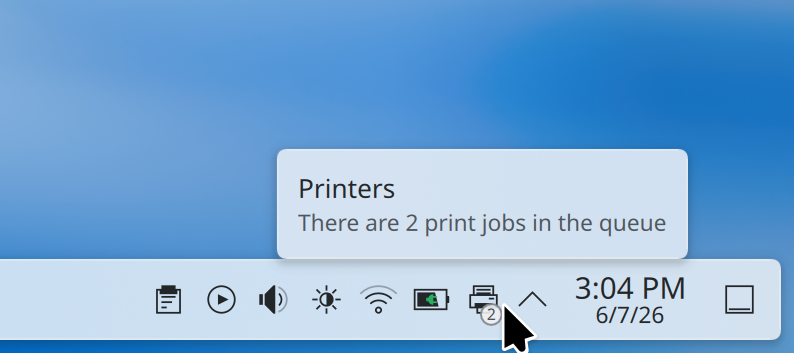
Plasma’s printing support continues to mature. Now the System Tray icon for printers shows the number of active jobs in a little badge.
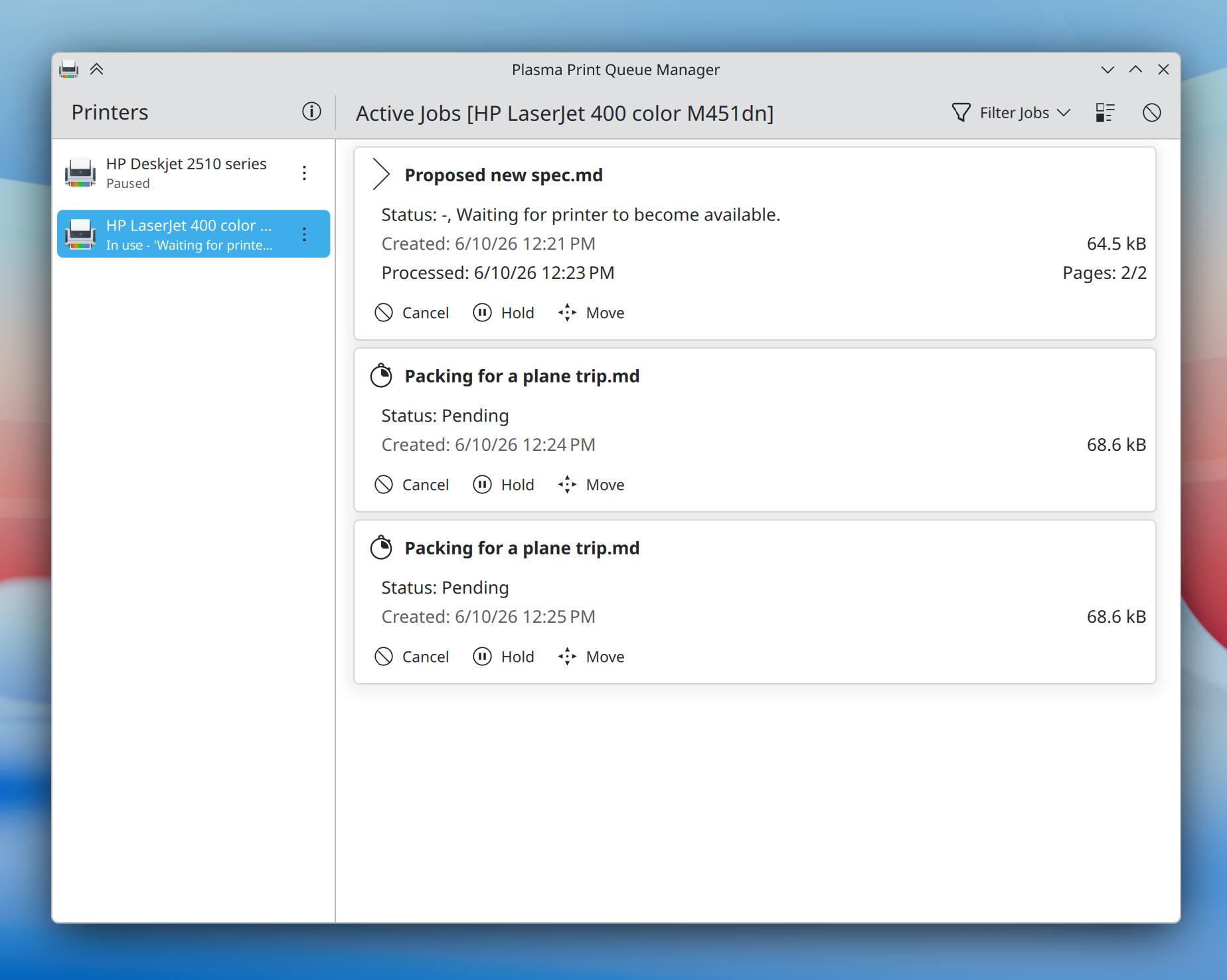
On the enterprise side, Plasma 6.7 makes it substantially easier to connect to shared printers on Windows networks, and a new print queue management tool offers more power than ever before to those administering multiple frequently-used printers — while remaining simple and comprehensible enough for home use, too.
Plasma 6.7 puts a particular focus on refining the desktop experience to make common tasks faster than ever. Here’s just a small assortment:
When you press Meta + W to open the Overview screen, Plasma 6.7 lets you switch virtual desktops simply by scrolling or pressing the Page Up or Page Down keys.
It’s now easier than ever to add or remove favorite apps in the Application Launcher, Application Menu, and Application Dashboard widgets: just drag and drop!
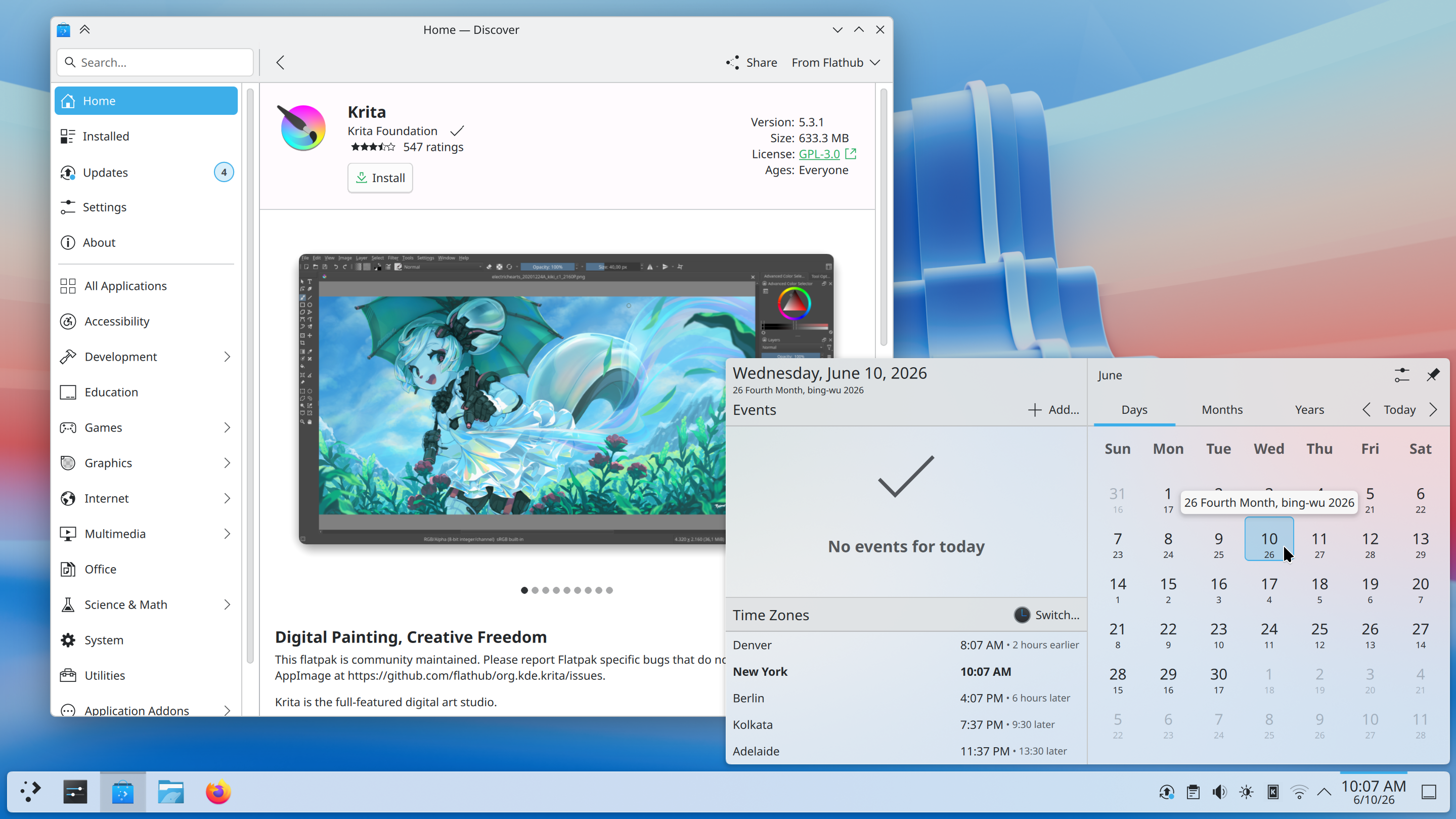
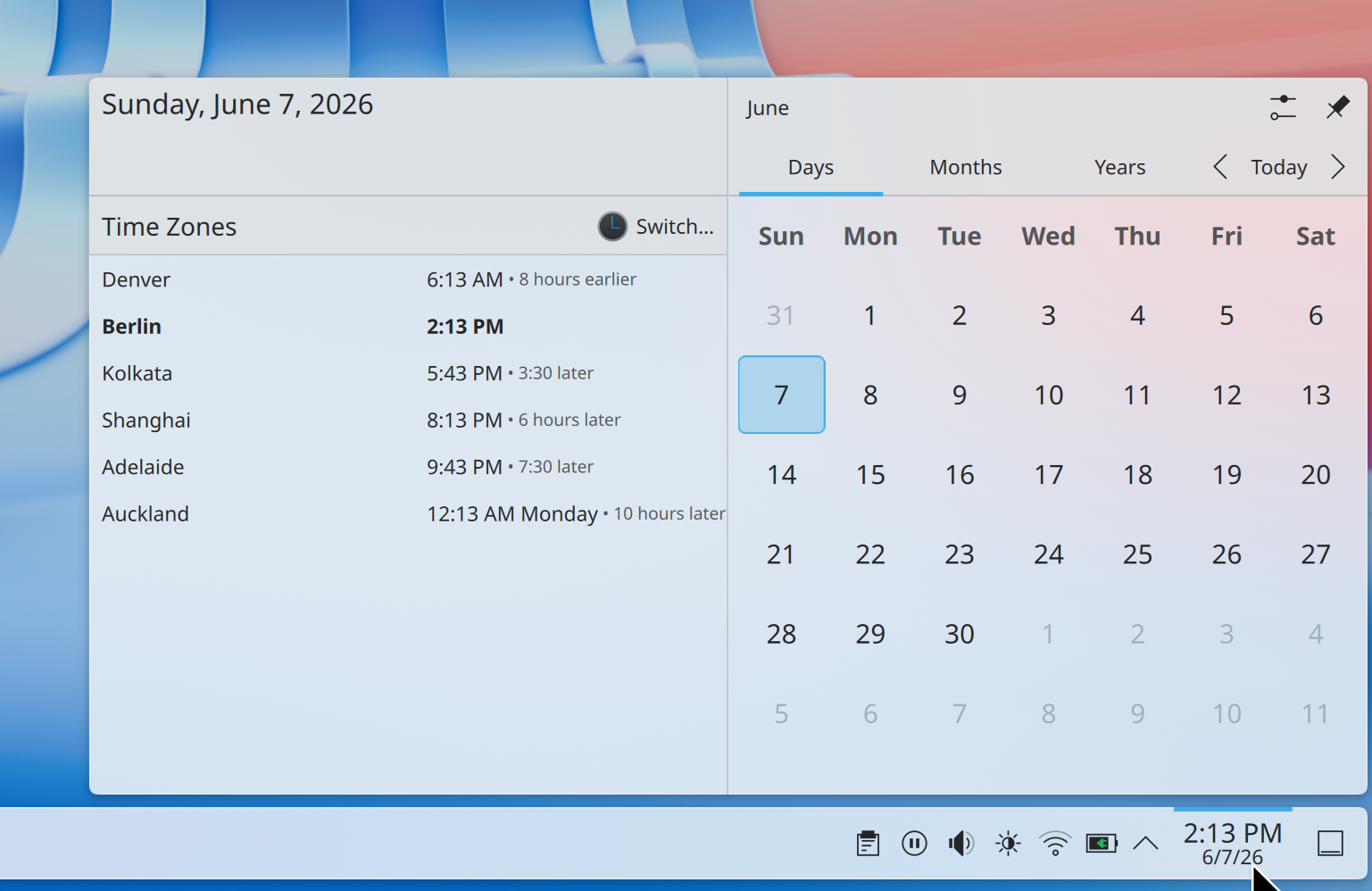
The Discover software center now features a more obvious “Install” button and redesigned app cards with more information, plus a more intuitive sorting order.
In addition, installed software is now grouped by type, making it easier than ever to find what you’re looking for.
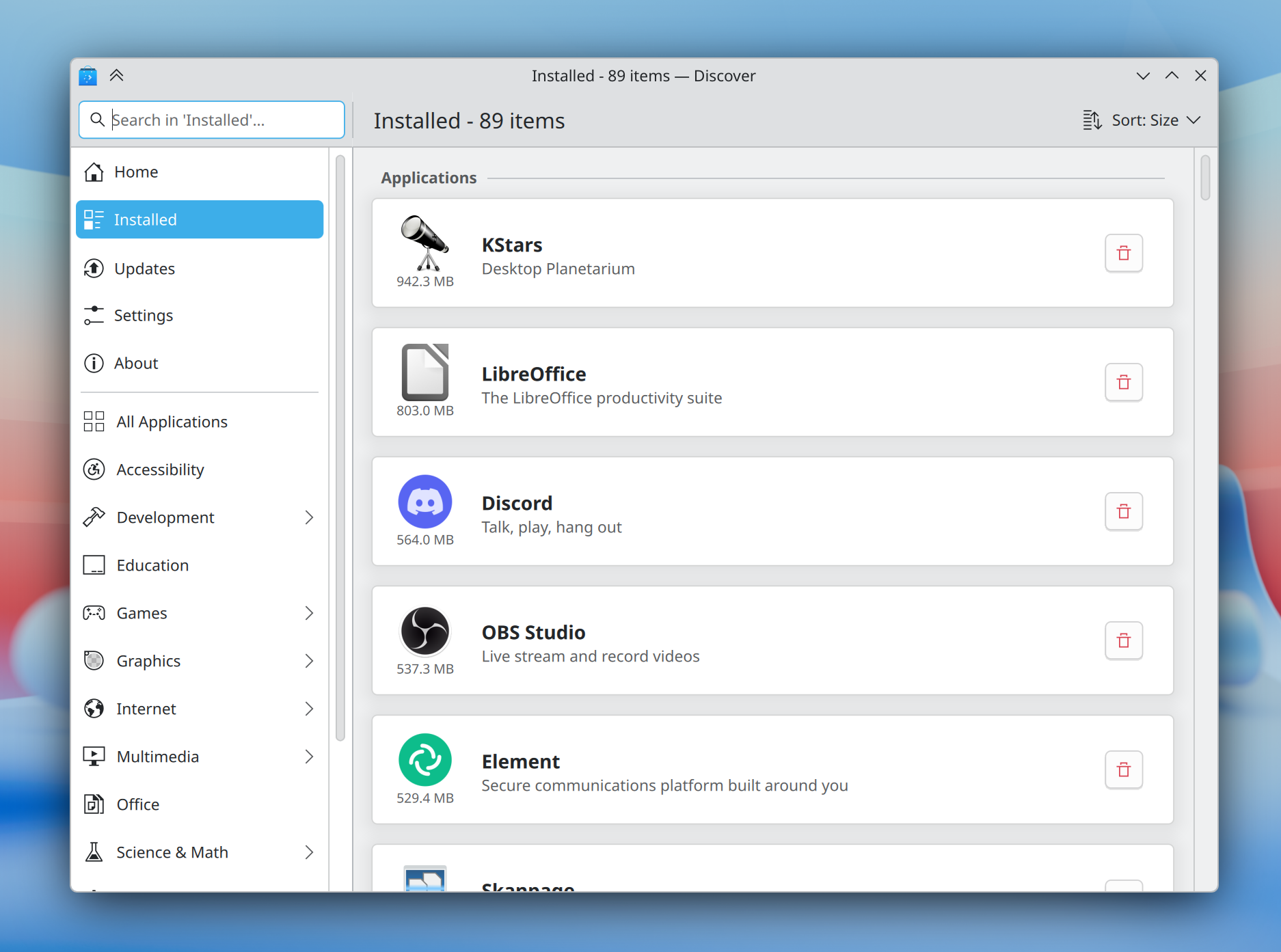
How much earlier is it in Denver if you’re in Berlin? No longer will a question like this require mental gymnastics; Plasma 6.7 makes it easy to see how many hours earlier or later it is in each time zone shown in the Digital Clock widget compared to your local time zone.
For power users, the desktop layout now supports switching to “type-ahead” mode for quickly selecting files when typing on the desktop. You can change this back to activating KRunner if you prefer by Right-clicking on desktop and selecting Desktop and Wallpaper → Icons → Typing on the desktop from the pop-up menu.
In preparation for KDE’s 30th anniversary later this year, we’ve brought the Oxygen theme — used by default in KDE 4 — back up to par with the current Breeze theme.
Air, the Plasma Style providing a light version of Oxygen, has also returned, and we’ve reworked our Global Themes to feature light, dark, and twilight versions. Both Air and Oxygen benefit from a multitude of fixes, improvements, and restorations, including support for adaptive opacity, different panel positions, and more.
The classic KDE 4 Air and Horos wallpapers also make a return.
The default Breeze theme also continues to evolve, now featuring rounded list and grid view highlights for many applications, and visible click effects for menu items.

Plasma’s Notifications have been given a fancier animation: they now slide in from the nearest screen edge. This makes them more visually prominent and less likely to be missed, while at the same time avoiding being too attention-grabbing.
Though Plasma’s theming capabilities are second to none, for years creating those themes has been a difficult and fragmented experience.
Plasma’s all-new Union theming system intends to streamline theming by making it possible to style Plasma, QtQuick apps, and QtWidgets apps all with a single set of easy-to-write CSS — the world’s most popular and documented open standard for this purpose.
Plasma 6.7 marks the inaugural release of Union, here with a tech preview of the QtQuick style.
Union is under heavy development, and hence off by default. To test it out, make sure the union package is installed (name may differ depending on your OS), and select “Union” in System Settings → Colors & Themes → Application Style.
Applications must be restarted in order to use Union, and are expected to look nearly identical to Breeze.
If you’ve found a Union-specific issue, please report it here.
You can find out more about the current state and future plans for Union on its developer’s blog.
Plasma has always offered a superb graphical experience, and 6.7 piles on further improvements.
No longer do you have to choose between color management using an ICC profile or enjoying HDR content; now both are possible at the same time!
In addition, you can now control whether the colors on the screen turn redder at extremely low brightness levels on many AMD laptops.
Finally, the team put a great deal of work into optimization, resulting in better performance and lower power usage for CPU-rendered apps, many full-screen windows, and integrated Intel GPUs.
Plasma 6.7 has even more to offer, including:
To see a high-level overview of all user-facing changes, see the Plasma 6.7 wiki page.
To see the full list of all changes, read the complete changelog.
Plasma 6.7 is dedicated to Eric Laffoon, who passed away in May.
Eric was a longtime supporter of KDE going back decades, offering up his time, money, bug reports, and advocacy.
Eric is sorely missed, and we dedicate this release to him.
嘗試使用 Plasma 的最簡單的方式是用 live 映像檔製作一個 live USB 開機隨身碟。使用 Docker 映像檔也是一個測試 Plasma 的快速又簡單的方式。
下載有 Plasma 的 live 映像檔 下載有 Plasma 的 Docker 映像發行版已建立(或正在建立)在我們的維基頁面上有列出的軟體包。
請注意,這個釋出的軟體包在此公告發布時可能尚未由各發行版所提供。
軟體包下載維基頁面您可以直接從原始碼安裝 Plasma。
來自社群的編譯說明 原始碼資訊頁面您可以透過我們的社群頻道提供給我們回饋或是獲得新資訊的更新:
在 KDE 論壇 上討論 KDE。
您可以透過 #Plasma Matrix 頻道) 或是 Plasma-devel 郵件論壇 直接向開發者們提供回饋,也可以透過 Bugzilla 回報問題。如果您喜歡團隊所做的事,請讓他們知道!
我們非常感謝您的回饋。
KDE 是歸功於許多志工捐獻時間與努力才存在並成長的自由軟體社群。KDE 總是歡迎新的志工與貢獻,不論是幫助寫程式、修正臭蟲或回報臭蟲、撰寫說明文件、進行翻譯、宣傳或是金錢貢獻。我們十分感謝且積極接受所有貢獻。請閱讀支持 KDE頁面以取得更多資訊,或是響應 Join the Game 行動成為 KDE e.V. 贊助成員。
KDE 是一個國際科技團隊,製作桌面與可攜式裝置用的自由開源軟體。KDE 的產品包含一個 Linux 與 UNIX 平台用的現代化桌面環境系統、完整的辦公室套裝軟體,以及許多種類的軟體,包含網際網路應用程式、多媒體、娛樂、教育、圖形與軟體開發用的應用程式。KDE 的軟體由志願譯者翻譯至超過 60 中語言,且設計為易用並符合現代無障礙使用的原則。KDE 的軟體功能完善,並能在 Linux、BSD、Windows、Haiku 及 macOS 上原生執行。
商標標示。
KDE® 和 K Desktop Environment® 圖示是 KDE e.V. 的註冊商標。
Linux 是 Linus Torvalds 的註冊商標。 UNIX 是 The Open Group 在美國和其他國家的註冊商標。
此公告中提及的其他所有商標與版權都是它們個別擁有者的財產。
關於更多資訊,請傳電子郵件給我們: press@kde.org