Live 映像檔
嘗試使用 Plasma 的最簡單的方式是用 live 映像檔製作一個 live USB 開機隨身碟。使用 Docker 映像檔也是一個測試 Plasma 的快速又簡單的方式。
下載有 Plasma 的 live 映像檔 下載有 Plasma 的 Docker 映像Plasma 6.6 is all about making your life as easy as possible without sacrificing any of the flexibility
2026 年 2 月 17 日,星期二
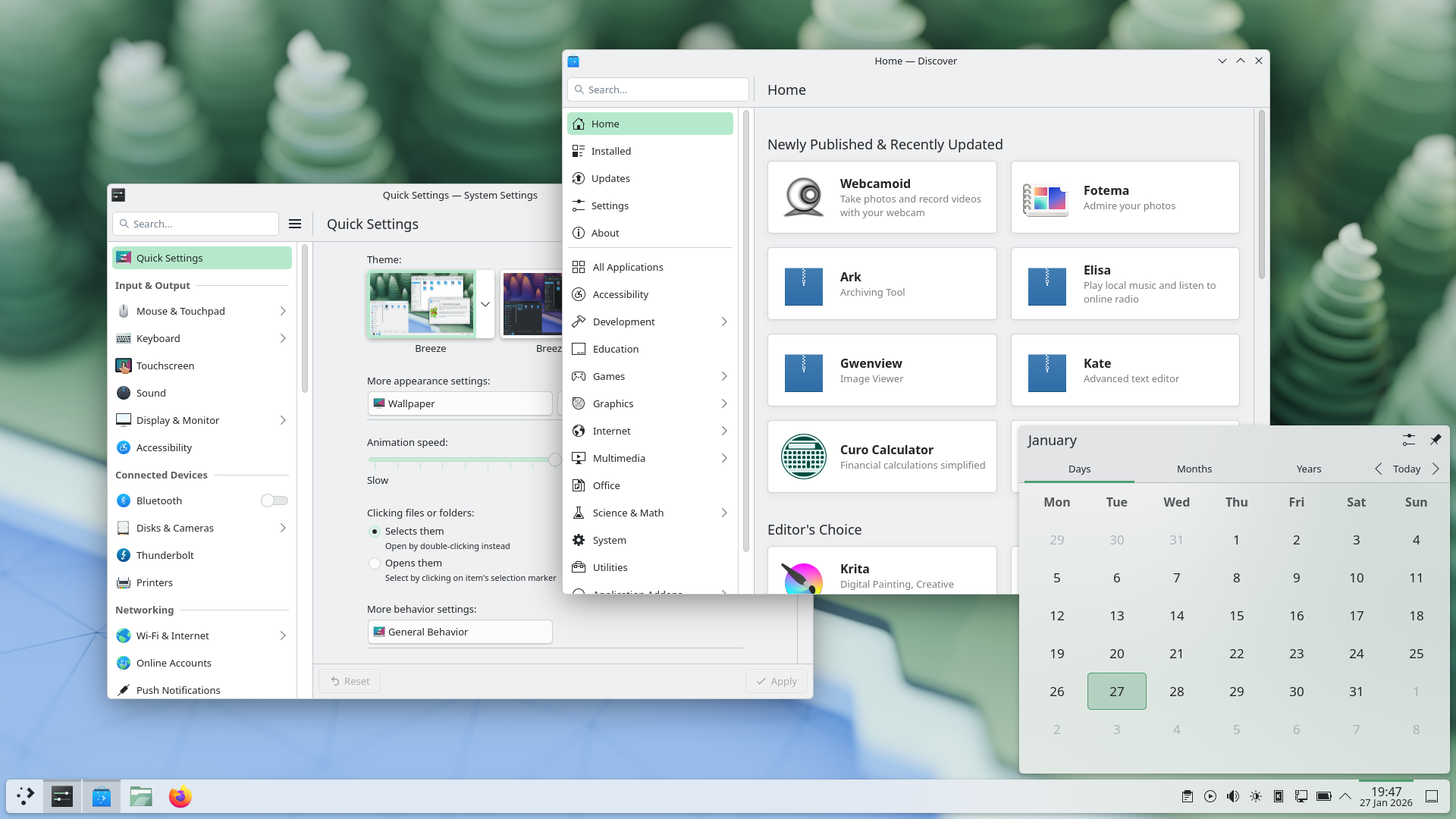
Plasma 6.6 makes your life as easy as possible, without sacrificing the flexibility or features that have made Plasma the most versatile desktop in the known universe.
With that in mind, we’ve improved Plasma’s usability and accessibility, and added practical new features into the mix.
Check out what’s new and how to use it in our (mostly) visual guide below:
Enjoy this new and improved on-screen keyboard
Extract text from screenshots in Spectacle
Set up a user account after the operating system has been installed
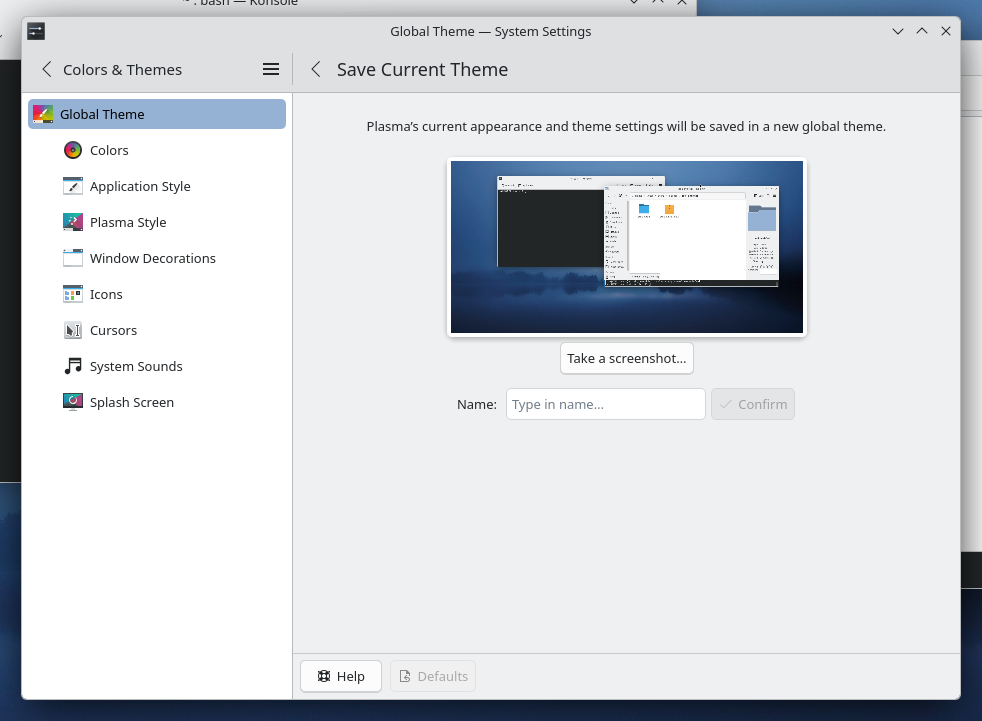
Those who like tailoring the look and feel of their environment can now turn their current setup into a new global theme! This custom global theme can be used for the day and night theme switching feature.
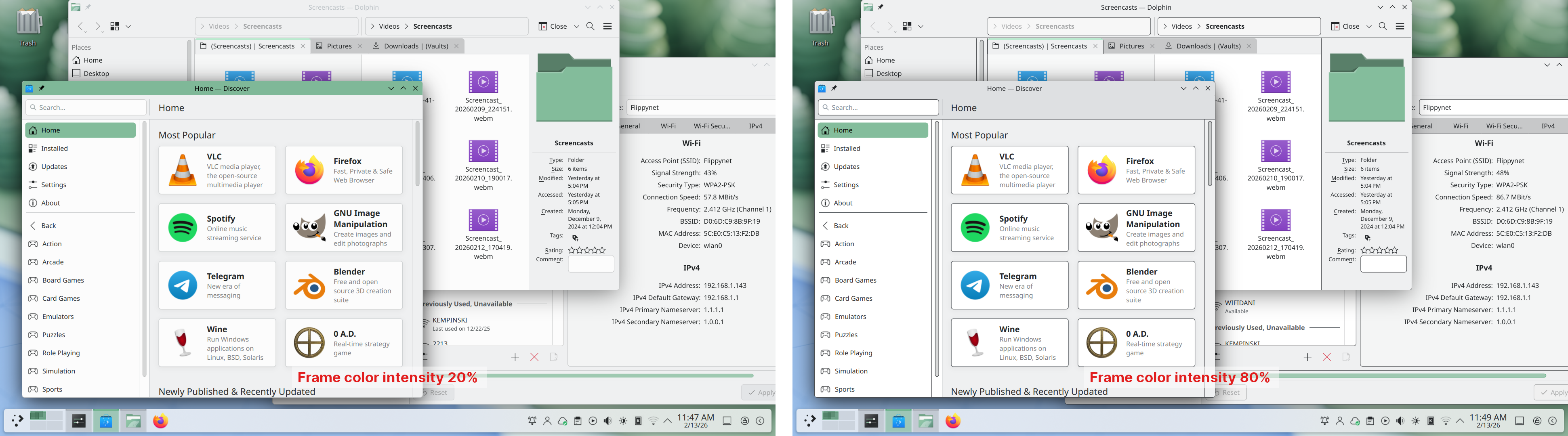
A more subtle way of modifying the look of your apps is by changing the color intensity of every frame:
Choose emoji (Meta+.) skin tones more easily with a new skin tone selector:
A major focus of Plasma 6.6 has been speeding up common workflows. So if the system has a camera, you can quickly connect to a new Wi-Fi network simply by scanning its QR code:
Hover the pointer over any app’s icon playing sound in the task manager, and scroll to adjust its volume:
And save yourself a click by enabling Open on hover in your Windows List widget. You can also filter out windows not on the current desktop or activity:
Hold down the Alt key and double-click on a file or folder on the desktop to bring up its properties:
To help everyone use and enjoy Plasma, we’ve improved accessibility across the board.
If you have colorblindness, check out the filters on System Settings’ Accessibility page, under Color Blindness Correction. Plasma 6.6. adds a new grayscale filter, bringing the total to four filters that account for different kinds of colorblindness:
Still in the area of enhancements for the visually impaired, our Zoom and Magnifier feature has gained a new tracking mode that always keeps the pointer centered on the screen, bringing the total to four modes:
In addition, we added support for “Slow Keys” on Wayland, and the standardized “Reduced Motion” accessibility setting.
Speaking of accessibility, Spectacle can now recognize and extract text from images it scans. Among other use cases, this makes it easy to write alt texts for visually-impaired users:
You can also filter windows out of a screencast by choosing a special option from the pop-up menu that appears when right-clicking a window’s title bar:
Plasma 6.6 also features a new on-screen keyboard! Say hello to the brand-new Plasma Keyboard:
Plasma Setup is the new first-run wizard for Plasma, and creates and configures user accounts separately from the installation process.
With Plasma Setup, the technical steps of operating system installation and disk partitioning can be handled separately from user-facing steps like setting up an account, connecting to a network, and so on. This facilitates important use cases such as:
Plasma 6.6 is overflowing with goodies, including:
To see the full list of changes, check out the complete changelog for Plasma 6.6.
In September, we lost our good friend Björn Balazs to cancer.
An active and passionate contributor, Björn was still holding meetings for his Privact project from bed even while seriously ill during Akademy 2025.
Björn’s drive to help people achieve the privacy and control over technology that he believed they deserved is the stuff FLOSS legends are made of.
Björn, you are sorely missed and this release is dedicated to you.

嘗試使用 Plasma 的最簡單的方式是用 live 映像檔製作一個 live USB 開機隨身碟。使用 Docker 映像檔也是一個測試 Plasma 的快速又簡單的方式。
下載有 Plasma 的 live 映像檔 下載有 Plasma 的 Docker 映像發行版已建立(或正在建立)在我們的維基頁面上有列出的軟體包。
請注意,這個釋出的軟體包在此公告發布時可能尚未由各發行版所提供。
軟體包下載維基頁面您可以直接從原始碼安裝 Plasma。
來自社群的編譯說明 原始碼資訊頁面您可以透過我們的社群頻道提供給我們回饋或是獲得新資訊的更新:
在 KDE 論壇 上討論 KDE。
您可以透過 #Plasma Matrix 頻道) 或是 Plasma-devel 郵件論壇 直接向開發者們提供回饋,也可以透過 Bugzilla 回報問題。如果您喜歡團隊所做的事,請讓他們知道!
我們非常感謝您的回饋。
KDE 是歸功於許多志工捐獻時間與努力才存在並成長的自由軟體社群。KDE 總是歡迎新的志工與貢獻,不論是幫助寫程式、修正臭蟲或回報臭蟲、撰寫說明文件、進行翻譯、宣傳或是金錢貢獻。我們十分感謝且積極接受所有貢獻。請閱讀支持 KDE頁面以取得更多資訊,或是響應 Join the Game 行動成為 KDE e.V. 贊助成員。
KDE 是一個國際科技團隊,製作桌面與可攜式裝置用的自由開源軟體。KDE 的產品包含一個 Linux 與 UNIX 平台用的現代化桌面環境系統、完整的辦公室套裝軟體,以及許多種類的軟體,包含網際網路應用程式、多媒體、娛樂、教育、圖形與軟體開發用的應用程式。KDE 的軟體由志願譯者翻譯至超過 60 中語言,且設計為易用並符合現代無障礙使用的原則。KDE 的軟體功能完善,並能在 Linux、BSD、Windows、Haiku 及 macOS 上原生執行。
商標標示。
KDE® 和 K Desktop Environment® 圖示是 KDE e.V. 的註冊商標。
Linux 是 Linus Torvalds 的註冊商標。 UNIX 是 The Open Group 在美國和其他國家的註冊商標。
此公告中提及的其他所有商標與版權都是它們個別擁有者的財產。
關於更多資訊,請傳電子郵件給我們: press@kde.org