KDE Plasma 5.3 釋出
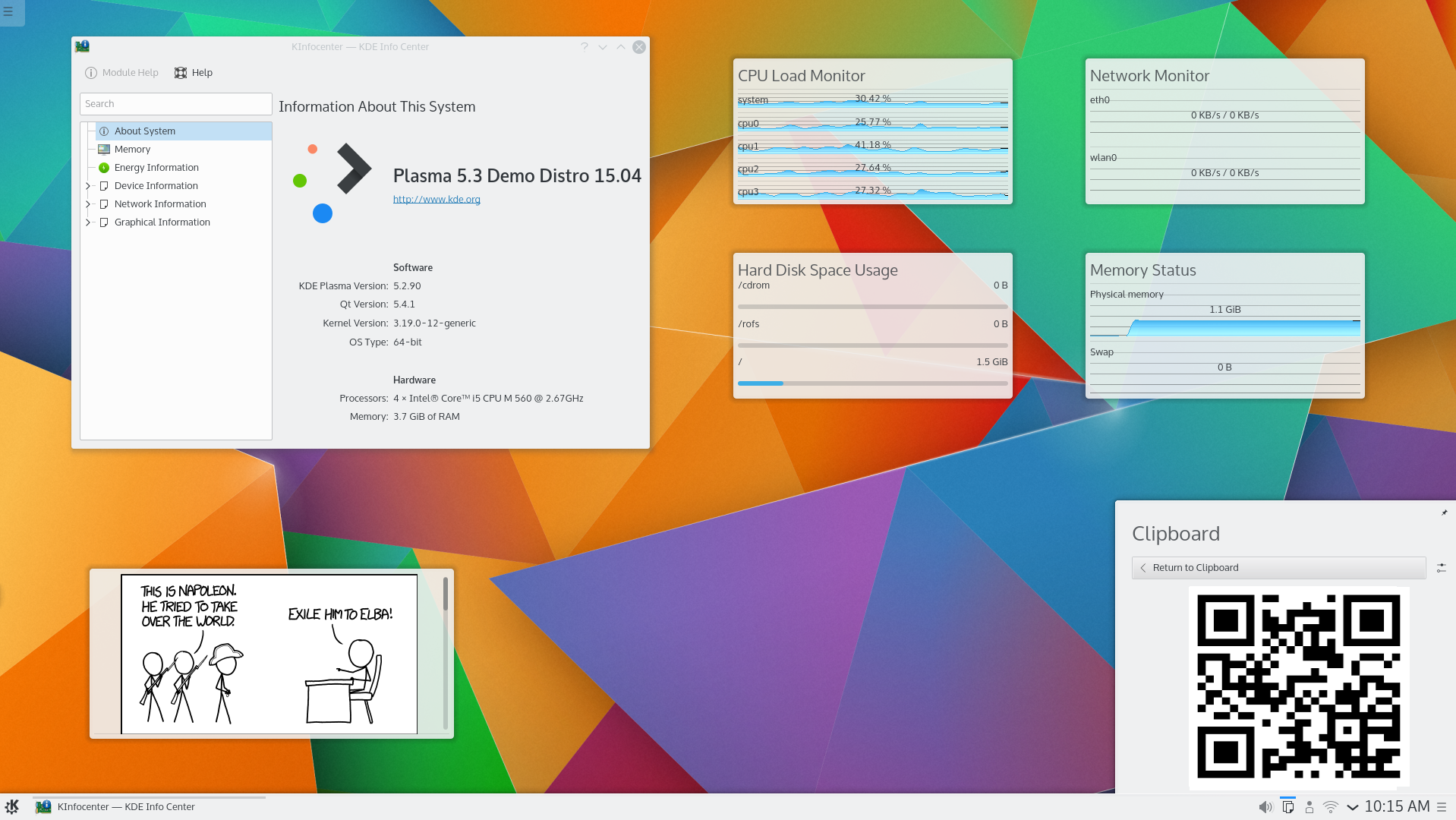
KDE Plasma 5.3
2015 年 4 月 28 日,星期二
Today KDE releases a release of Plasma 5, versioned 5.3.
亮點
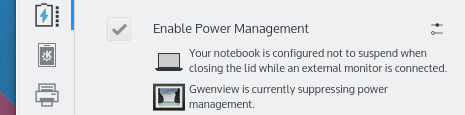
Battery applet now informs what is blocking power saving
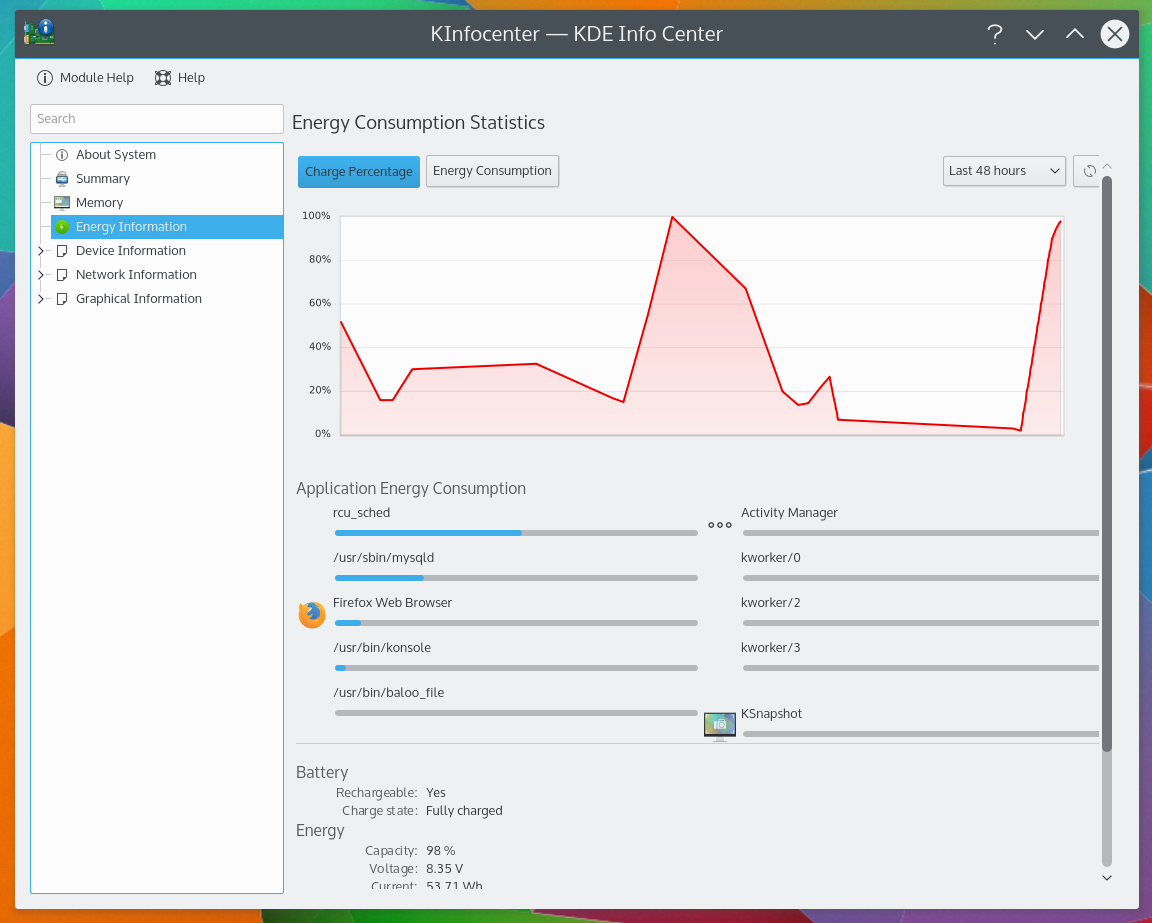
New energy usage monitor
改進電源管理
- 現在可以為各個活動調整電源管理設定
- Laptop will not suspend when closing the lid while an external monitor is connected ('cinema mode', by default, can be turned off)
- 電源管理睡眠阻擋也會阻擋鎖定螢幕
- 螢幕亮度變更現在會在大部分硬體上以動畫方式柔順過渡
- 關機到一半時關上上蓋不會再觸發休眠
- 在鎖定螢幕上支援鍵盤的亮度控制按鈕
- KInfoCenter 資訊中心提供關於能源消耗的統計資料
- 電池監視器現在會顯示哪些應用程式正在阻擋電源管理(例如「Chrome 正在阻擋電源管理:正在播放影片」)
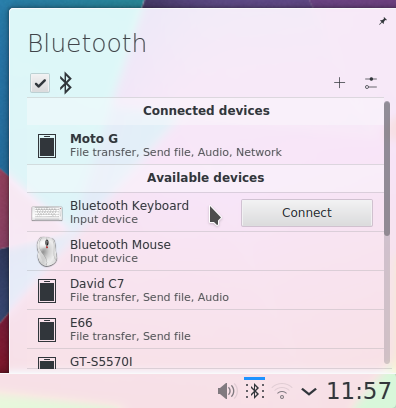
新的 Bluedevil 小程式
改善藍牙功能
- 新的藍牙小程式
- Bluedevil 已移植到來自 KDE 的新函式庫 BluezQt 上
- 新增封鎖與解除封鎖藍牙裝置的支援
- Connected devices with Browse Files (ObexFTP) support are now displayed in the file dialog's Places panel
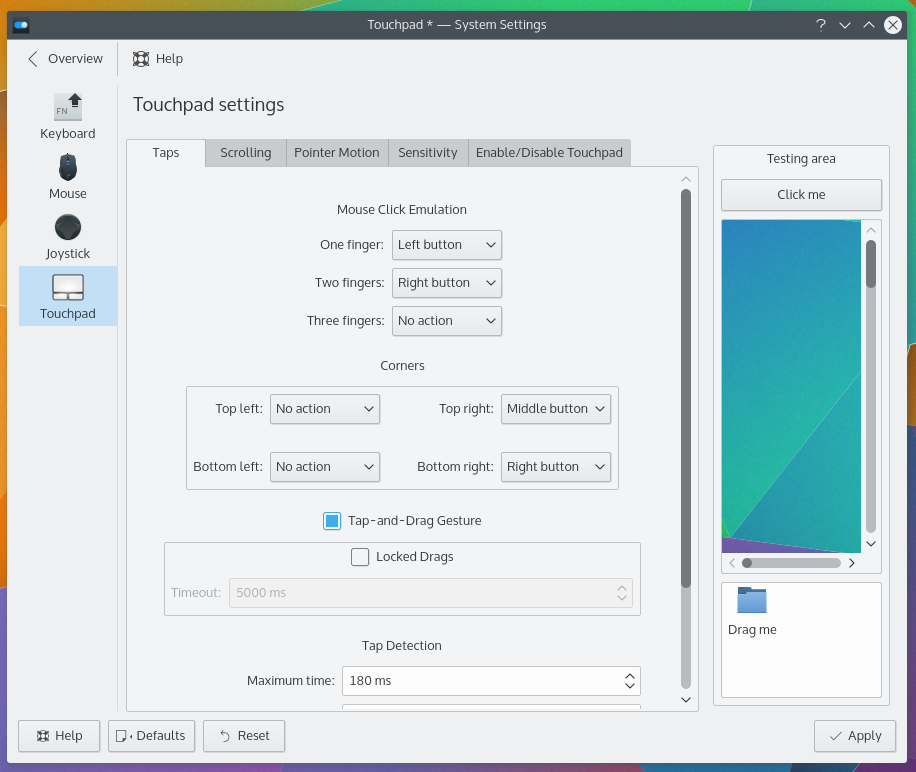
設定您的觸控板
新增了一個 觸控板設定模組
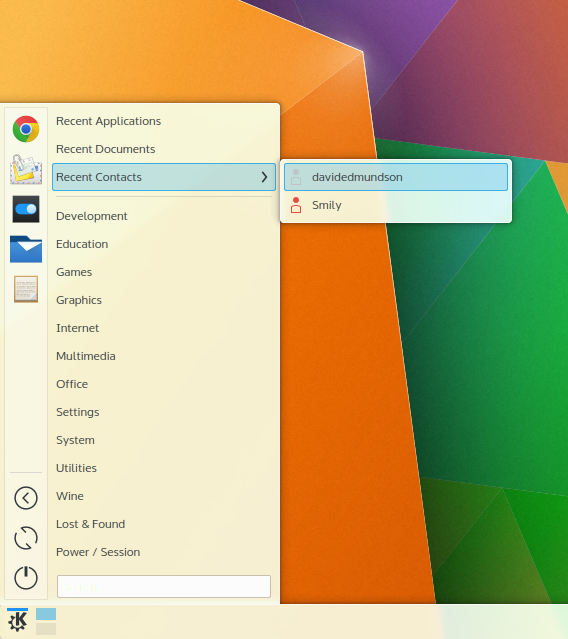
應用程式選單可以存取聯絡人
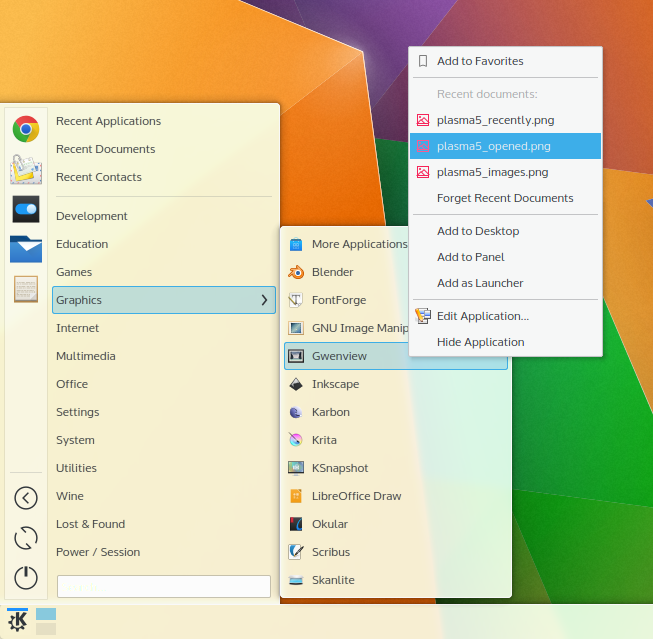
Application Menu can show recent documents
改良的 Plasma 元件
- 剪貼簿小程式現在支援顯示條碼
- 桌面與資料夾檢視容器的原始碼已合併,並有了效能改善
- 應用程式選單(Kicker)中的最近文件與最近應用程式區塊現在支援 KDE 活動
- 漫畫元件回來了
- 系統監控小工具回來了,例如 CPU 用量監控元件與硬碟用量元件
Plasma 媒體中心 - 技術預覽
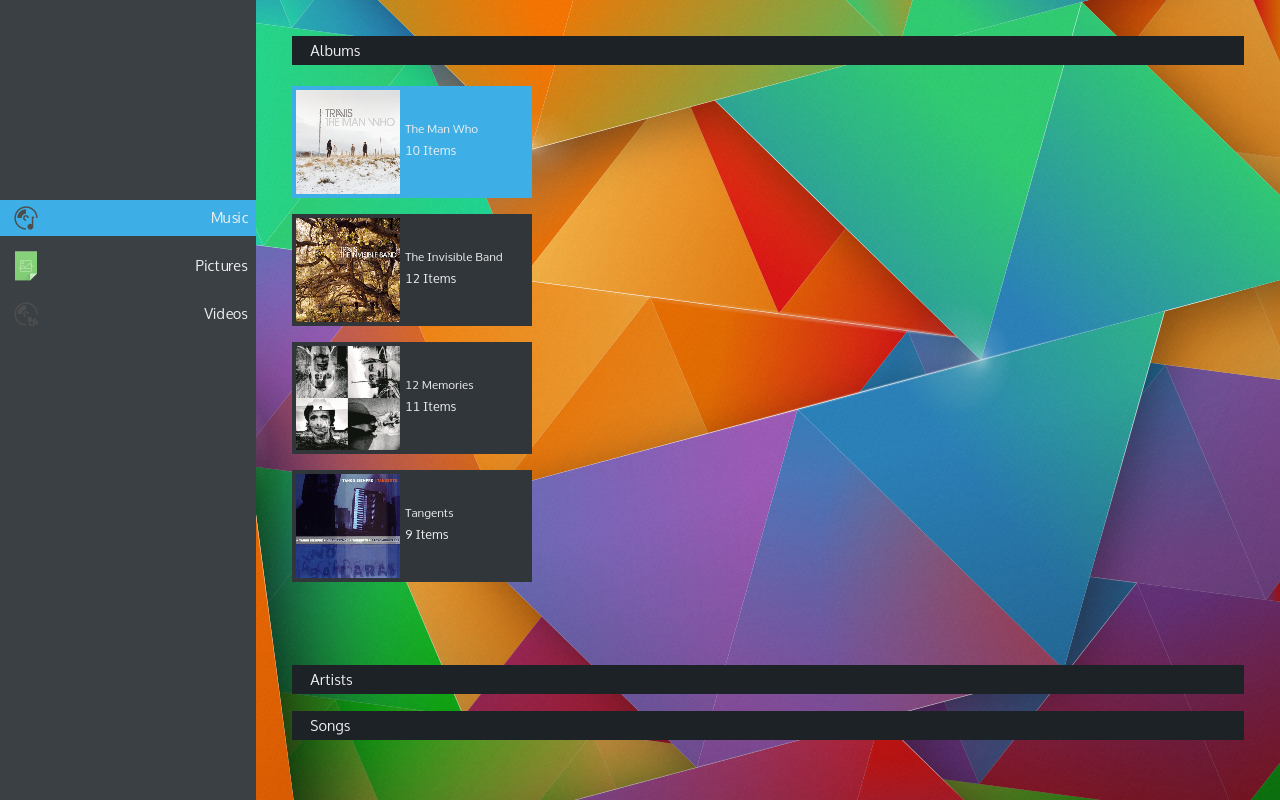
Plasma 媒體中心
Plasma Media Center is added as a tech preview in this release. It is fully stable but misses a few features compared to version 1. You can log directly into a Plasma Media Center session if you want to use it on a media device such as a television or projector or you can run it from Plasma Desktop. It will scan for videos, music and pictures on your computer to let you browse and play them.
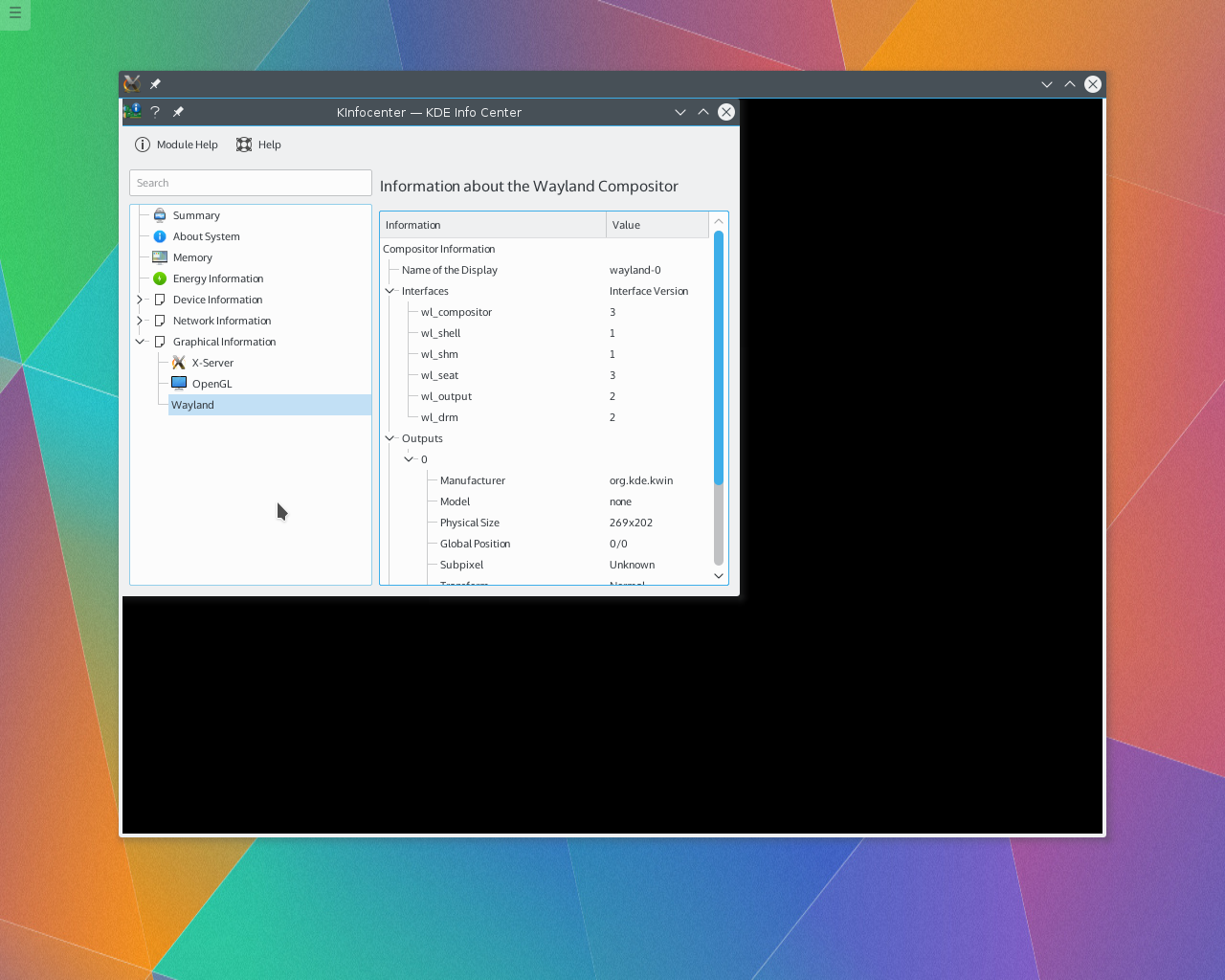
Plasma is now able to start a nested XWayland server
Big Steps Towards Wayland Support
- Plasma 5.3 makes a huge step towards to supporting the Wayland windowing system in addition to the default X11 windowing system. Plasma's window manager and compositor KWin is now able to start a nested XWayland server, which acts as a bridge between the old (X11) and the new (Wayland) world. X11 windows can connect to this server as if it were a normal X server, for KWin it looks like a Wayland window, though. This means that KWin learned to handle Wayland windows in this release, though full integration is only expected for Plasma 5.4.
- In addition KWin gained new output modes for Wayland allowing to start a nested KWin on X11 and to start KWin directly on a framebuffer device, which will be the fallback for the case that OpenGL and/or kernel mode settings are not supported. A rendering backend on kernel mode settings is expected for Plasma 5.4. More information about these new backends and how to test them can be found in the KWin wiki pages. Please keep in mind that this is only a development preview and highly experimental new code.
Desktop Tweaks - Press and Hold
A new Tweaks configuration option in Plasma allows you to enable or disable the desktop settings toolbox and enable a new Press and Hold mode for widget management. In this mode, widgets can be moved after pressing and holding anywhere on the widget, and the widget handle will only be shown after press and hold rather than on hover. When this mode is enabled, unlocking the desktop will show a helpful instruction notification (which can be dismissed forever from the popup).
Bug Fixes Galore
393 bugs were fixed giving fewer crashes and more reliable use.
檢視完整變更紀錄Live 映像檔
嘗試使用 Plasma 的最簡單的方式是用 live 映像檔製作一個 live USB 開機隨身碟。使用 Docker 映像檔也是一個測試 Plasma 的快速又簡單的方式。
下載有 Plasma 的 live 映像檔 下載有 Plasma 的 Docker 映像軟體包下載
發行版已建立(或正在建立)在我們的維基頁面上有列出的軟體包。
請注意,這個釋出的軟體包在此公告發布時可能尚未由各發行版所提供。
軟體包下載維基頁面原始碼下載
您可以直接從原始碼安裝 Plasma。
來自社群的編譯說明 原始碼資訊頁面回饋
您可以透過我們的社群頻道提供給我們回饋或是獲得新資訊的更新:
在 KDE 論壇 上討論 KDE。
您可以透過 #Plasma Matrix 頻道) 或是 Plasma-devel 郵件論壇 直接向開發者們提供回饋,也可以透過 Bugzilla 回報問題。如果您喜歡團隊所做的事,請讓他們知道!
我們非常感謝您的回饋。
支持 KDE
KDE 是歸功於許多志工捐獻時間與努力才存在並成長的自由軟體社群。KDE 總是歡迎新的志工與貢獻,不論是幫助寫程式、修正臭蟲或回報臭蟲、撰寫說明文件、進行翻譯、宣傳或是金錢貢獻。我們十分感謝且積極接受所有貢獻。請閱讀支持 KDE頁面以取得更多資訊,或是響應 Join the Game 行動成為 KDE e.V. 贊助成員。
關於 KDE
KDE 是一個國際科技團隊,製作桌面與可攜式裝置用的自由開源軟體。KDE 的產品包含一個 Linux 與 UNIX 平台用的現代化桌面環境系統、完整的辦公室套裝軟體,以及許多種類的軟體,包含網際網路應用程式、多媒體、娛樂、教育、圖形與軟體開發用的應用程式。KDE 的軟體由志願譯者翻譯至超過 60 中語言,且設計為易用並符合現代無障礙使用的原則。KDE 的軟體功能完善,並能在 Linux、BSD、Windows、Haiku 及 macOS 上原生執行。
商標標示。
KDE® 和 K Desktop Environment® 圖示是 KDE e.V. 的註冊商標。
Linux 是 Linus Torvalds 的註冊商標。 UNIX 是 The Open Group 在美國和其他國家的註冊商標。
此公告中提及的其他所有商標與版權都是它們個別擁有者的財產。
媒體聯絡方式
關於更多資訊,請傳電子郵件給我們: press@kde.org