跳到內容

KDE Plasma 5.10,預設簡潔,需要時足夠強大

2017 年 5 月 30 日,星期二

Plasma 5.10 的圖片

KDE Plasma 5.10

2017 年 5 月 30 日,星期二

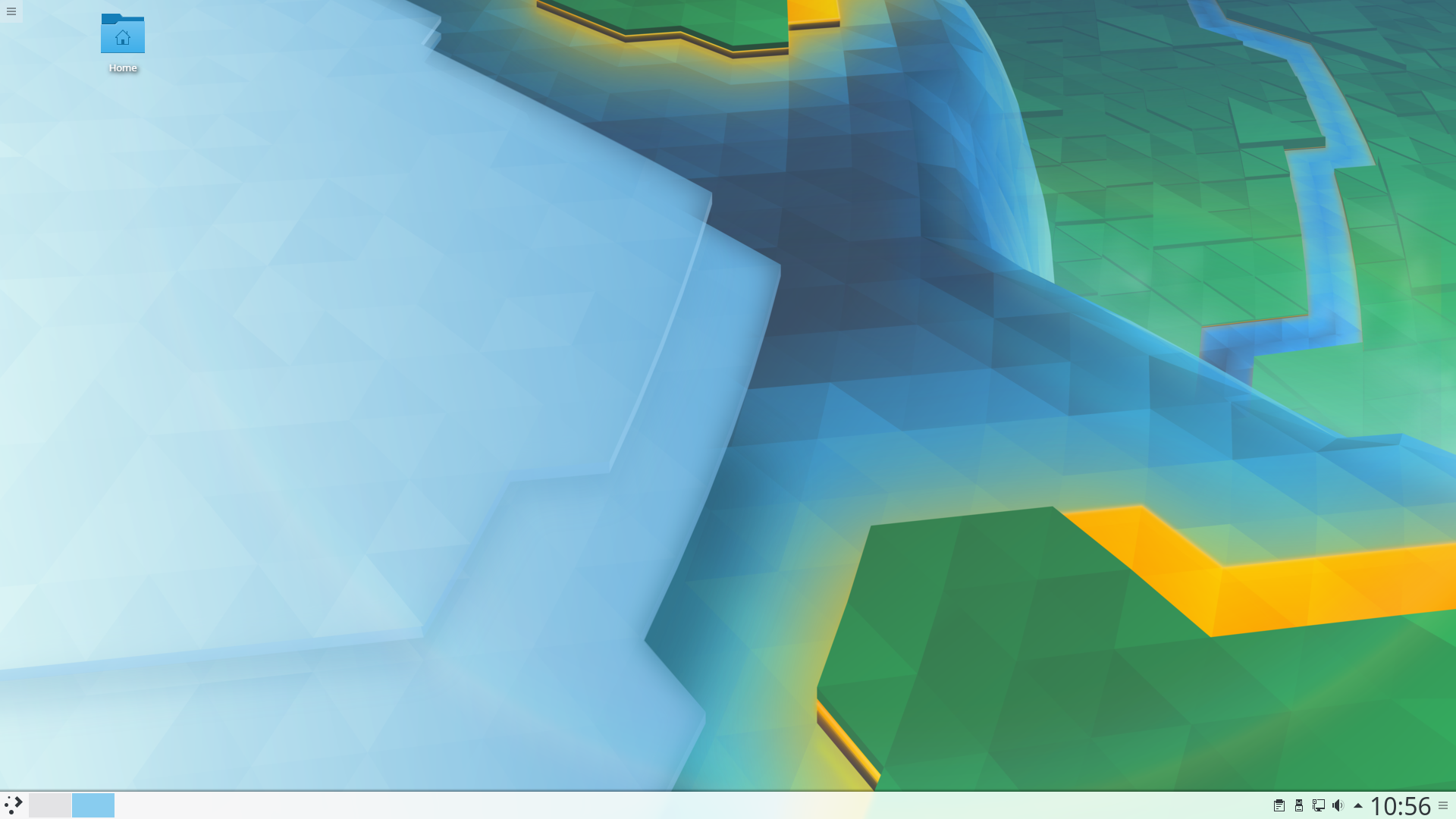
Today KDE has made a new feature release of our desktop Plasma 5.10 with new features across the suite to give users an experience which lives up to our tagline: simple by default, powerful when needed.

面板工作管理員

中鍵點擊來分組

Task Manager, the list of applications in the panel, has gained options for middle mouse click such as grouping and ungrouping applications.

Several other improvements here include:
  • Places jump list actions in File manager launchers (e.g. pinned Dolphin in Task Manager now lists user places)
  • The icon size in vertical Task Managers is now configurable to support more common vertical panel usage patterns
  • Improved app identification and pinning in Task Manager for apps that rely on StartupWMClass, perl-SDL-based apps and more

預設桌面改用資料夾檢視

桌面預設使用資料夾

桌面預設使用資料夾

After some years shunning icons on the desktop we have accepted the inevitable and changed to Folder View as the default desktop which brings some icons by default and allows users to put whatever files or folders they want easy access to. Many other improvements have been made to the Folder View include:
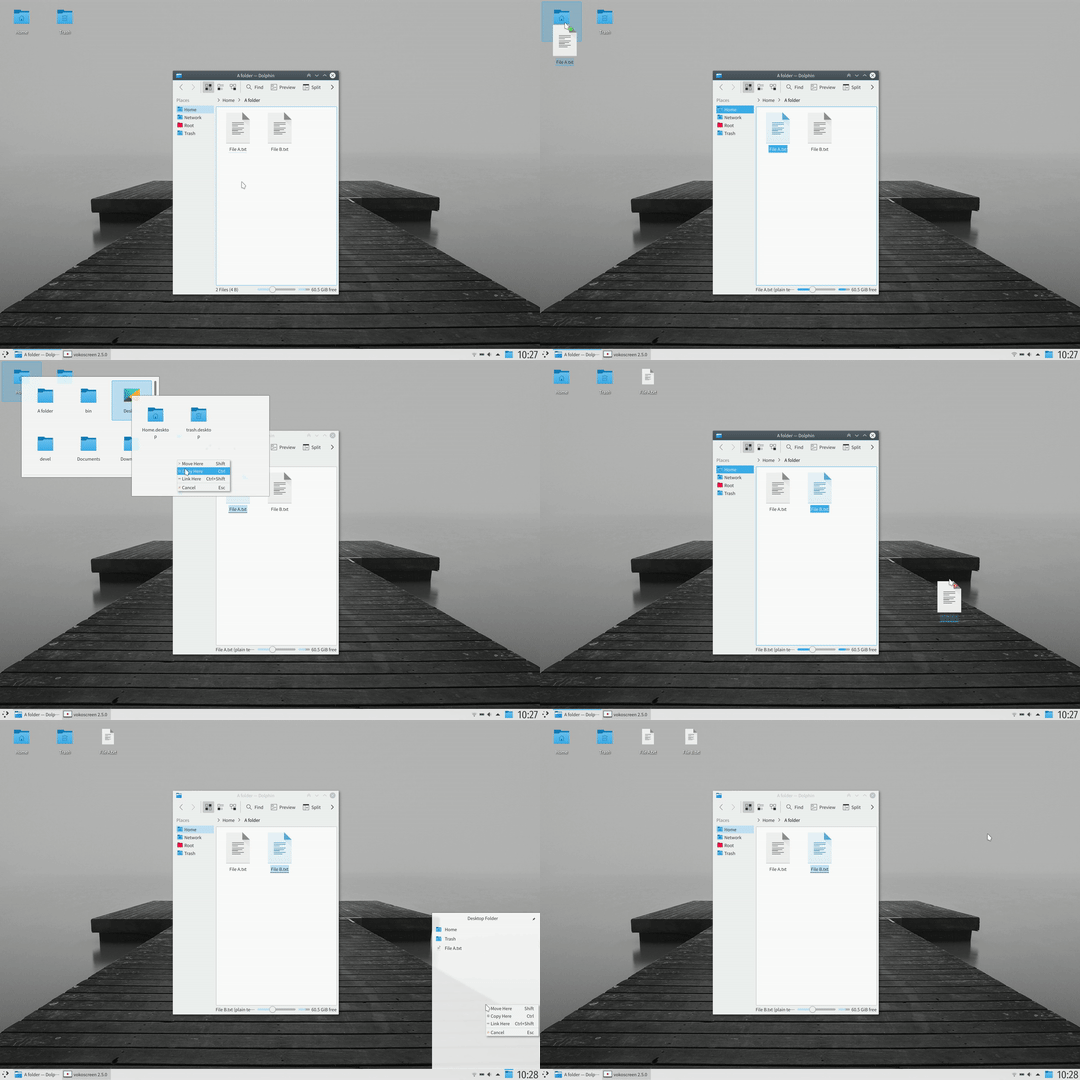
  • Spring Loading in Folder View making drag and drop of files powerful and quick
  • More space-saving/tighter icon grid in Folder View based on much user feedback
  • Improved mouse behavior / ergonomics in Folder View for icon dnd (less surprising drop/insert location), rectangle selection (easier, less fiddly) and hover (same)
  • Revamped rename user interface in Folder View (better keyboard and mouse behavior e.g. closing the editor by clicking outside, RTL fixed, etc.)
  • Massively improved performance in Folder View for initial listing and scrolling large folders, reduced memory usage
  • Many other bug fixes and UI improvements in Folder View, e.g. better back button history, Undo shortcut support, clickable location in the headings, etc.
  • Unified drop menu in Folder View, showing both file (Copy/Move/Link) and widget (creating a Picture widget from an image drop, etc.) drop actions
  • It is now possible to resize widgets in the desktop by dragging on their edges and moving them with Alt+left-click, just like regular windows

New Features Everywhere

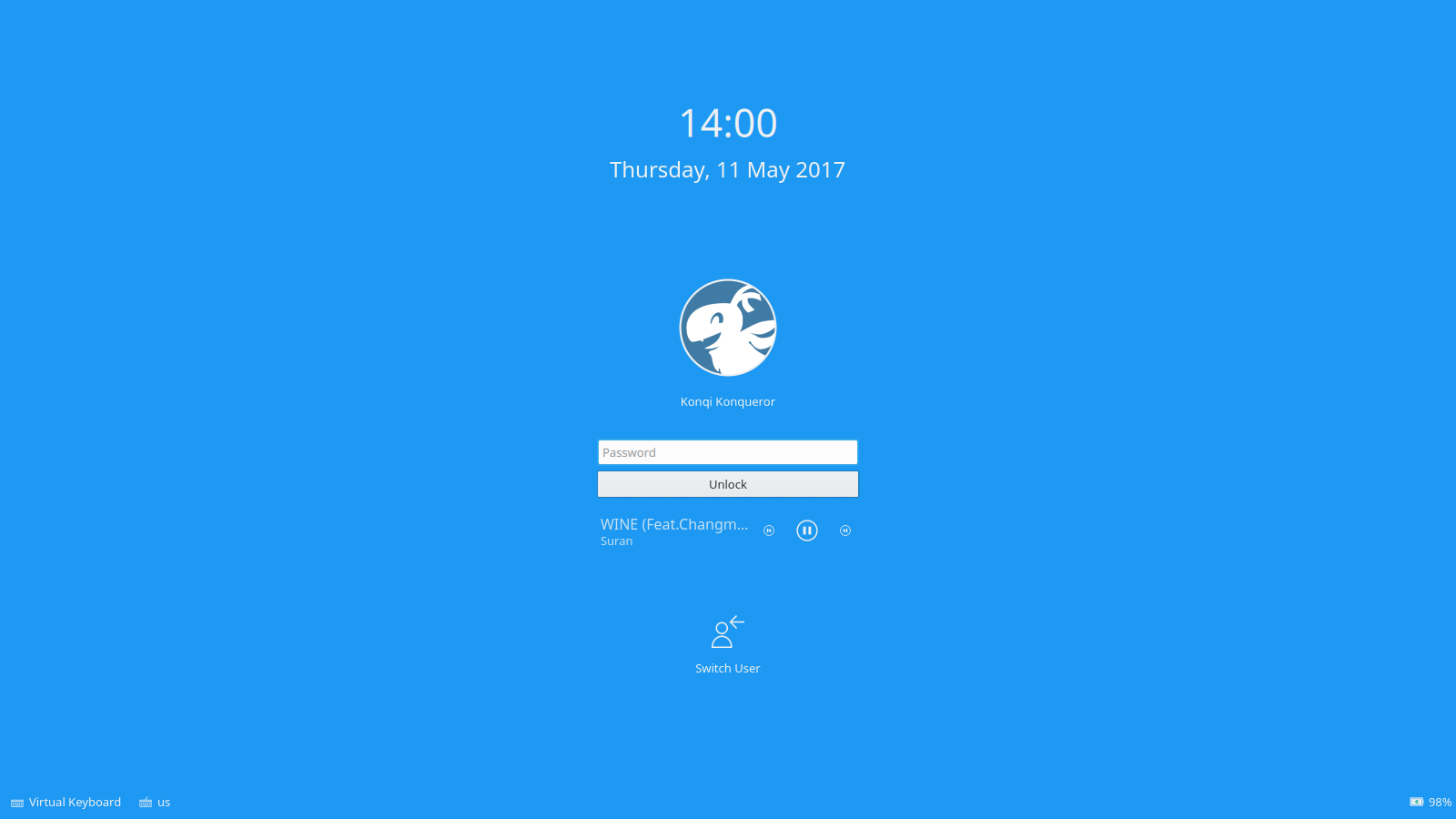
Lock Screen Now Has Music Controls

Lock Screen Now Has Music Controls

軟體中心 Plasma 搜尋

軟體中心 Plasma 搜尋元件提供安裝應用程式的選項

音效音量裝置選單

音效音量裝置選單

There are so many other improvements throughout the desktop, here's a sample:
  • 鎖定螢幕上的媒體控制元件
  • 休眠時暫停音樂播放
  • Software Centre Plasma Search (KRunner) suggests to install non-installed apps
  • File copying notifications have a context menu on previews giving access to actions such as open containing folder, copy, open with etc
  • Improved plasma-windowed (enforces applet default/minimum sizes etc)
  • 「桌面編輯模式」,開啟工具箱時會顯示小程式的把手
  • Performance optimizations in Pager and Task Manager
  • 應用程式啟動器中現在除了「最近使用」以外,新增了「常用」文件與應用程式
  • Panel icons (buttons for popup applets, launcher applets) now follow the Icons -> Advanced -> Panel size setting in System Settings again, so they won't take up too much space, particularly useful for wide vertical panels
  • Revamped password dialogs for network authentication
  • The security of the lock screen architecture got reworked and simplified to ensure that your system is secured when the screen is locked. On Linux systems the lock screen is put into a sandbox through the seccomp technology.
  • Plasma's window manager support for hung processes got improved. When a window is not responding any more it gets darkened to indicate that one cannot interact with it any more.
  • Support for locking and unlocking the shell from the startup script, useful especially for distributions and enterprise setups
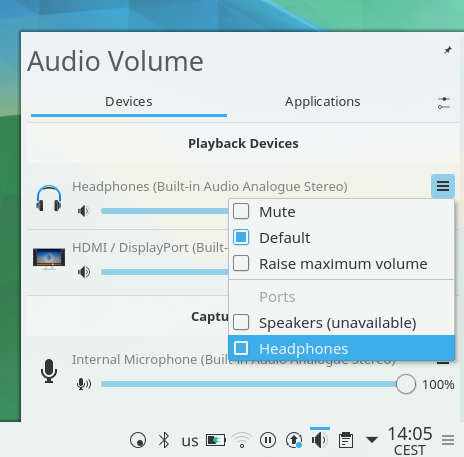
  • 音效音量小程式中的每一個裝置都有一個好用的選單,讓您可以將裝置設為預設或是切換輸出到耳機。

改善觸控螢幕支援

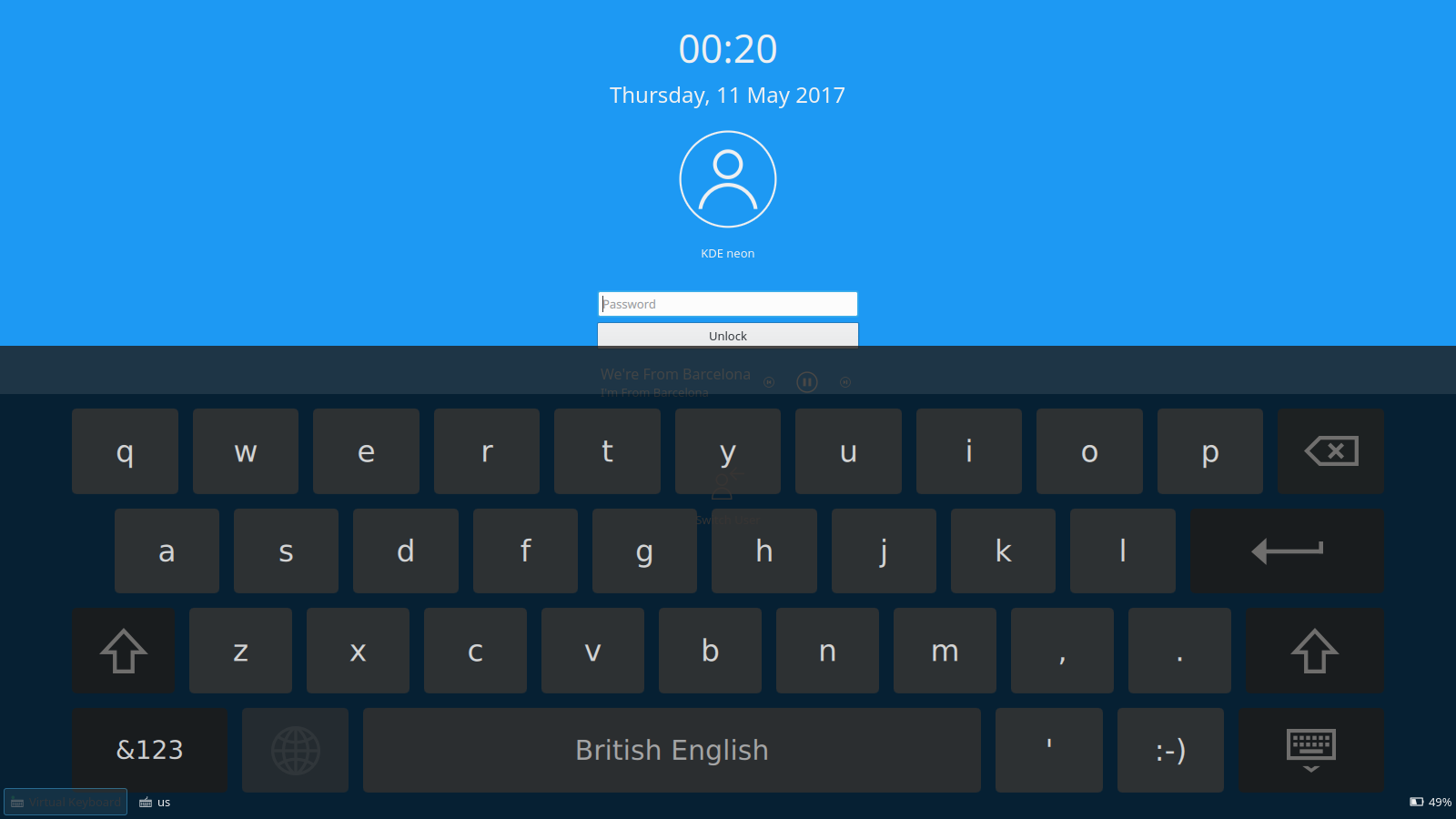
登入畫面與鎖定畫面上的虛擬鍵盤

登入畫面與鎖定畫面上的虛擬鍵盤

Touch Screen Support has improved in several ways:

  • 鎖定螢幕上的虛擬鍵盤
  • 登入畫面上的虛擬鍵盤
  • 觸控螢幕邊緣滑動手勢
  • 左側螢幕邊緣預設切換視窗
  • 使用邊緣滑動手勢來顯示自動隱藏的面板

Working for the Future with Wayland

We have put a lot of work into porting to new graphics layer Wayland, the switch is coming but we won't recommend it until it is completely transparent to the user. There will be improved features too such as KWin now supports scaling displays by different levels if you have a HiDPI monitor and a normal DPI screen. Keyboard layout support in Wayland now has all the features of X11:
  • Layout switcher in the system tray
  • Per layout global shortcut
  • Switch layout based on a policy, either global, virtual desktop, application or per window
  • IPC interface added, so that other applications can change layout.

Plymouth Boot Splash Selection

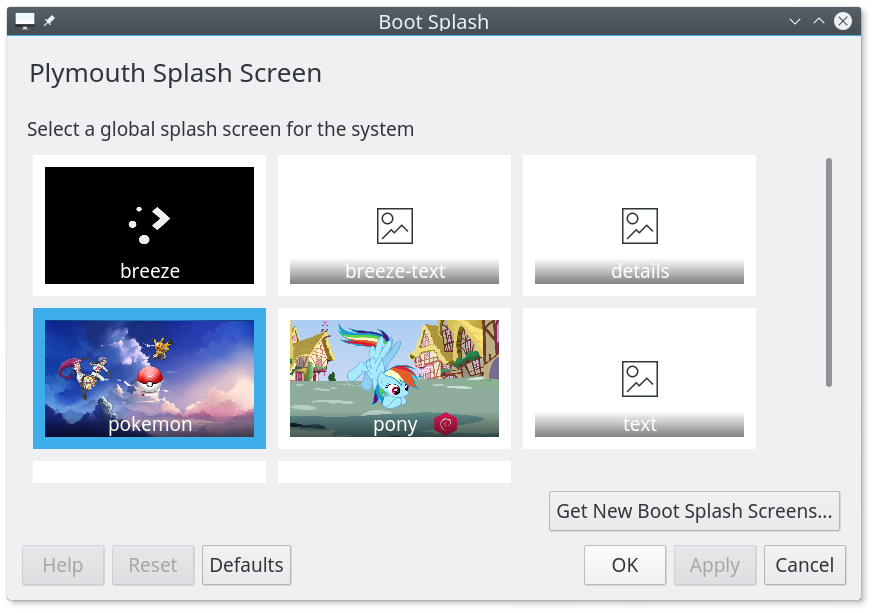
Plymouth KControl Module

Plymouth KControl Module

A new System Settings module lets you download and select boot time splashes.
Bundle Packages

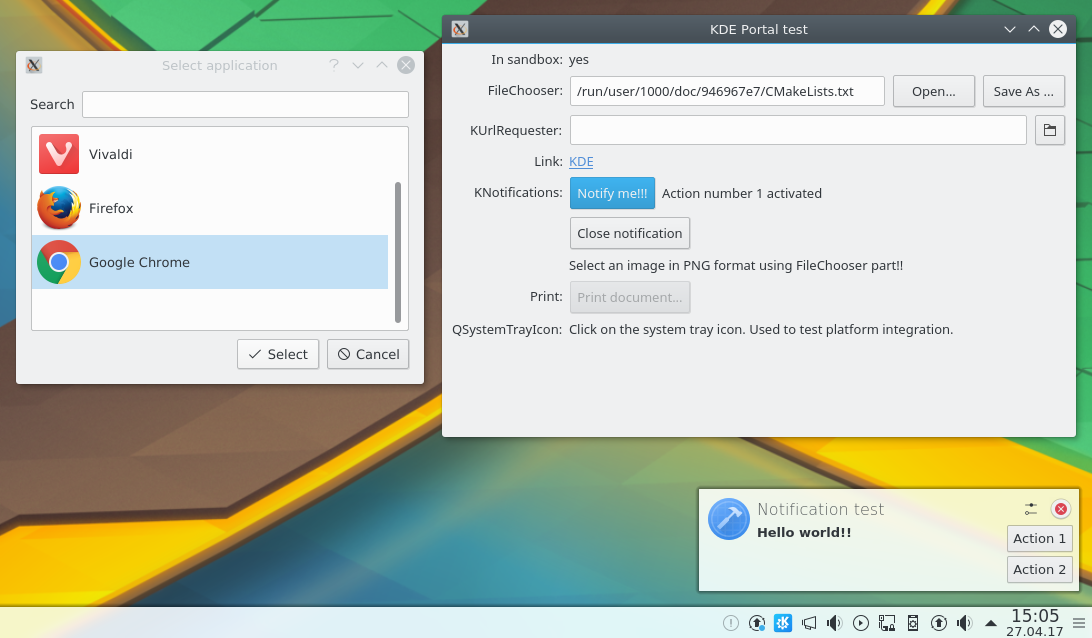
Flatpak integration with xdg-desktop-portal-kde: selecting a file using file chooser portal, invoking openURI portal and notification portal

Flatpak integration with xdg-desktop-portal-kde: selecting a file using file chooser portal, invoking openURI portal and notification portal

Experimental support for forthcoming new bundle package formats has been implemented. Discover software centre has gained provisional backends for Flatpak and Snappy. New plugin xdg-desktop-portal-kde has added KDE integration into Flatpak packaged applications.

Support for GNOME’s Open Desktop Ratings, replacing old Ubuntu popularity contest with tons of already existing reviews and comments.

檢視完整變更紀錄

軟體包下載

發行版已建立(或正在建立)在我們的維基頁面上有列出的軟體包。

請注意,這個釋出的軟體包在此公告發布時可能尚未由各發行版所提供。

軟體包下載維基頁面

支持 KDE

KDE 是歸功於許多志工捐獻時間與努力才存在並成長的自由軟體社群。KDE 總是歡迎新的志工與貢獻,不論是幫助寫程式、修正臭蟲或回報臭蟲、撰寫說明文件、進行翻譯、宣傳或是金錢貢獻。我們十分感謝且積極接受所有貢獻。請閱讀支持 KDE頁面以取得更多資訊,或是響應 Join the Game 行動成為 KDE e.V. 贊助成員。

關於 KDE

KDE 是一個國際科技團隊,製作桌面與可攜式裝置用的自由開源軟體。KDE 的產品包含一個 Linux 與 UNIX 平台用的現代化桌面環境系統、完整的辦公室套裝軟體,以及許多種類的軟體,包含網際網路應用程式、多媒體、娛樂、教育、圖形與軟體開發用的應用程式。KDE 的軟體由志願譯者翻譯至超過 60 中語言,且設計為易用並符合現代無障礙使用的原則。KDE 的軟體功能完善,並能在 Linux、BSD、Windows、Haiku 及 macOS 上原生執行。


商標標示。

KDE® 和 K Desktop Environment® 圖示是 KDE e.V. 的註冊商標。
Linux 是 Linus Torvalds 的註冊商標。 UNIX 是 The Open Group 在美國和其他國家的註冊商標。
此公告中提及的其他所有商標與版權都是它們個別擁有者的財產。


媒體聯絡方式

關於更多資訊,請傳電子郵件給我們: press@kde.org