你可以通过捐款来助力 KDE Gear 的存续和发展。填写捐款表单,帮助我们持续改进已有应用并开发新的应用。
KDE Gear ☀️ 23.08
We got you covered 🏖️
2023年 8 月 24 日 星期四
We create software for people, and the KDE Gear releases are the result of that. Every four months we publish new updates of a large number of KDE apps and software libraries. We create new programs to meet more of your needs, implement more features so you can adapt to an ever-changing digital world, and make our software faster, more efficient, more reliable. We also port it to more platforms so you can run it on more devices: your laptop, your game console, your phone, anywhere.
Read on to find out what's new in KDE Gear 23.08:

Dolphin
No system is complete without a reliable file explorer. Dolphin lets you navigate your folders and files, move and copy things around, connect to servers, and in general manage everything in your storage local and remote.
Dolphin 23.08 tweaks what it shows and how it shows it to give you a better idea of what you are looking at and what you can do with it. Dolphin hides temporary and backup files, uncluttering your view and stopping you from accidentally tampering with them. Other smaller details, like showing the progress of the calculation of the size of an item as it is happening, and the information of a selected file in the information panel (instead of showing the information of every file the cursor rolls over) help you get a clearer idea of what is going on in each moment.
Dolphin has supported tabs and split views for a long time. In 23.08 you can open a duplicate of a tab just by double-clicking on it, and, when you are in split view mode, there are new context menu items and keyboard shortcuts to let you quickly move or copy items from one view to the other.

Okular
Okular, KDE's document viewer, reinforces its digital PDF signing features by allowing signees to add various pieces of metadata, such as "reason" and "location" to the signature, and also to optionally add a background image behind it. To more easily access the "Digitally Sign" action we have placed it at the top level of its hamburger menu.
 Adding metadata to a signature
 Signature with background image and metadata
Other changes include an option that allows you to choose the default scaling mode when printing PDFs, and you can copy an annotation’s text to the clipboard using the context menu for the annotation’s entry in the annotations sidebar.

Merkuro
We renamed Kalendar to Merkuro since the application not only lets you manage your events and tasks any more, but also your contacts.
And soon we'll be adding email!
Apart from renaming and revamping its looks, Merkuro splits the application in two, so you can have just calendaring, only contacts, or both, depending on your needs.
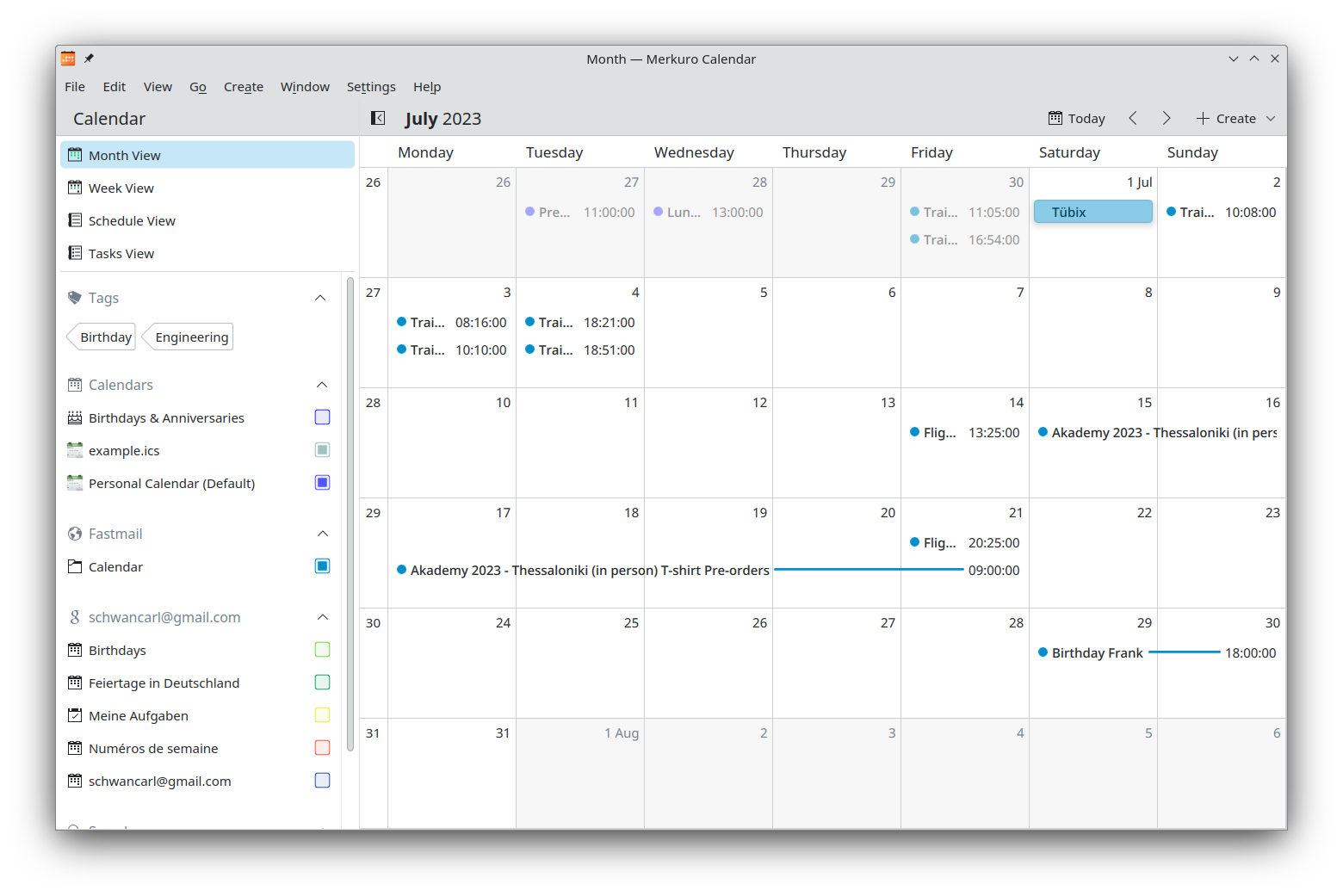 Merkuro month view
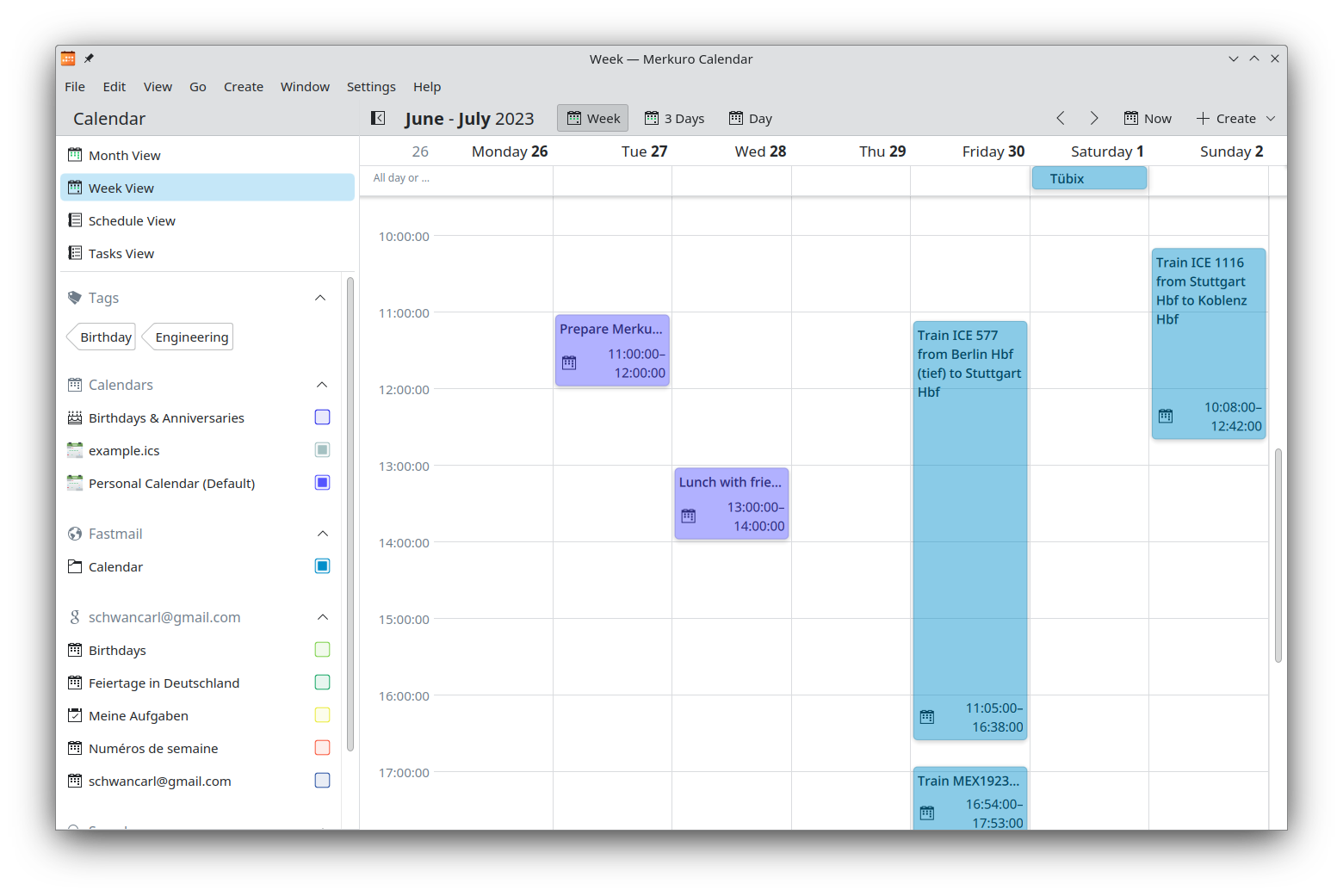 Merkuro week view
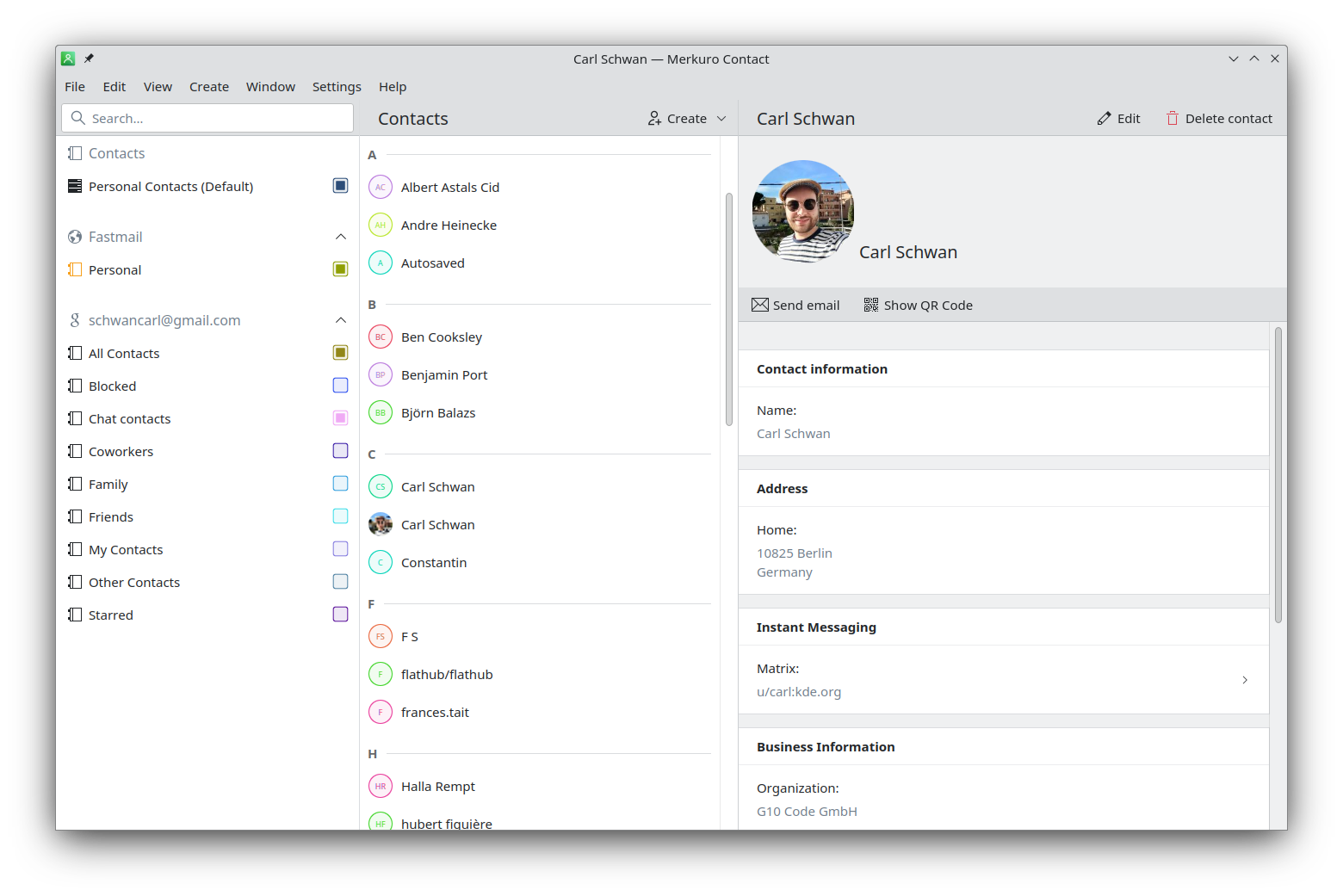 Merkuro contact app
Itinerary
Itinerary is KDE's travel assistant. Apart from reading and importing data from confirmation emails and SMS sent by airline companies, Itinerary can now import online railway tickets using the booking reference and passenger name, and grab booking details directly from the operator's website. Note that this is currently only available for Deutsche Bahn and SNCF.
We have also improved the extraction of data from documents from the following transport companies: Aegean Air, Air Asia, ATPI, B&B Hotels, Best Western, České dráhy, Deutsche Bahn, European Sleeper, Eventbrite, FlixBus, Gepard Express, Grimaldi Lines, MÁV, ÖBB, Ouigo, Qatar Airways, SNCB, SNCF, Sunny Cars, Vueling, and Westbahn. We have also increased the number of types of documents you can add to a reservation to include passes or program membership cards and email messages.
We have redesigned the pages to query connections and they now display the graphical line identifier (if available) and you can select which type of public transport you would prefer to use. In a similar vein, Itinerary’s timeline has been revamped, making more entries editable.
 Itinerary's new revamped timeline
 Share locations with your friends on Matrix
Skanpage
Skanpage, KDE's scanning utility, now lets you re-order multi-page scans using drag-and-drop, and offers more adjustment options, like brightness, contrast, gamma, and color balance.
The preview has also been improved and lets you select multiple specific parts of the image to scan, or automatically split the area into two pages. This is especially useful when scanning books.

Kate
KDE's Advanced Text Editor continues on its road to becoming an all round IDE for developers, and has added support for the GLSL language and Godot's game design engine in its LSP client, and includes a QML language server option when using Qt 6.
Another developer-friendly feature is that the debugger plugin has received interactive GDB navigation buttons in its toolview, a configuration window, and a clearer name.

NeoChat
NeoChat is a chat app that lets you take full advantage of the Matrix network.
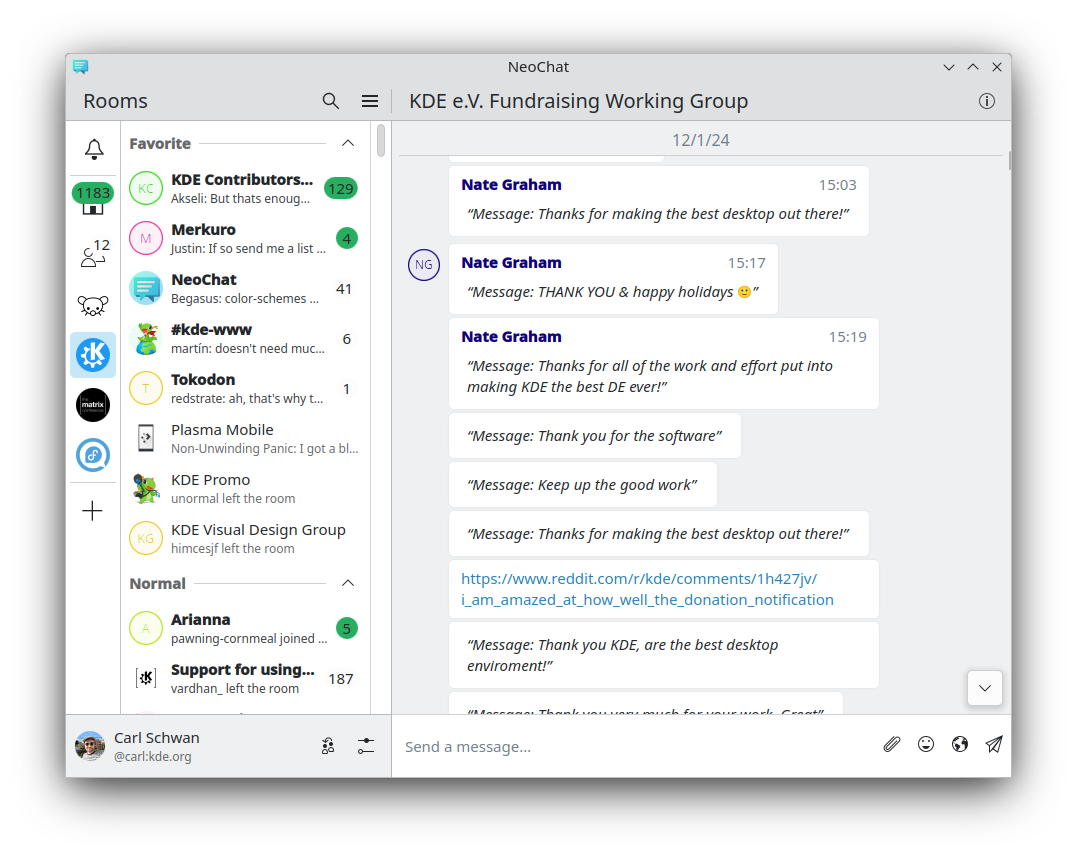
Apart from a visual overhaul, NeoChat can now display location events and also a map with the location of all the users currently broadcasting their location using Itineray's Matrix integration. Great for locating where your friends are.
neochat-map.png)

Tokodon
Tokodon is an app that helps you post to Mastodon. This is another app that has received a visual overhaul and the timeline is now much smoother.
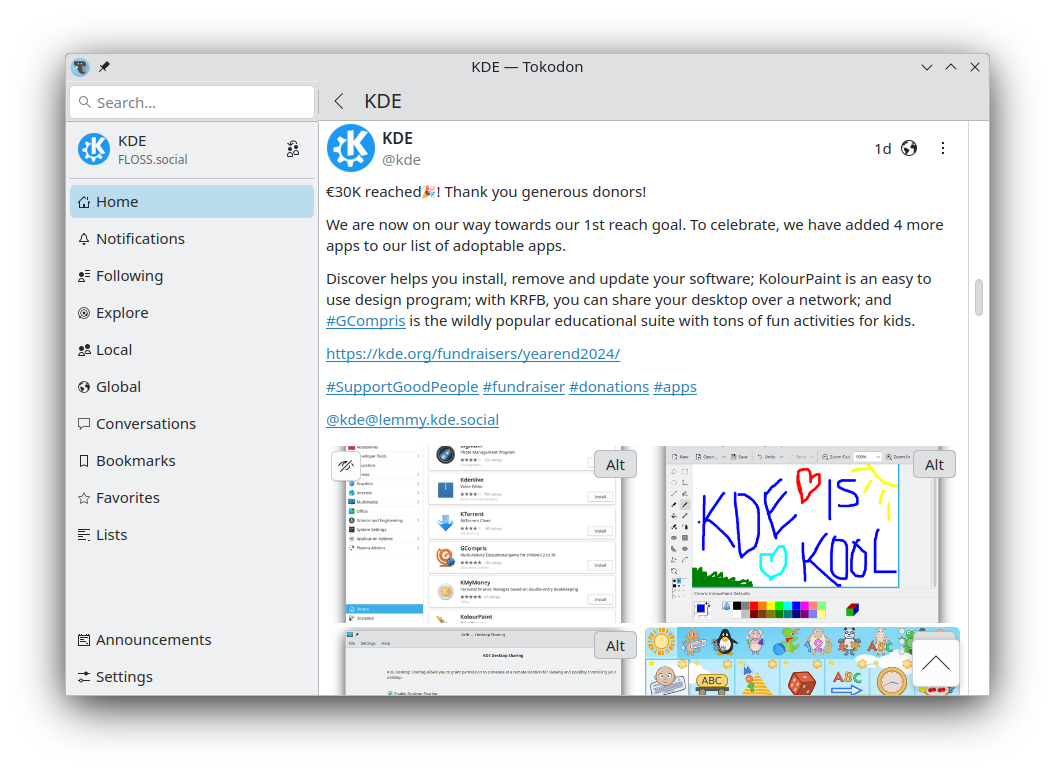
More importantly, if you run your own Mastodon instance, you can now manage and moderate your instance directly from within Tokodon. Version 23.08 gives you the tools to manage users and list the instances you want to (or not) federate with.
 List of users
 Account information for a specific user
 List of blocked instances
Other new features let you share posts through other apps, save your access token securely in KWallet, view all blocked and muted accounts, and pin your status to your profile.
It's also possible to browse the trending tags and posts of your instance.
tokodon-trending.png)
We have also upgraded the multimedia framework, making the video player much more reliable.

Elisa
Elisa is KDE's elegant and feature-rich music player.
The version of Elise being released today does a better job at finding cover files and introduces a smooth transition when switching from one album cover to another.
Another nice addition is that Elisa Shuffle and Repeat settings are controllable via MPRIS. This means you can control these features from the Media Player widget, or, indeed from KDE Connect on your phone.

Kwordquiz
KWordQuiz, the flashcard based educational app, was ported to QML and redesigned from the ground up.
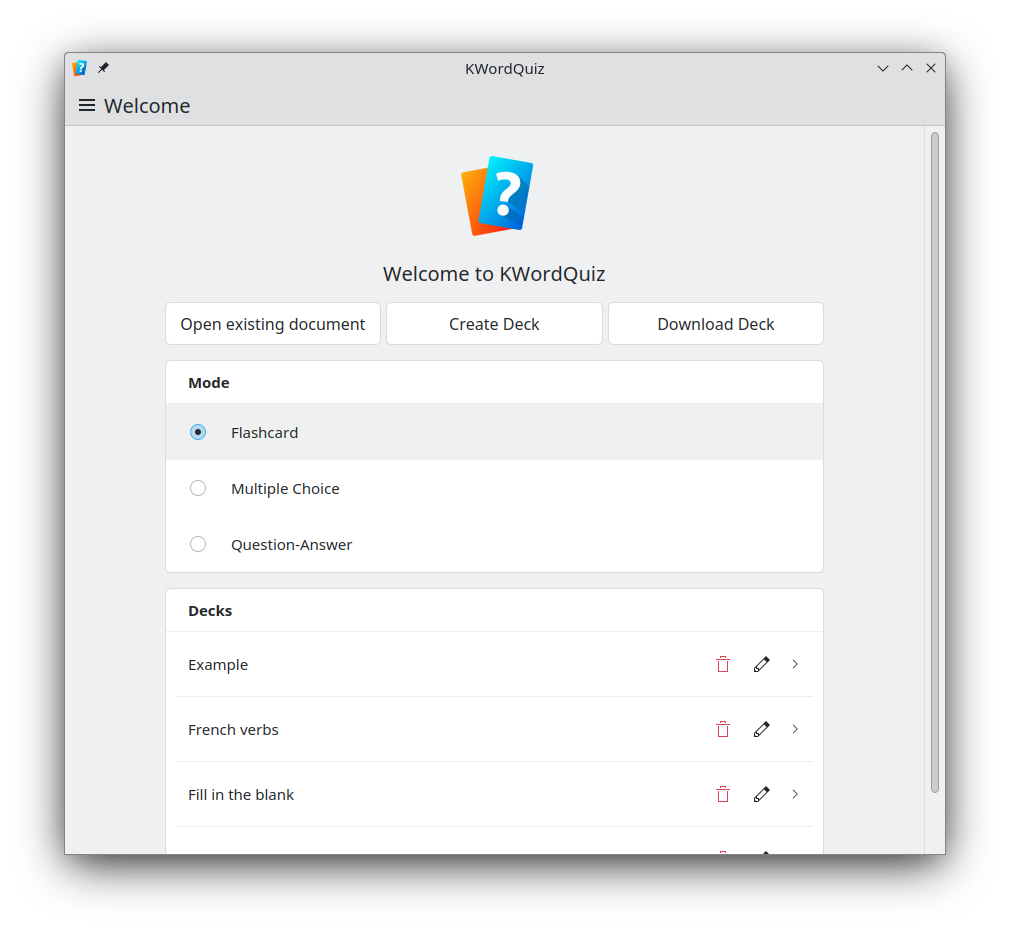 Homepage
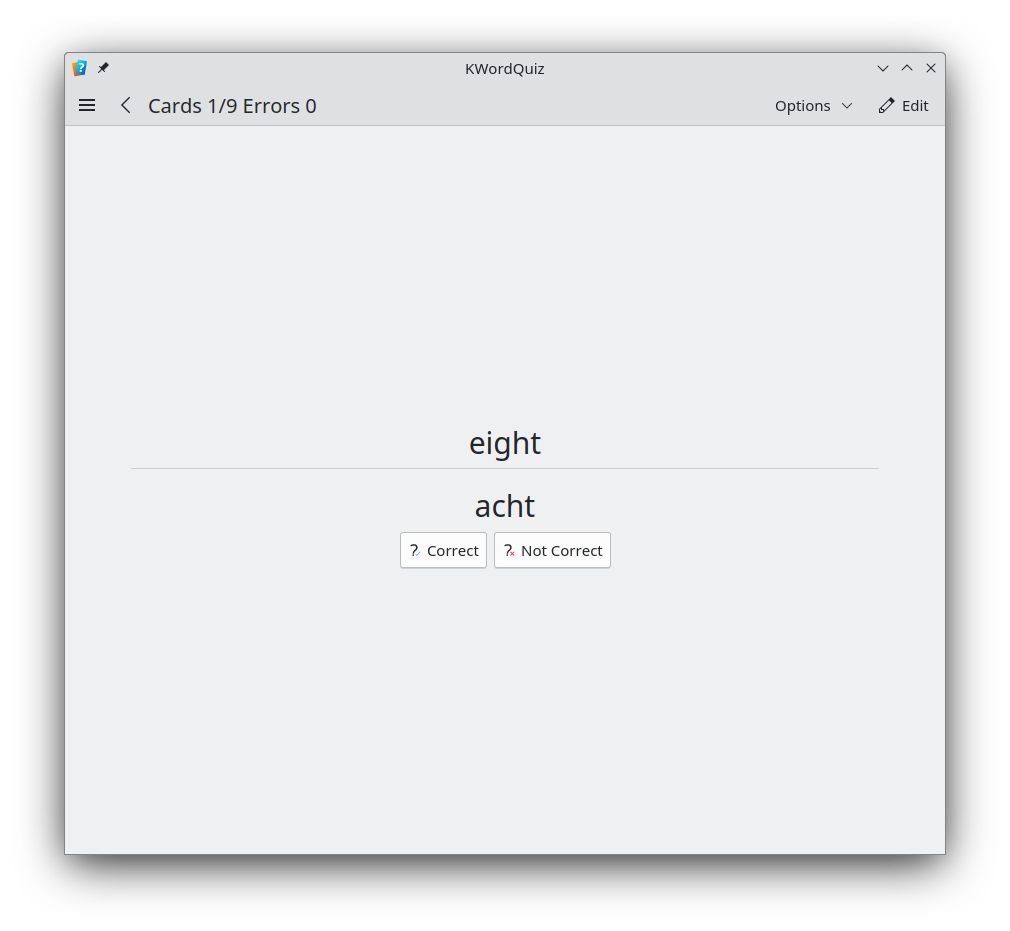 Flashcard mode
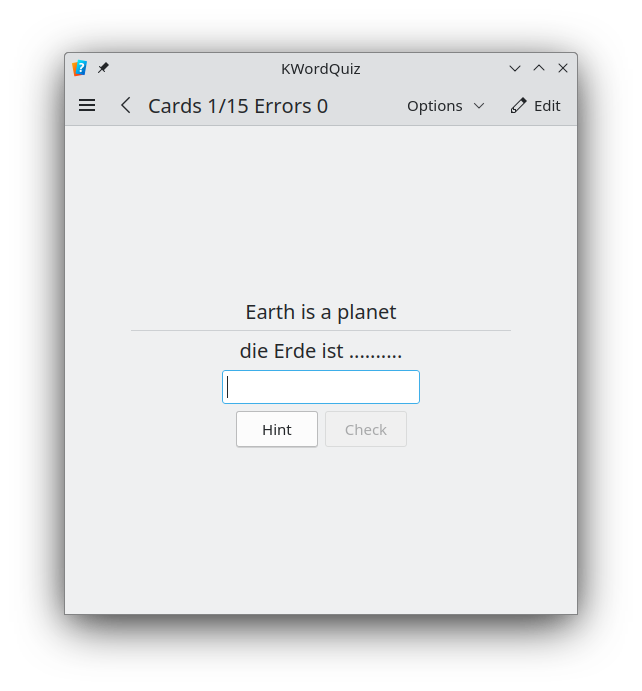 Question response mode
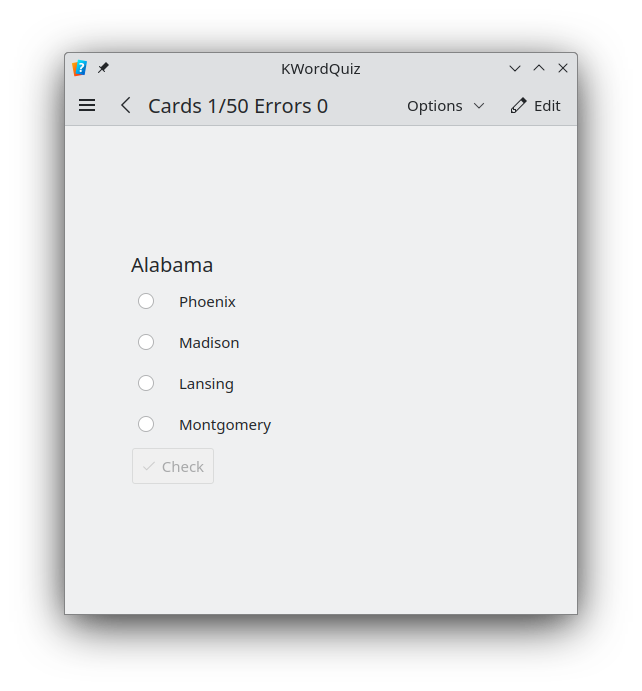 Multiple choice mode
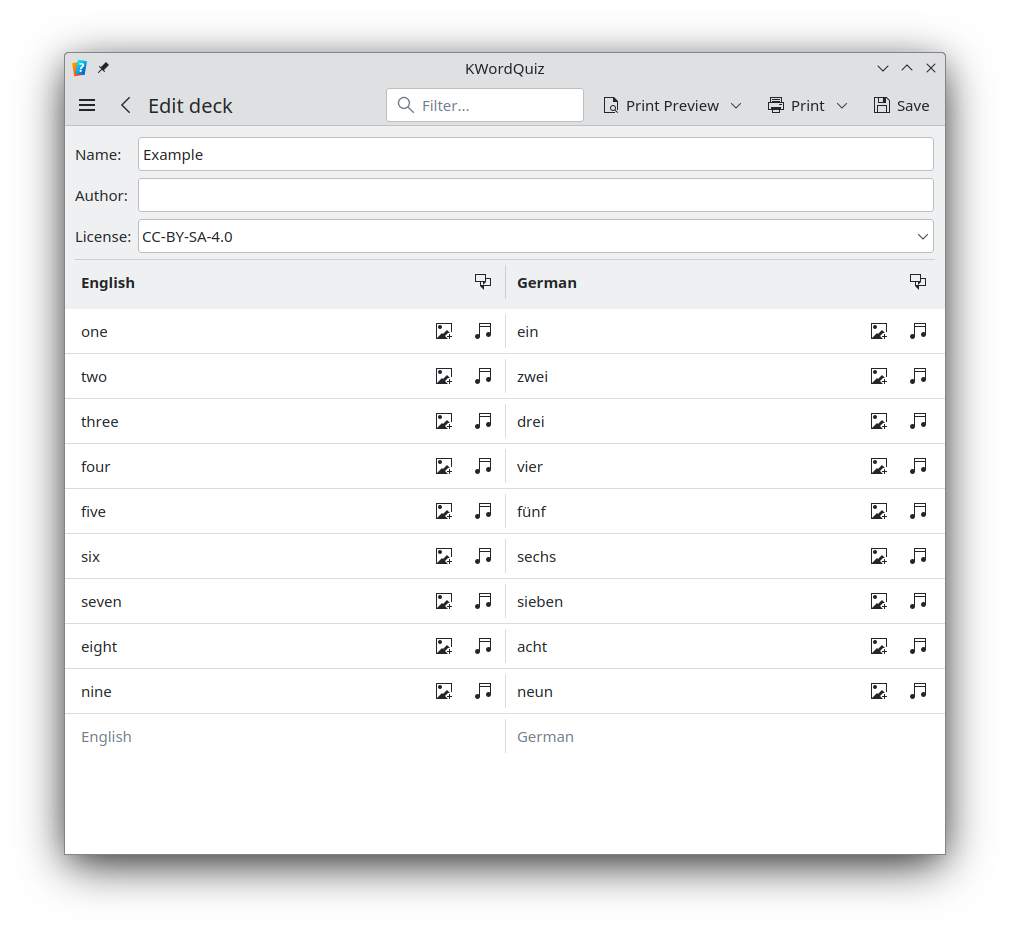 Editor
Gwenview
Gwenview improves the transition from image to image, as well as the usability of the zoom bar, and cleans up toolbars and options.

Spectacle
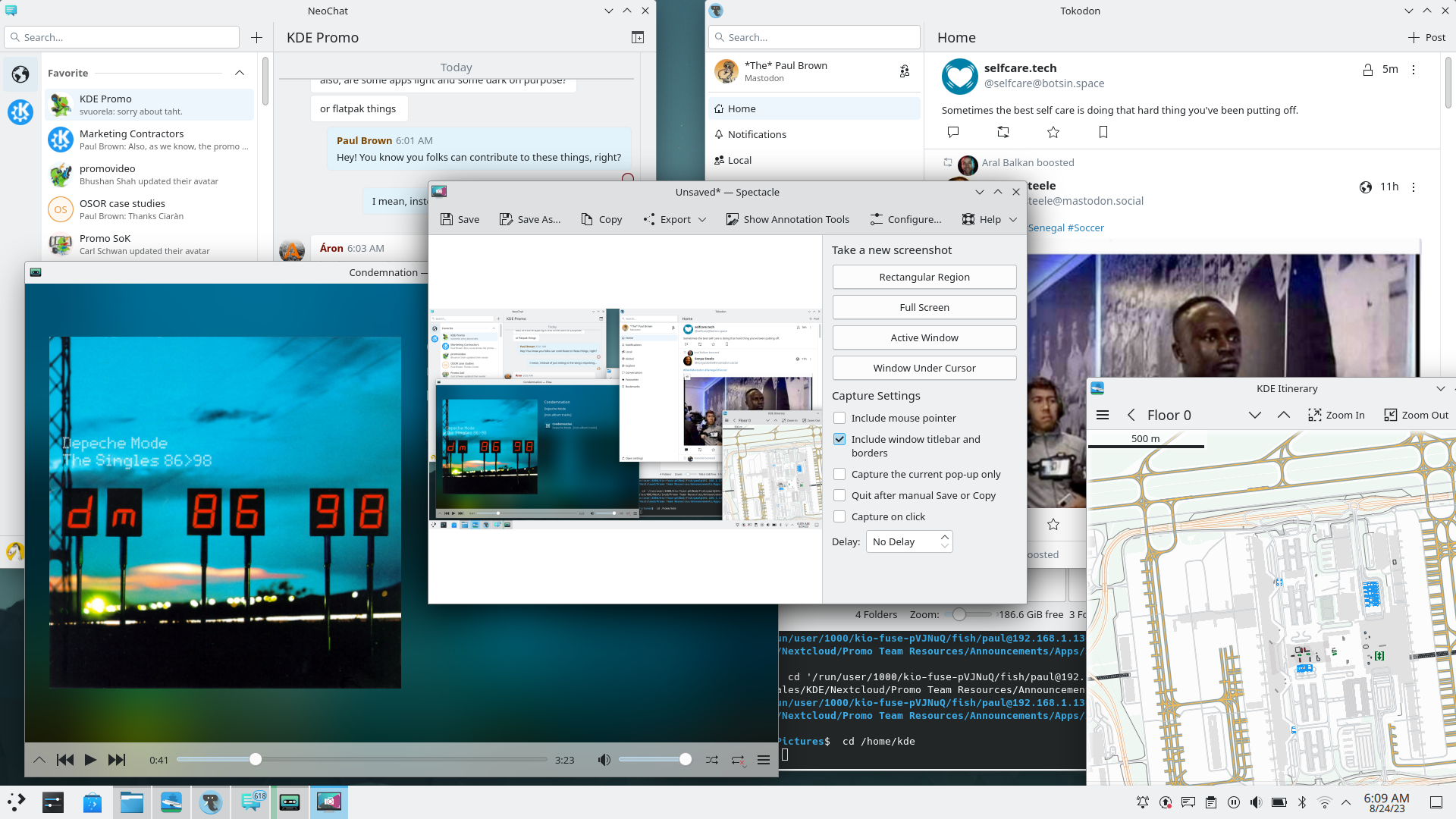
Spectacle, the powerful screenshot utility, lets you easily select annotations as it shows an outline when you hover the cursor over them.
...And also this
- Partition Manager, the tool for creating and modifying partitions on disks, gets a new icon which distinguishes it from Filelight.
- Konqueror, KDE's classic web browser/file explorer, restores the last tabs and windows on restart and you can change the browser identification.
- Konsole, KDE's feature-rich terminal emulator, can send you a notification once a long-running task finishes.
In Memoriam
dani01.jpg)
KDE Gear ⚙️ 23.08 is dedicated to our good friend Dani Gutiérrez Porset. Dani was a generous and militant Free Software activist that organised many KDE-related events, including the Akademy of 2013.
Dani left us for thee great big server in the sky on the 16th of July. Goian bego.
完整更新日志
如何获取 KDE 应用程序
虽然我们完全支持各个发行版分发我们的软件,但 KDE Gear 23.08 的应用程序也会在不久后推送到以下的 Linux 应用程序商店:
如果您想帮助我们将更多的 KDE 应用程序发表到应用程序商店、让 KDE 支持更多应用程序商店、使应用程序更好地整合到我们的开发流程中,请在 All About the Apps 聊天室 与我们联系。
提示:在此公告发布时,并非所有发行版都能立即提供最新版软件。 软件包下载百科页面
编译 KDE Gear
KDE Gear 23.08.0 的完整源代码可以自由下载。编译和安装指南可从 KDE Gear 23.08.0 信息页面 查看。
关于 KDE
KDE 是一支国际技术团队,致力于为桌面和便携式计算需求开发自由开源软件。KDE 的产品包括适用于 Linux 和 UNIX 平台的现代桌面系统、功能齐全的办公生产力套件和团队协作软件、以及涵盖了网络、多媒体、娱乐、教育、图像处理和软件开发等众多领域的数百款应用软件。KDE 软件已被翻译成 60 多种语言,并在设计时充分考虑了易用性和现代无障碍原则。KDE 的全功能应用程序能够在 Linux、BSD、Windows、Haiku 和 macOS 系统中以原生状态运行。
商标声明。
KDE® 和 K 桌面环境® 徽标是KDE e.V. 的注册商标。
Linux 是 Linus Torvalds 的注册商标。 UNIX 是 The Open Group 在美国和其他国家的注册商标。
本公告中提到的所有其他商标和版权物均为其所有者的财产。
媒体联系方式
欲了解更多信息,请向我们发送电子邮件: press@kde.org
文章作者:Paul Brown,使用 CC-BY-4.0 许可证发布。