KDE Plasma 5.7 sürümü
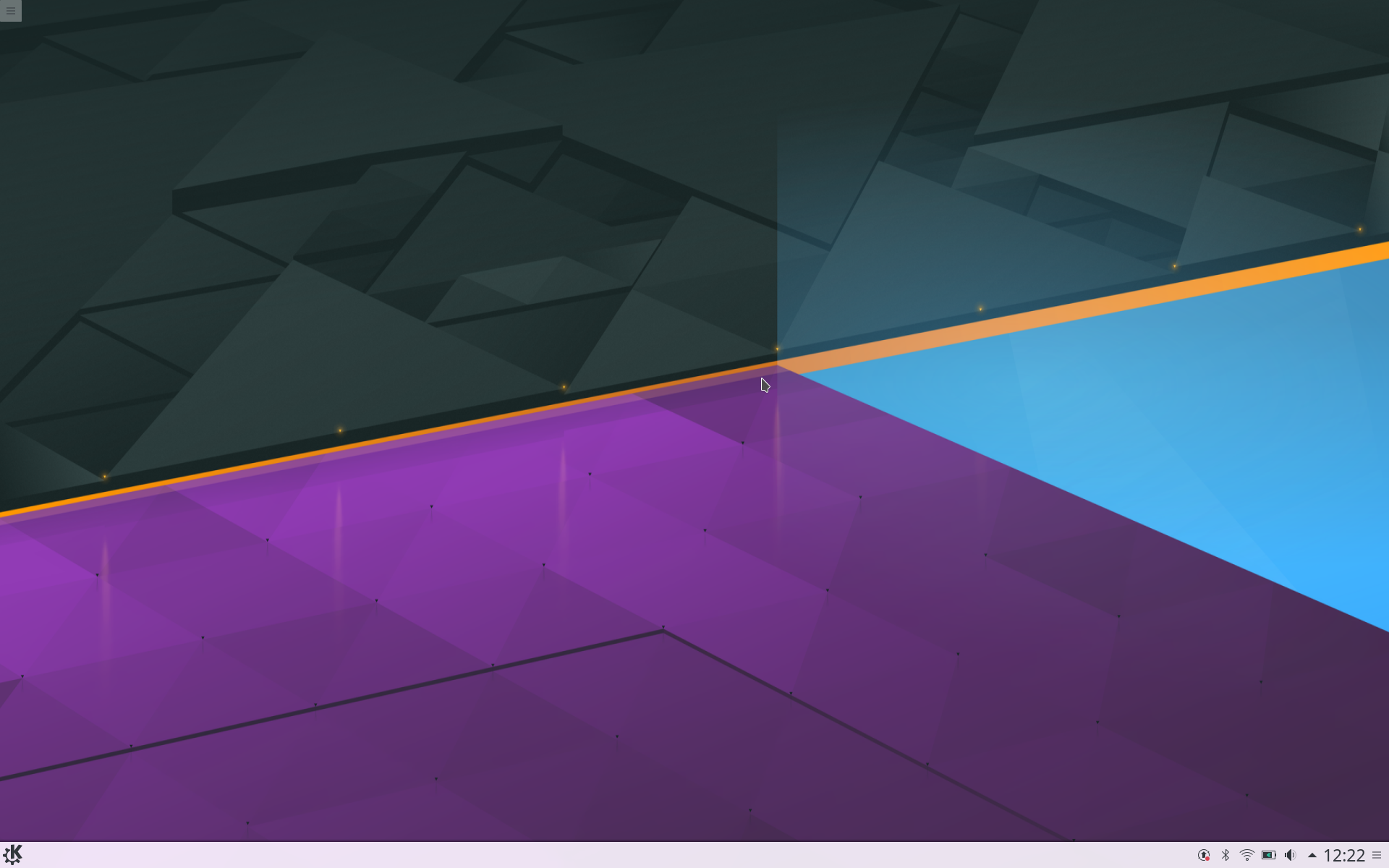
KDE Plasma 5.7
5 Temmuz 2016 Salı
Bugün KDE masaüstü yazılımı Plasma 5.7 için bir güncelleme yayınladı.
Improved Workflows
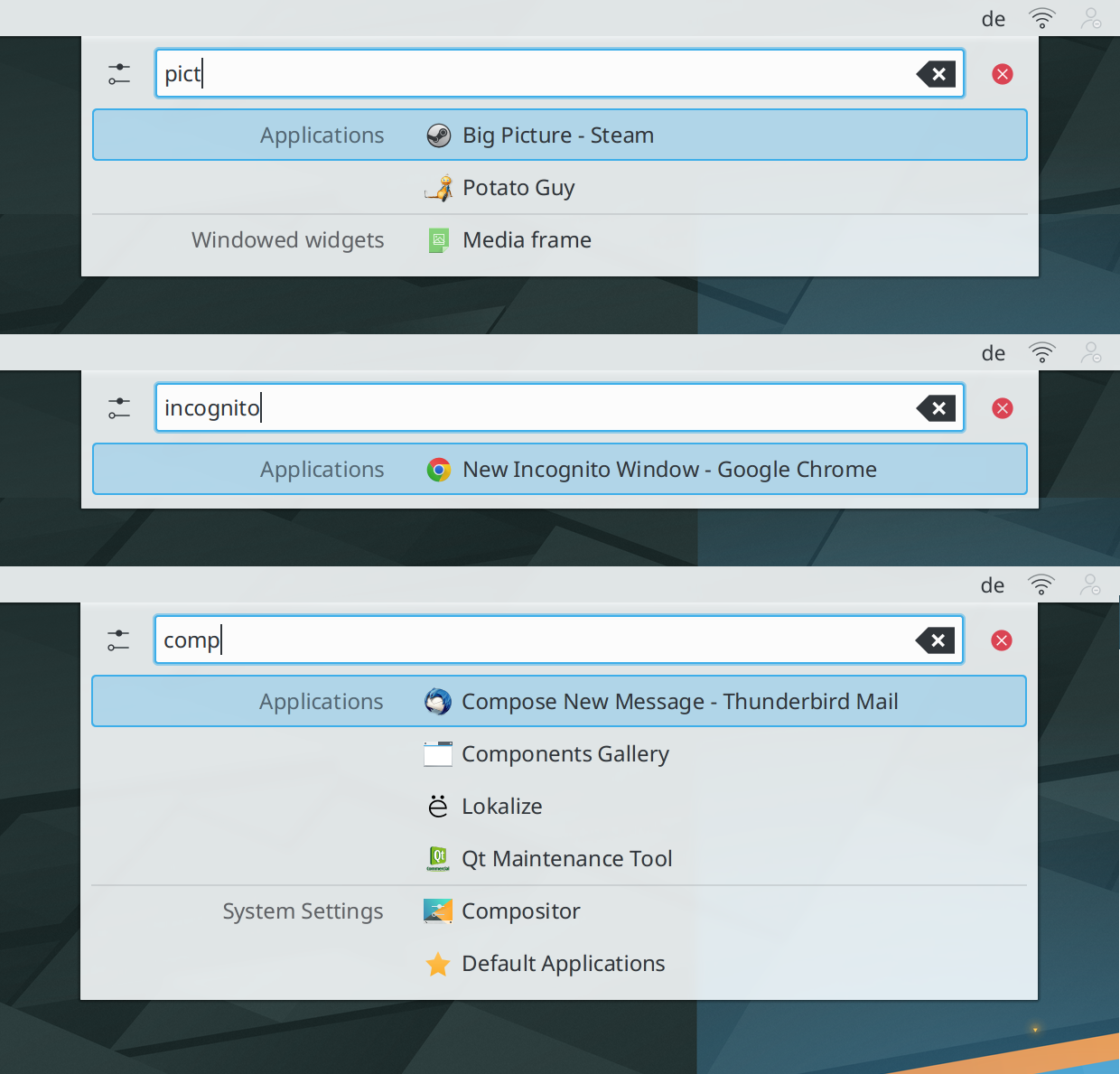
Jump List Actions in KRunner
Önceki sürümümüzde, bir uygulama içindeki belirli görevlere daha hızlı erişim için Atlama Listesi Eylemleri ekledik. Bu özellik genişletildi ve bu eylemler artık K Çalıştır aracılığıyla da bulunuyor.
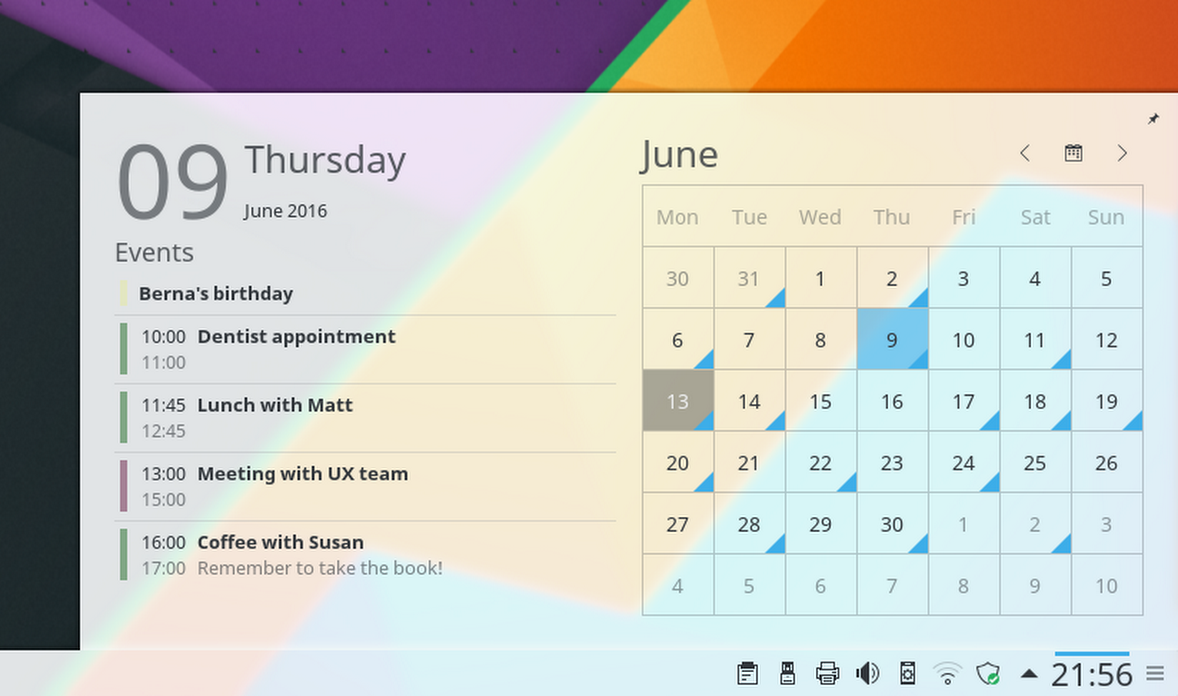
Takvimdeki Gündem Maddeleri
Plasma 5.7, takvimdeki gündem görünümünün geri dönüşünü işaretler, bu da yaklaşan randevular ve tatiller için hızlı ve kolay erişilebilir bir genel bakış sağlar.
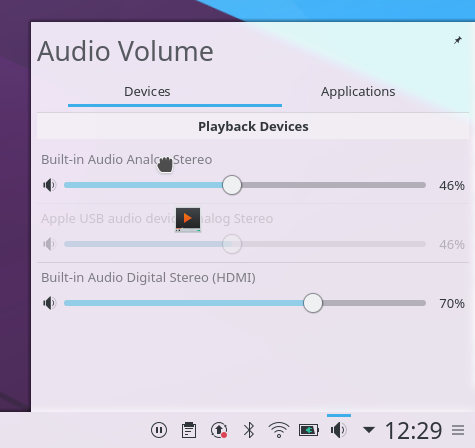
Dragging Application to Audio Device
Many improvements have been added to the Volume Control applet: it gained the ability to control volume on a per-application basis and allows you to move application output between devices using drag and drop. Also implemented is the ability to raise the volume above 100%.
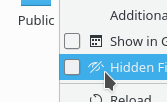
Icons Tint to Match Highlight
For improved accessibility, Breeze icons within applications are now tinted depending on the color scheme, similarly to how it's done within Plasma. This resolves situations where our default dark icons might show up on dark surfaces.
Better Kiosk Support
The Kiosk Framework provides means of restricting the customazibility of the workspace, in order to keep users in an enterprise or public environment from performing unwanted actions or modifications. Plasma 5.7 brings many corrections about enforcing such restrictions. Notably, the Application Launcher will become read-only if widgets are locked through Kiosk policies, i.e. favorites are locked in place and applications can no longer be edited. Also, the Run Command restriction will prevent KRunner from even starting in the first place.
Yeni Sistem Tepsisi ve Görev Yöneticisi
The System Tray has been rewritten from scratch to allow for a simpler and more maintainable codebase. While its user interface has only seen some minor fixes and polishing, many issues caused by the complex nature of the applet housing applets and application icons within have been resolved.
Similarly, the task bar has gained a completely revamped backend, replacing the old one that has already been around in the early days of our workspace. While the old backend got many features added over the period of time it was used, the new one has a remarkably better performance and could be engineered more cleanly and straight-forward as the requirements were known beforehand. All of this will ensure a greatly increased reliability and it also adds support for Wayland which was one of the most visible omissions in our Wayland tech previews.
Huge Steps Towards Wayland
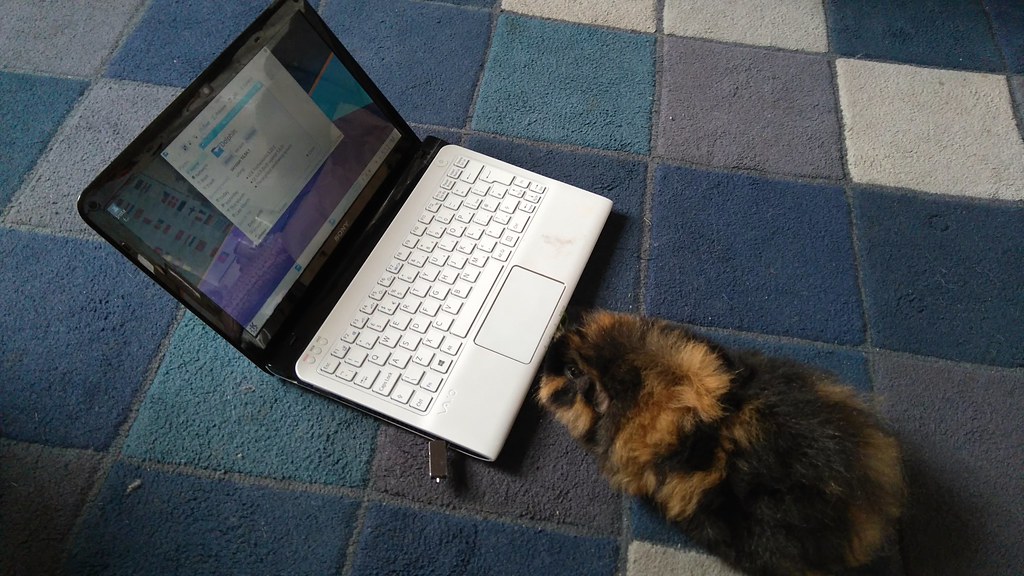
Betty the Fuzzpig Tests Plasma Wayland
This release brings Plasma closer to the new windowing system Wayland. Wayland is the successor of the decades-old X11 windowing system and brings many improvements, especially when it comes to tear-free and flicker-free rendering as well as security. The development of Plasma 5.7 for Wayland focused on quality in the Wayland compositor KWin. Over 5,000 lines of auto tests were added to KWin and another 5,000 lines were added to KWayland which is now released as part of KDE Frameworks 5.
The already implemented workflows got stabilized and are ensured to work correctly, with basic workflows now fully functional. More complex workflows are not yet fully implemented and might not provide the same experience as on X11. To aid debugging a new debug console got added, which can be launched through KRunner using the keyword “KWin” and integrates functionality known from the xprop, xwininfo, xev and xinput tools.
Diğer iyileştirmeler şunları içerir:
- When no hardware keyboard is connected, a virtual keyboard is shown instead, bringing a smooth converged experience to tablets and convertibles
- The sub-surface protocol is now supported which means that System Settings works correctly and no longer errorneously opens multiple windows.
- Mouse settings, such as pointer acceleration, are honored and the touchpad can be enabled/disabled through a global shortcut. Touchpad configuration is still missing.
Plasma Wayland’da Sanal Klavye Desteği
Değişiklik günlüğünün tamamını görüntüleCanlı Kalıplar
Bunu denemenin en kolay yolu, bir USB diskten başlatılan canlı bir kalıptır. Docker kalıpları da, Plasma’yı sınamanın hızlı ve kolay bir yolunu sağlar.
Plasma’yı içeren canlı kalıpları indir Plasma’yı içeren Docker kalıplarını indirPaket İndirmeleri
Dağıtımlar, viki sayfamızda listelenen paketleri oluşturmuş veya oluşturma sürecindedir.
Bu yayımın paketleri, duyuru tarihinde tüm dağıtımların paket depolarında var olmayabilir.
Paket indirme viki sayfasıKaynak İndirmeleri
Plasma’yı doğrudan kaynak kodundan kurabilirsiniz.
Derlemek için topluluk yönergeleri Kaynak bilgisi sayfasıGeri Bildirim
Sosyal medya kanallarımızdan bize geri bildirimde bulunabilir ve güncellemeleri alabilirsiniz:
KDE Forumlarında KDE ile ilgili konuları tartışın.
#Plasma Matrix kanalından, plasma-devel posta listesinden veya Bugzilla üzerinden geliştiricilere doğrudan geri bildirimde bulunabilirsiniz. Takımın yaptıkları hoşunuza gidiyorsa lütfen onlara söyleyin!
Geri bildirimleriniz bizim için çok önemlidir.
KDE’yi Destekle
KDE, yalnızca birçok gönüllünün zaman ve emeğini sayesinde yaşayan bir Özgür Yazılım topluluğudur. KDE her zaman yeni gönüllülere ve onların katkılarına gereksinim duyar; bu kod katkısı, hata düzeltmeleri veya bildirimleri, belgelendirme yazımı, çeviriler, promosyon, para bağışı olabilir. Her bir katkı bizim için çok değerlidir ve memnuniyetle kabul edilir. Daha fazla bilgi veya Oyuna Katıl programı çerçevesinde bir KDE e.V. destekçi üyesi olmak için lütfen KDE’yi Destekle sayfasını okuyun.
KDE Hakkında
KDE, masaüstü ve taşınabilir bilgi işlem için ücretsiz ve açık kaynaklı yazılımlar oluşturan uluslararası bir teknoloji takımıdır. KDE’nin ürünleri arasında Linux ve UNIX platformları için çağdaş bir masaüstü sistemi, kapsamlı ofis üretkenliği ve grup yazılımı paketleri, çoklu ortam, eğlence, eğitim, grafik ve yazılım geliştirme ve İnternet ve web uygulamaları da dahil birçok kategoride yüzlerce yazılım başlığı bulunmaktadır. KDE yazılımları 60’tan fazla dile çevrilmiştir ve kullanım kolaylığı ve çağdaş erişilebilirlik ilkeleri göz önünde bulundurularak oluşturulmuştur. KDE’nin tam özellikli uygulamaları yerel olarak Linux, BSD, Windows, Haiku ve macOS üzerinde çalışır.
Ticari Marka Bildirimleri.
KDE® ve K Masaüstü Ortamı® logosu, KDE e.V.’nin tescilli ticari markalarıdır.
Linux, Linus Torvalds’ın tescilli ticari markasıdır. UNIX, The Open Group’un Amerika Birleşik Devletleri ve diğer ülkelerdeki tescilli ticari markasıdır.
Bu duyuruda atıfta bulunulan diğer tüm ticari markalar ve telif hakları ilgili sahiplerinin mülkiyetindedir.
Basın İletişim
Daha fazla bilgi için bize bir e-posta gönderin: press@kde.org