Canlı Kalıplar
Bunu denemenin en kolay yolu, bir USB diskten başlatılan canlı bir kalıptır. Docker kalıpları da, Plasma’yı sınamanın hızlı ve kolay bir yolunu sağlar.
Plasma’yı içeren canlı kalıpları indir Plasma’yı içeren Docker kalıplarını indir
KDE Plasma 5.10
30 Mayıs 2017 Salı
Bugün KDE, kullanıcılara sloganımıza uygun bir deneyim sunmak için paket genelinde yeni özelliklerle masaüstü Plasma 5.10’umuzun yeni bir özellik sürümünü yayınladı: varsayılan olarak basit, gerektiğinde güçlü.
Task Manager, the list of applications in the panel, has gained options for middle mouse click such as grouping and ungrouping applications.
Buradaki diğer birkaç iyileştirme şunları içerir:
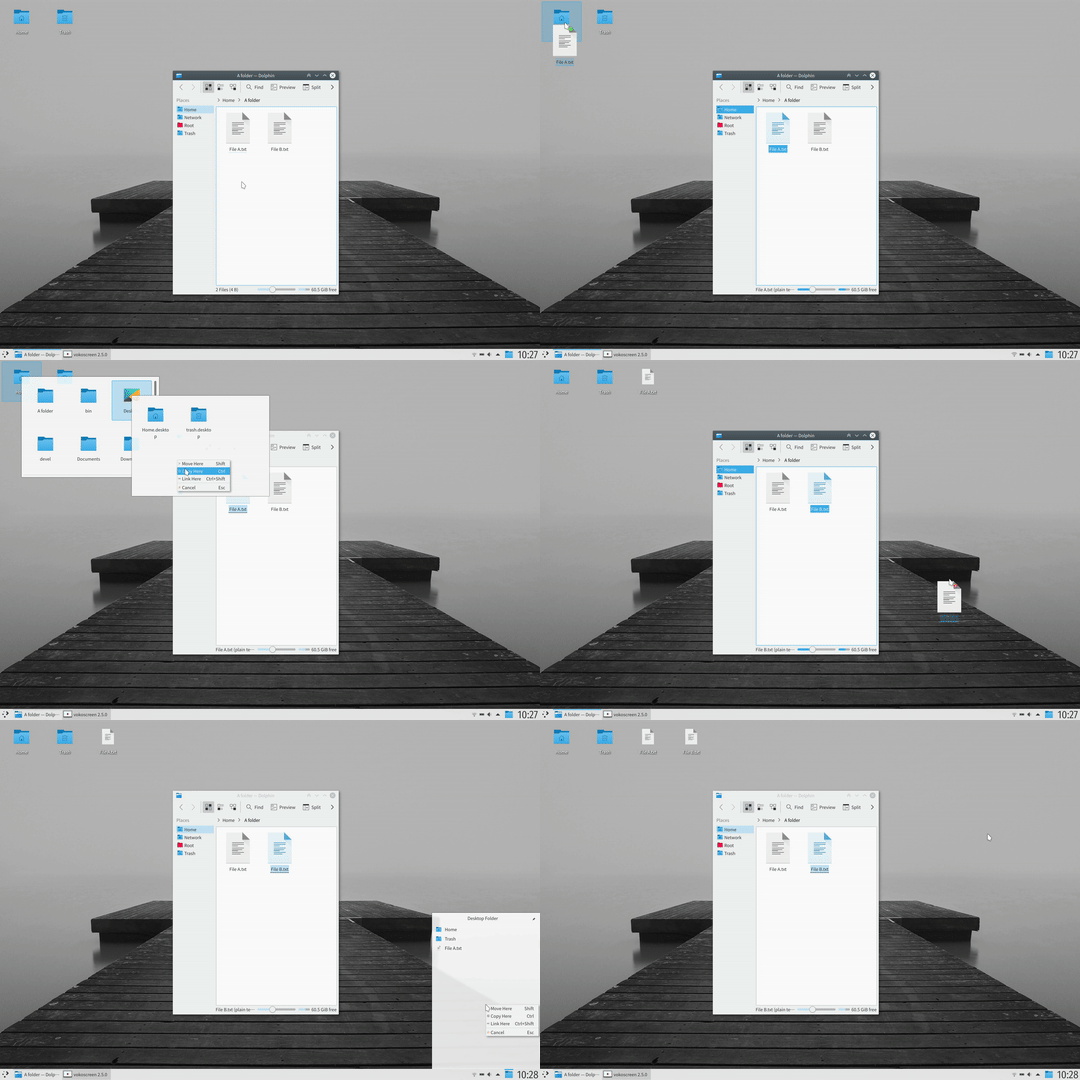
Folder on the Desktop by Default
After some years shunning icons on the desktop we have accepted the inevitable and changed to Folder View as the default desktop which brings some icons by default and allows users to put whatever files or folders they want easy access to. Many other improvements have been made to the Folder View include:
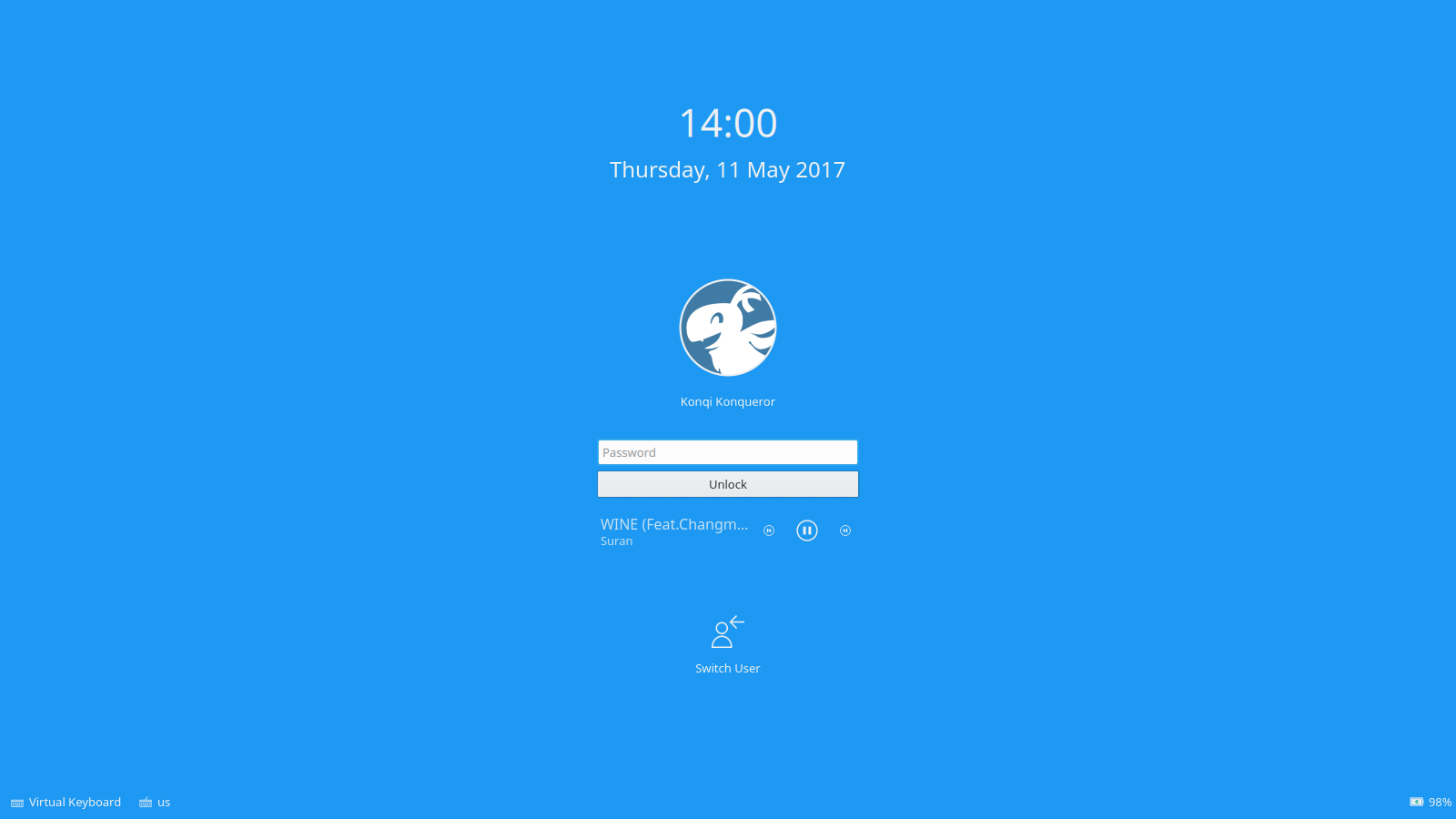
Kilit Ekranı Artık Müzik Kontrollerine Sahip

Software Centre Plasma Search offers to install apps
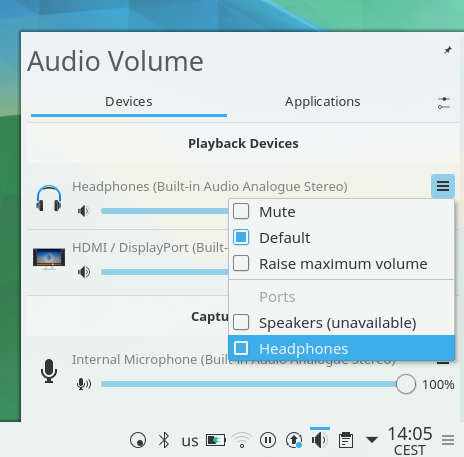
Audio Volume Device Menu
There are so many other improvements throughout the desktop, here's a sample:
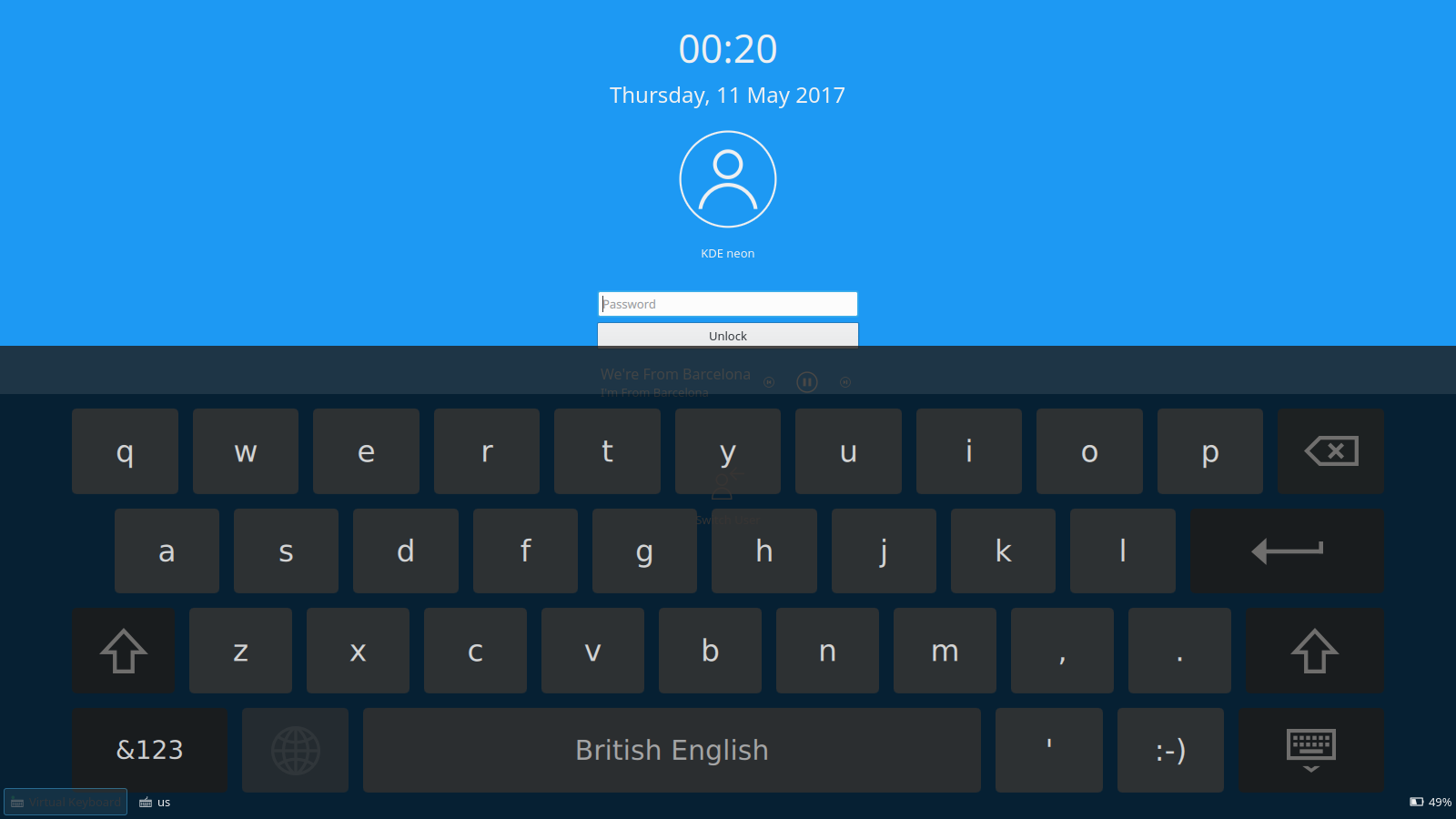
Oturum Açma ve Kilit Ekranında sanal klavye
Dokunmatik Ekran Desteği birkaç yönden geliştirildi:
We have put a lot of work into porting to new graphics layer Wayland, the switch is coming but we won't recommend it until it is completely transparent to the user. There will be improved features too such as KWin now supports scaling displays by different levels if you have a HiDPI monitor and a normal DPI screen. Keyboard layout support in Wayland now has all the features of X11:
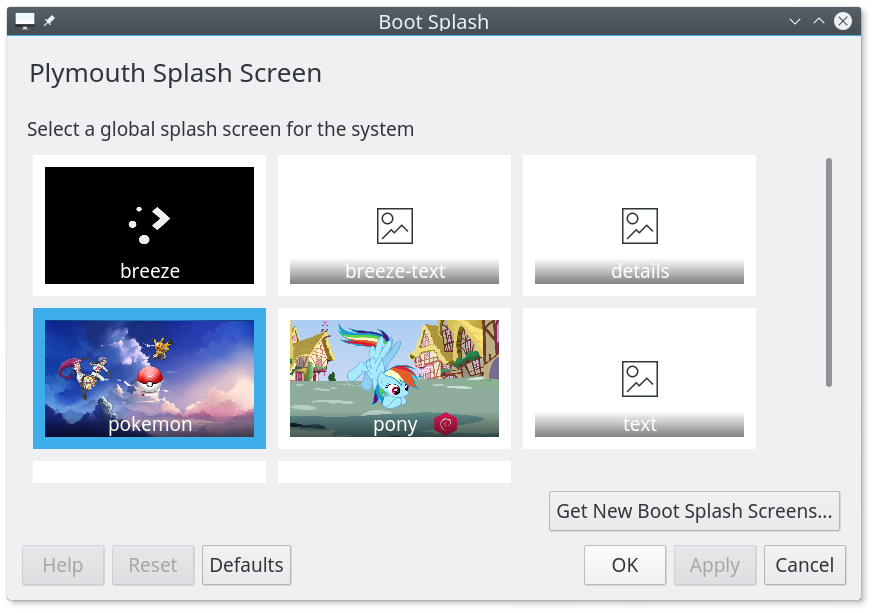
Plymouth KControl Modülü
A new System Settings module lets you download and select boot time splashes.
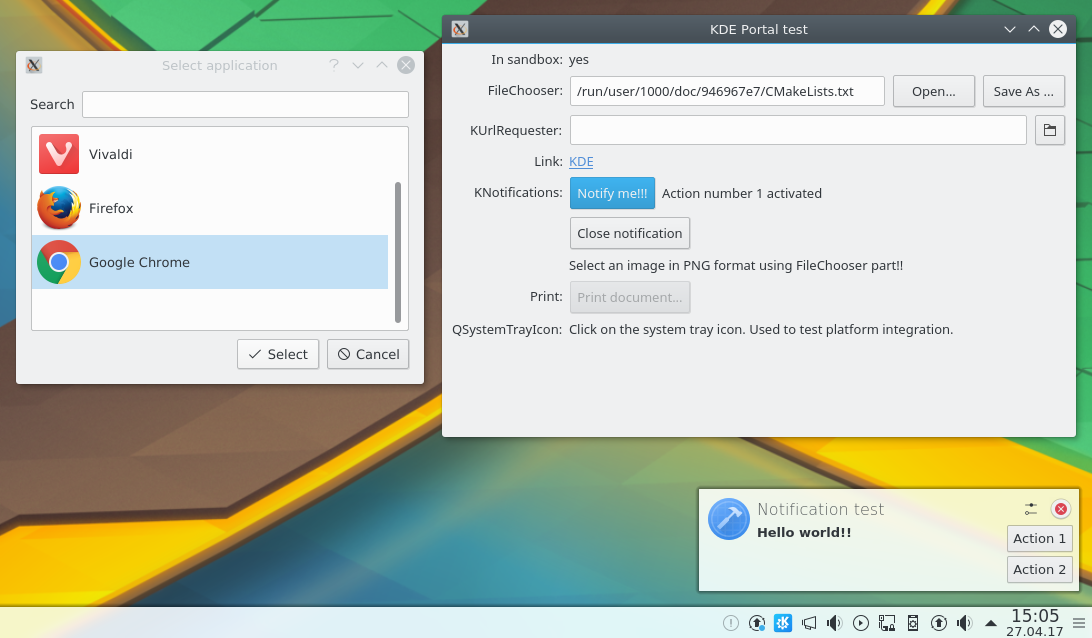
Flatpak integration with xdg-desktop-portal-kde: selecting a file using file chooser portal, invoking openURI portal and notification portal
Experimental support for forthcoming new bundle package formats has been implemented. Discover software centre has gained provisional backends for Flatpak and Snappy. New plugin xdg-desktop-portal-kde has added KDE integration into Flatpak packaged applications.
Support for GNOME’s Open Desktop Ratings, replacing old Ubuntu popularity contest with tons of already existing reviews and comments.
Değişiklik günlüğünün tamamını görüntüleBunu denemenin en kolay yolu, bir USB diskten başlatılan canlı bir kalıptır. Docker kalıpları da, Plasma’yı sınamanın hızlı ve kolay bir yolunu sağlar.
Plasma’yı içeren canlı kalıpları indir Plasma’yı içeren Docker kalıplarını indirDağıtımlar, viki sayfamızda listelenen paketleri oluşturmuş veya oluşturma sürecindedir.
Bu yayımın paketleri, duyuru tarihinde tüm dağıtımların paket depolarında var olmayabilir.
Paket indirme viki sayfasıPlasma’yı doğrudan kaynak kodundan kurabilirsiniz.
Derlemek için topluluk yönergeleri Kaynak bilgisi sayfasıSosyal medya kanallarımızdan bize geri bildirimde bulunabilir ve güncellemeleri alabilirsiniz:
KDE Forumlarında KDE ile ilgili konuları tartışın.
#Plasma Matrix kanalından, plasma-devel posta listesinden veya Bugzilla üzerinden geliştiricilere doğrudan geri bildirimde bulunabilirsiniz. Takımın yaptıkları hoşunuza gidiyorsa lütfen onlara söyleyin!
Geri bildirimleriniz bizim için çok önemlidir.
KDE, yalnızca birçok gönüllünün zaman ve emeğini sayesinde yaşayan bir Özgür Yazılım topluluğudur. KDE her zaman yeni gönüllülere ve onların katkılarına gereksinim duyar; bu kod katkısı, hata düzeltmeleri veya bildirimleri, belgelendirme yazımı, çeviriler, promosyon, para bağışı olabilir. Her bir katkı bizim için çok değerlidir ve memnuniyetle kabul edilir. Daha fazla bilgi veya Oyuna Katıl programı çerçevesinde bir KDE e.V. destekçi üyesi olmak için lütfen KDE’yi Destekle sayfasını okuyun.
KDE, masaüstü ve taşınabilir bilgi işlem için ücretsiz ve açık kaynaklı yazılımlar oluşturan uluslararası bir teknoloji takımıdır. KDE’nin ürünleri arasında Linux ve UNIX platformları için çağdaş bir masaüstü sistemi, kapsamlı ofis üretkenliği ve grup yazılımı paketleri, çoklu ortam, eğlence, eğitim, grafik ve yazılım geliştirme ve İnternet ve web uygulamaları da dahil birçok kategoride yüzlerce yazılım başlığı bulunmaktadır. KDE yazılımları 60’tan fazla dile çevrilmiştir ve kullanım kolaylığı ve çağdaş erişilebilirlik ilkeleri göz önünde bulundurularak oluşturulmuştur. KDE’nin tam özellikli uygulamaları yerel olarak Linux, BSD, Windows, Haiku ve macOS üzerinde çalışır.
Ticari Marka Bildirimleri.
KDE® ve K Masaüstü Ortamı® logosu, KDE e.V.’nin tescilli ticari markalarıdır.
Linux, Linus Torvalds’ın tescilli ticari markasıdır. UNIX, The Open Group’un Amerika Birleşik Devletleri ve diğer ülkelerdeki tescilli ticari markasıdır.
Bu duyuruda atıfta bulunulan diğer tüm ticari markalar ve telif hakları ilgili sahiplerinin mülkiyetindedir.
Daha fazla bilgi için bize bir e-posta gönderin: press@kde.org