A visual guide to the best desktop in the known universe (according to us)
Plasma 6.6 is all about making your life as easy as possible without sacrificing any of the flexibility
tisdag, 17 februari 2026
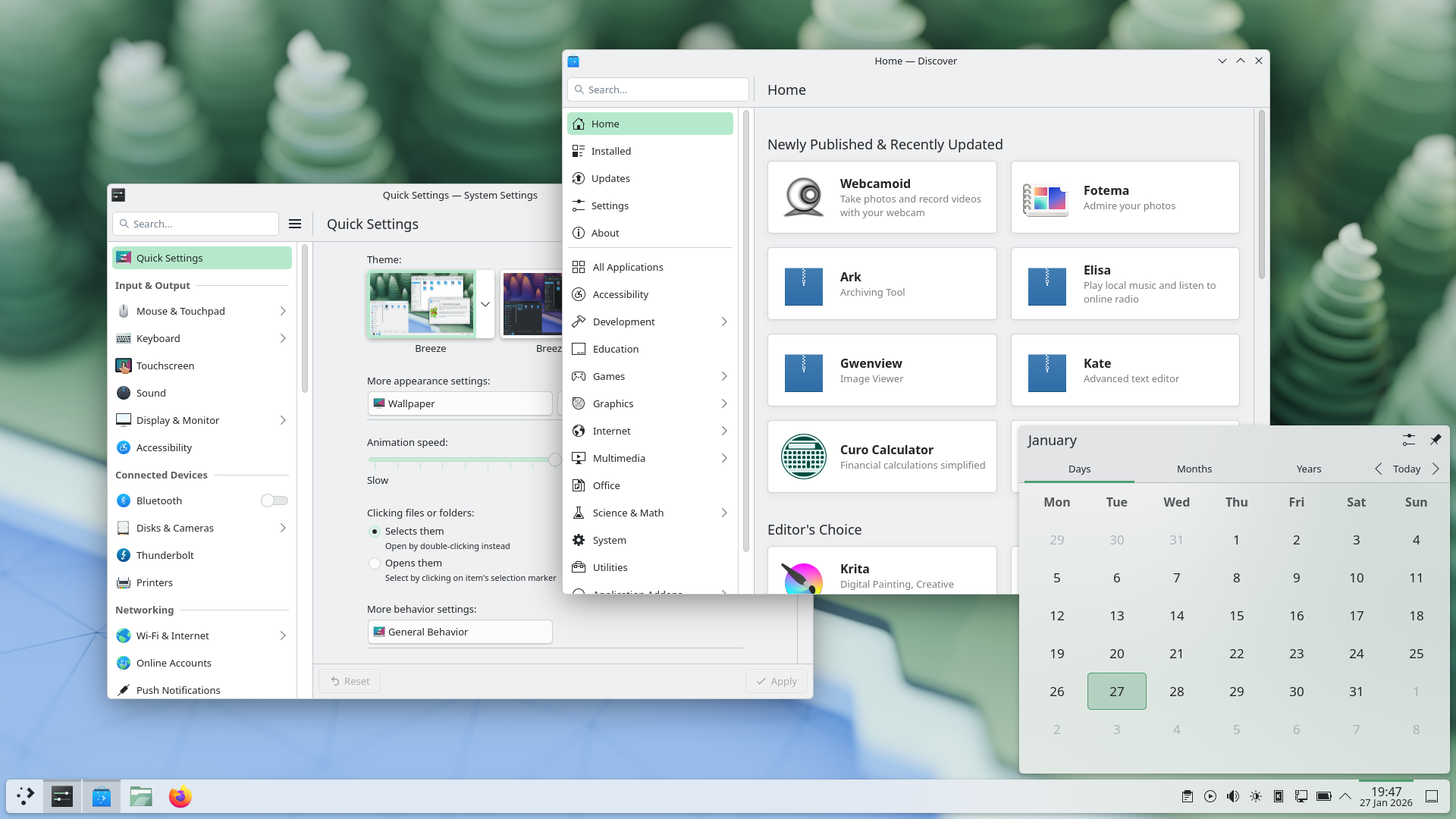
Plasma 6.6 makes your life as easy as possible, without sacrificing the flexibility or features that have made Plasma the most versatile desktop in the known universe.
With that in mind, we’ve improved Plasma’s usability and accessibility, and added practical new features into the mix.
Check out what’s new and how to use it in our (mostly) visual guide below:
Höjdpunkter
On-Screen Keyboard
Enjoy this new and improved on-screen keyboard
Spectacle Text Recognition
Extract text from screenshots in Spectacle
Plasma Setup
Set up a user account after the operating system has been installed
Nya funktioner
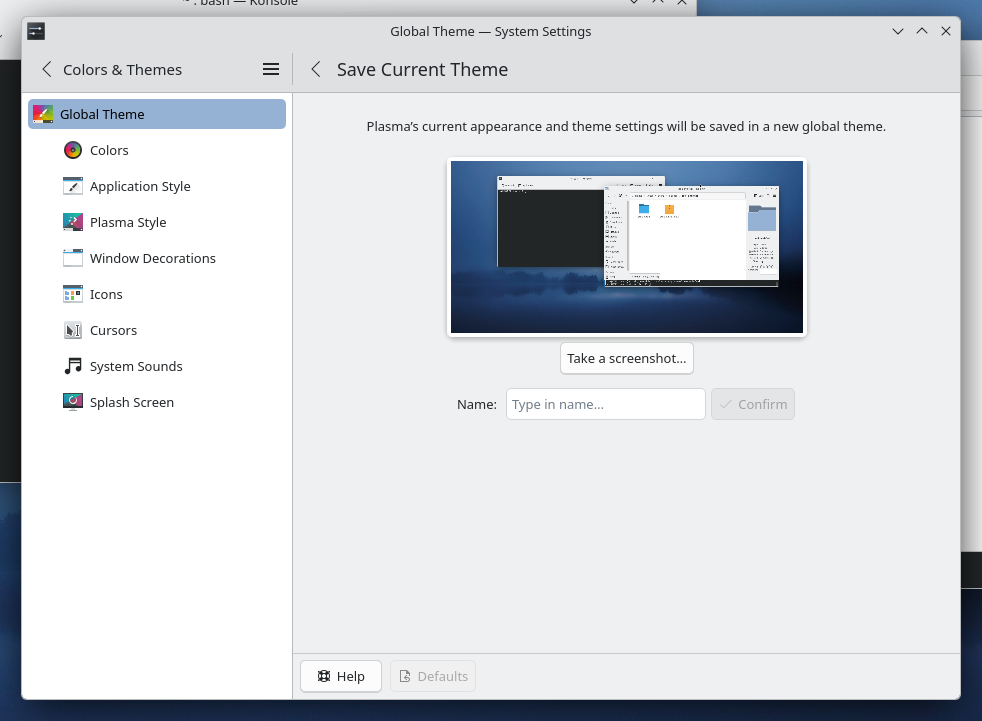
Those who like tailoring the look and feel of their environment can now turn their current setup into a new global theme! This custom global theme can be used for the day and night theme switching feature.
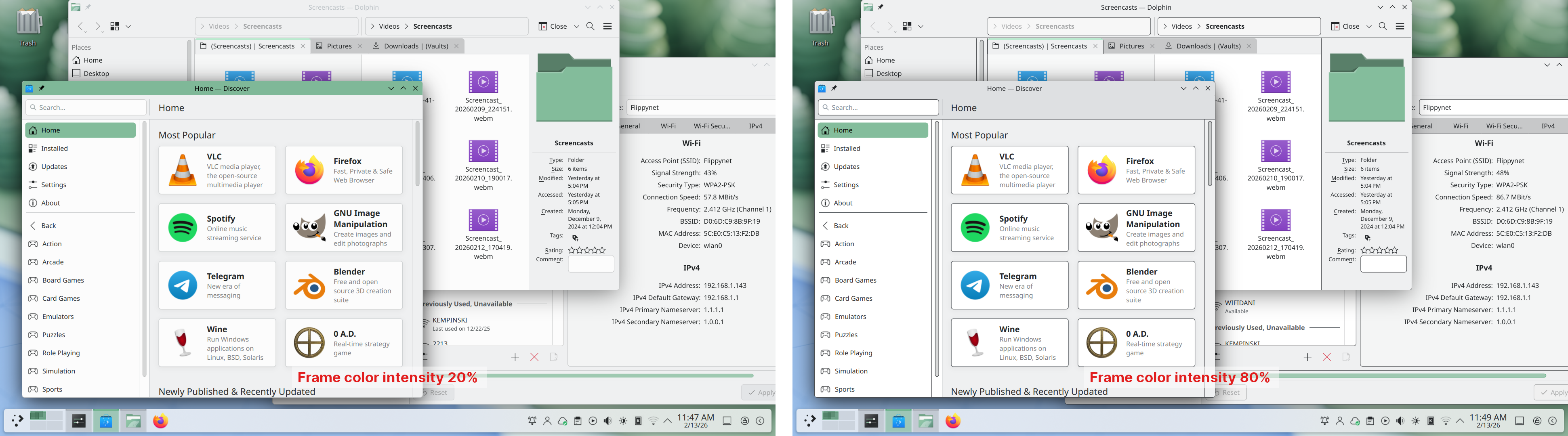
A more subtle way of modifying the look of your apps is by changing the color intensity of every frame:
Choose emoji (Meta+.) skin tones more easily with a new skin tone selector:
A major focus of Plasma 6.6 has been speeding up common workflows. So if the system has a camera, you can quickly connect to a new Wi-Fi network simply by scanning its QR code:
Hover the pointer over any app’s icon playing sound in the task manager, and scroll to adjust its volume:
And save yourself a click by enabling Open on hover in your Windows List widget. You can also filter out windows not on the current desktop or activity:
Hold down the Alt key and double-click on a file or folder on the desktop to bring up its properties:
Handikappstöd
To help everyone use and enjoy Plasma, we’ve improved accessibility across the board.
If you have colorblindness, check out the filters on System Settings’ Accessibility page, under Color Blindness Correction. Plasma 6.6. adds a new grayscale filter, bringing the total to four filters that account for different kinds of colorblindness:
Still in the area of enhancements for the visually impaired, our Zoom and Magnifier feature has gained a new tracking mode that always keeps the pointer centered on the screen, bringing the total to four modes:
In addition, we added support for “Slow Keys” on Wayland, and the standardized “Reduced Motion” accessibility setting.
Screenshots and Screen Recording
Speaking of accessibility, Spectacle can now recognize and extract text from images it scans. Among other use cases, this makes it easy to write alt texts for visually-impaired users:
You can also filter windows out of a screencast by choosing a special option from the pop-up menu that appears when right-clicking a window’s title bar:
Virtual Keyboard
Plasma 6.6 also features a new on-screen keyboard! Say hello to the brand-new Plasma Keyboard:
Plasma Setup
Plasma Setup is the new first-run wizard for Plasma, and creates and configures user accounts separately from the installation process.
With Plasma Setup, the technical steps of operating system installation and disk partitioning can be handled separately from user-facing steps like setting up an account, connecting to a network, and so on. This facilitates important use cases such as:
Companies shipping Plasma pre-installed on devices
Businesses or charity organizations refurbishing computers with Plasma to give them new life
Giving away or selling a computer with Plasma on it, without giving the new owner access to the previous owner’s data
But That’s Not All…
Plasma 6.6 is overflowing with goodies, including:
The ability to have virtual desktops only on the primary screen
An optional new login manager for Plasma
Optional automatic screen brightness on devices with ambient light sensors
Optional support for using game controllers as regular input devices
Font installation in the Discover software center, on supported operating systems
Choose process priority in System Monitor
Standalone Web Browser and Audio Volume widgets can be pinned open
Support for USB access prompts and a visual refresh of other permission prompts
In September, we lost our good friend Björn Balazs to cancer.
An active and passionate contributor, Björn was still holding meetings for his Privact project from bed even while seriously ill during Akademy 2025.
Björn’s drive to help people achieve the privacy and control over technology that he believed they deserved is the stuff FLOSS legends are made of.
Björn, you are sorely missed and this release is dedicated to you.
Färdiga implementeringar
Det enklaste sättet att prova den är med en färdig implementering som startas från en USB-disk. Docker-avbildningar erbjuder också ett snabbt och enkelt sätt att prova Plasma.
KDE är en gemenskap av fri programvara som bara finns och växer på grund av hjälp från många frivilliga som skänker sin tid och kraft. KDE söker alltid efter nya frivilliga och bidragsgivare, vare sig det gäller hjälp med att koda, rapportera eller rätta fel, skriva dokumentation, översätta, marknadsföra, bidra finansiellt, etc. Alla bidrag uppskattas tacksamt och accepteras ytterst gärna. Läs gärna igenom sidan Stöd KDE för ytterligare information, eller bli stödmedlem i KDE e.V. via vårt initiativ Join the Game.
Om KDE
KDE är en internationell teknikgrupp som skapar fri programvara med öppen källkod för stationära och bärbara datorer. Bland KDE:s produkter finns ett modernt skrivbordssystem för Linux- och UNIX-plattformar, omfattande programsviter för kontorsproduktivitet och grupprogram, och hundratals programvaror i många kategorier inklusive Internet- och webbprogram, multimedia, underhållning, utbildning, grafik och programvaruutveckling. KDE:s programvara är översatt till mer än 60 språk och byggs med användarvänlighet och moderna tillgänglighetsprinciper i åtanke. KDE:s funktionsrika program kör direkt på Linux, BSD, Windows, Haiku och macOS.
Varumärkesdeklarationer
KDE® och logotypen för K-skrivbordsmiljön® är varumärken registrerade av KDE e.V.. Linux är ett registrerat varumärke av Linus Torvalds. UNIX är ett registrerat varumärke av The Open Group i Förenta staterna och andra länder. Alla övriga varumärken och upphovsrätter nämnda i det här tillkännagivandet hör till sina respektive ägare.
Presskontakter
Skicka e-post till oss för mer information: press@kde.org