KDE в 20 лет: бета-версия Plasma 5.8 LTS. Надолго.
Бета-версия KDE Plasma 5.8
Четверг, 15 сентября 2016
Сегодня KDE выпускает бета-версию первого выпуска с долгосрочной поддержкой своей флагманской среды рабочего стола Plasma. Это означает, что разработчики и дизайнеры готовы рекомендовать Plasma самой широкой аудитории — как корпоративным пользователям, так и домашним пользователям без технических знаний. Если вы ранее пробовали рабочий стол KDE и отказались от него, сейчас самое время пересмотреть своё мнение: Plasma проста по умолчанию и мощна при необходимости.
Исчерпывающий функционал Plasma
Взгляните, что предлагает Plasma, — всесторонний набор различных функций, которым нет равных среди любого другого настольного ПО.
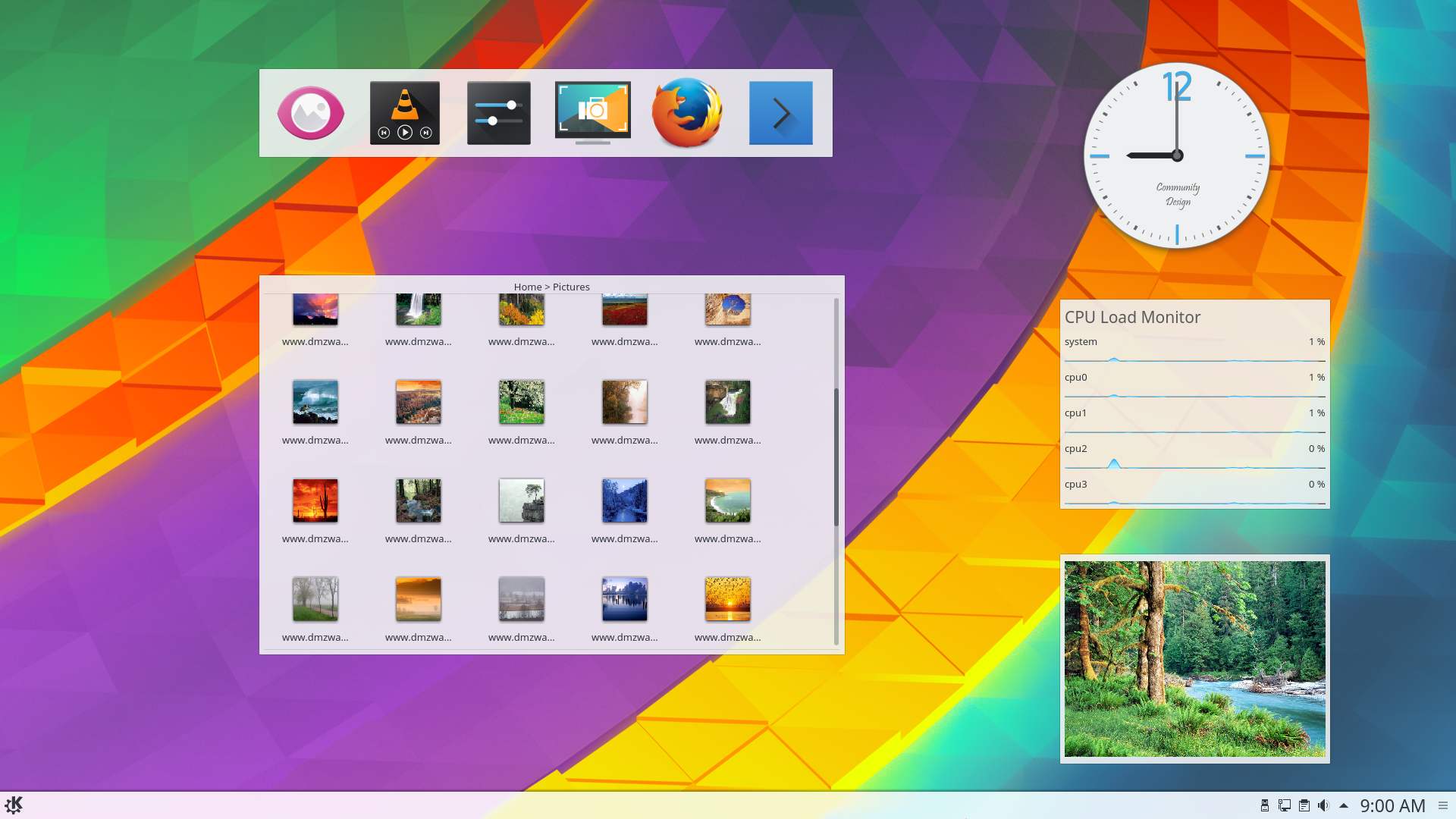
Виджеты рабочего стола
Виджеты рабочего стола
Cover your desktop in useful widgets to keep you up to date with weather, amused with comics or helping with calculations.
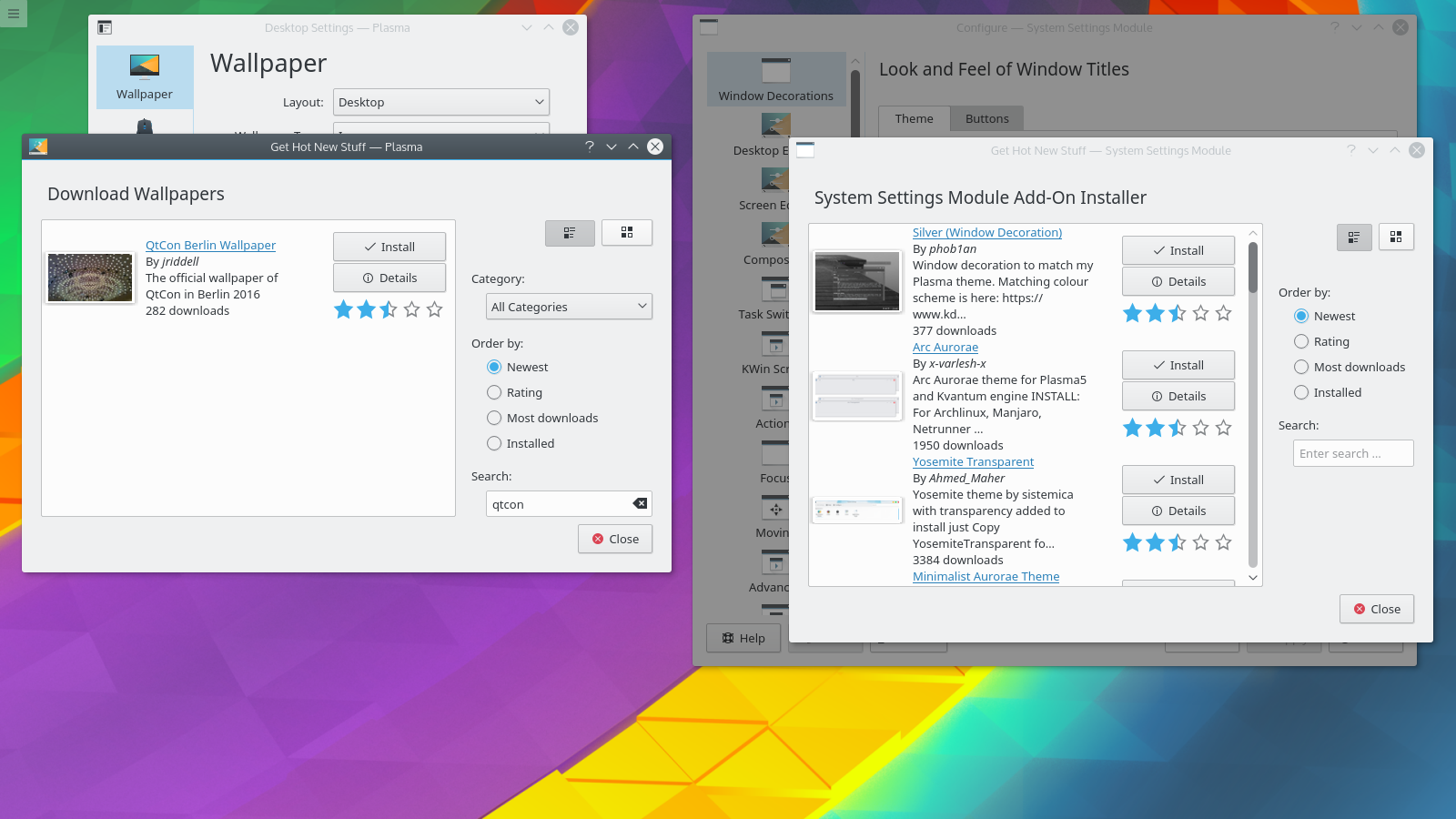
Загрузка материалов из Интернета
Загрузка материалов из Интернета
Download wallpapers, window style, widgets, desktop effects and dozens of other resources straight to your desktop. We work with the new KDE Store to bring you a wide selection of addons for you to install.
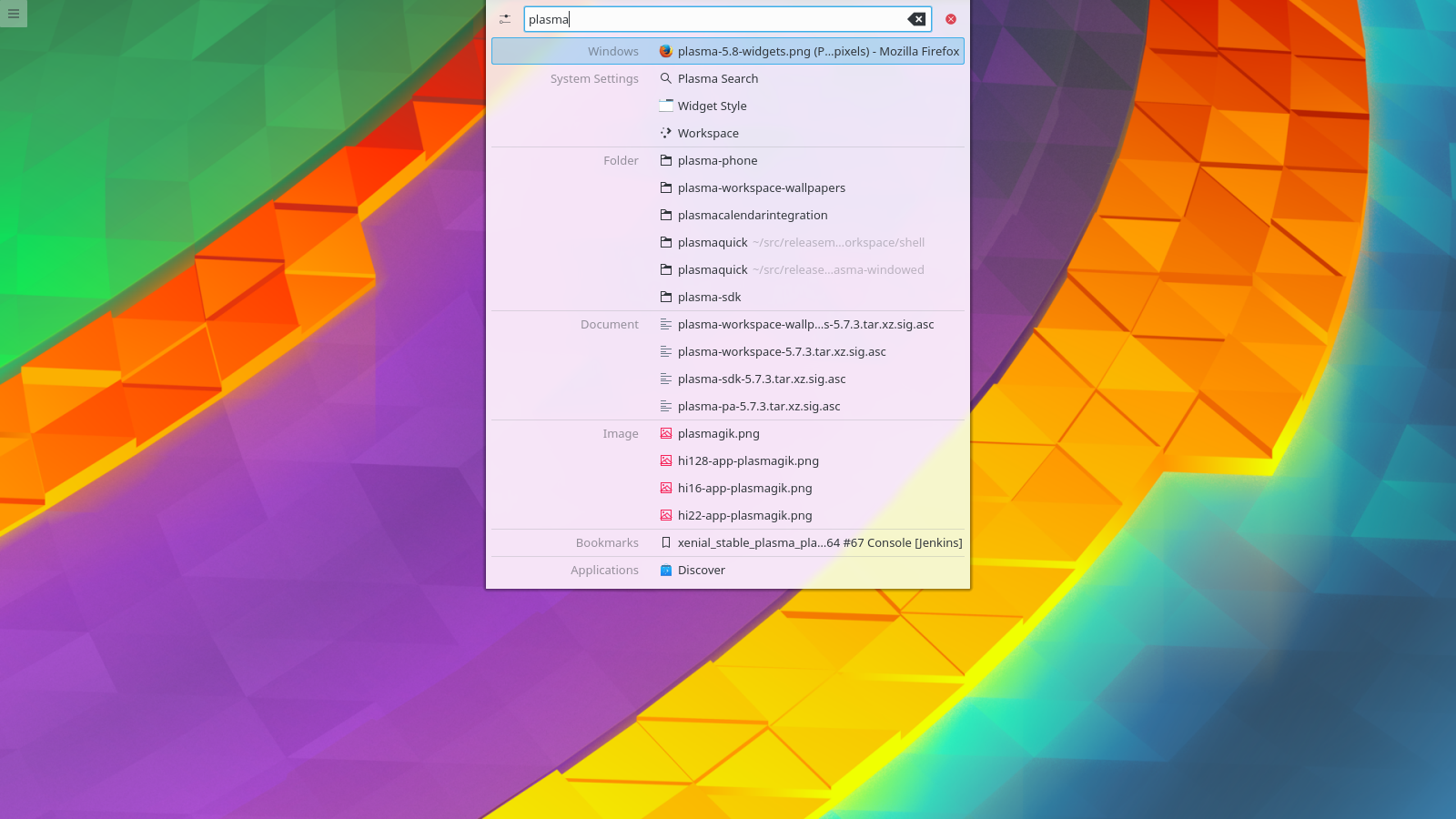
Поиск на компьютере
Поиск на компьютере
Plasma will let you easily search your desktop for applications, folders, music, video, files... everything you have.
Единый внешний вид
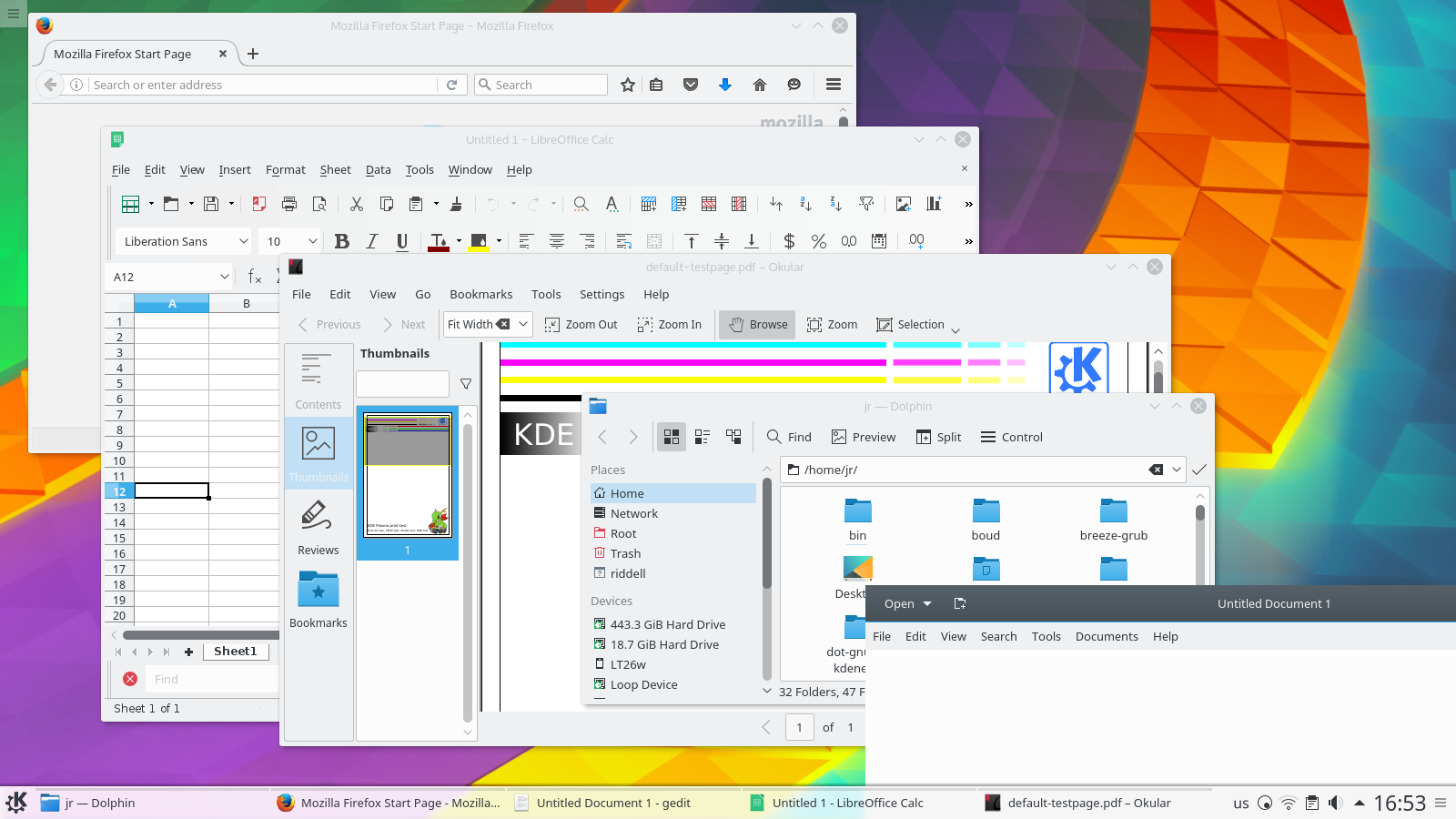
Единый внешний вид
Plasma's default Breeze theme has a unified look across all the common programmer toolkits - Qt 4 & 5, GTK 2 & 3, even LibreOffice.
Интеграция со смартфоном
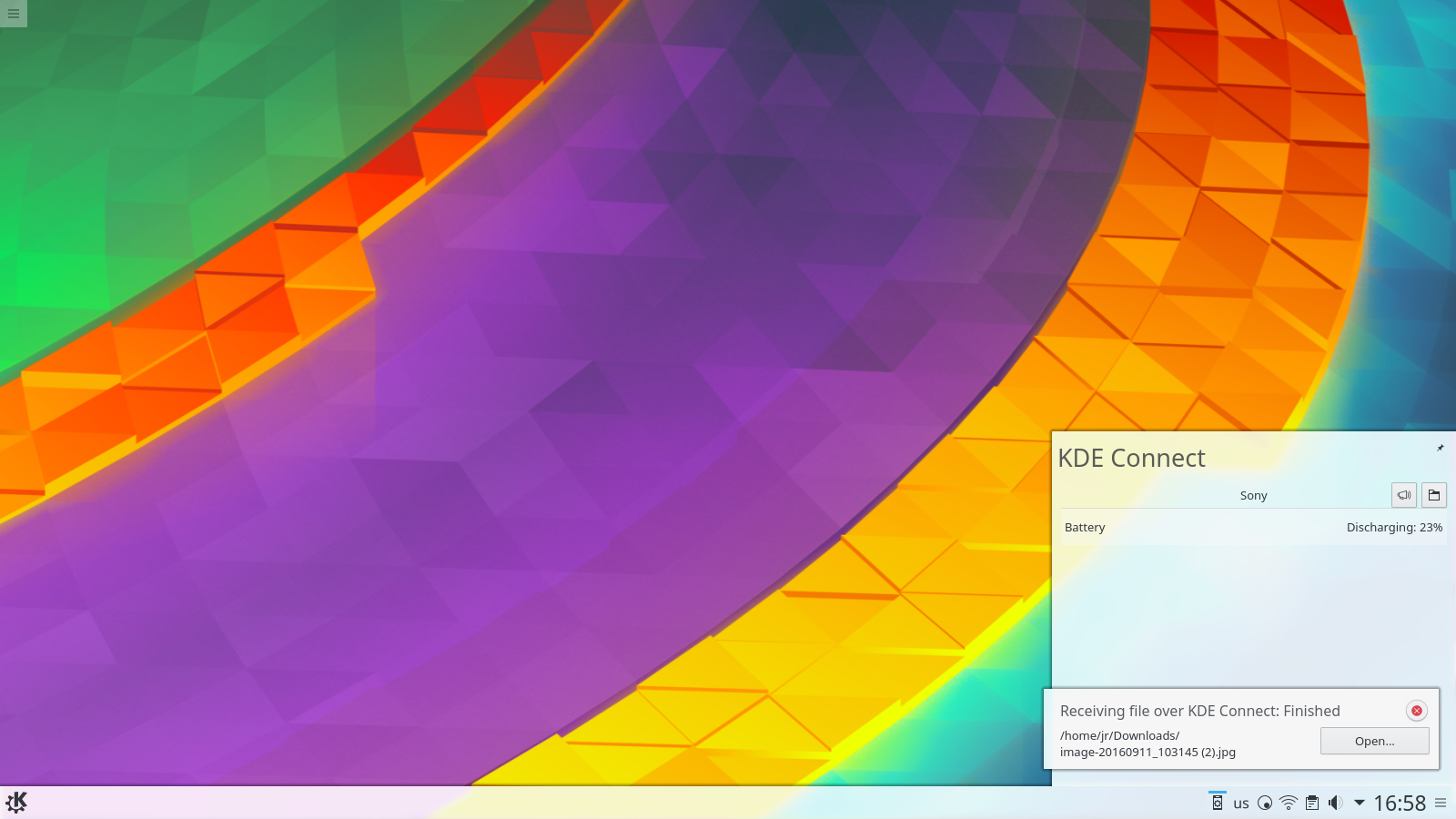
Интеграция со смартфоном
Using KDE Connect you'll be notified on your desktop of text message, can easily transfer files, have your music silenced during calls and even use your phone as a remote control.
Невероятная гибкость в настройке
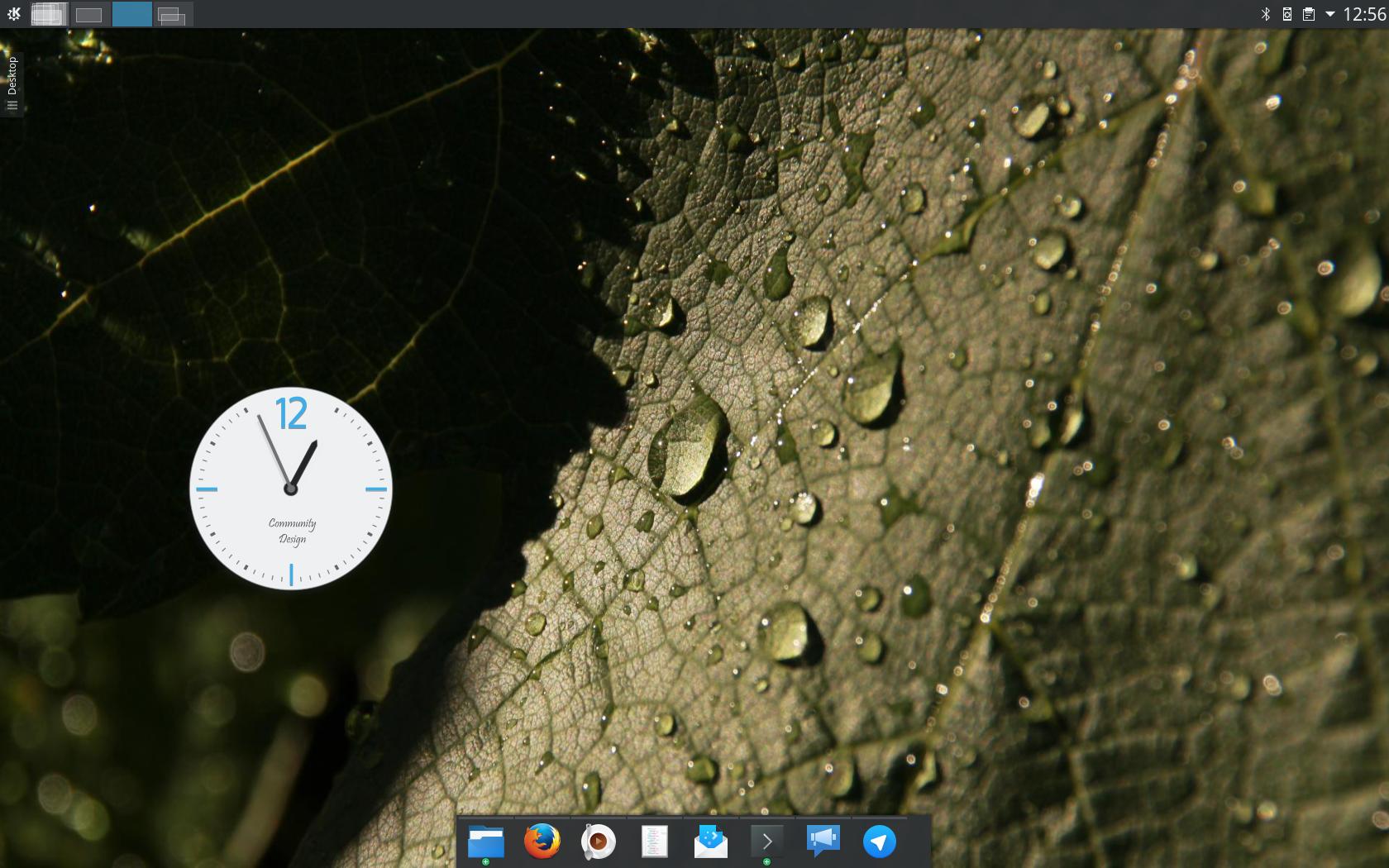
Невероятная гибкость в настройке
По умолчанию Plasma проста, но её можно настроить по своему вкусу с помощью новых виджетов, панелей, экранов и оформлений.
Нововведения в Plasma 5.8
Unified Boot to Shutdown Artwork
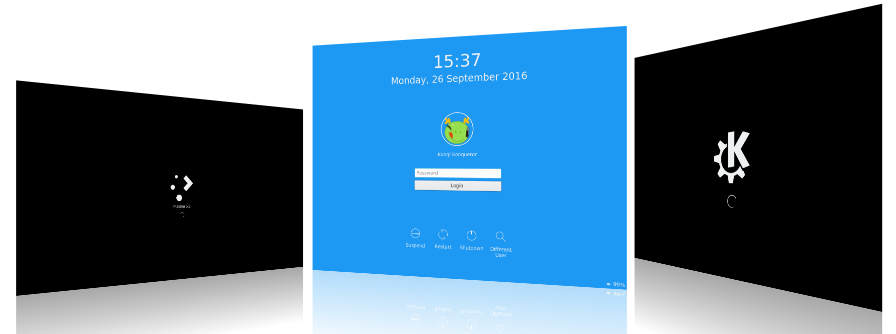
Unified Boot to Shutdown Artwork
This release brings an all-new login screen design giving you a complete Breeze startup to shutdown experience. The layout has been tidied up and is more suitable for workstations that are part of a domain or company network. While it is much more streamlined, it also allows for greater customizability: for instance, all Plasma wallpaper plugins, such as slideshows and animated wallpapers, can now be used on the lock screen.
Right-to-Left Language Support
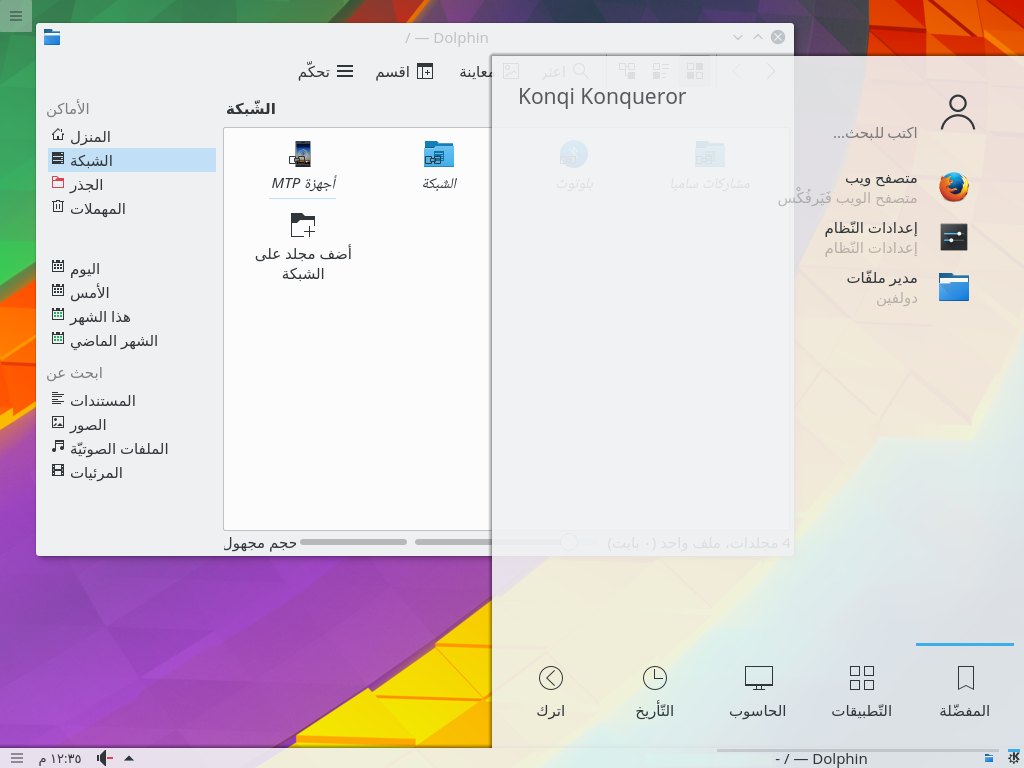
Right-to-Left Language Support
Support for Semitic right-to-left written languages, such as Hebrew and Arabic, has been greatly improved. Contents of panels, the desktop, and configuration dialogs are mirrored in this configuration. Plasma’s sidebars, such as widget explorer, window switcher, activity manager, show up on the right side of the screen.
Improved Applets
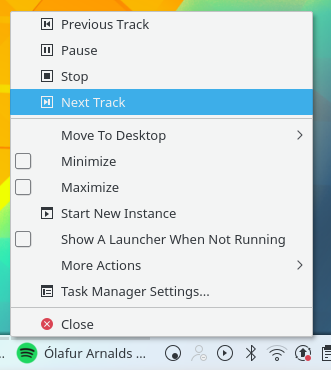
Context Menu Media Controls
The virtual desktop switcher (“Pager”) and window list applets have been rewritten, using the new task manager back-end we introduced in Plasma 5.7. This allows them to use the same dataset as the task manager and improves their performance while reducing memory consumption. The virtual desktop switcher also acquired an option to show only the current screen in multi-screen setups and now shares most of its code with the activity switcher applet.
Task manager gained further productivity features in this release. Media controls that were previously available in task manager tooltips only are now accessible in the context menus as well. In addition to bringing windows to the front during a drag and drop operation, dropping files onto task manager entries themselves will now open them in the associated application. Lastly, the popup for grouped windows can now be navigated using the keyboard and text rendering of its labels has been improved.
Simplified Global Shortcuts
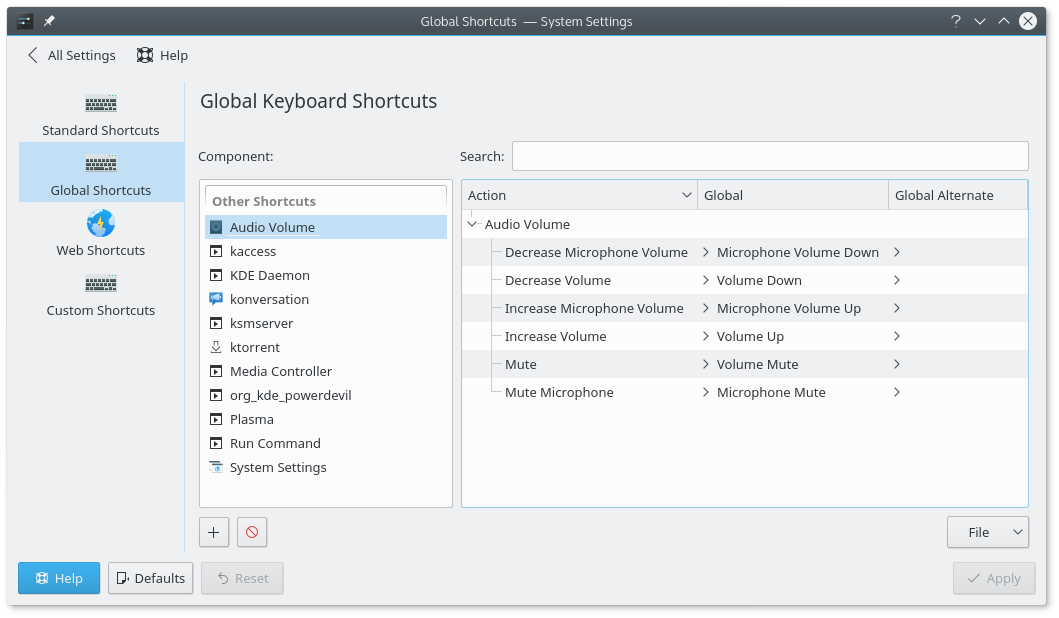
Global Shortcuts Setup
Global shortcuts configuration has been simplified to focus on the most common task, that is launching applications. Building upon the jump list functionality added in previous releases, global shortcuts can now be configured to jump to specific tasks within an application.
Thanks to our Wayland effort, we can finally offer so-called “modifier-only shortcuts”, enabling you to open the application menu by just pressing the Meta key. Due to popular demand, this feature also got backported to the X11 session.
Other improvements
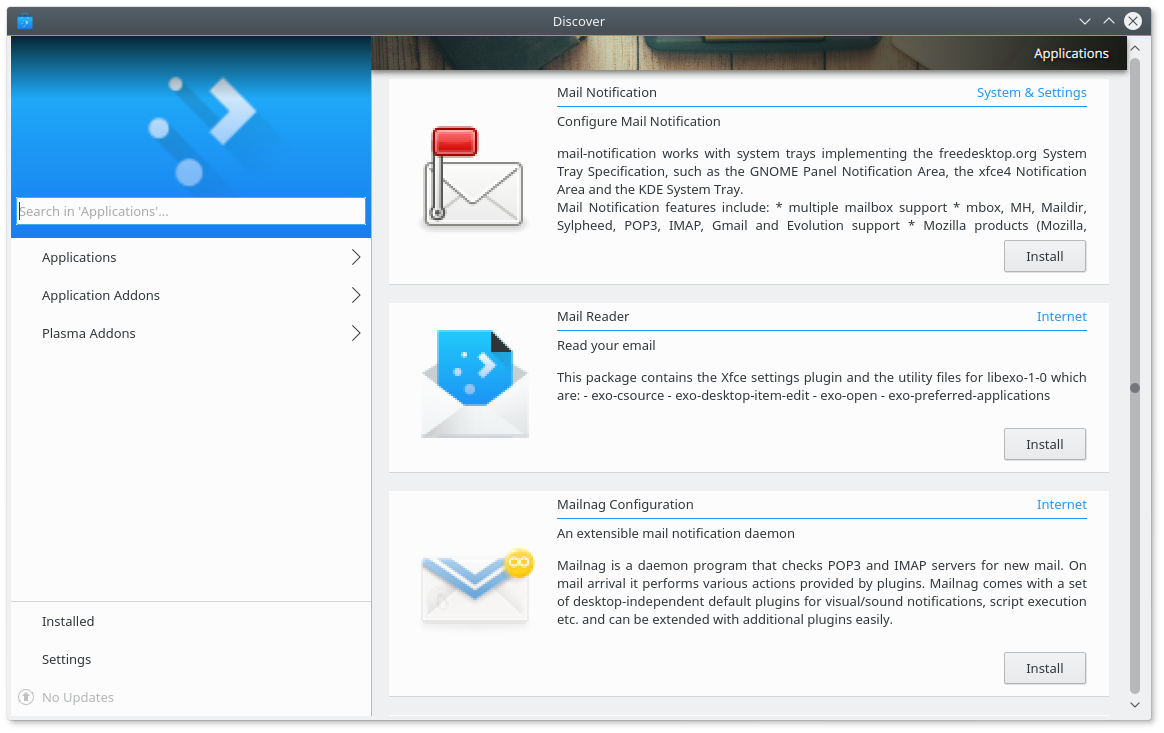
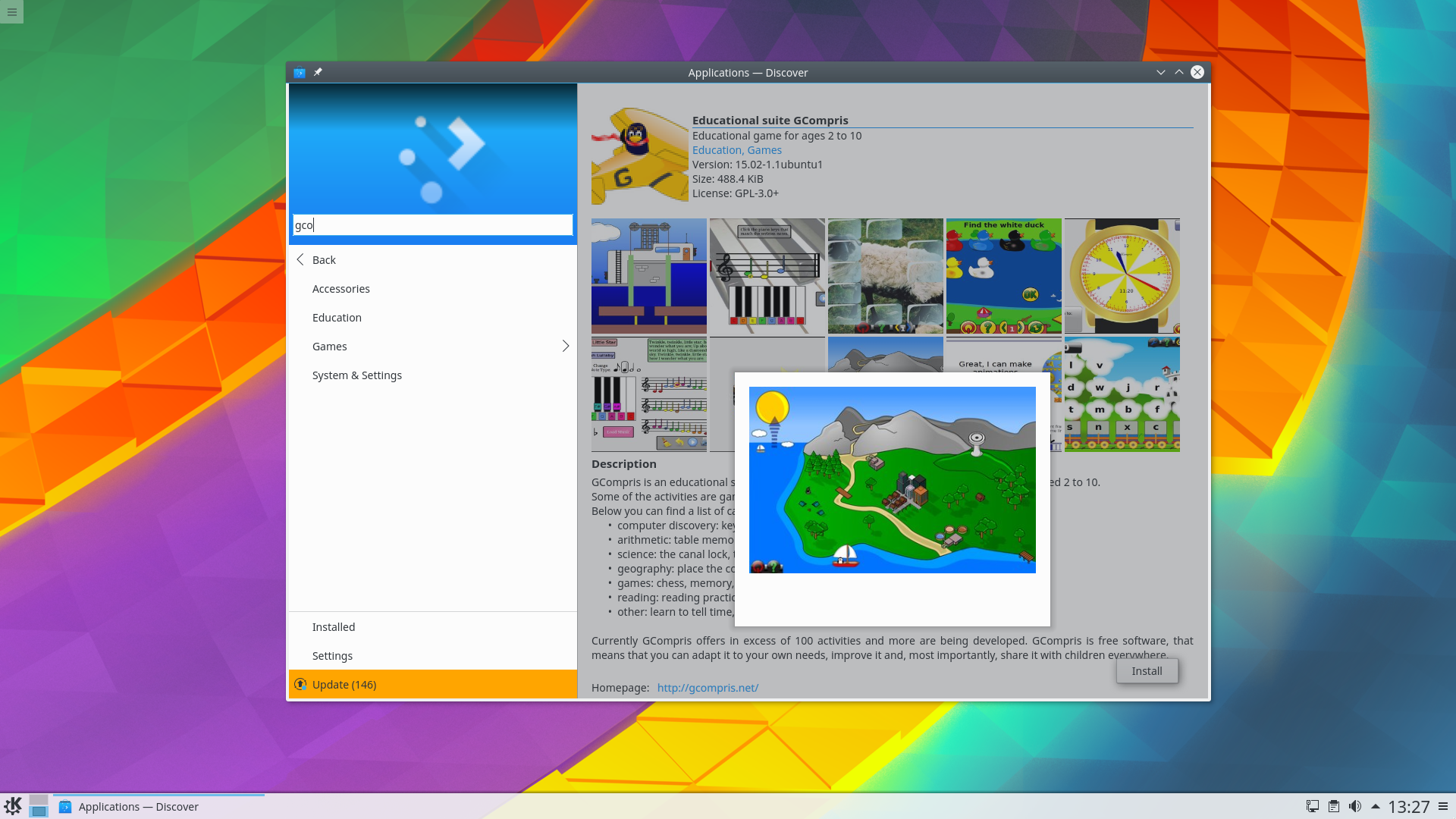
Новый интерфейс центра программ Discover
This release sees many bugfixes in multi-screen support and, together with Qt 5.6.1, should significantly improve your experience with docking stations and projectors.
KWin, Plasma’s window manager, now allows compositing through llvmpipe, easing the deployment on exotic hardware and embedded devices. Now that there is a standardized and widely-used interface for applications to request turning off compositing, the “Unredirect Fullscreen” option has been removed. It often lead to stability issues and because of that was already disabled for many drivers.
Now that Kirigami, our set of versatile cross-platform UI components, has been released, we’re pleased to bring you a revamped version of Plasma Discover based on Kirigami.
We have new default fonts, the Noto font from Google covers all scripts available in the Unicode standard while our new monospace font Hack is perfect for coders and terminal users.
We’re in Wayland!
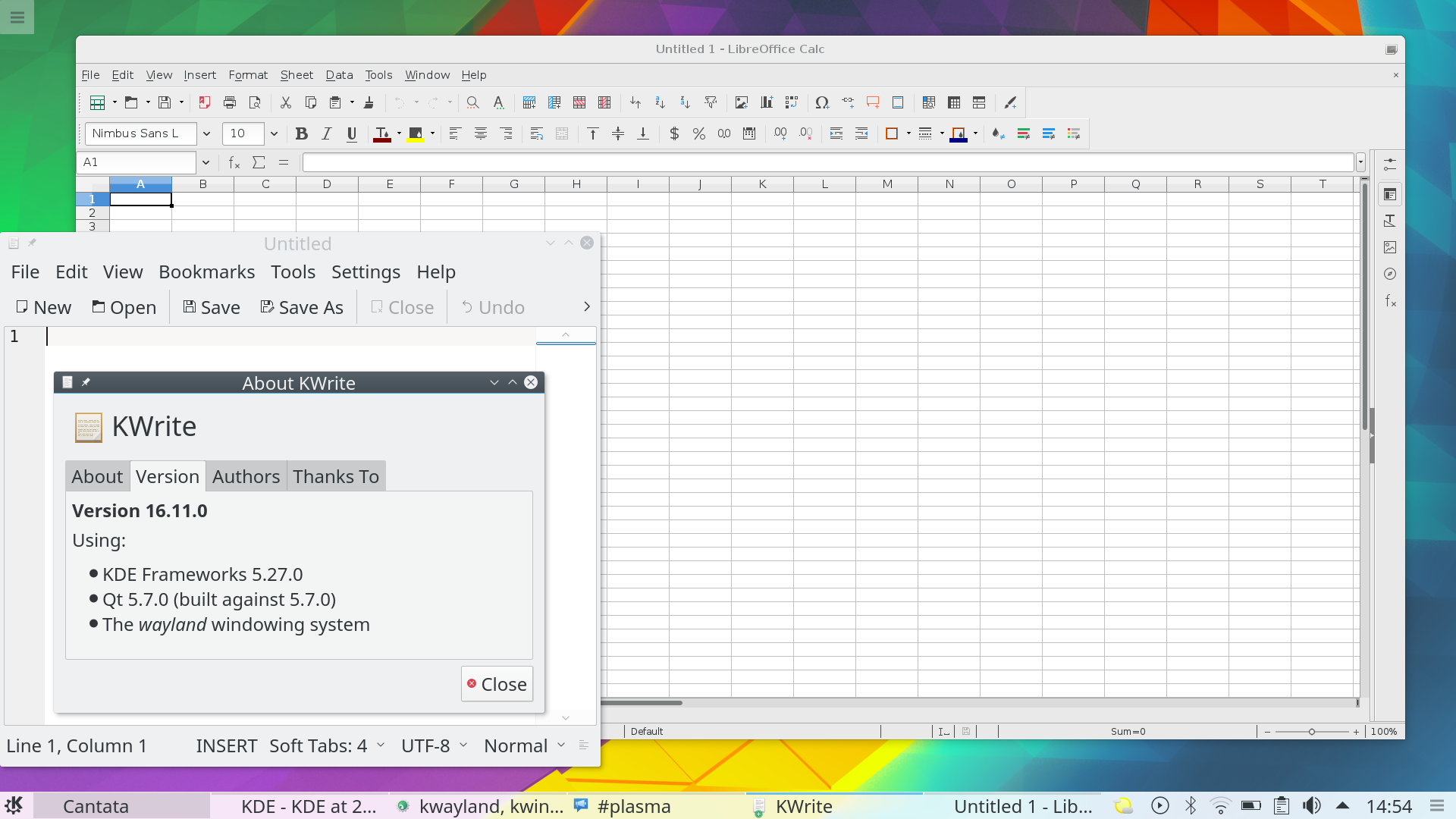
Plasma on Wayland Now with GTK+ support
Plasma on Wayland has come a long way in the past months. While our long term support promise does not apply to the fast-evolving Wayland stack, we think it is ready to be tested by a broader audience. There will still be minor glitches and missing features, but we are now at a point where we can ask you to give it a try and report bugs. Notable improvements in this release include:
- Support for xdg-shell, i.e. GTK+ applications are now supported
- Much improved touch screen support
- Support for touchpad gestures – the infrastructure is there, there aren't any gestures by default yet
- The “Sliding Popups” effect is now supported
- Clipboard contents are synced between X11 and Wayland applications
Загрузочные образы
Самый простой способ опробовать Plasma — это загрузиться с компакт-диска или USB-флеш-накопителя. Другой быстрый способ — запустить Plasma в Docker из готовых образов.
Загрузить образы дисков с Plasma Загрузить образы Docker с PlasmaПакеты
В дистрибутивах ОС Linux либо уже появились, либо скоро появятся пакеты, перечисленные на вики-странице.
Обратите внимание, пакеты данного выпуска могут быть недоступны на момент данного объявления во всех дистрибутивах.
Вики-страница об установке пакетовИсходный код
Возможно собрать и установить Plasma непосредственно из исходного кода.
Обновляемые сообществом инструкции по сборке Исходный кодОбратная связь
Оставить отзыв и подписаться на новости можно в социальных сетях:
Обсуждайте KDE в форумах KDE.
Вы можете оставить отзыв непосредственно разработчикам через канал #Plasma в Matrix, список рассылки Plasma-devel или сообщить о проблемах через Bugzilla. Если вам нравится то, чем занимается наша команда, сообщите им об этом!
Ваши отзывы очень ценны.
Поддержите KDE
KDE — это сообщество разработки свободного программного обеспечения, которое существует и растёт только благодаря многим добровольцам, которые жертвуют своим временем и усилиями. KDE всегда ищет новых участников, способных помочь в разработке, исправлении ошибок или их нахождении, написании документации и переводов, продвижении, деньгах и другими способами. Любая поддержка приветствуется и будет принята с благодарностью. Ознакомьтесь со страницей поддержки KDE, чтобы узнать больше или стать поддерживающим участником KDE e.V. через нашу инициативу Вступайте в игру.
О KDE
KDE — это международная IT-команда, которая создаёт открытое и свободное программное обеспечение для настольных компьютеров и мобильных устройств. В число продуктов KDE входят современные рабочие окружения для платформ Linux и UNIX, полнофункциональный офисный пакет и средства групповой работы, а также сотни приложений разных категорий, таких как веб, мультимедиа, развлечения, образование, графика и разработка ПО. Программные продукты KDE переведены на более чем 60 языков, а при создании их большое внимание уделяется простоте использования, современности и доступности. Многофункциональные приложения KDE полноценно работают в Linux, BSD, Windows, Haiku и macOS.
Сведения о товарных знаках.
KDE® и логотип K Desktop Environment® являются зарегистрированными торговыми марками KDE e.V.
Linux — зарегистрированный товарный знак Линуса Торвальдса. UNIX — зарегистрированный товарный знак The Open Group в США и других странах.
Все другие товарные знаки и объекты авторских прав, упомянутые в этом объявлении, принадлежат их законным владельцам.
Контакты для прессы
Для получения дополнительной информации свяжитесь с нами по электронной почте: press@kde.org