Выпуск бета-версии KDE Plasma 5.20: новая и улучшенная снаружи и внутри
Plasma 5.20 Beta
Среда, 16 сентября 2020
Выпуск Plasma 5.20: новая и улучшенная снаружи и внутри. Больше возможностей, исправления старых ошибок, дополнительные улучшения интерфейса. Узнать подробности:
Продолжайте читать, чтобы узнать обо всех новых возможностях и улучшениях в Plasma 5.20…
Оформление
Для панели применяются новые параметры по умолчанию
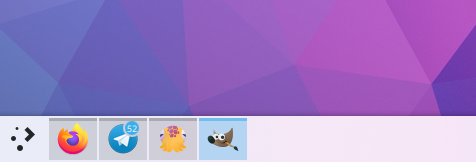
An Icon-Only Task Manager is used by default, and the default panel is now slightly thicker
On-screen displays (OSDs) that appear when changing the volume or display brightness (for example) have been redesigned to be less obtrusive. And when using the 'raise maximum volume' setting, the volume OSD will subtly warn you when going over 100% volume
Changing the display brightness now gives you a smooth transition
The System Tray popup now shows items in a grid rather than a list, and the icon view on your panel can now be configured to scale the icons with the panel thickness if you'd like
The Digital Clock applet now shows the current date by default
The Digital Clock popup is now more compact and space-efficient
Throughout KDE apps, toolbar buttons which display menus when clicked now show downward-pointing arrows to indicate this
Поведение рабочей среды
Управление окнами GTK
KRunner standalone
Changed the default shortcut for moving and resizing windows to Meta+drag (instead of Alt+drag) to resolve conflicts with many popular productivity applications
Clicking on grouped Task Manager tasks now cycles through each task by default, and you can choose alternative behaviors if you don't like that one
The Task Manager can now be optionally configured to not minimize the active task when clicked on
On supported laptops, you can now configure a charge limit below 100% to preserve the battery health
You can now corner-tile windows by combining left/right/up/down tiling shortcuts. For example, hit Meta+up arrow and then left arrow to tile a window to the upper left corner.
GTK headerbar apps now respect the appearance you've chosen for your titlebar buttons
Widgets now display an 'About' page in the settings window
You are now notified when your system is about to run out of space even if your home directory is on a different partition
Minimized windows are no longer placed last in the alt-tab task switcher
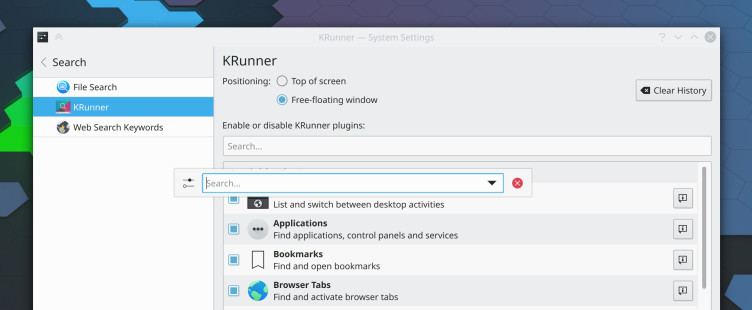
KRunner can now be configured to be a free-floating window, rather than glued to the top of the screen
KRunner now remembers the prior search text by default and can be optionally configured to appear as a free-floating window
KRunner can search and launch open pages in Falkon
Unused audio devices are now filtered out of the audio applet and system settings page by default
The Device Notifier applet has been renamed to 'Disks & Devices' and it is now easier to use it to show all disks, not just removable ones
You can now middle-click on the Notifications applet or system tray icon to enter Do Not Disturb mode
The Web Browser widget now has a user-configurable zoom setting
Параметры системы и Информация о системе
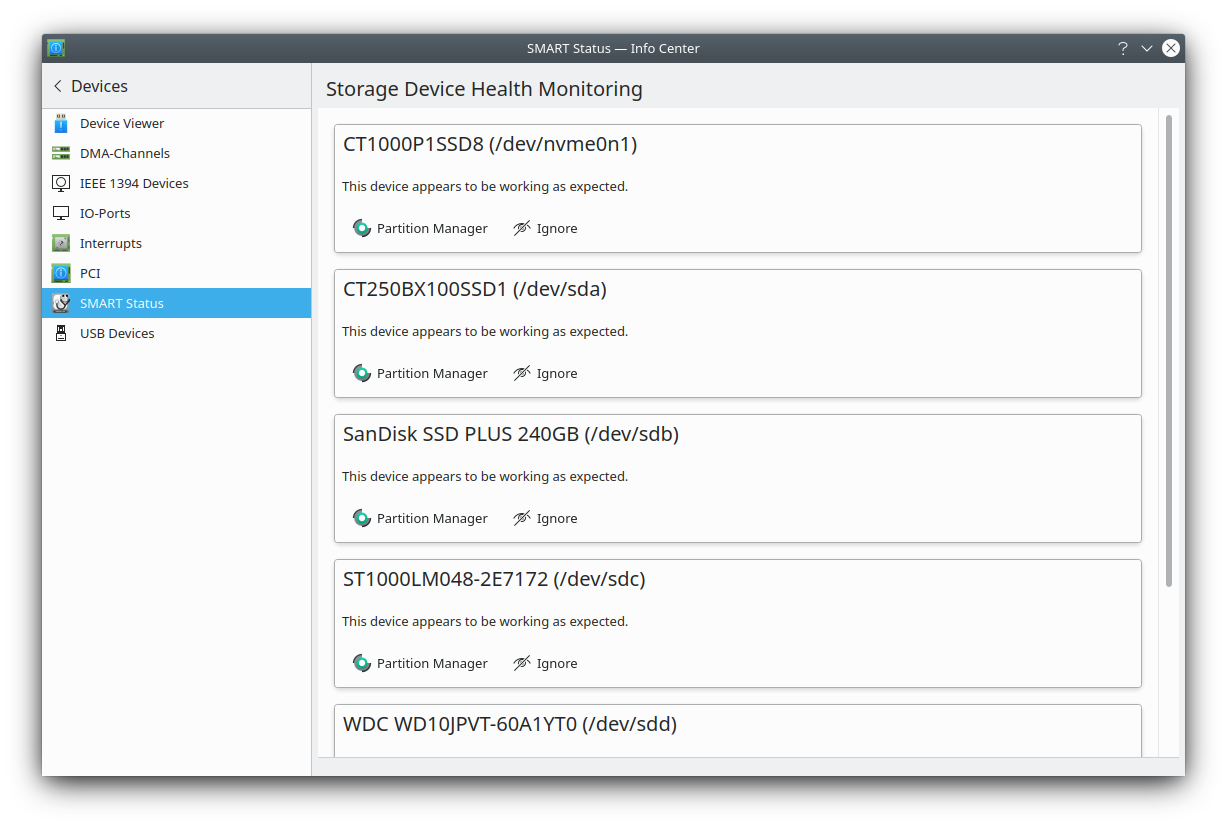
Plasma Disks for S.M.A.R.T disk monitoring
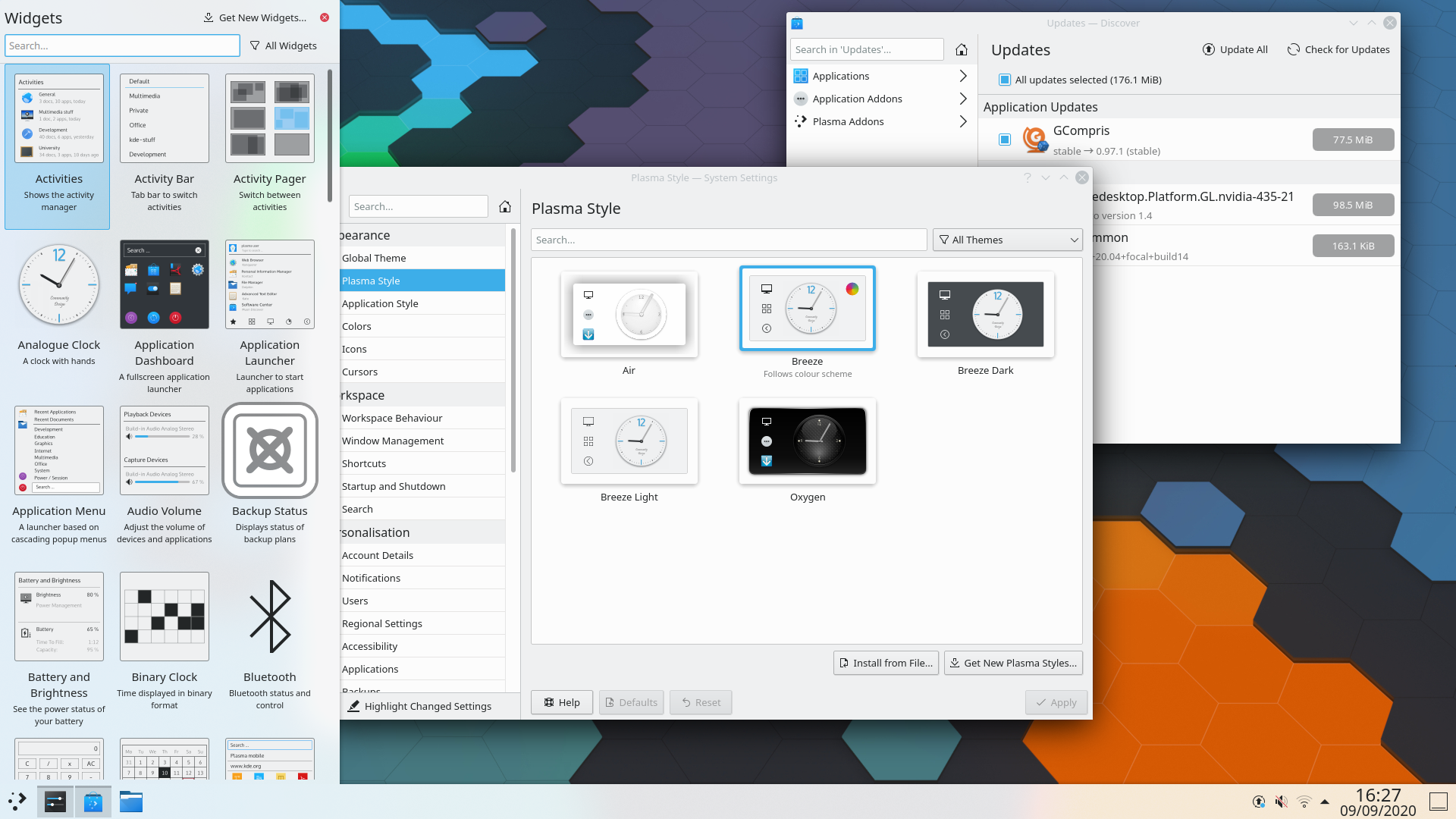
There is now a 'highlight changed settings' feature that will show you which settings you've changed from their default values
S.M.A.R.T monitoring and failing disk notifications
The Autostart, Bluetooth, and User Manager settings pages have been redesigned according to modern user interface standards and rewritten from scratch
The Standard Shortcuts and Global Shortcuts pages have been combined into one, which is just called 'Shortcuts' now
A new audio balance option has been added to let you adjust the volume of each individual audio channel
The touchpad cursor speed can now be configured on a much more granular basis
Wayland
Поддержка Klipper
You can now middle-click to paste (at least in KDE apps; GTK apps do not implement this yet)
KRunner appears at the right place when using a top panel
Mouse and touchpad scroll speed is now adjustable
Screencasting is now supported
The Task Manager now shows window thumbnails
The whole desktop session no longer crashes if XWayland crashes
Самый простой способ опробовать Plasma — это загрузиться с компакт-диска или USB-флеш-накопителя. Другой быстрый способ — запустить Plasma в Docker из готовых образов.
KDE — это сообщество разработки свободного программного обеспечения, которое существует и растёт только благодаря многим добровольцам, которые жертвуют своим временем и усилиями. KDE всегда ищет новых участников, способных помочь в разработке, исправлении ошибок или их нахождении, написании документации и переводов, продвижении, деньгах и другими способами. Любая поддержка приветствуется и будет принята с благодарностью. Ознакомьтесь со страницей поддержки KDE, чтобы узнать больше или стать поддерживающим участником KDE e.V. через нашу инициативу Вступайте в игру.
О KDE
KDE — это международная IT-команда, которая создаёт открытое и свободное программное обеспечение для настольных компьютеров и мобильных устройств. В число продуктов KDE входят современные рабочие окружения для платформ Linux и UNIX, полнофункциональный офисный пакет и средства групповой работы, а также сотни приложений разных категорий, таких как веб, мультимедиа, развлечения, образование, графика и разработка ПО. Программные продукты KDE переведены на более чем 60 языков, а при создании их большое внимание уделяется простоте использования, современности и доступности. Многофункциональные приложения KDE полноценно работают в Linux, BSD, Windows, Haiku и macOS.
Сведения о товарных знаках.
KDE® и логотип K Desktop Environment® являются зарегистрированными торговыми марками KDE e.V. Linux — зарегистрированный товарный знак Линуса Торвальдса. UNIX — зарегистрированный товарный знак The Open Group в США и других странах. Все другие товарные знаки и объекты авторских прав, упомянутые в этом объявлении, принадлежат их законным владельцам.
Контакты для прессы
Для получения дополнительной информации свяжитесь с нами по электронной почте: press@kde.org