Plasma 5.12 LTS Beta Makes Your Desktop Smoother and Speedier
Бета-версия KDE Plasma 5.12
Понедельник, 15 января 2018
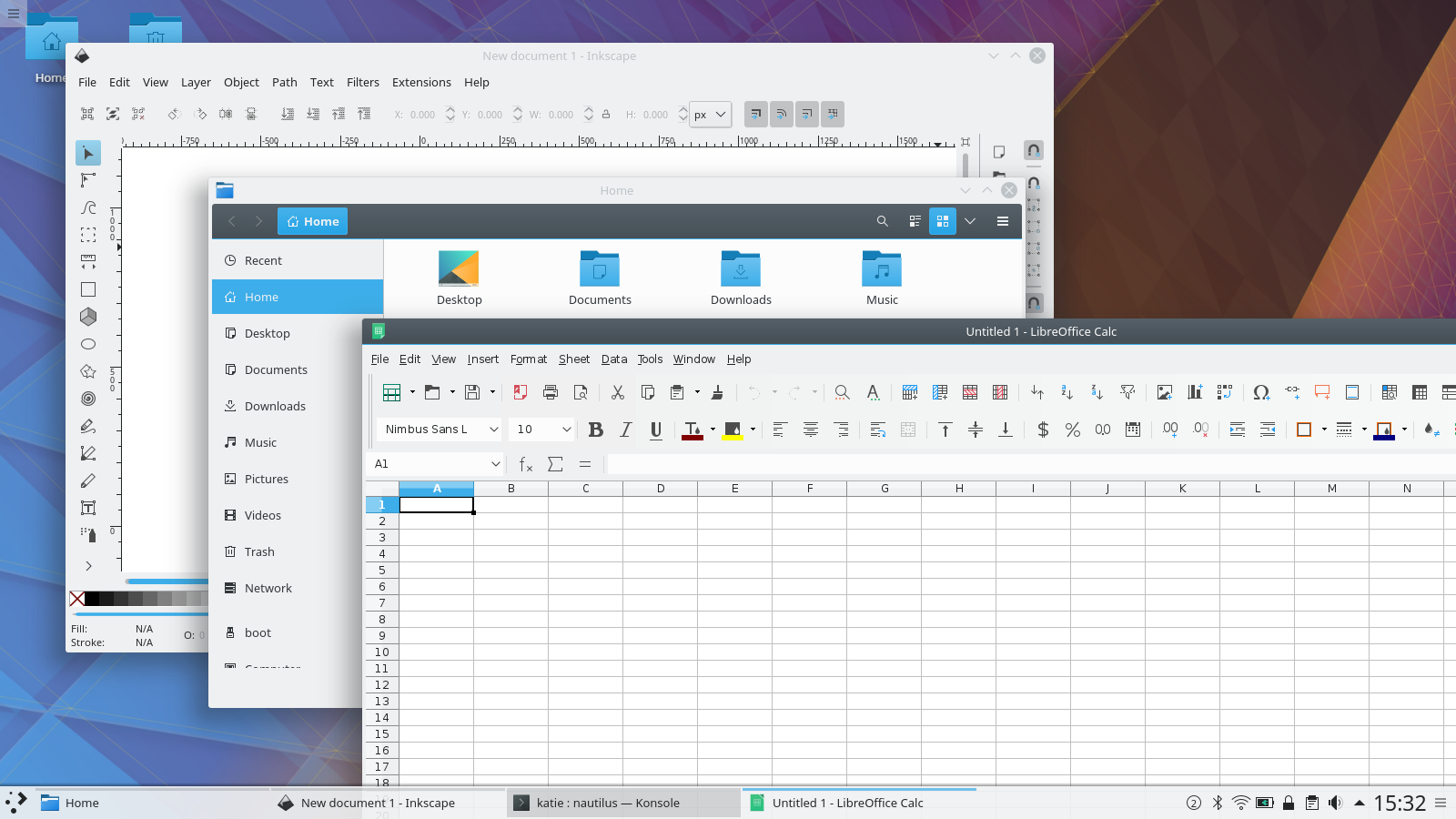
Plasma 5.12 LTS Beta is the second long term support release from the Plasma 5 team. We have been working hard focusing on speed and stability for this release. Boot time to desktop has been improved by reviewing the code for anything which blocks execution. The team has been triaging and fixing bugs in every aspect of the codebase, tidying up artwork, removing corner cases and ensuring cross desktop integration. For the first time we offer our Wayland integration on long term support so you can be sure we will continue to fix bugs over the coming releases.
Нововведения в Plasma 5.12 LTS
Плавнее и быстрее
We have been concentrating on speed and memory improvements with this long term support release. When Plasma is running it now uses less CPU and less memory than previous versions. The time it takes to start a Plasma desktop has been reduced dramatically.
Plasma на Wayland теперь под поддержкой долгосрочной стабильности
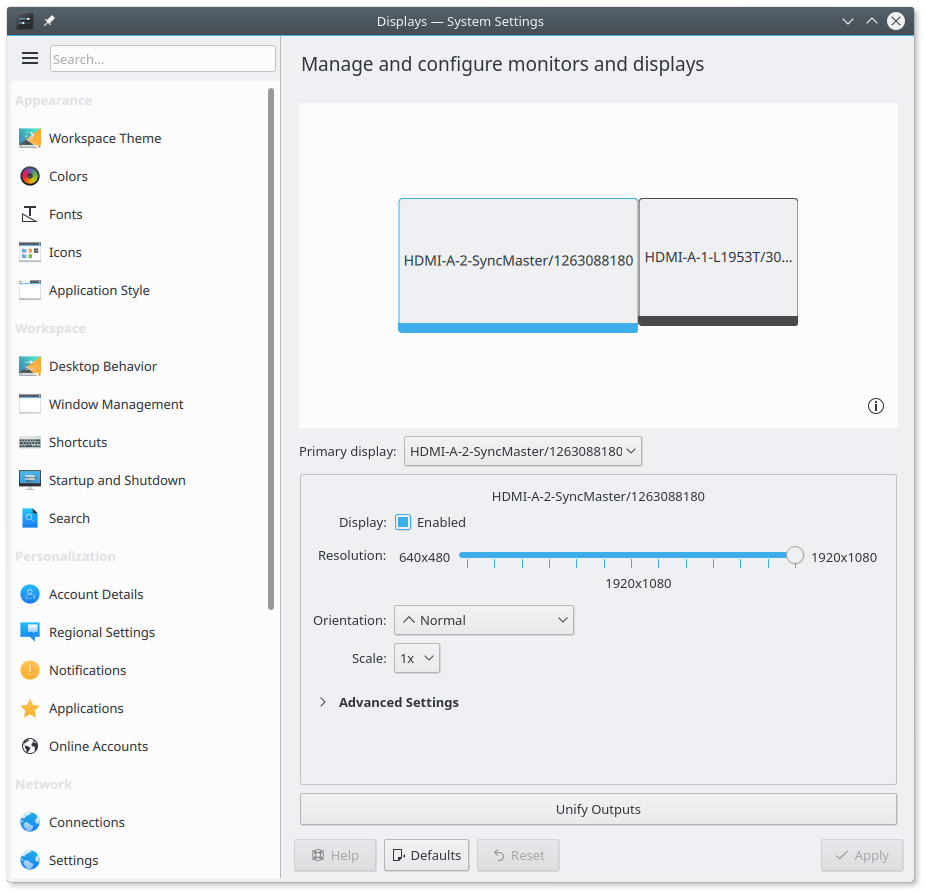
Модуль настройки экранов теперь поддерживает Wayland
Plasma's support for running as Wayland is now more complete and is now suitable for more wide-ranged testing. It is included as Long Term Support for the first time so we will be fixing bugs in the 5.12 LTS series. New features include:
Разрешение экрана настраивается через KScreen
Включение и отключение выводов через KScreen
Поворот экрана
Автоматический поворот экрана на основе датчика ориентации
Автоматическая калибровка сенсорного экрана
XWayland is no longer required to run the Plasma desktop; applications only supporting X still make use of it.
Wayland windows can be set to fullscreen
Uses real-time scheduling policy to keep input responsive
Автоматический выбор композитора в зависимости от используемой платформы
Starts implementing window rules
KWin integrated Night Color removes blue light from your screen at night-time; this is a Wayland-only replacement for the great Redshift app on X
For those who know their Wayland internals the protocols we added are:
xdg_shell_unstable_v6
xdg_foreign_unstable_v2
idle_inhibit_unstable_v1
server_decoration_palette
меню приложения
wl_data_device_manager обновлён до версии 3.
Important change of policy: 5.12 is the last release which sees feature development in KWin on X11. With 5.13 onwards only new features relevant to Wayland are going to be added.
We have put a lot of work into making Wayland support in Plasma as good as possible but there are still some missing features and issues in certain hardware configurations so we don't yet recommend it for daily use. More information on the Wayland status wiki page.
Центр программ Discover
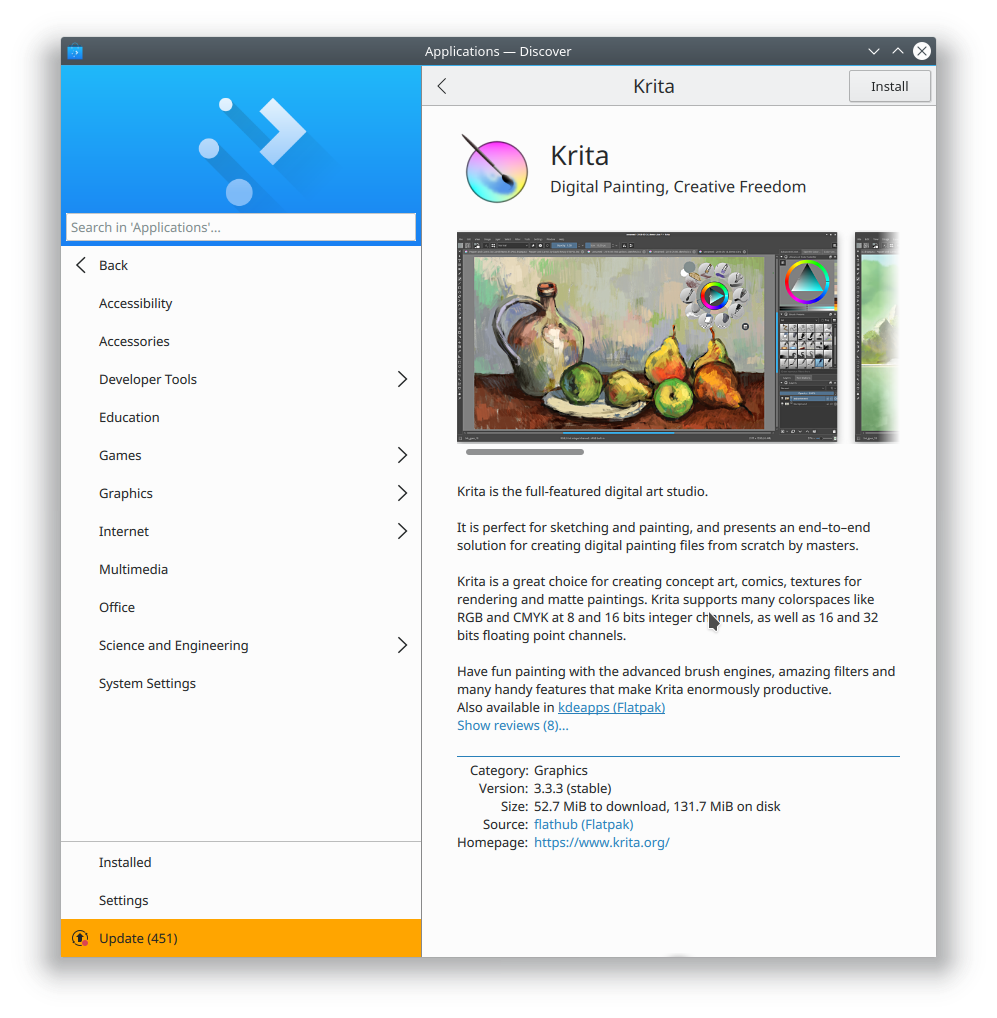
Новая страница приложения в Discover
Improvements in User Interface
Redesigned app pages to showcase great software
Leaner headers on non-browsing sections
More compact browsing views, so you can see more apps at once
App screenshots are bigger and have keyboard navigation
Installed app list sorted alphabetically
More complete UI to configure sources
Much greater stability
Improvements in Snap and Flatpak support
Support for apt:// URLs
Distributions can enable offline updates
Better usability on phone form factors: uses Kirigami main action, has a view specific for searching
Integrate PackageKit global signals into notifications
Distro upgrade for new releases
Reboot notification for when Discover installs or updates a package that needs a reboot
Новые функции
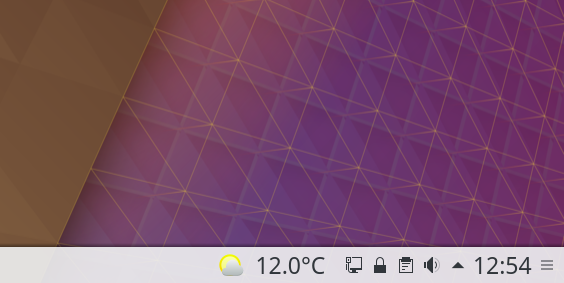
Виджет погоды с температурой
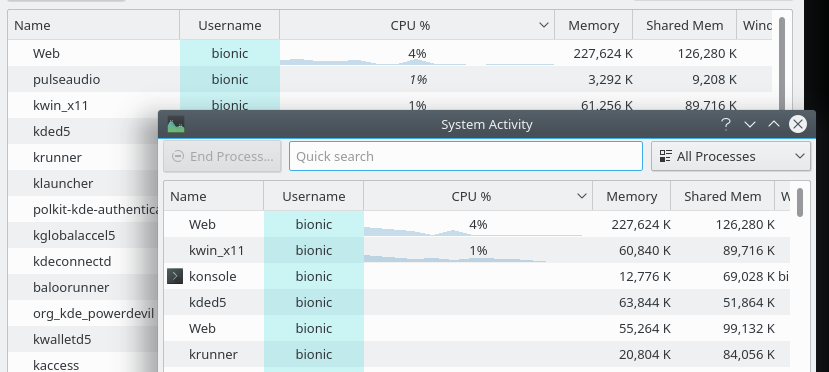
Загруженность процессора в списке запущенных процессов
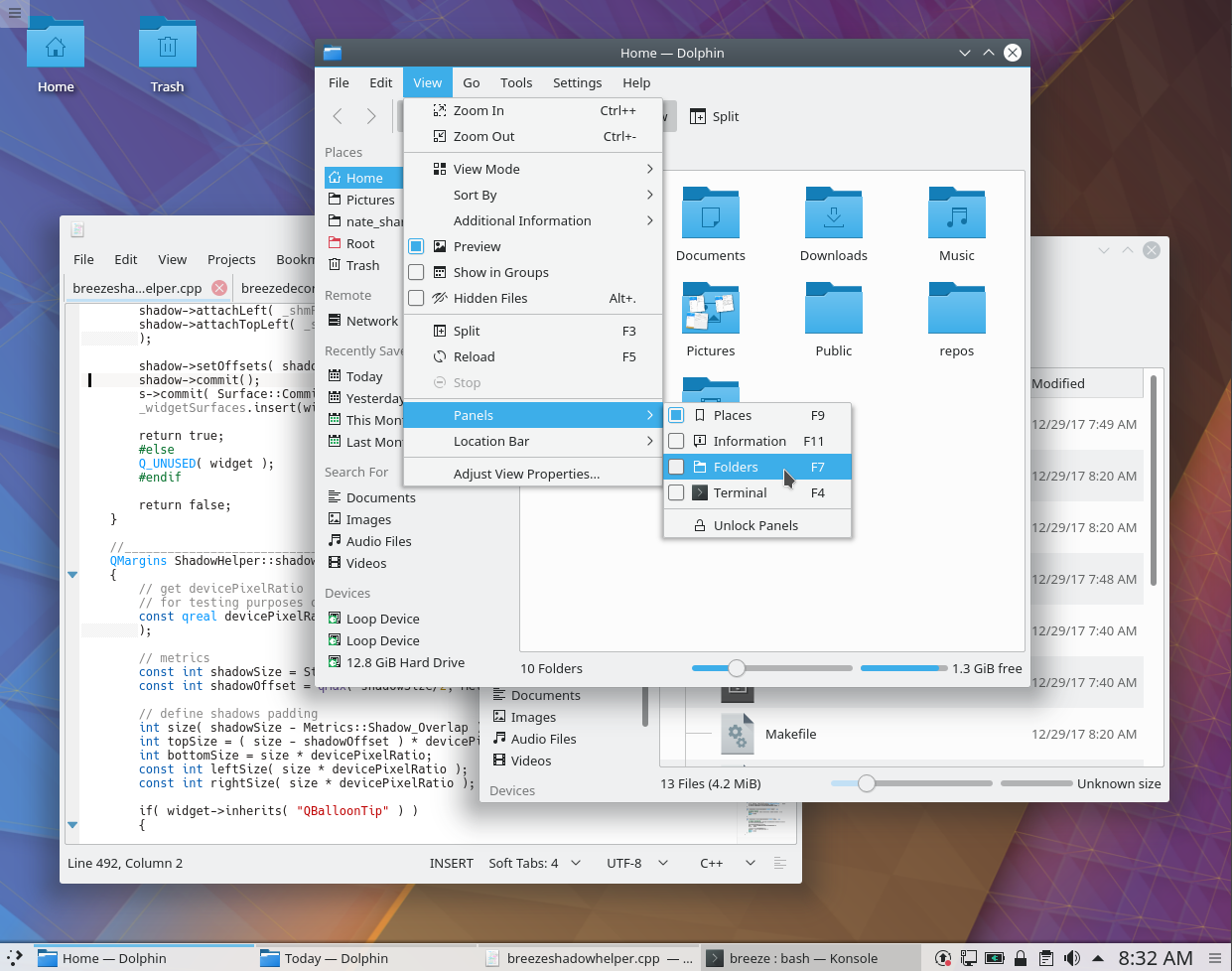
Более крупные, горизонтально отцентрированные тени окон
Night Color feature to reduce evening blue light expose
Улучшение удобства использования глобального меню: добавление панели глобального меню или кнопки оформления окна включает его без дополнительного шага настройки
Accessibility fixes in KRunner: it can now be completely used with on-screen readers such as Orca
Icon applet now uses website favicon
Notification text selectable again including copy link feature
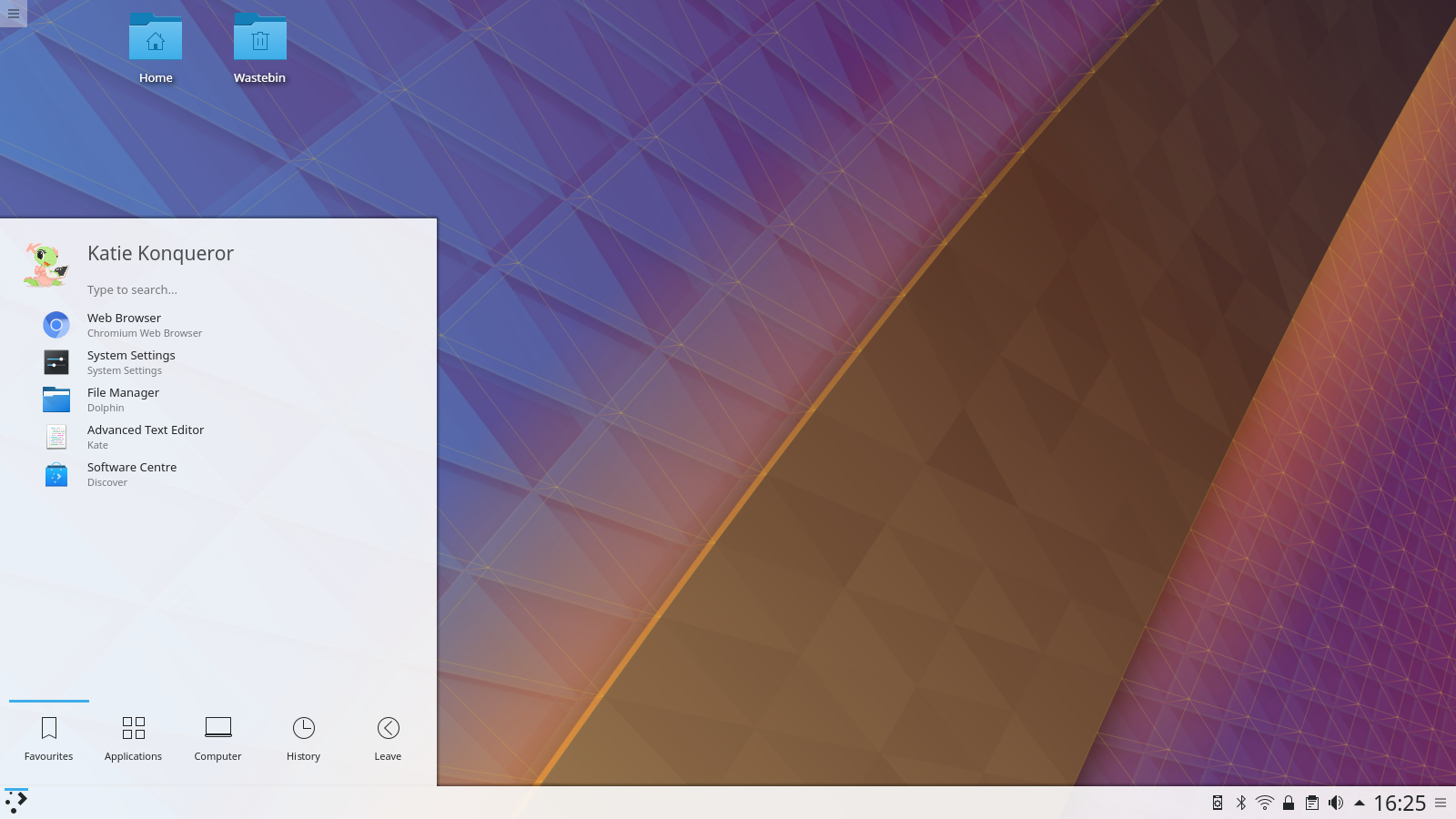
Slim Kickoff application menu layout
The weather applet can now optionally show temperature next to the weather status icon on the panel
System Activity and System Monitor now show per-process graphs for the CPU usage
Размер текста виджета часов теперь подобран более подходящим образом
Windows shadows are now horizontally centered, and larger by default
Properties dialog now shows file metadata
Новое с момента выпуска Plasma 5.8 LTS
If you have been using our previous LTS release, Plasma 5.8, there are many new features for you to look forward to:
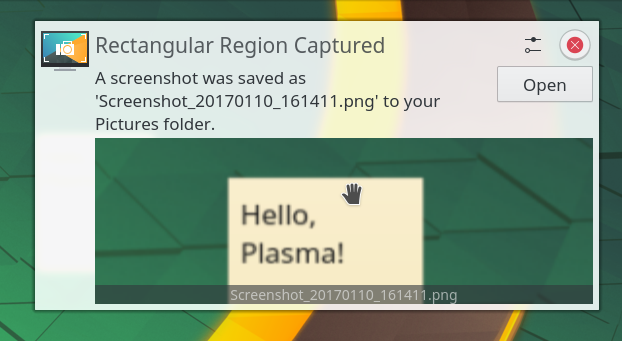
Предварительный просмотр в уведомлениях
Предварительный просмотр в уведомлениях
Система уведомлений получила поддержку интерактивного предварительного просмотра, который позволяет вам быстро сделать снимок экрана и перетащить его в окно чата, составления электронного письма или форму веб-браузера. Так вам больше не придётся покидать приложение, с которым вы работаете.
Улучшение панели задач
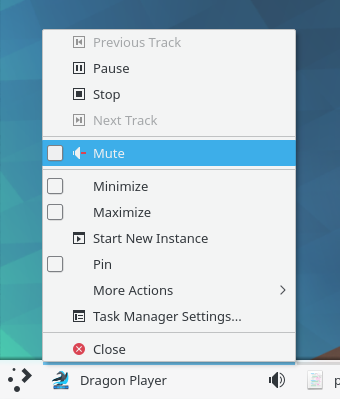
Индикатор воспроизведения и возможность выключения звука из контекстного меню
Due to popular demand we implemented switching between windows in Task Manager using Meta + number shortcuts for heavy multi-tasking. Also new in Task Manager is the ability to pin different applications in each of your activities. And should you want to focus on one particular task, applications currently playing audio are marked with an icon similar to how it’s done in modern web browsers. Together with a button to mute the offending application, this can help you stay focused.
Глобальные меню
Пример использования глобального меню
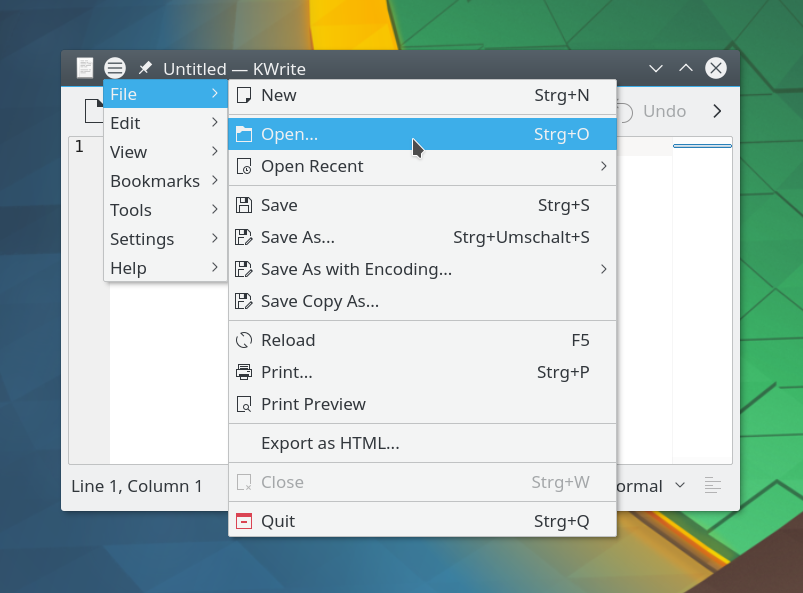
Global Menus have also returned. KDE's pioneering feature to separate the menu bar from the application window allows for new user interface paradigm with either a Plasma Widget showing the menu or neatly tucked away in the window title bar. Setting it up has been greatly simplified in Plasma 5.12: as soon as you add the Global Menu widget or title bar button, the required background service gets started automatically.
Раскрывающиеся папки
Раскрывающиеся папки в виджете просмотра папки
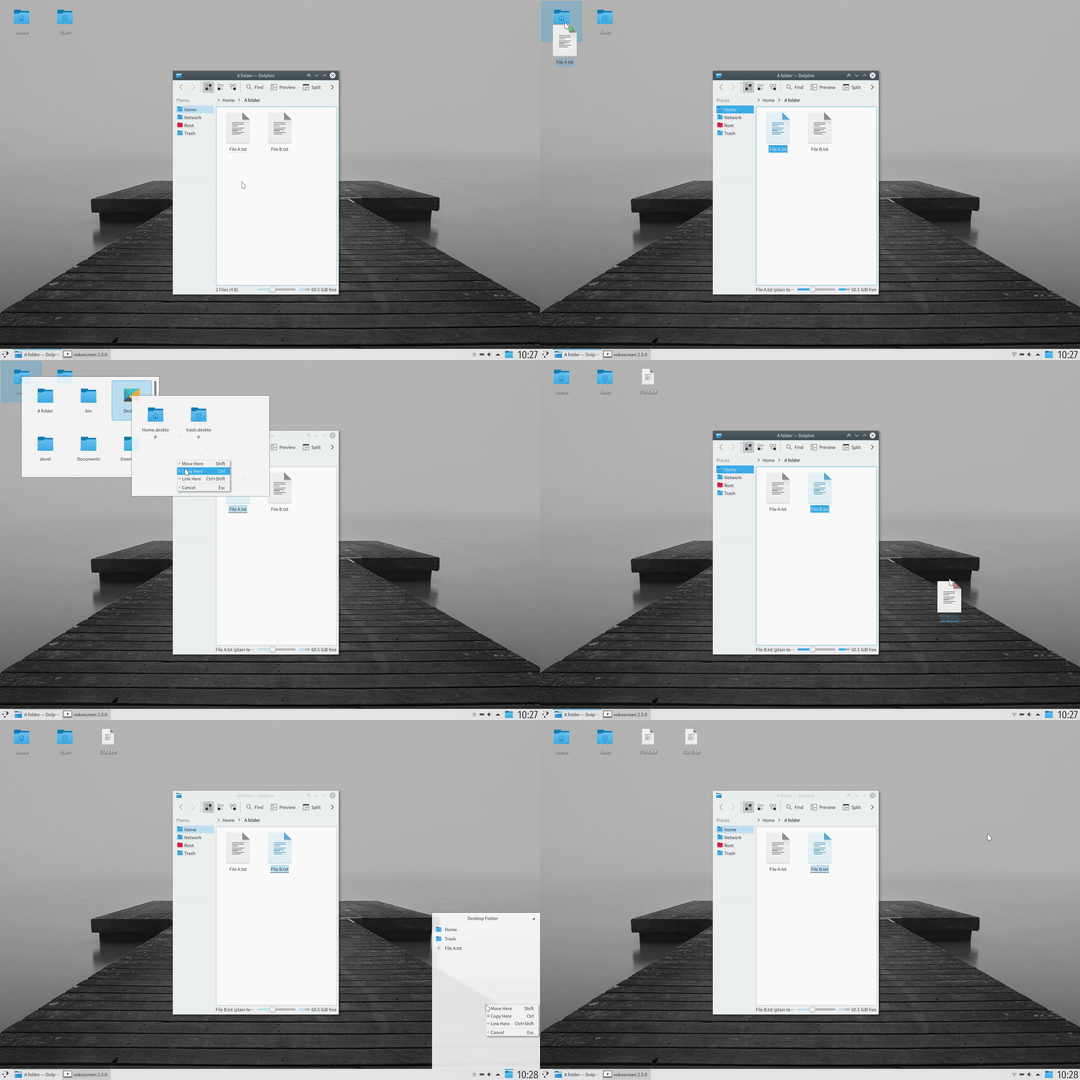
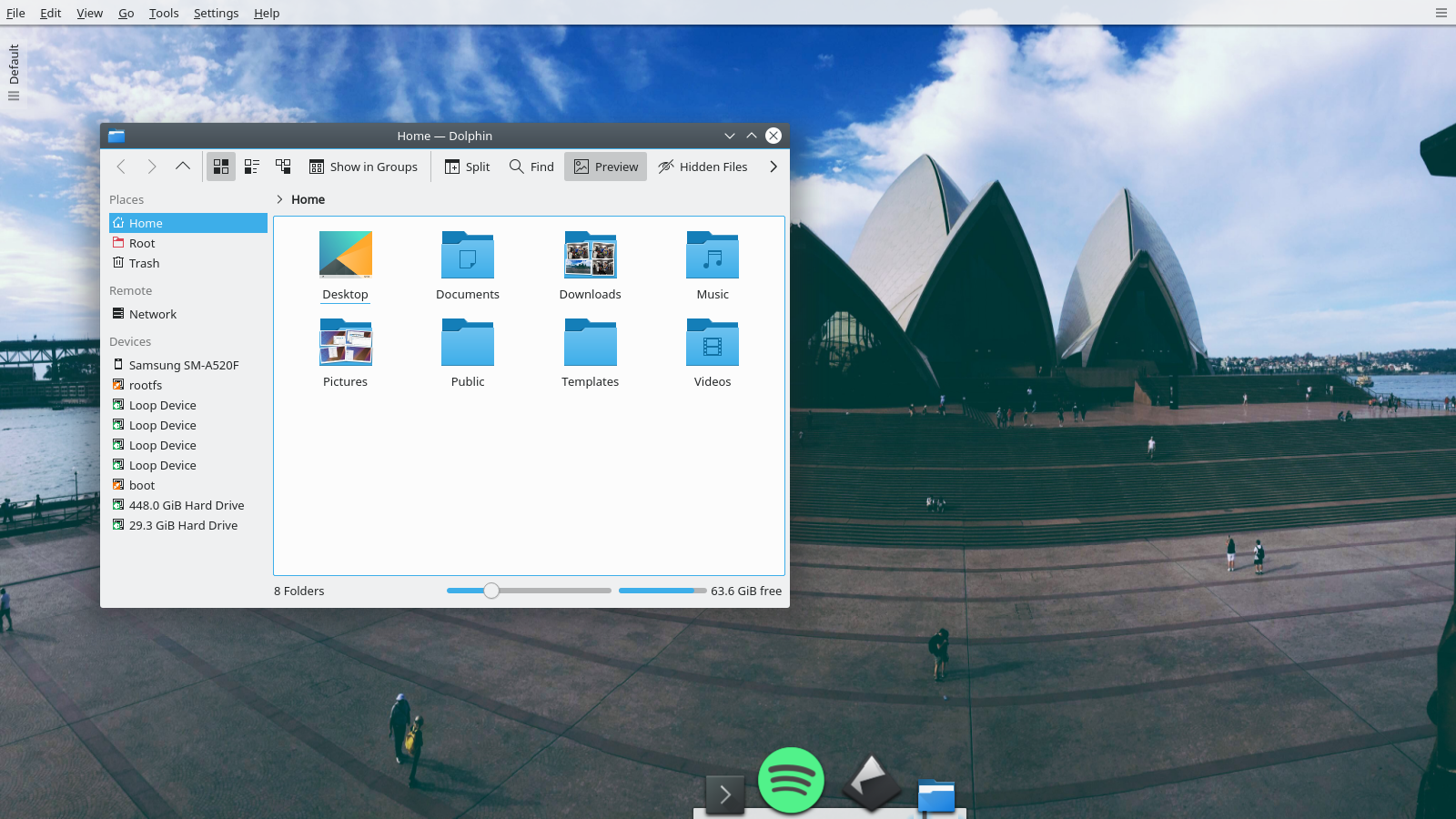
Folder View is now the default desktop layout. After some years shunning icons on the desktop we have accepted the inevitable and changed to Folder View as the default desktop which brings some icons by default and allows users to put whatever files or folders they want easy access to. For this many improvements have been made to Folder View, including Spring Loading making drag and drop of files powerful and quick, a tighter icon grid, as well as massively improved performance.
Управление воспроизведением музыки на экране блокировки
Управление воспроизведением музыки на экране блокировки
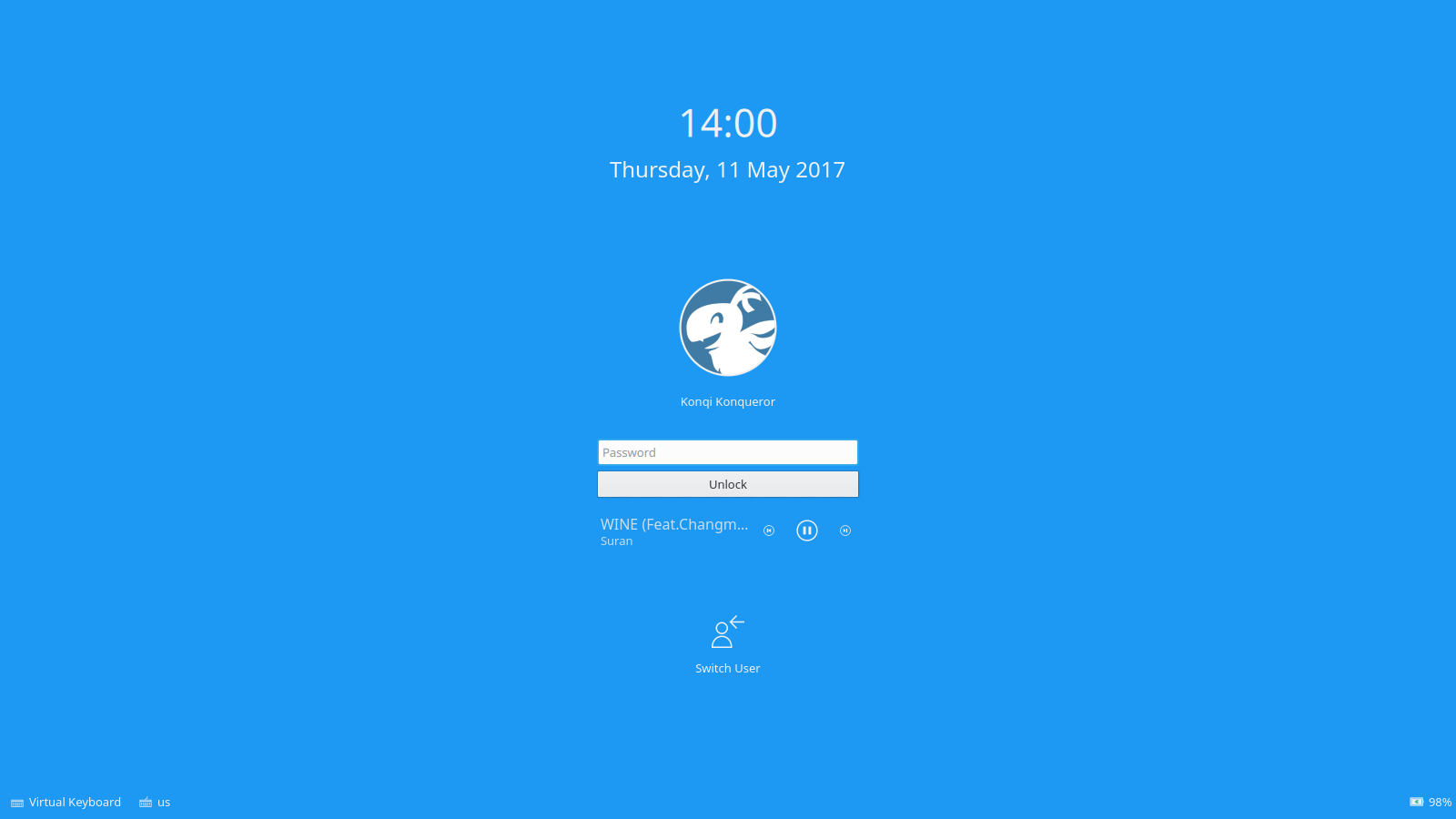
Media controls have been added to the lock screen, which can be disabled since Plasma 5.12 for added privacy. Moreover, music will automatically pause when the system suspends.
Новый интерфейс «Параметров системы»
Новый интерфейс «Параметров системы»
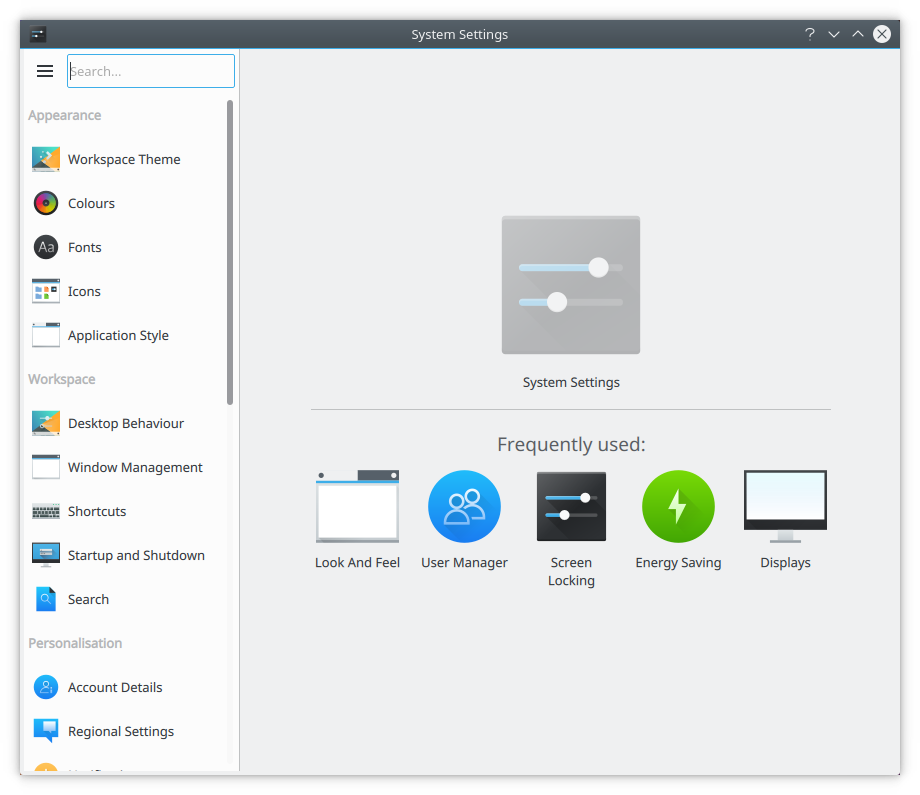
We introduced a new System Settings user interface for easy access to commonly used settings. It is the first step in making this often-used and complex application easier to navigate and more user-friendly. The new design is added as an option, users who prefer the older icon or tree views can move back to their preferred way of navigation.
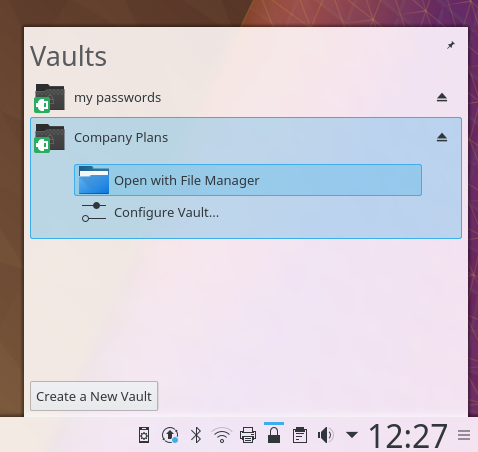
Зашифрованные папки
Зашифрованные папки
KDE has a focus on privacy. Our vision is: A world in which everyone has control over their digital life and enjoys freedom and privacy.
For users who often deal with sensitive, confidential and private information, the new Plasma Vault offers strong encryption features presented in a user-friendly way. It allows to lock and encrypt sets of documents and hide them from prying eyes even when the user is logged in. Plasma Vault extends Plasma's activities feature with secure storage.
Исчерпывающий функционал Plasma
Взгляните, что предлагает Plasma, — всесторонний набор различных функций, которым нет равных среди любого другого настольного ПО.
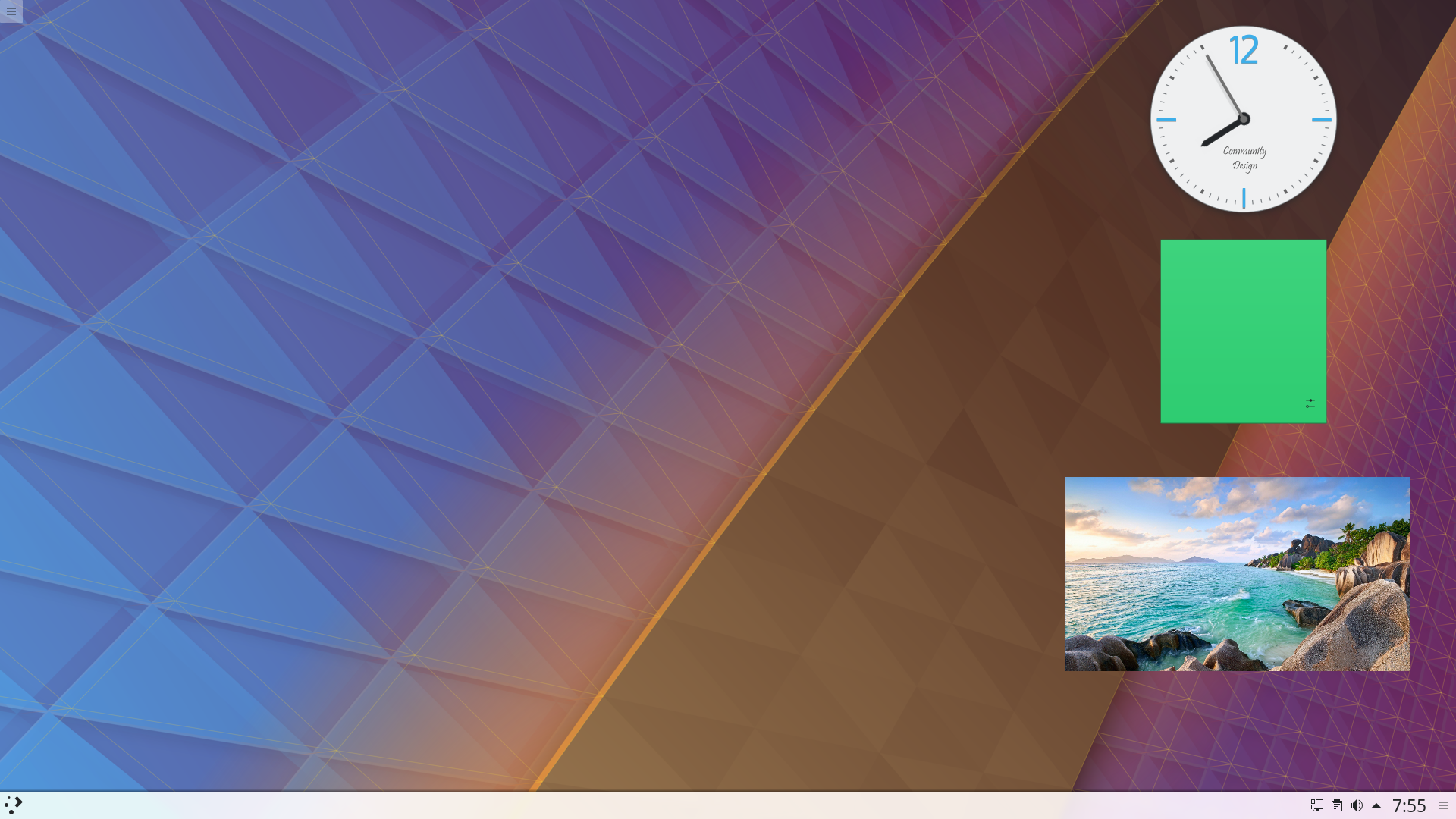
Виджеты рабочего стола
Виджеты рабочего стола
Cover your desktop in useful widgets to keep you up to date with weather, amused with comics or helping with calculations.
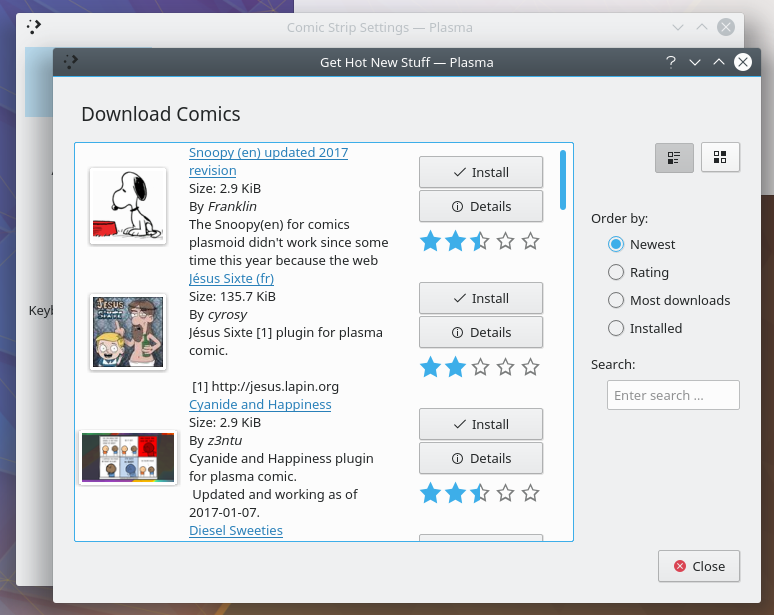
Загрузка материалов из Интернета
Загрузка материалов из Интернета
Download wallpapers, window style, widgets, desktop effects and dozens of other resources straight to your desktop. We work with the new KDE Store to bring you a wide selection of addons for you to install.
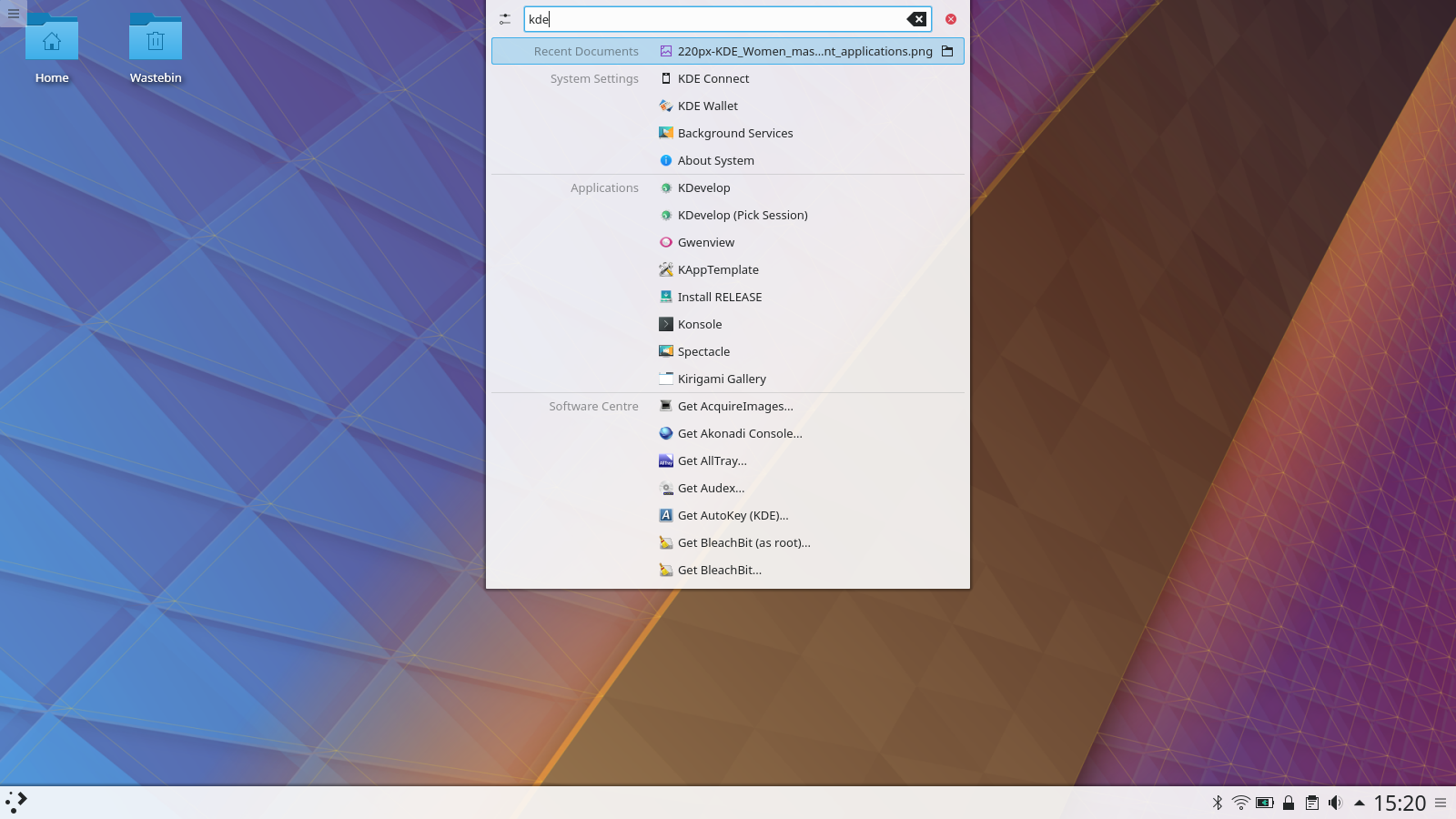
Поиск на компьютере
Поиск на компьютере
Plasma will let you easily search your desktop for applications, folders, music, video, files... everything you have.
Единый внешний вид
Единый внешний вид
Plasma's default Breeze theme has a unified look across all the common programmer toolkits - Qt 4 & 5, GTK 2 & 3, even LibreOffice.
Интеграция со смартфоном
Интеграция со смартфоном
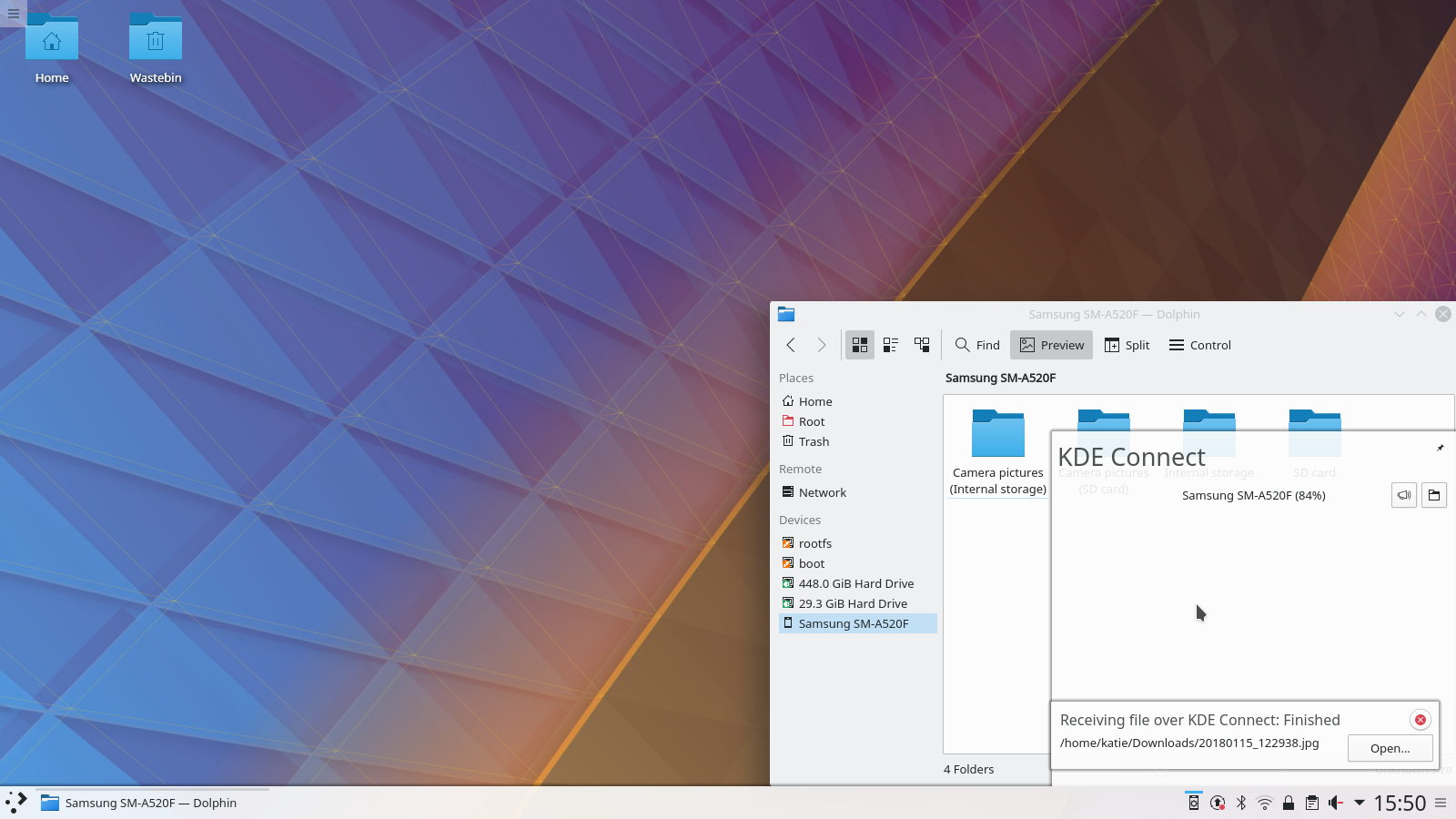
Using KDE Connect you'll be notified on your desktop of text message, can easily transfer files, have your music silenced during calls and even use your phone as a remote control.
Невероятная гибкость в настройке
Невероятная гибкость в настройке
По умолчанию Plasma проста, но её можно настроить по своему вкусу с помощью новых виджетов, панелей, экранов и оформлений.
Самый простой способ опробовать Plasma — это загрузиться с компакт-диска или USB-флеш-накопителя. Другой быстрый способ — запустить Plasma в Docker из готовых образов.
KDE — это сообщество разработки свободного программного обеспечения, которое существует и растёт только благодаря многим добровольцам, которые жертвуют своим временем и усилиями. KDE всегда ищет новых участников, способных помочь в разработке, исправлении ошибок или их нахождении, написании документации и переводов, продвижении, деньгах и другими способами. Любая поддержка приветствуется и будет принята с благодарностью. Ознакомьтесь со страницей поддержки KDE, чтобы узнать больше или стать поддерживающим участником KDE e.V. через нашу инициативу Вступайте в игру.
О KDE
KDE — это международная IT-команда, которая создаёт открытое и свободное программное обеспечение для настольных компьютеров и мобильных устройств. В число продуктов KDE входят современные рабочие окружения для платформ Linux и UNIX, полнофункциональный офисный пакет и средства групповой работы, а также сотни приложений разных категорий, таких как веб, мультимедиа, развлечения, образование, графика и разработка ПО. Программные продукты KDE переведены на более чем 60 языков, а при создании их большое внимание уделяется простоте использования, современности и доступности. Многофункциональные приложения KDE полноценно работают в Linux, BSD, Windows, Haiku и macOS.
Сведения о товарных знаках.
KDE® и логотип K Desktop Environment® являются зарегистрированными торговыми марками KDE e.V. Linux — зарегистрированный товарный знак Линуса Торвальдса. UNIX — зарегистрированный товарный знак The Open Group в США и других странах. Все другие товарные знаки и объекты авторских прав, упомянутые в этом объявлении, принадлежат их законным владельцам.
Контакты для прессы
Для получения дополнительной информации свяжитесь с нами по электронной почте: press@kde.org