KDE ⚙️ Gear 24.12
2024 Fundraiser Edition
Четверг, 12 декабря 2024
Благодаря постоянной поддержке щедрых жертвователей, каждые 4 месяца KDE выпускает длинный список новых версий приложений одновременно.
Сегодня выпускается KDE ⚙️ Gear 24.12 с новыми версиями классических приложений KDE, таких как Dolphin — многофункциональный файловый менеджер и проводник; Kate — удобный для разработчиков текстовый редактор; Itinerary — помощник в путешествиях, который безопасно доставит вас к месту назначения. …и многое, многое другое!
Эти приложения существуют благодаря волонтёрам и жертвователям KDE. Вы тоже можете внести вклад и выразить поддержку любимым приложениям, взяв их под опеку!
Рассмотрим некоторые из приложений — как обновлённые, так и совершенно новые, — которые появятся на вашем рабочем столе уже через несколько дней.
Именно вы делаете KDE Gear возможным своей поддержкой и пожертвованиями. Помогите нам продолжать улучшать и создавать приложения, используя форму для пожертвований.
Work
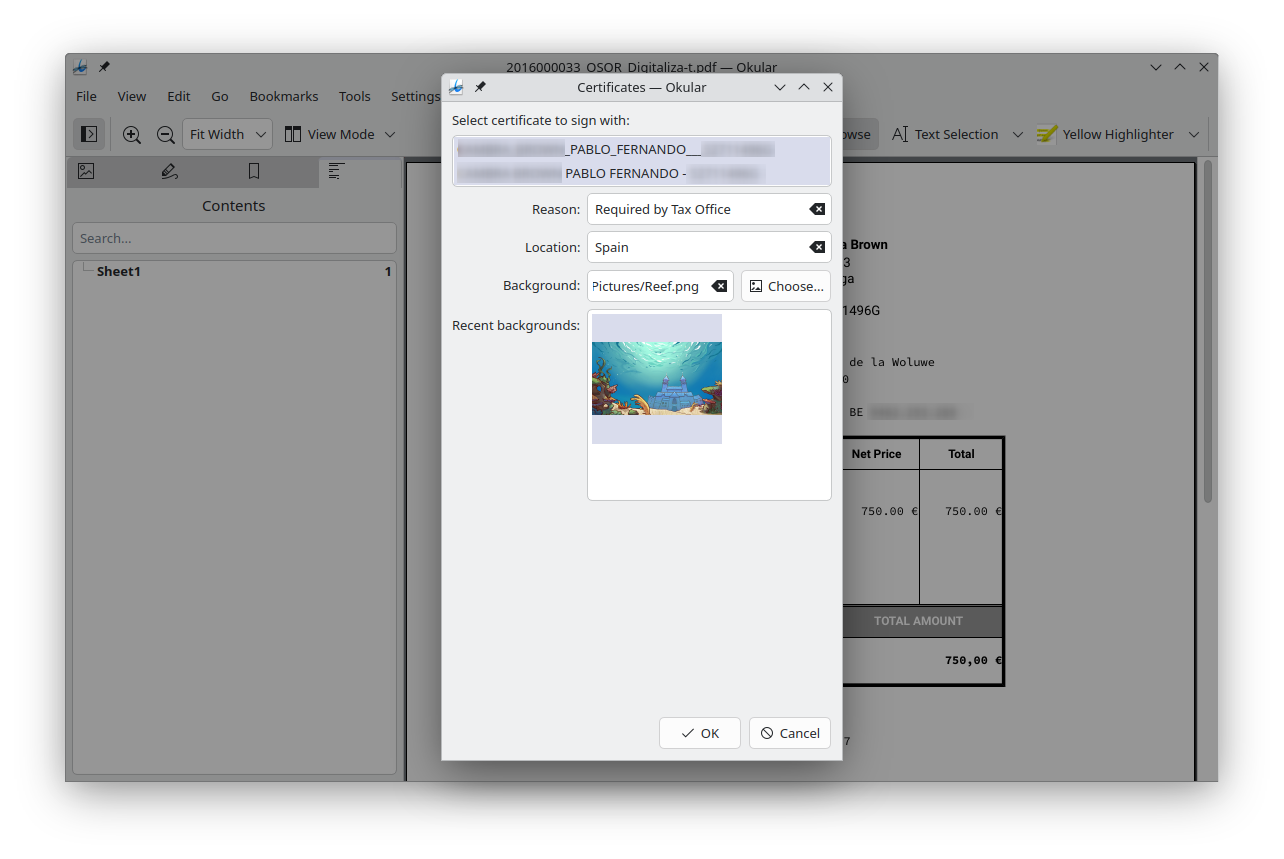
Okular is much more than a PDF reader: it can open all sorts of files, sign and verify the signatures of official documents, and annotate and fill in embedded forms.
Speaking of which, we implemented support for more types of items in comboboxes of PDF forms, and improved the speed and correctness of printing.
We also made it easier to digitally sign a document, and no longer hide the signing window prematurely until the signing process is actually finished.
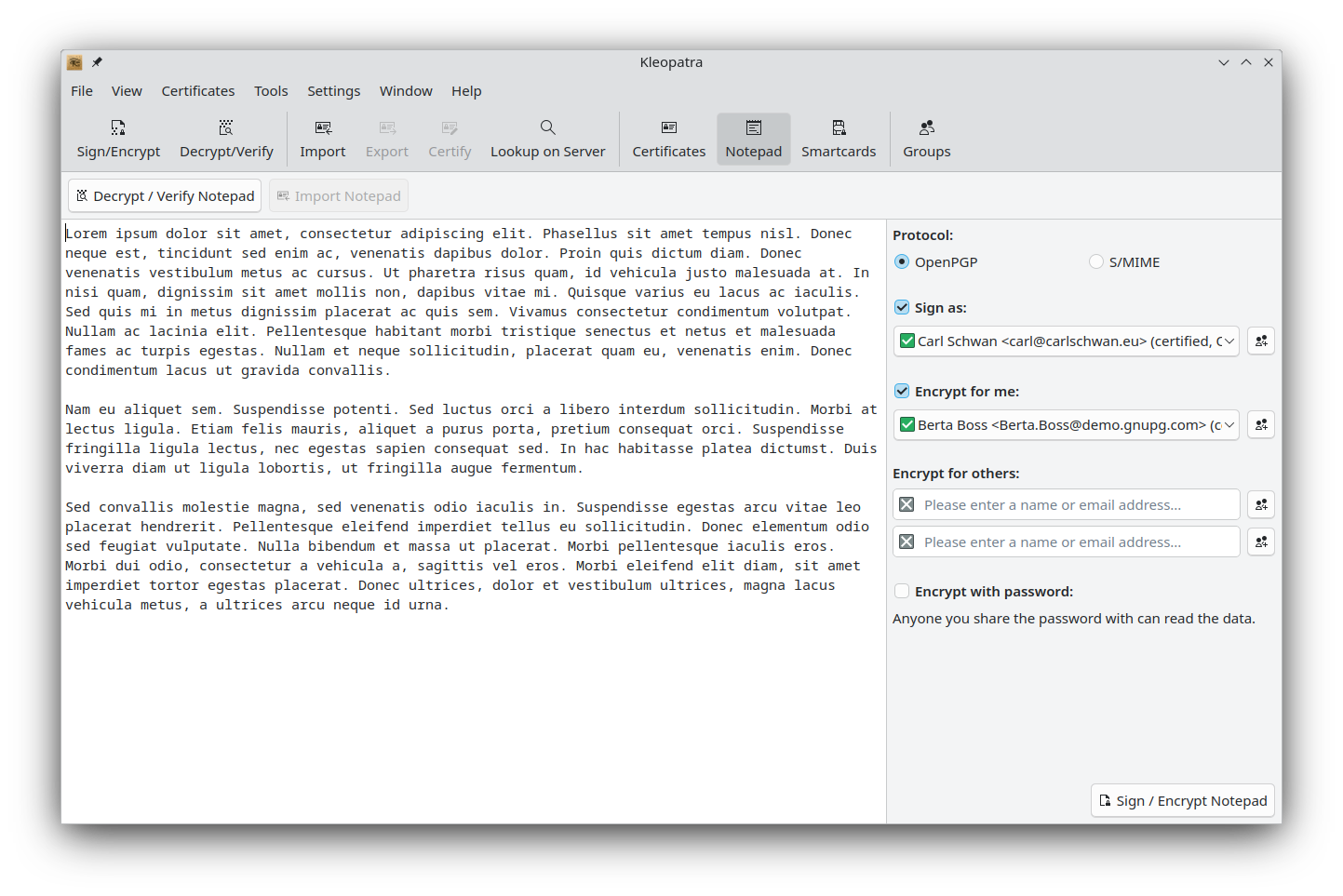
Kleopatra keeps track of your digital signatures, encryption keys, and certificates. It helps you sign, encrypt, and decrypt emails and confidential messages.
Переработаны окно блокнота и диалог подписи и шифрования Kleopatra, а также повышена ясность сообщений об ошибках. В блокноте текстовый редактор и область получателей теперь показываются рядом.
Which brings us to…
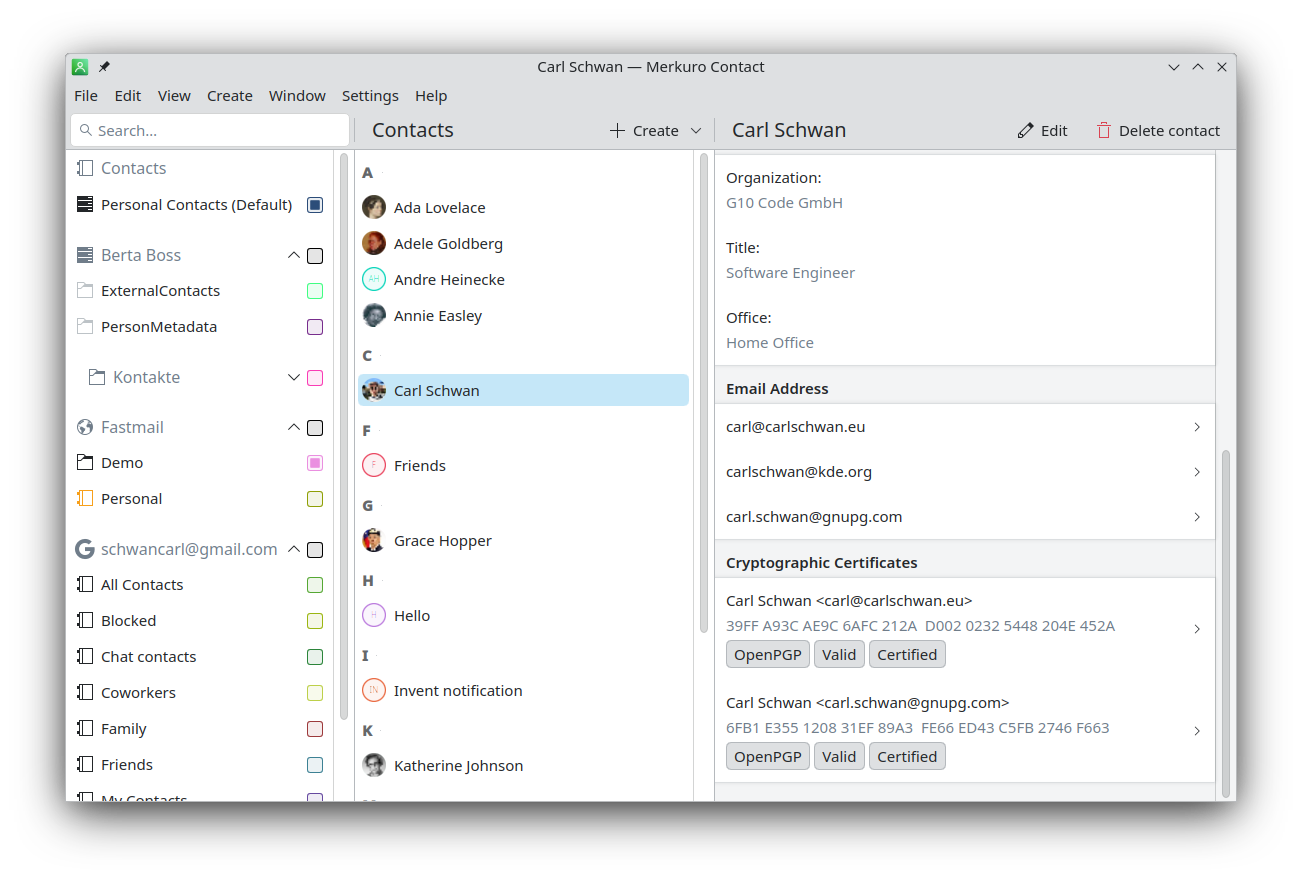
…Where the OpenPGP and S/MIME certificates of a contact are now displayed directly in Merkuro Contact. Clicking on them will open Kleopatra and show additional information.
Create
Kdenlive, KDE's acclaimed video editor, keeps adding features and now lets you resize multiple items on the timeline at the same time.
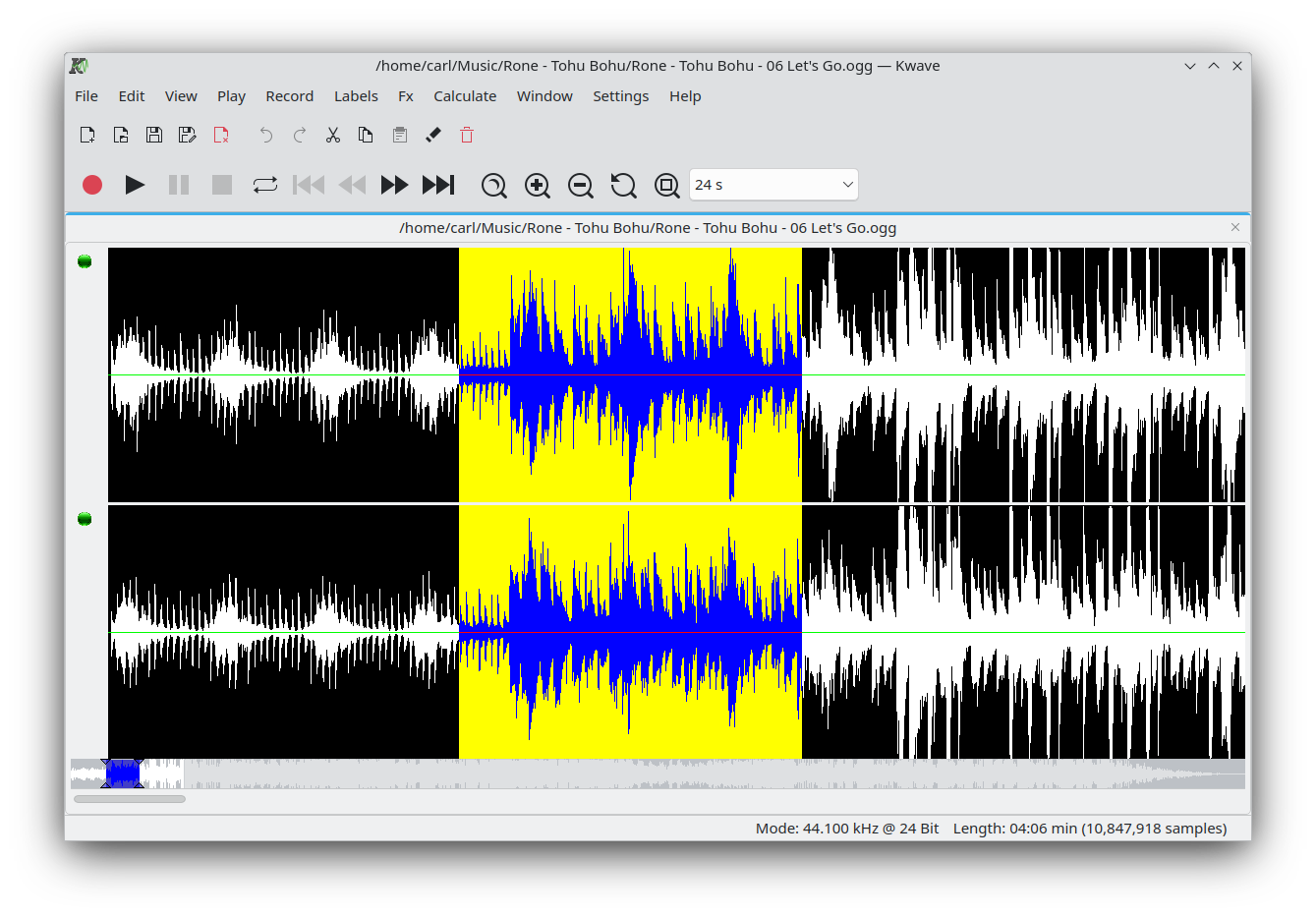
Kwave, KDE's native audio editor, has long been on the development backburner, but is now receiving updates again.
First it was ported to Qt6, which means it will work natively with Plasma 6. After that, the interface received some visual improvements in the way of new and more modern icons and a better visual indication when playback is paused.
Manage
The latest changes to KDE's file explorer/manager tend heavily towards accessibility* and usability.
Для начала был полностью переработан главный вид файлового менеджера Dolphin для совместимости с программами чтения с экрана и улучшена навигация с клавиатуры: многократное нажатие Ctrl+L переключает фокус между выделением пути в адресной строке и активным видом. Нажатие Escape в адресной строке теперь перемещает фокус в активный вид. Также улучшена навигация по панели инструментов — элементы получают фокус в правильном порядке.
Dolphin's sorting of files is more natural and "human" in this version: a file called "a.txt", for example, will appear before "a 2.txt", and you can also sort your videos by duration.
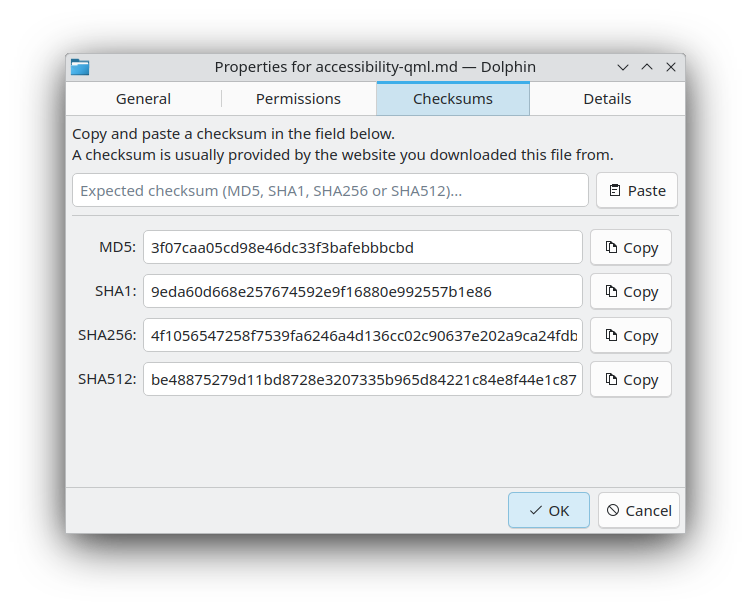
When it comes to your safety and checking your files, Dolphin has overhauled the checksum and permissions tab in the Properties dialog to make it easier for you. You will see this improvement in other KDE applications too.
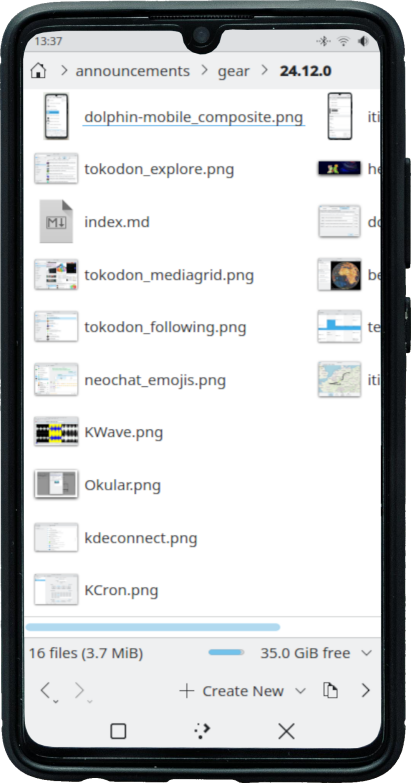
Finally… Dolphin goes mobile! Dolphin now includes a mobile-optimized interface for Plasma Mobile. After the addition of a selection mode and improvements to touchscreen-compatibility, Dolphin works surprisingly well on phones! That said, more work is still needed and planned over time to more closely align the user interface with typical expectations for mobile apps.
* Many of the accessibility improvements made to Dolphin 24.12 were possible thanks to funding provided by the NGI0 Entrust Fund, a fund established by NLnet with financial support from the European Commission's Next Generation Internet program.
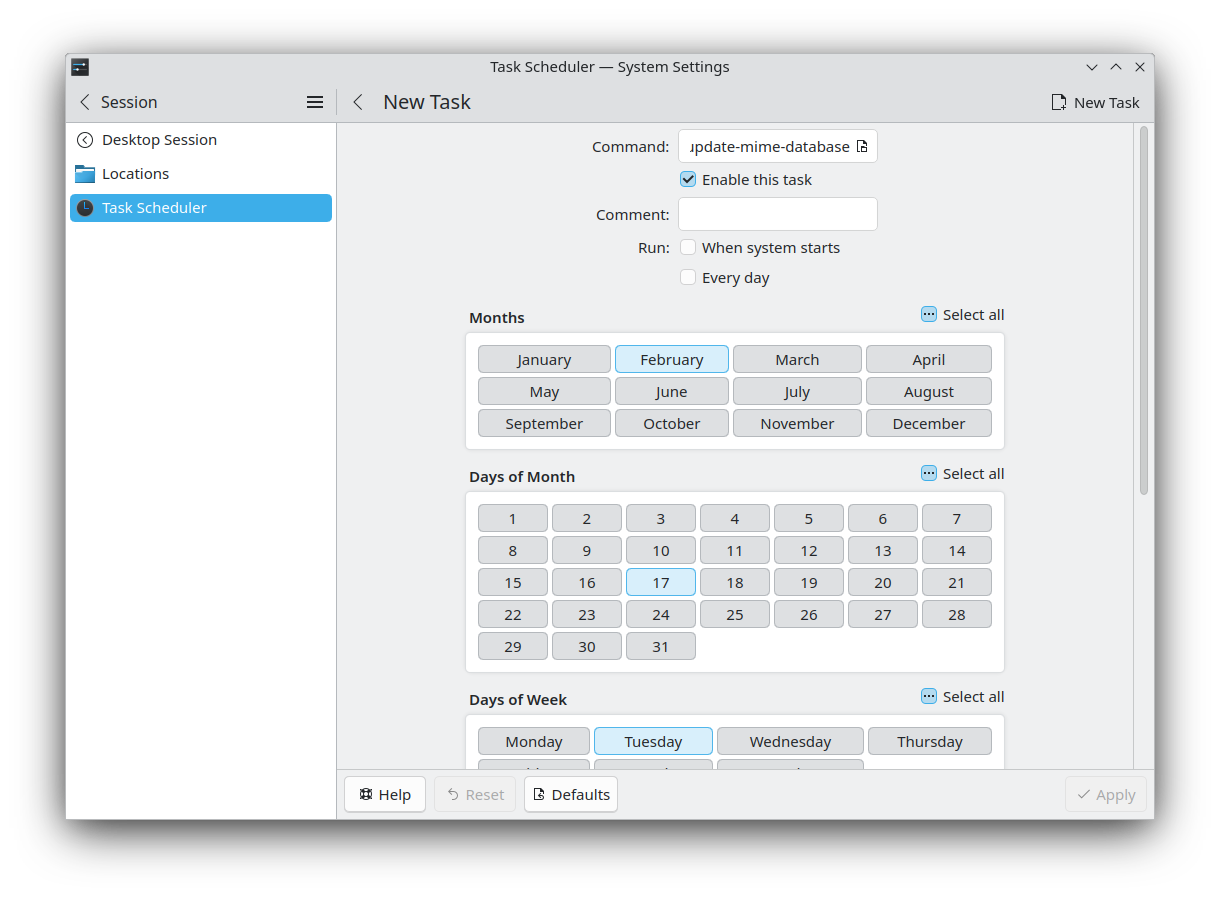
A less well-known utility, but also very useful, is KCron. UNIX old-timers will recognize this as a frontend for the venerable cron command of yore. For the rest of you, it lets you schedule any kind of jobs to run at any time on your machine.
Once installed, you will find it in System Settings under Session > Task Scheduler. In the new version, KCron's configuration page was ported to QML and given a fancy new look.
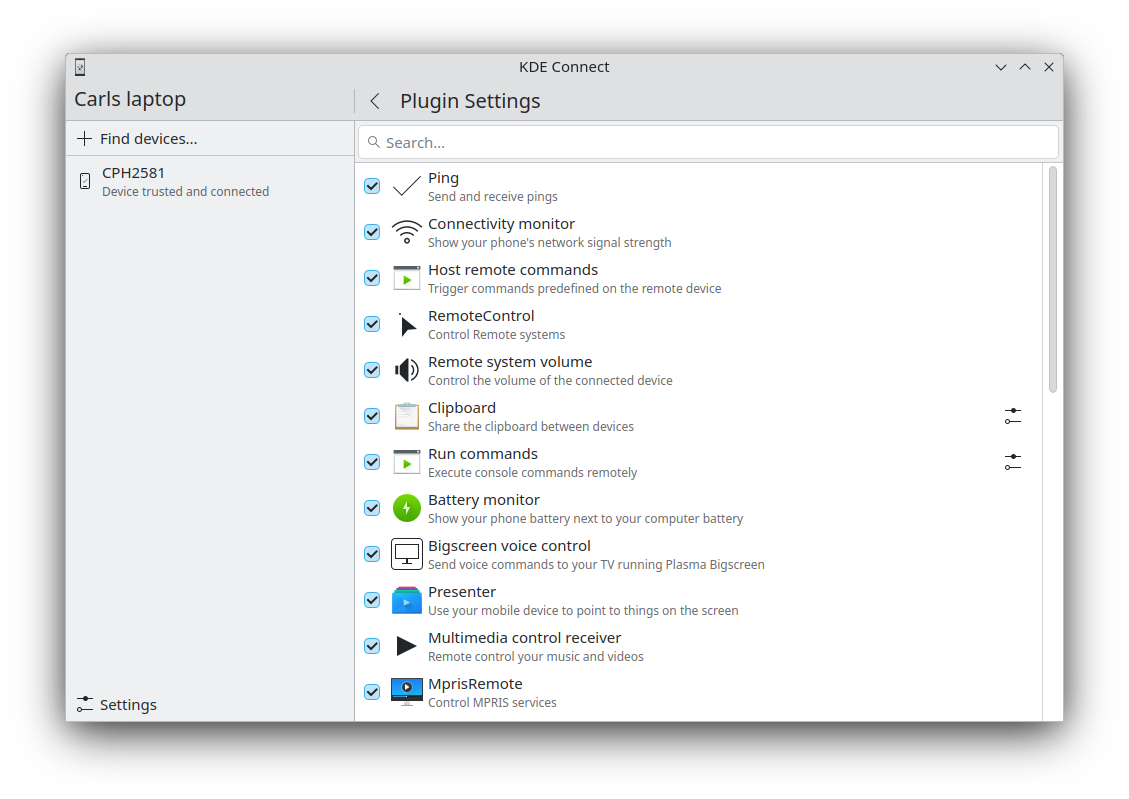
KDE Connect — популярное приложение для подключения компьютера к телефону и всем остальным устройствам. Позволяет обмениваться файлами, содержимым буфера обмена и ресурсами, а также управлять медиаплеерами, устройствами ввода и презентациями удалённо.
Great news: Bluetooth support for KDE Connect now works! Plus KDE Connect starts up much faster on macOS, dropping from 3s to 100ms!
In the looks department, the list of devices you can connect to now shows the connected and remembered devices separately, and the list of plugins can be filtered and comes with icons.
If you need to access a remote desktop from your computer, you can start KRDC by opening a .rdp file containing the RDP connection configuration. KRDC now works much better on Wayland too.
Путешествия
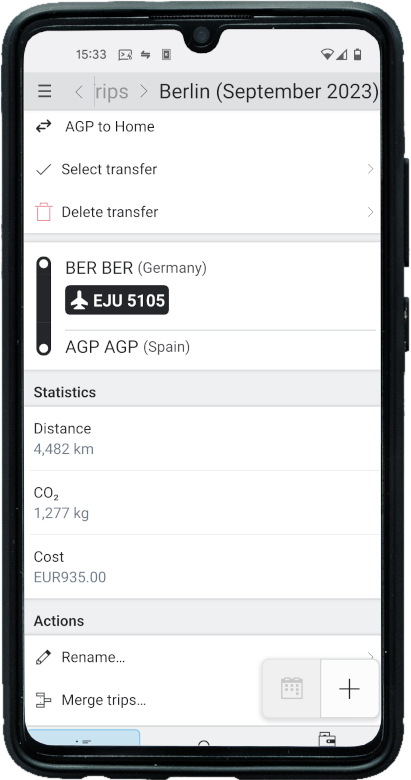
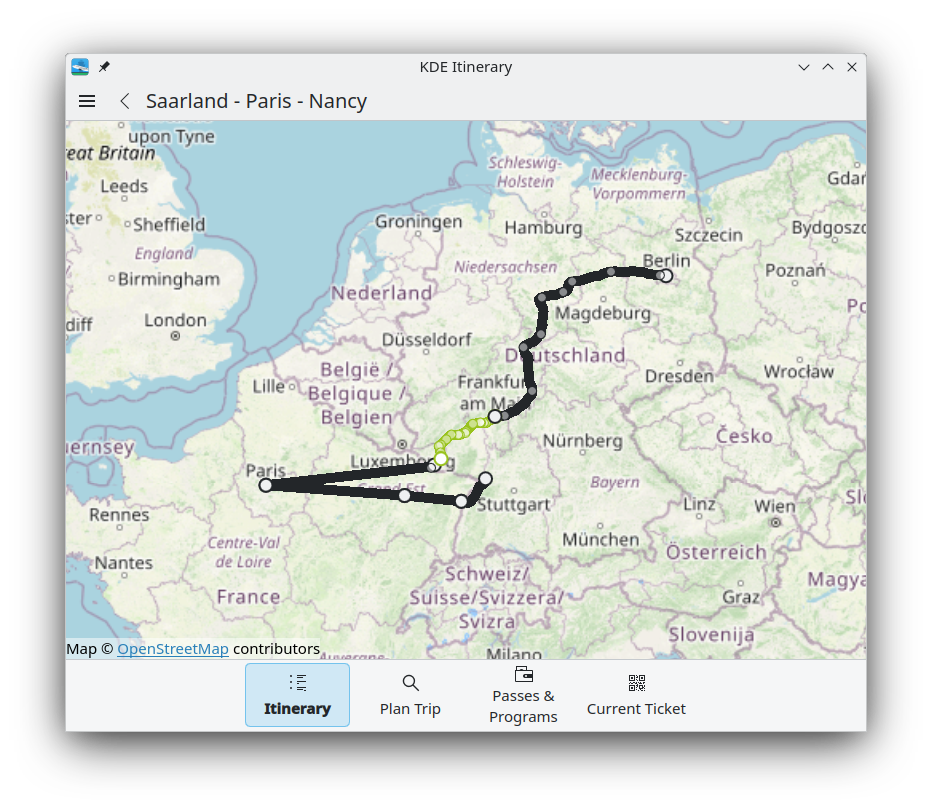
The biggest change to your KDE travel assistant is how it handles concert, train, bus, and flight tickets, as well as hotel reservations. Itinerary now groups entries into individual trips, with each of them having their own timeline.
Itinerary suggests an appropriate existing trip when importing a new ticket, and displays some statistics about your trip, like the CO2 emissions, the distance traveled, and the costs (if available). Whole trips can also be exported directly and displayed on a map.
Itinerary can now handle geo:// URLs by opening the "Plan Trip" page with a pre-selected arrival location. This is supported both on Android and Linux.
В «Маршруты» добавлена возможность поиска мест (например, названий улиц) помимо остановок, а также вывода даты соединения при поиске маршрута общественного транспорта.
New services supported by Itinerary include:
- GoOut tickets (an event platform in Poland, Czechia and Slovakia)
- The Luma and Dimedis Fairmate event ticket sale systems
- Colosseum Ticket in Rome
- Droplabs, a Polish online ticket sale system
- The Leo Express train booking platform
- Google Maps links
- European Sleeper seat reservations in French
- Thai state railway tickets
- VietJet Air
- planway.com
- Koleo
- Reisnordland ferries
- Reservix
…And more.
Kongress is an app which helps you navigate conferences and events.
The newest version will display more information in the event list. This includes whether the event is in your bookmarked events and the locations within the event (e.g. the rooms).
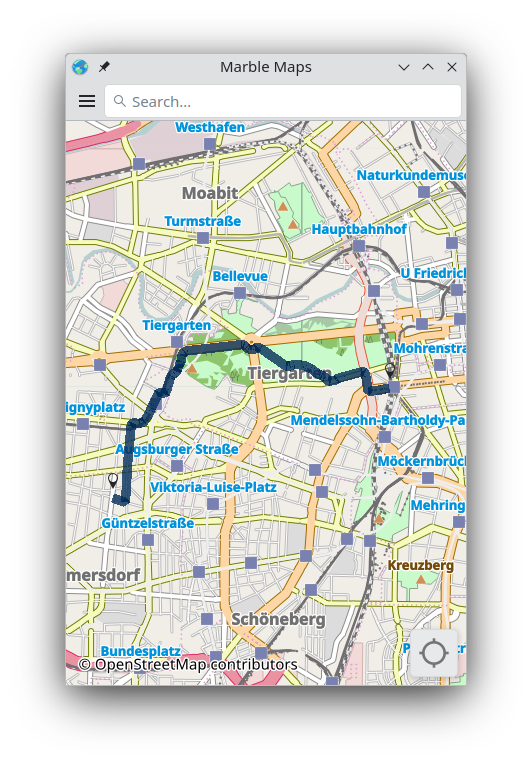
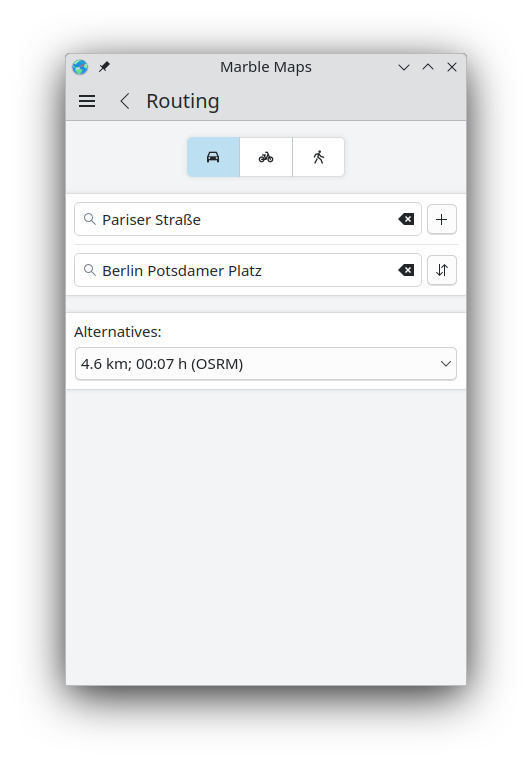
Marble is a virtual globe and world atlas. It has recently been ported to Qt6 and its very old Kirigami looks were largely rewritten and modernized.
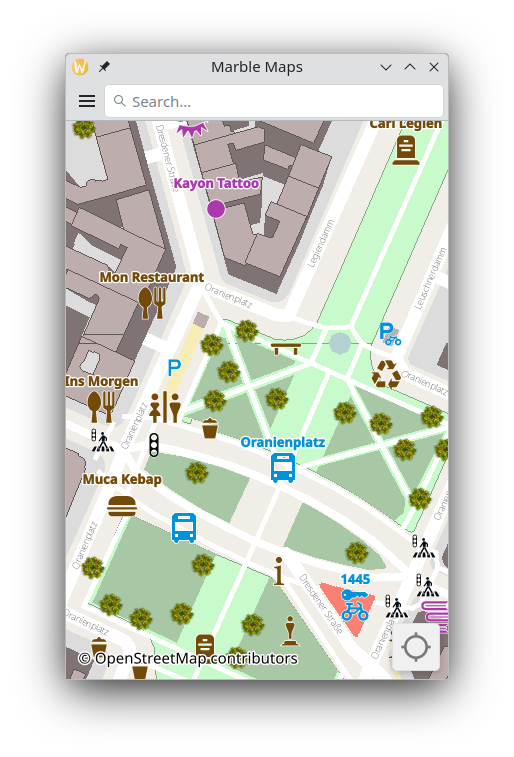
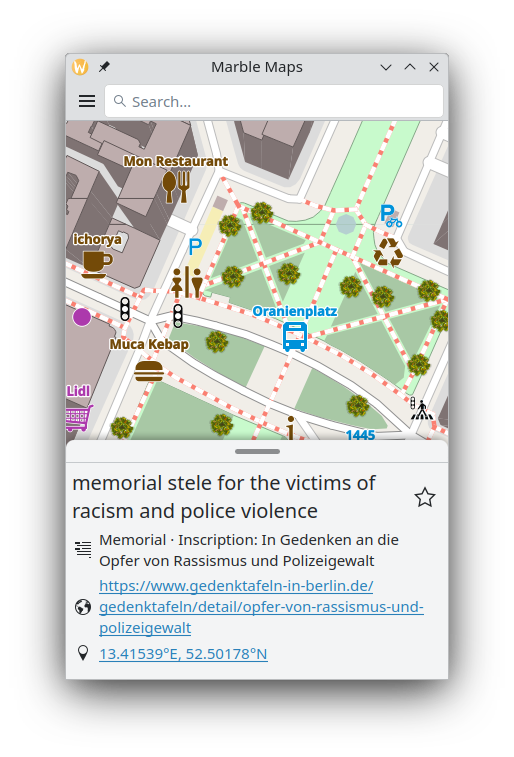
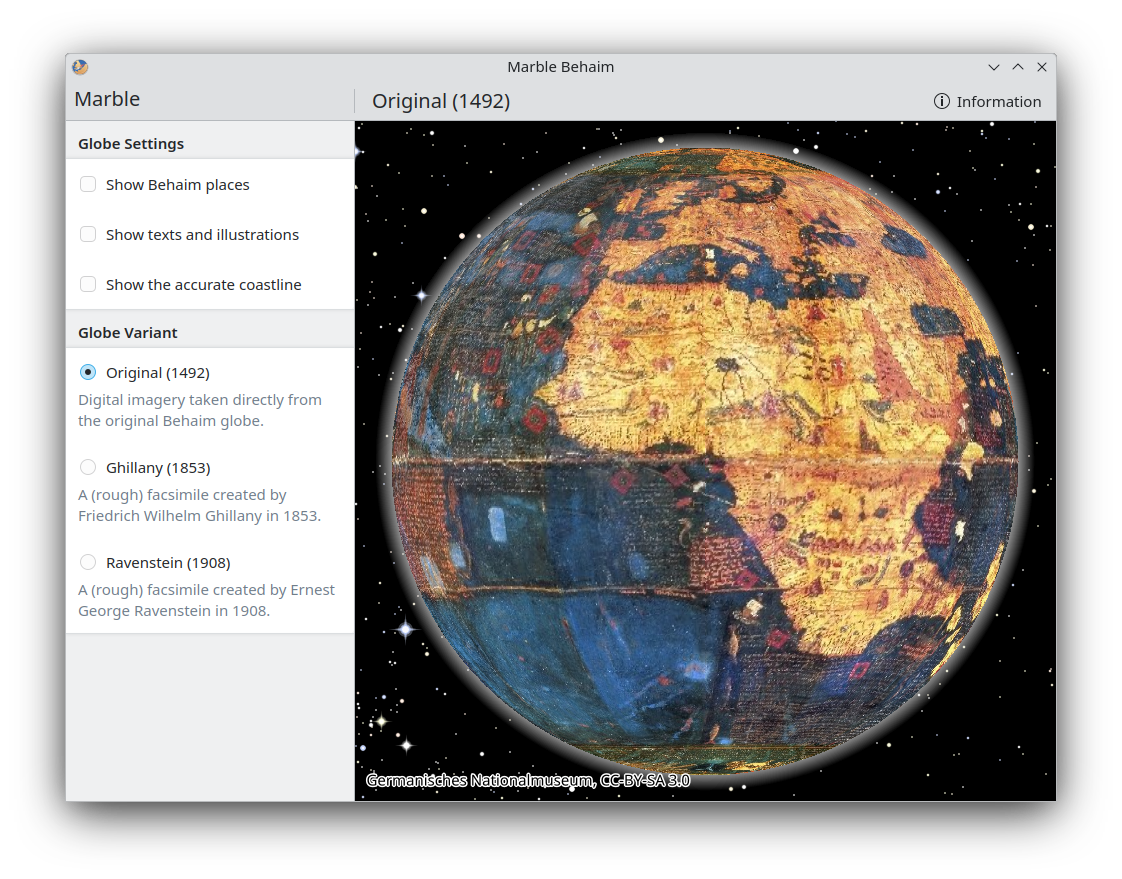
Marble Behaim — a special version of Marble that lets you explore the oldest globe representation of the Earth known to exist — now also works.
Communicate
Tokodon is your gateway into the Fediverse.
Developers of KDE's desktop and phone app have worked hard to improve your experience when accessing Mastodon for the first time. We have redesigned the welcome page, and, more importantly, Tokodon now fetches a list of public servers to simplify the registration process.
We have also focused on safety, so now you can forcibly remove users from your followers list. A safety page has been added to the Tokodon settings to manage the list of muted and blocked users.
So you can travel further through the Fediverse, Tokodon has improved the support for alternative server implementations, such as GoToSocial, Iceshrimp.NET, and Pixelfed. Tokodon has also added "News" and "Users" tabs to the Explore page.
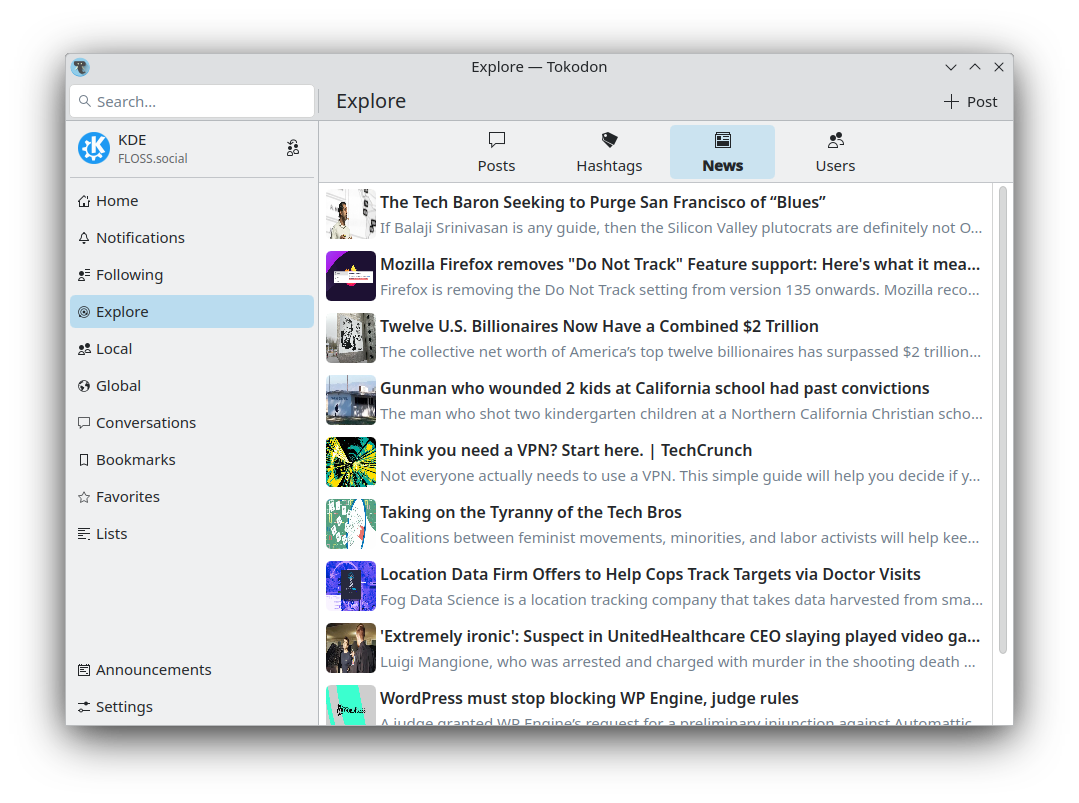
We also added a new "Following" feed, to quickly page through your follows and their feeds. It's now easier to start private conversations or mention users right from their profile page.
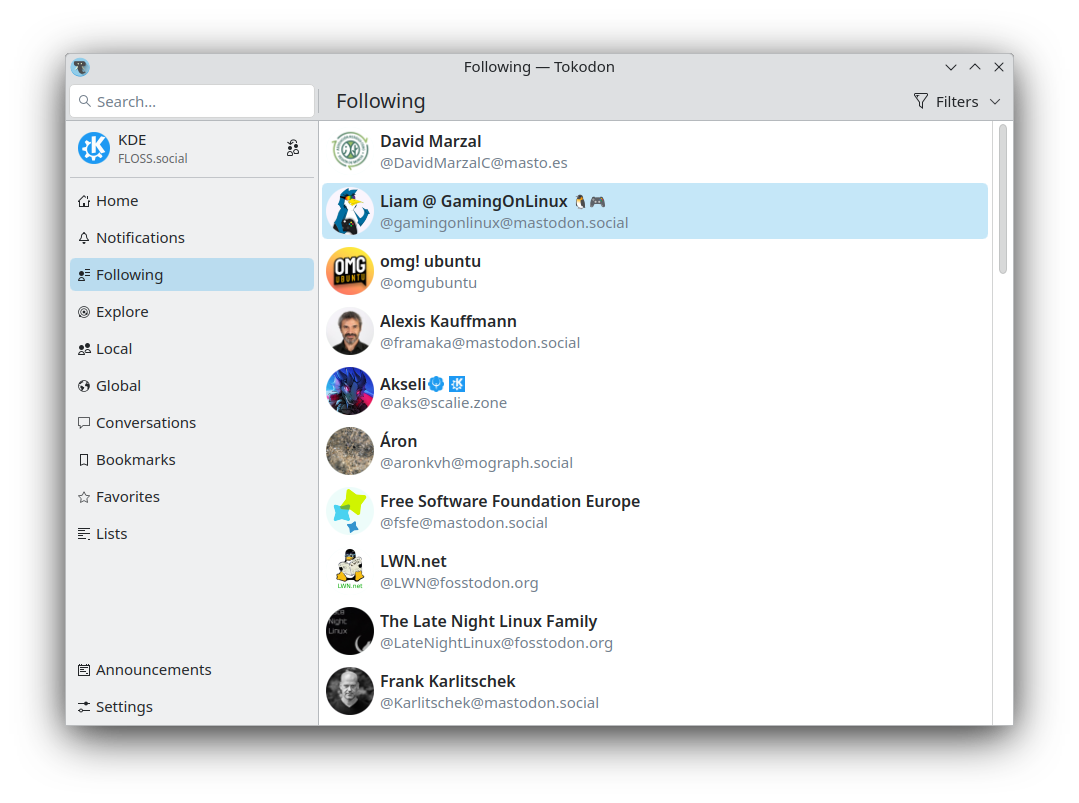
Tokodon now supports quoting posts, and when you are writing a post, your user info is on display, which is useful if you post from multiple accounts. Right clicking on a link on a post will show a context menu allowing users to copy or share the URL directly.
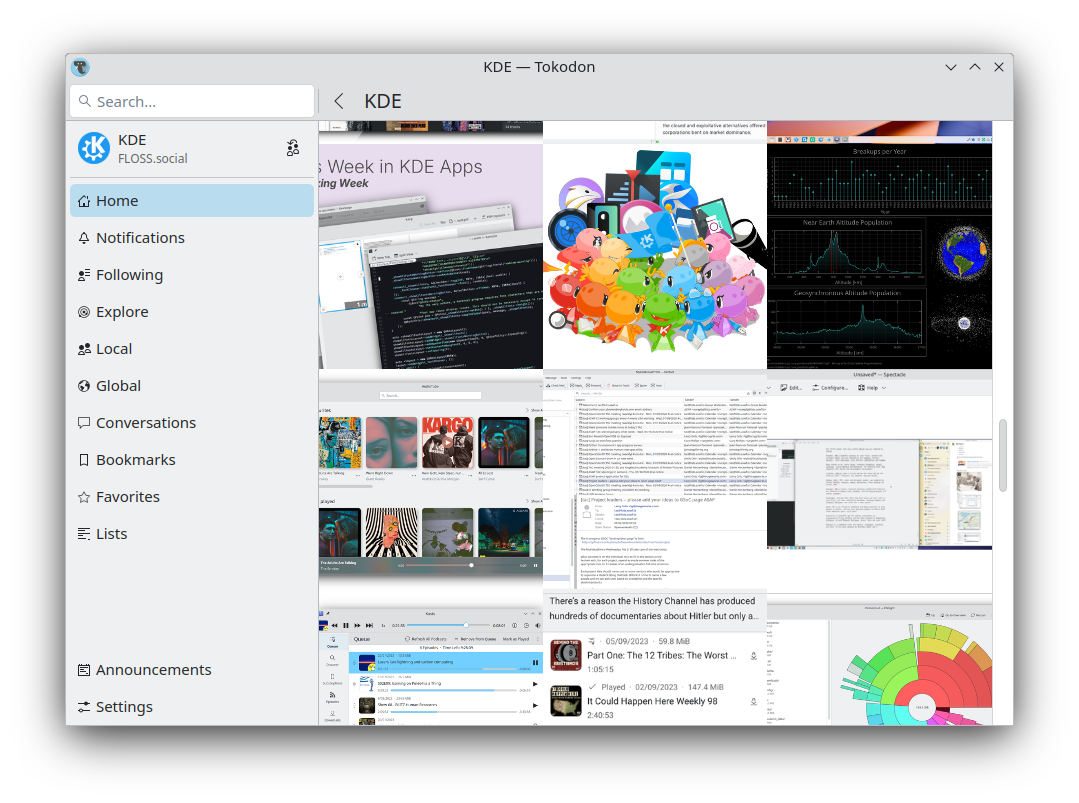
Finally, a proper grid view for the media tab has been added in the profile page.
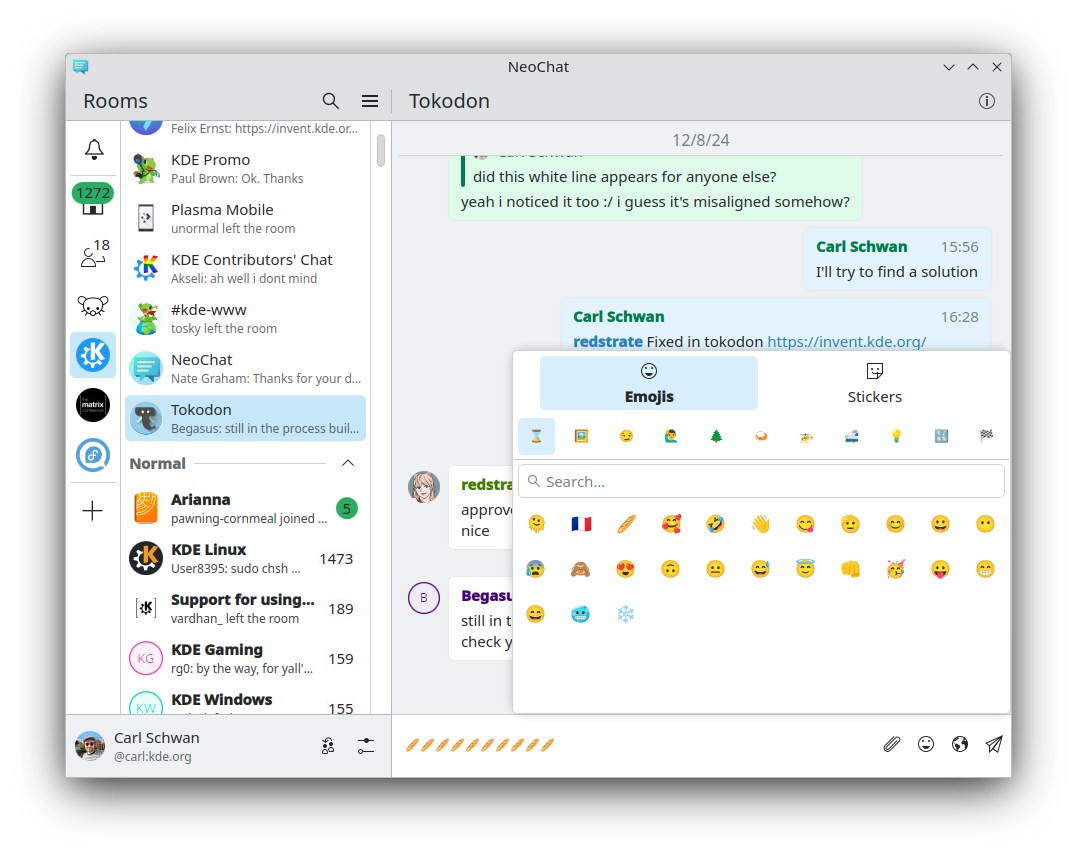
NeoChat gives you a convenient way to interact with users on the Matrix chat network.
As your trust and safety are important when talking with strangers, you now have the option to block images and videos by default, and we implemented a Matrix Spec that redirects searches for harmful and potentially illegal content to a support message.
Besides that, when replying to users you ignored, your message will not be shown, avoiding accidentally interacting with disagreeable people. We have also improved the Security settings page to be more relevant and useful to normal users.
NeoChat's looks and usability have also improved and include a nicer emoji picker, more room list sorting options, a more complete message context menu, and better-looking polls.
Develop
Instead of big features, devs have concentrated on the small things this time around, aiming to improve the overall experience. For example, Kate now starts up faster and gives visual cues of the Git status ("modified" or "staged") within the Project tree.
The order of the tabs is correctly remembered when restoring a previous session, and the options of the LSP Servers are more easily discoverable as they are no longer only available via a context menu, but also within a menu button at the top.
Kate's inline code formatting tooltips have been improved and can now also be displayed in a special context tool view, plus plugins now work on Windows, and have been expanded to include an out-of-the-box support for Flutter debugging.
The Quick Open tool lets you search and browse the projects open in the current session, and a Reopen latest closed documents option has been added to the tab context menu.
And all this too…
- Francis, the app that helps you plan your work sessions and avoid fatigue, lets you skip the current phase of work or break time in its new version.
- Konqueror, our venerable file explorer/web browser, comes with improved auto-filling of login information.
- The Elisa music player supports loading lyrics from .lrc files sitting alongside the song files.
- Falkon comes with a context menu for Greasemonkey. Greasemonkey lets you run little scripts that make on-the-fly changes to web page content.
- The Alligator RSS feed reader offers bookmarks for your favorite posts.
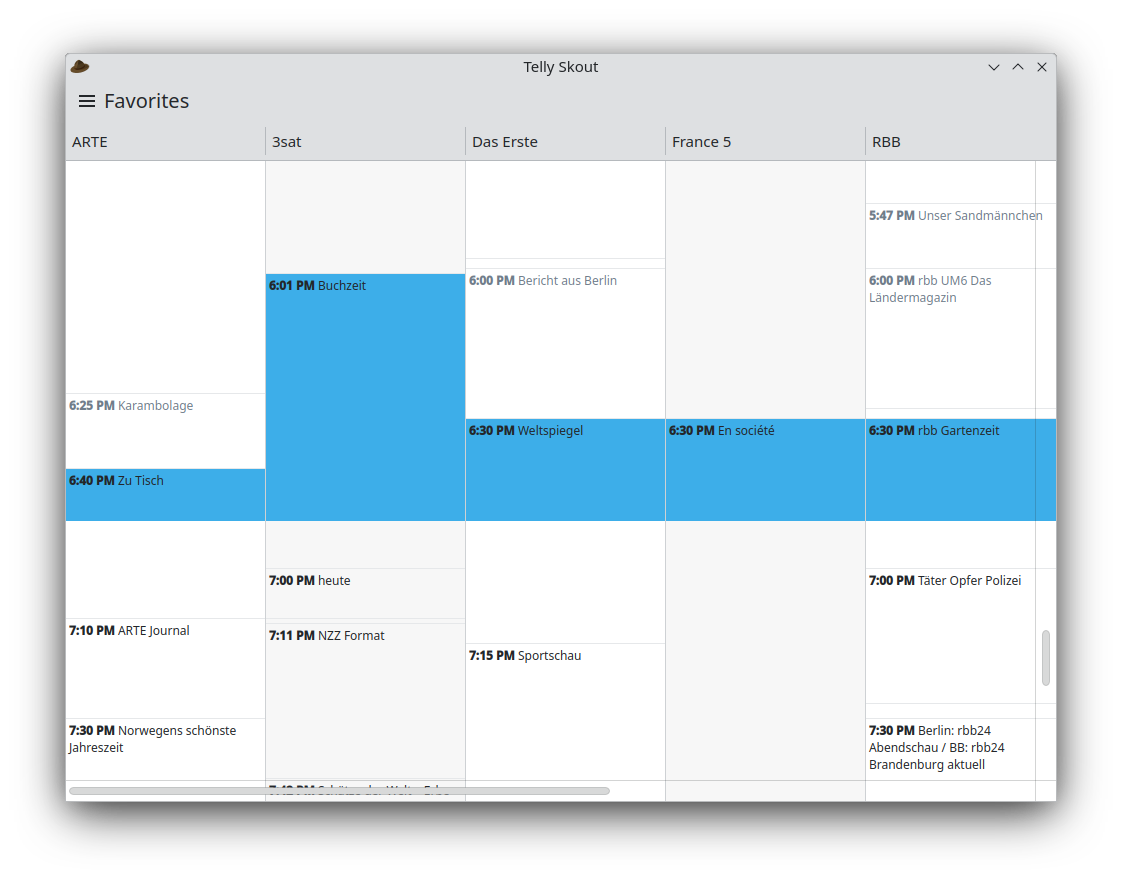
- Telly Skout, one of the newcomer apps for scheduling your TV viewing, comes with a redesigned display that lists your favorite TV channels and the TV shows that are currently airing.
Полный журнал изменений
Где получить приложения KDE
Хотя мы полностью поддерживаем дистрибутивы, которые поставляют наше программное обеспечение, приложения KDE Gear 24.12 также скоро будут доступны в этих магазинах приложений для Linux:
Если вы хотите помочь добавить больше приложений в магазины, поддерживать больше магазинов и лучше интегрировать приложения в наш процесс разработки, заходите поздороваться в нашу комнату обсуждений Всё дело в приложениях.
Обратите внимание, пакеты данного выпуска могут быть недоступны на момент данного объявления во всех дистрибутивах. Вики-страница об установке пакетов
Сборка KDE Gear из исходного кода
Весь исходный код KDE Gear 24.12.0 возможно свободно загрузить. Инструкции по сборке из исходного кода и установке представлены на странице информации о KDE Gear 24.12.0.
О KDE
KDE — это международная IT-команда, которая создаёт открытое и свободное программное обеспечение для настольных компьютеров и мобильных устройств. В число продуктов KDE входят современные рабочие окружения для платформ Linux и UNIX, полнофункциональный офисный пакет и средства групповой работы, а также сотни приложений разных категорий, таких как веб, мультимедиа, развлечения, образование, графика и разработка ПО. Программные продукты KDE переведены на более чем 60 языков, а при создании их большое внимание уделяется простоте использования, современности и доступности. Многофункциональные приложения KDE полноценно работают в Linux, BSD, Windows, Haiku и macOS.
Сведения о товарных знаках.
KDE® и логотип K Desktop Environment® являются зарегистрированными торговыми марками KDE e.V.
Linux — зарегистрированный товарный знак Линуса Торвальдса. UNIX — зарегистрированный товарный знак The Open Group в США и других странах.
Все другие товарные знаки и объекты авторских прав, упомянутые в этом объявлении, принадлежат их законным владельцам.
Контакты для прессы
Для получения дополнительной информации свяжитесь с нами по электронной почте: press@kde.org