Obrazy na żywo
Najłatwiejszym sposobem na jego wypróbowanie, jest obraz na żywo uruchomiony z dysku USB. Obrazy Dokera także dają szybki i łatwy sposób na wypróbowanie Plazmy.
Download live images with Plasma Download Docker images with PlasmaPlasma 6.6 is all about making your life as easy as possible without sacrificing any of the flexibility
Wtorek, 17 Luty 2026
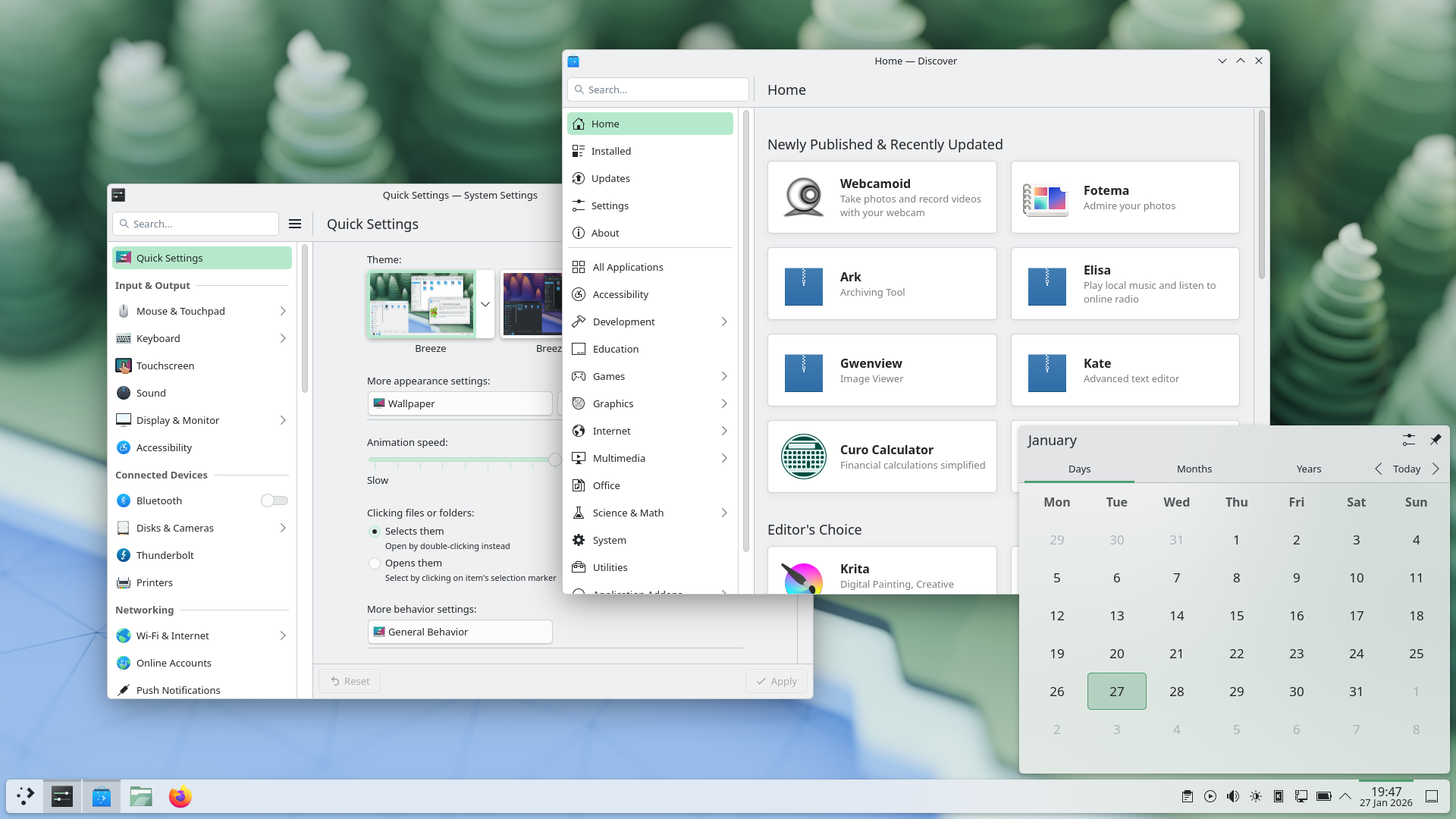
Plasma 6.6 makes your life as easy as possible, without sacrificing the flexibility or features that have made Plasma the most versatile desktop in the known universe.
With that in mind, we’ve improved Plasma’s usability and accessibility, and added practical new features into the mix.
Check out what’s new and how to use it in our (mostly) visual guide below:
Enjoy this new and improved on-screen keyboard
Extract text from screenshots in Spectacle
Set up a user account after the operating system has been installed
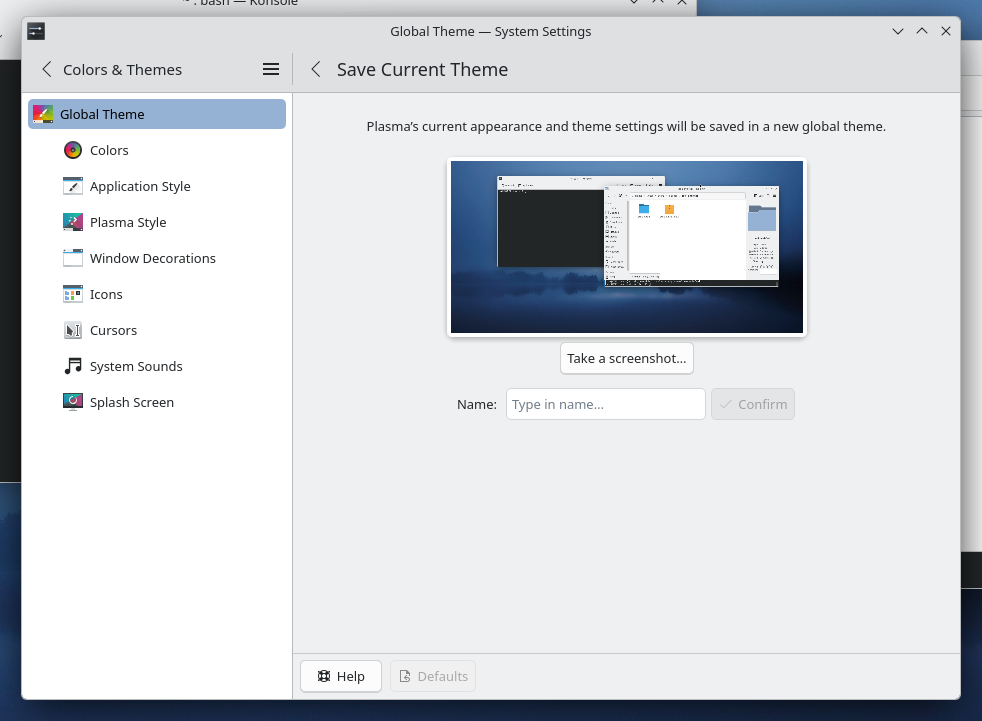
Those who like tailoring the look and feel of their environment can now turn their current setup into a new global theme! This custom global theme can be used for the day and night theme switching feature.
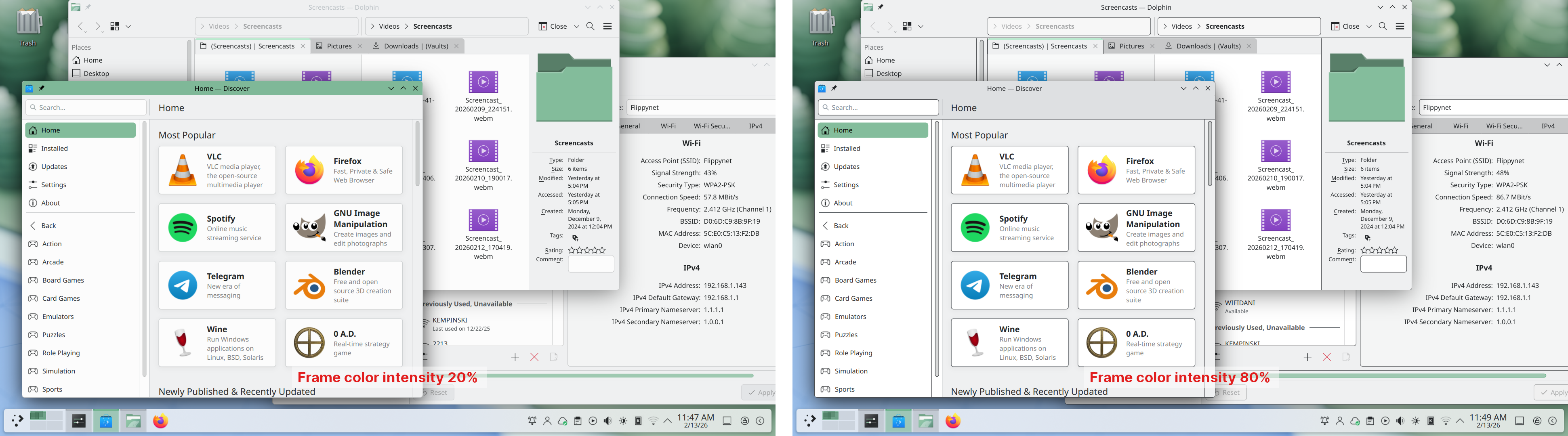
A more subtle way of modifying the look of your apps is by changing the color intensity of every frame:
Choose emoji (Meta+.) skin tones more easily with a new skin tone selector:
A major focus of Plasma 6.6 has been speeding up common workflows. So if the system has a camera, you can quickly connect to a new Wi-Fi network simply by scanning its QR code:
Hover the pointer over any app’s icon playing sound in the task manager, and scroll to adjust its volume:
And save yourself a click by enabling Open on hover in your Windows List widget. You can also filter out windows not on the current desktop or activity:
Hold down the Alt key and double-click on a file or folder on the desktop to bring up its properties:
To help everyone use and enjoy Plasma, we’ve improved accessibility across the board.
If you have colorblindness, check out the filters on System Settings’ Accessibility page, under Color Blindness Correction. Plasma 6.6. adds a new grayscale filter, bringing the total to four filters that account for different kinds of colorblindness:
Still in the area of enhancements for the visually impaired, our Zoom and Magnifier feature has gained a new tracking mode that always keeps the pointer centered on the screen, bringing the total to four modes:
In addition, we added support for “Slow Keys” on Wayland, and the standardized “Reduced Motion” accessibility setting.
Speaking of accessibility, Spectacle can now recognize and extract text from images it scans. Among other use cases, this makes it easy to write alt texts for visually-impaired users:
You can also filter windows out of a screencast by choosing a special option from the pop-up menu that appears when right-clicking a window’s title bar:
Plasma 6.6 also features a new on-screen keyboard! Say hello to the brand-new Plasma Keyboard:
Plasma Setup is the new first-run wizard for Plasma, and creates and configures user accounts separately from the installation process.
With Plasma Setup, the technical steps of operating system installation and disk partitioning can be handled separately from user-facing steps like setting up an account, connecting to a network, and so on. This facilitates important use cases such as:
Plasma 6.6 is overflowing with goodies, including:
To see the full list of changes, check out the complete changelog for Plasma 6.6.
In September, we lost our good friend Björn Balazs to cancer.
An active and passionate contributor, Björn was still holding meetings for his Privact project from bed even while seriously ill during Akademy 2025.
Björn’s drive to help people achieve the privacy and control over technology that he believed they deserved is the stuff FLOSS legends are made of.
Björn, you are sorely missed and this release is dedicated to you.

Najłatwiejszym sposobem na jego wypróbowanie, jest obraz na żywo uruchomiony z dysku USB. Obrazy Dokera także dają szybki i łatwy sposób na wypróbowanie Plazmy.
Download live images with Plasma Download Docker images with PlasmaDystrybucje utworzyły, lub są w trakcie tworzenia, pakietów wymienionych na naszej stronie wiki.
Note that packages of this release might not be available on all distributions at the time of this announcement.
Strona wiki pobierania pakietuYou can install Plasma directly from source.
Instrukcje społeczności nt. jej zbudowania Strona informacyjna źródełMożesz przekazać nam swoją opinię i uzyskać uaktualnienia na naszych kanałach w mediach społecznościowych.
Discuss KDE on the KDE Forums.
You can provide feedback direct to the developers via the #Plasma Matrix channel, Plasma-devel mailing list or report issues via Bugzilla. If you like what the team is doing, please let them know!
Twoja opinia ma dla nas wielkie znaczenie.
KDE is a Free Software community that exists and grows only because of the help of many volunteers that donate their time and effort. KDE is always looking for new volunteers and contributions, whether it is help with coding, bug fixing or reporting, writing documentation, translations, promotion, money, etc. All contributions are gratefully appreciated and eagerly accepted. Please read through the Supporting KDE page for further information or become a KDE e.V. supporting member through our Join the Game initiative.
KDE is an international technology team that creates free and open source software for desktop and portable computing. Among KDE’s products are a modern desktop system for Linux and UNIX platforms, comprehensive office productivity and groupware suites and hundreds of software titles in many categories including Internet and web applications, multimedia, entertainment, educational, graphics and software development. KDE software is translated into more than 60 languages and is built with ease of use and modern accessibility principles in mind. KDE’s full-featured applications run natively on Linux, BSD, Windows, Haiku, and macOS.
Uwagi do znaku towarowego.
KDE® oraz logo Środowiska Pulpitu K® są zarejestrowanymi znakami towarowymi KDE e.V..
Linux jest zarejestrowanym znakiem towarowym Linusa Torvaldsa. UNIX jest zarejestrowanym znakiem towarowym Otwartej Grupy w Stanach Zjednoczonych i innych państwach.
Wszystkie pozostałe znaki towarowe i prawa autorskie z tego ogłoszenia są własnością ich odpowiednich właścicieli.
Po więcej szczegółów wyślij nam wiadomość: press@kde.org