라이브 이미지
체험해 보는 가장 쉬운 방법은 USB 디스크에서 라이브 이미지를 부팅하는 것입니다. Plasma를 테스트해 보려면 Docker 이미지를 사용할 수도 있습니다.
Plasma 라이브 이미지 다운로드 Plasma Docker 이미지 다운로드Plasma 6.6 is all about making your life as easy as possible without sacrificing any of the flexibility
2026년 2월 17일 화요일
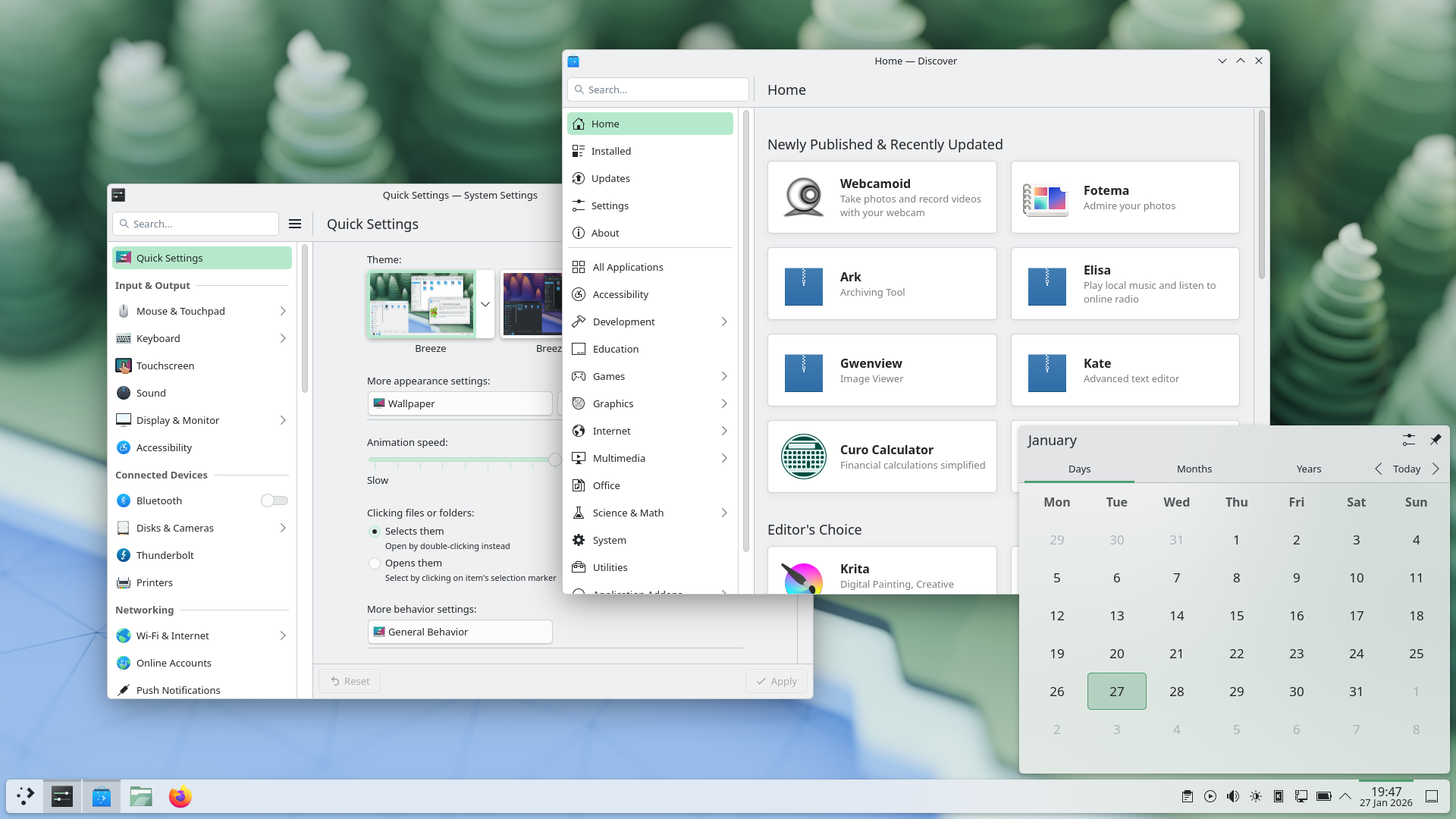
Plasma 6.6 makes your life as easy as possible, without sacrificing the flexibility or features that have made Plasma the most versatile desktop in the known universe.
With that in mind, we’ve improved Plasma’s usability and accessibility, and added practical new features into the mix.
Check out what’s new and how to use it in our (mostly) visual guide below:
Enjoy this new and improved on-screen keyboard
Extract text from screenshots in Spectacle
Set up a user account after the operating system has been installed
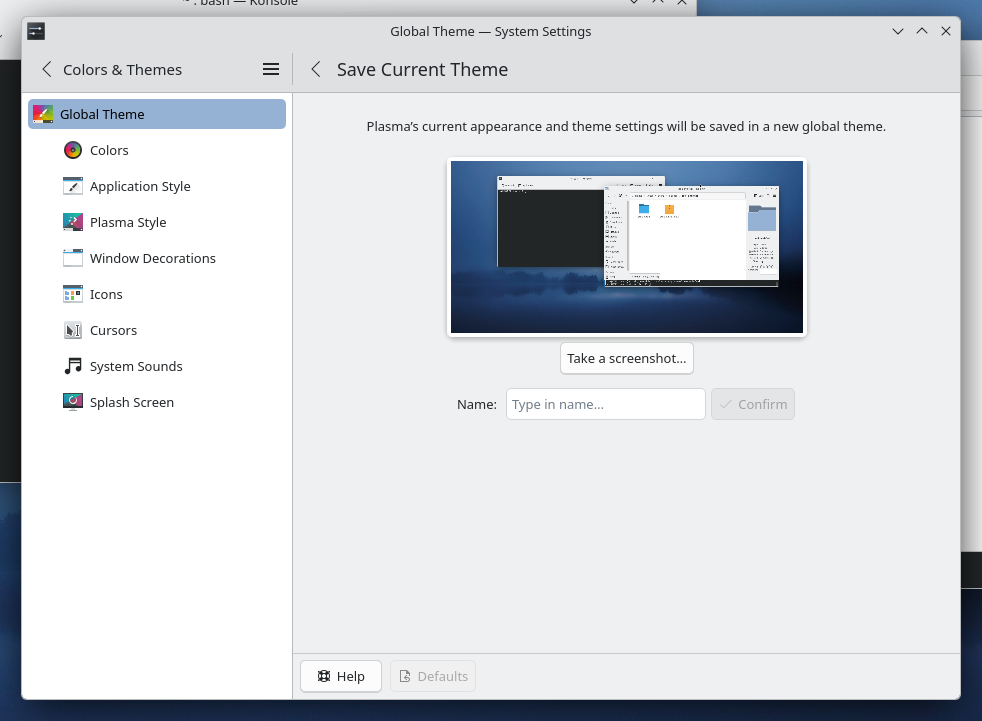
Those who like tailoring the look and feel of their environment can now turn their current setup into a new global theme! This custom global theme can be used for the day and night theme switching feature.
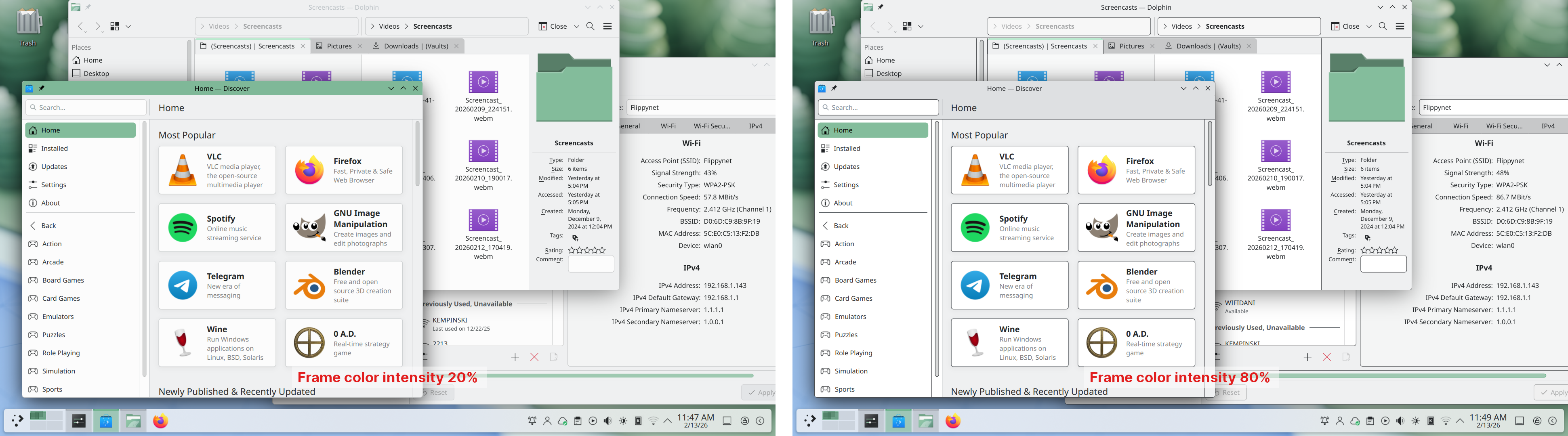
A more subtle way of modifying the look of your apps is by changing the color intensity of every frame:
Choose emoji (Meta+.) skin tones more easily with a new skin tone selector:
A major focus of Plasma 6.6 has been speeding up common workflows. So if the system has a camera, you can quickly connect to a new Wi-Fi network simply by scanning its QR code:
Hover the pointer over any app’s icon playing sound in the task manager, and scroll to adjust its volume:
And save yourself a click by enabling Open on hover in your Windows List widget. You can also filter out windows not on the current desktop or activity:
Hold down the Alt key and double-click on a file or folder on the desktop to bring up its properties:
To help everyone use and enjoy Plasma, we’ve improved accessibility across the board.
If you have colorblindness, check out the filters on System Settings’ Accessibility page, under Color Blindness Correction. Plasma 6.6. adds a new grayscale filter, bringing the total to four filters that account for different kinds of colorblindness:
Still in the area of enhancements for the visually impaired, our Zoom and Magnifier feature has gained a new tracking mode that always keeps the pointer centered on the screen, bringing the total to four modes:
In addition, we added support for “Slow Keys” on Wayland, and the standardized “Reduced Motion” accessibility setting.
Speaking of accessibility, Spectacle can now recognize and extract text from images it scans. Among other use cases, this makes it easy to write alt texts for visually-impaired users:
You can also filter windows out of a screencast by choosing a special option from the pop-up menu that appears when right-clicking a window’s title bar:
Plasma 6.6 also features a new on-screen keyboard! Say hello to the brand-new Plasma Keyboard:
Plasma Setup is the new first-run wizard for Plasma, and creates and configures user accounts separately from the installation process.
With Plasma Setup, the technical steps of operating system installation and disk partitioning can be handled separately from user-facing steps like setting up an account, connecting to a network, and so on. This facilitates important use cases such as:
Plasma 6.6 is overflowing with goodies, including:
To see the full list of changes, check out the complete changelog for Plasma 6.6.
In September, we lost our good friend Björn Balazs to cancer.
An active and passionate contributor, Björn was still holding meetings for his Privact project from bed even while seriously ill during Akademy 2025.
Björn’s drive to help people achieve the privacy and control over technology that he believed they deserved is the stuff FLOSS legends are made of.
Björn, you are sorely missed and this release is dedicated to you.

체험해 보는 가장 쉬운 방법은 USB 디스크에서 라이브 이미지를 부팅하는 것입니다. Plasma를 테스트해 보려면 Docker 이미지를 사용할 수도 있습니다.
Plasma 라이브 이미지 다운로드 Plasma Docker 이미지 다운로드배포판에서는 패키지 작업을 완료했거나, 패키지 작업을 진행 중입니다. 위키 페이지에서 확인하십시오.
공지 시점에서 이 릴리스의 패키지는 모든 배포판에서 사용할 수는 없습니다.
패키지 다운로드 위키 페이지Plasma를 소스 코드에서 직접 설치할 수 있습니다.
커뮤니티에서 제공하는 컴파일 방법 소스 코드 정보 페이지소셜 미디어 채널을 통해서 피드백을 제공하고 업데이트를 받을 수 있습니다:
KDE 포럼에서 토론할 수 있습니다.
#Plasma Matrix 채널, Plasma-devel 메일링 리스트를 통해서 개발자에게 직접 피드백을 전달하거나, Bugzilla로 문제점을 보고할 수 있습니다. 팀이 하고 있는 일이 마음에 든다면 알려 주세요!
귀하의 피드백을 감사하게 생각합니다.
KDE는 개인의 시간과 노력을 기부하는 것으로 존재하고 성장하는 자유 소프트웨어 커뮤니티입니다. KDE는 코딩, 버그 수정 및 보고, 문서 작성, 번역, 프로모션, 금전적 기여 등 다양한 자원 봉사자와 기여자를 찾고 있습니다. 모든 기여를 환영합니다. 더 많은 정보를 보려면 KDE 지원하기 페이지를 확인하십시오. Join the Game을 통해서 KDE e.V.의 후원 회원이 될 수도 있습니다.
KDE는 데스크톱 및 휴대용 컴퓨팅을 위한 자유 오픈 소스 소프트웨어를 개발하는 국제 기술 팀입니다. KDE의 제품으로는 리눅스 및 유닉스 플랫폼용 현대적인 데스크톱 환경, 강력한 사무용 생산성 도구 및 그룹웨어, 인터넷과 웹 애플리케이션, 멀티미디어, 엔터테인먼트, 교육용 소프트웨어, 그래픽, 소프트웨어 개발 등 여러 분야에 걸친 백 개 이상의 소프트웨어가 있습니다. KDE 소프트웨어는 60여개 이상의 언어로 번역되며 사용 편의성과 접근성을 염두에 두고 개발됩니다. KDE 앱은 리눅스, BSD, Solaris, Windows, Haiku, macOS에서 네이티브 환경으로 실행됩니다.
등록 상표 고지.
KDE®와 K Desktop Environment® 로고는 KDE e.V.의 등록 상표입니다.
Linux는 Linus Torvalds의 등록 상표입니다. UNIX는 미국 및 기타 국가에서 The Open Group의 등록 상표입니다.
이 문서에 언급된 모든 다른 등록 상표와 저작권은 개별 소유자의 지적 자산입니다.
더 많은 정보를 보려면 이메일을 보내 주십시오: press@kde.org