Live イメージ
USB ディスクから Live イメージを起動するのが Plasma を試す最も簡単な方法です。Docker イメージも Plasma を試す素早く簡単な方法の一つです。
Plasma の Live イメージをダウンロード Plasma の Docker イメージをダウンロードPlasma 6.6 は、柔軟性を犠牲にすることなく、あなたの生活をできる限り快適にすることを目指しています。
2026年2月17日 火曜日
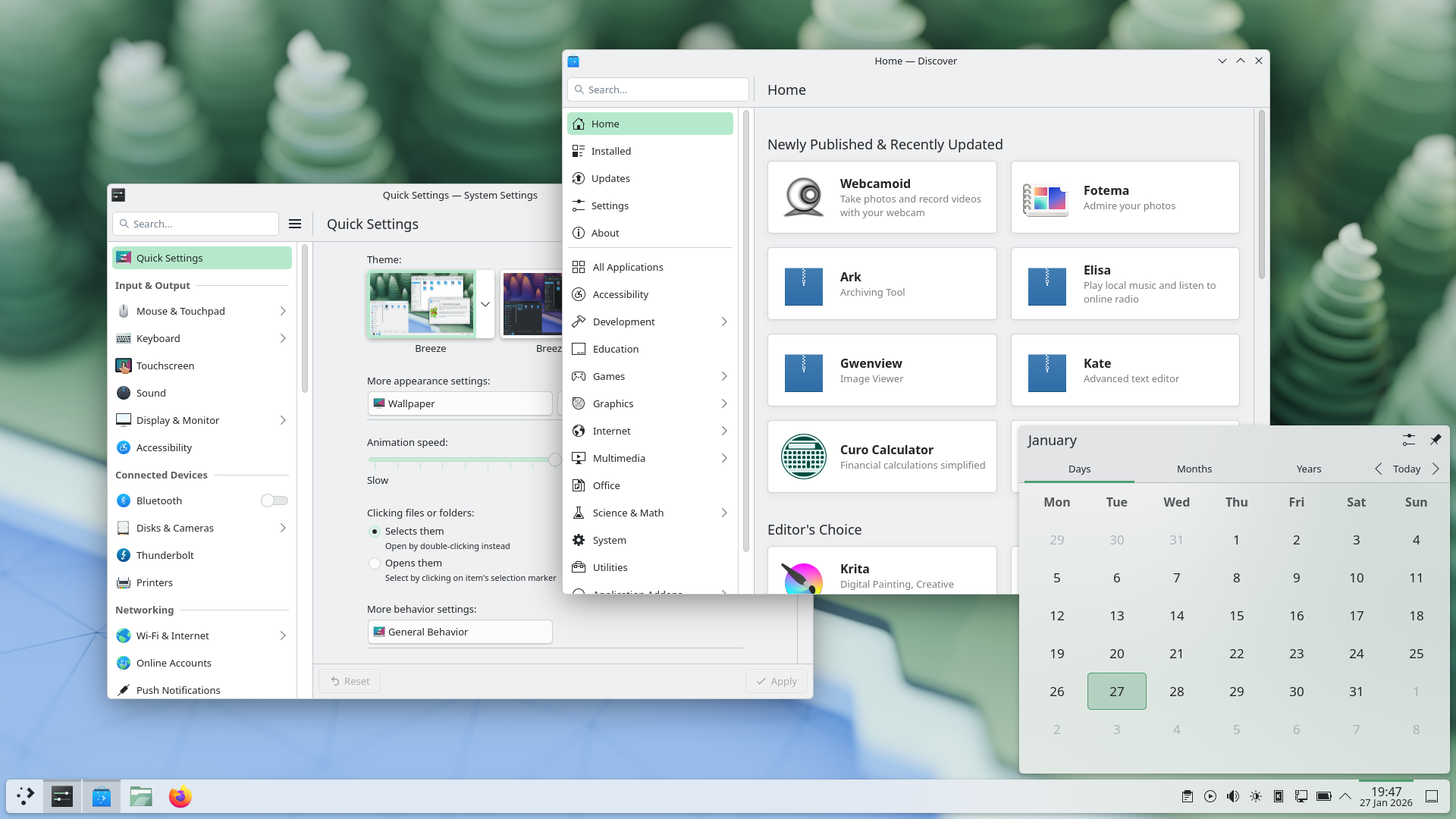
Plasma 6.6 makes your life as easy as possible, without sacrificing the flexibility or features that have made Plasma the most versatile desktop in the known universe.
With that in mind, we’ve improved Plasma’s usability and accessibility, and added practical new features into the mix.
Check out what’s new and how to use it in our (mostly) visual guide below:
Enjoy our new and improved on-screen keyboard
Extract text from screenshots in Spectacle
Set up a user account after the operating system has been installed
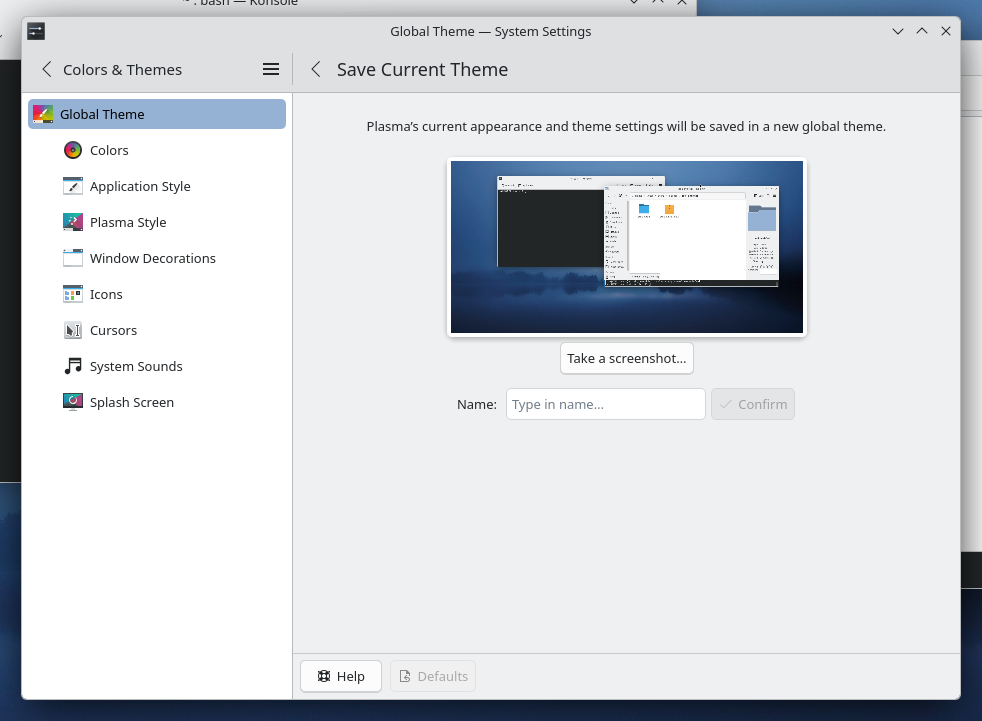
Those who like tailoring the look and feel of their environment can now turn their current setup into a new global theme! This custom global theme can be used for the day and night theme switching feature.
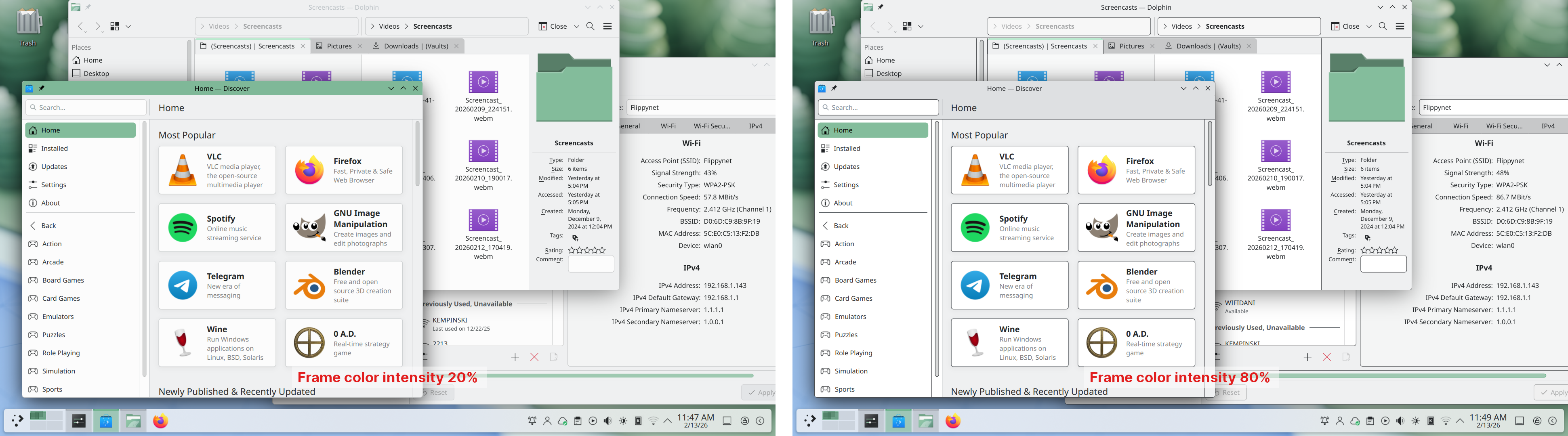
A more subtle way of modifying the look of your apps is by changing the color intensity of every frame:
Choose emoji (Meta+.) skin tones more easily with a new skin tone selector:
A major focus of Plasma 6.6 has been speeding up common workflows. So if the system has a camera, you can quickly connect to a new Wi-Fi network simply by scanning its QR code:
Hover the pointer over any app’s icon playing sound in the task manager, and scroll to adjust its volume:
And save yourself a click by enabling Open on hover in your Windows List widget. You can also filter out windows not on the current desktop or activity:
Hold down the Alt key and double-click on a file or folder on the desktop to bring up its properties:
To help everyone use and enjoy Plasma, we’ve improved accessibility across the board.
If you have colorblindness, check out the filters on System Settings’ Accessibility page, under Color Blindness Correction. Plasma 6.6 adds a new grayscale filter, bringing the total to four filters that account for different kinds of colorblindness:
Still in the area of enhancements for the visually impaired, our Zoom and Magnifier feature has gained a new tracking mode that always keeps the pointer centered on the screen, bringing the total to four modes:
In addition, we added support for “Slow Keys” on Wayland, and the standardized “Reduced Motion” accessibility setting.
Speaking of accessibility, Spectacle can now recognize and extract text from images it scans. Among other use cases, this makes it easy to write alt texts for visually-impaired users:
You can also filter windows out of a screencast by choosing a special option from the pop-up menu that appears when right-clicking a window’s title bar:
Plasma 6.6 also features a new on-screen keyboard! Say hello to the brand-new Plasma Keyboard:
Plasma Setup is the new first-run wizard for Plasma, and creates and configures user accounts separately from the installation process.
With Plasma Setup, the technical steps of operating system installation and disk partitioning can be handled separately from user-facing steps like setting up an account, connecting to a network, and so on. This facilitates important use cases such as:
Plasma 6.6 is overflowing with goodies, including:
To see the full list of changes, check out the complete changelog for Plasma 6.6.
In September, we lost our good friend Björn Balazs to cancer.
An active and passionate contributor, Björn was still holding meetings for his Privact project from bed even while seriously ill during Akademy 2025.
Björn’s drive to help people achieve the privacy and control over technology that he believed they deserved is the stuff FLOSS legends are made of.
Björn, you are sorely missed and this release is dedicated to you.

USB ディスクから Live イメージを起動するのが Plasma を試す最も簡単な方法です。Docker イメージも Plasma を試す素早く簡単な方法の一つです。
Plasma の Live イメージをダウンロード Plasma の Docker イメージをダウンロードディストリビューションは私たちの Wiki ページに記載されているパッケージを既に作成したか、現在作成しています。
この発表の時点では、すべてのディストリビューションでこのリリースのパッケージが利用可能であるとは限らないことにご留意ください。
Wiki のパッケージダウンロード ページPlasma はソースから直接インストールできます。
コミュニティによるコンパイル方法の解説 ソースの情報ページ私たちのソーシャルメディア上で、フィードバックを提供したり更新情報を入手したりできます:
KDE Forums で、語り合いましょう。
#Plasma Matrix チャンネル か Plasma-devel メーリングリストで、開発者にフィードバックを提供できます。または、Bugzilla で問題を報告できます。開発者たちに感想をお聞かせください。
あなたのフィードバックに感謝いたします。
KDE は、多くのボランティアの支援のみによって存在し、成長している自由ソフトウェアコミュニティです。KDE は、プログラミング、バグの報告・修正、ドキュメンテーションの作成、翻訳、広報や会計などに携わる新しいボランティアを常に募集しています。すべての貢献は大きく歓迎され、前向きに受け入れられます。詳細につきましては、KDE への支援に関するページをご覧ください。もしくは Join the Game イニシアティブを通して、KDE e.V. のサポートメンバーになることもできます。
KDE は、デスクトップ・携帯機器向けのフリーでオープンソースなソフトウェアを開発している国際的な技術チームです。KDE の製品には、Linux / UNIX 向けの現代的なデスクトップ環境、包括的なオフィスソフトウェアやグループウェアスイートを含む、インターネットやウェブアプリケーション、マルチメディア、娯楽、教育、グラフィック、ソフトウェア開発などの多くのカテゴリに渡る数百のソフトウェアがあります。KDE ソフトウェアは60を超える言語に翻訳され、使いやすさとアクセシビリティの原則を念頭に置いて開発されています。KDE の多機能なアプリケーションは、Linux, BSD, Windows, Haiku, macOS 上でネイティブに動作します。
商標表示
KDE® と K Desktop Environment® のロゴは KDE e.V. の登録商標です。
Linux は Linus Torvalds の登録商標です。 UNIX は The Open Group の米国とその他の国での登録商標です。
この発表で言及されているその他すべての商標や著作物は、それぞれの所有者の所有物です。
さらなる情報につきましては、私たちにメールを送ってください: press@kde.org