A visual guide to the best desktop in the known universe (according to us)
Plasma 6.6 is all about making your life as easy as possible without sacrificing any of the flexibility
Martedì, 17 Febbraio 2026
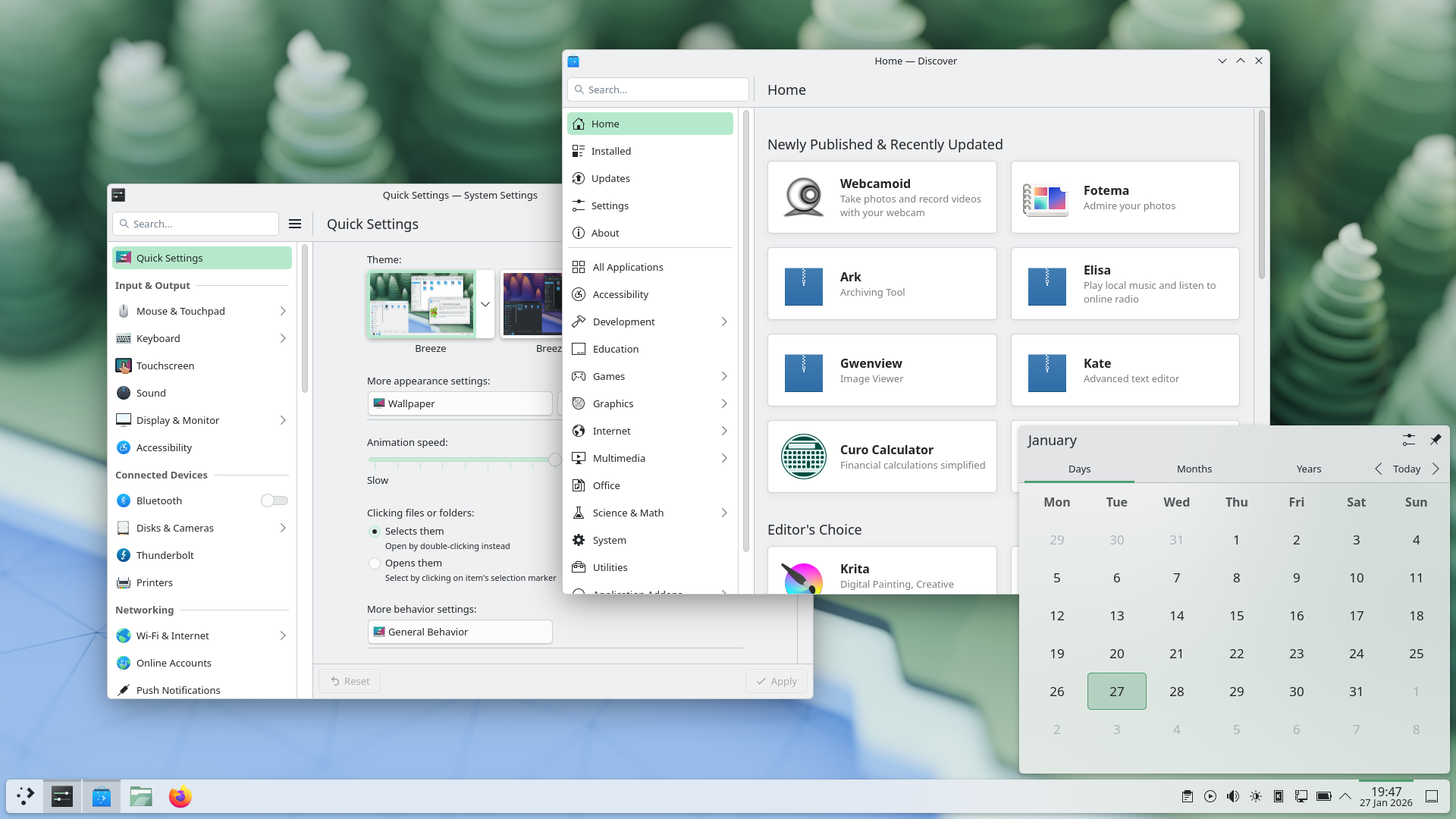
Plasma 6.6 makes your life as easy as possible, without sacrificing the flexibility or features that have made Plasma the most versatile desktop in the known universe.
With that in mind, we’ve improved Plasma’s usability and accessibility, and added practical new features into the mix.
Check out what’s new and how to use it in our (mostly) visual guide below:
In evidenza
On-Screen Keyboard
Enjoy this new and improved on-screen keyboard
Spectacle Text Recognition
Extract text from screenshots in Spectacle
Plasma Setup
Set up a user account after the operating system has been installed
Nuove funzionalità
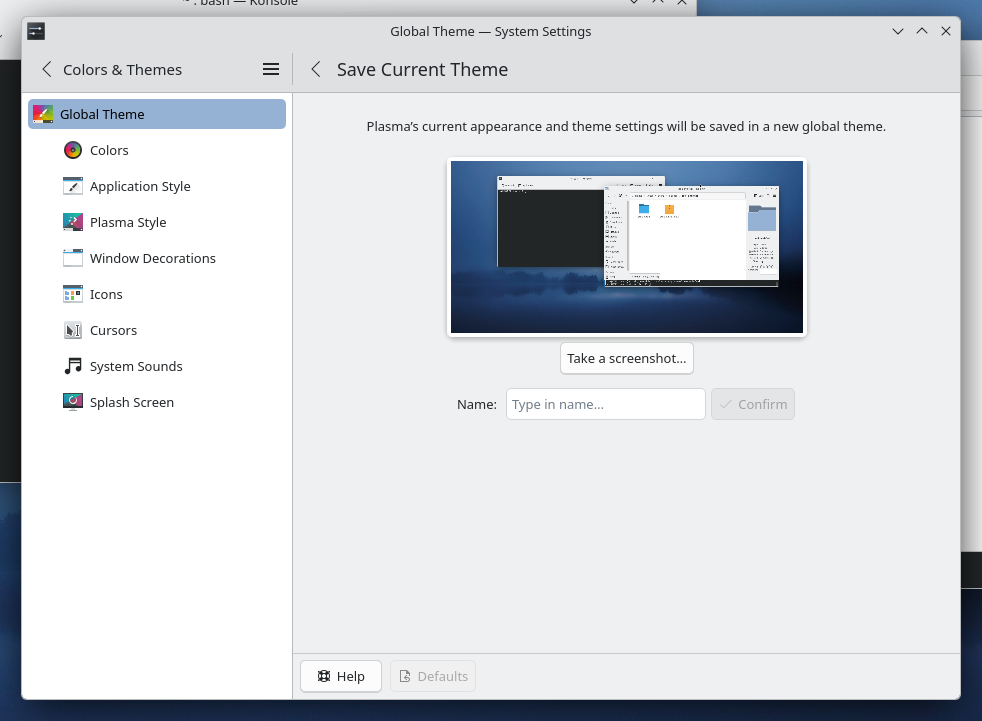
Those who like tailoring the look and feel of their environment can now turn their current setup into a new global theme! This custom global theme can be used for the day and night theme switching feature.
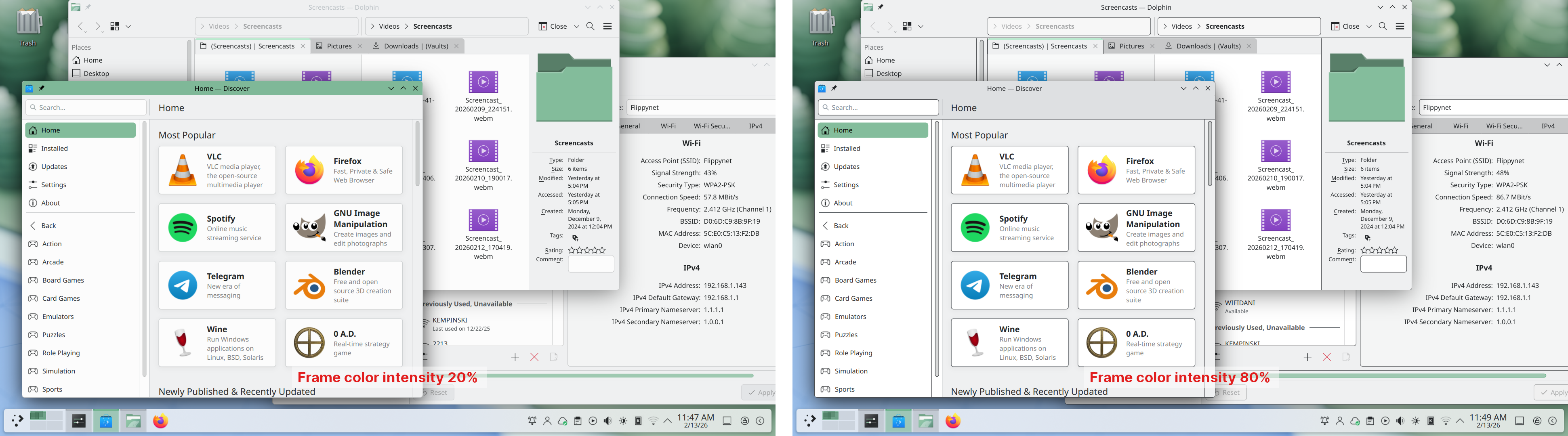
A more subtle way of modifying the look of your apps is by changing the color intensity of every frame:
Choose emoji (Meta+.) skin tones more easily with a new skin tone selector:
A major focus of Plasma 6.6 has been speeding up common workflows. So if the system has a camera, you can quickly connect to a new Wi-Fi network simply by scanning its QR code:
Hover the pointer over any app’s icon playing sound in the task manager, and scroll to adjust its volume:
And save yourself a click by enabling Open on hover in your Windows List widget. You can also filter out windows not on the current desktop or activity:
Hold down the Alt key and double-click on a file or folder on the desktop to bring up its properties:
Accessibilità
To help everyone use and enjoy Plasma, we’ve improved accessibility across the board.
If you have colorblindness, check out the filters on System Settings’ Accessibility page, under Color Blindness Correction. Plasma 6.6. adds a new grayscale filter, bringing the total to four filters that account for different kinds of colorblindness:
Still in the area of enhancements for the visually impaired, our Zoom and Magnifier feature has gained a new tracking mode that always keeps the pointer centered on the screen, bringing the total to four modes:
In addition, we added support for “Slow Keys” on Wayland, and the standardized “Reduced Motion” accessibility setting.
Screenshots and Screen Recording
Speaking of accessibility, Spectacle can now recognize and extract text from images it scans. Among other use cases, this makes it easy to write alt texts for visually-impaired users:
You can also filter windows out of a screencast by choosing a special option from the pop-up menu that appears when right-clicking a window’s title bar:
Virtual Keyboard
Plasma 6.6 also features a new on-screen keyboard! Say hello to the brand-new Plasma Keyboard:
Plasma Setup
Plasma Setup is the new first-run wizard for Plasma, and creates and configures user accounts separately from the installation process.
With Plasma Setup, the technical steps of operating system installation and disk partitioning can be handled separately from user-facing steps like setting up an account, connecting to a network, and so on. This facilitates important use cases such as:
Companies shipping Plasma pre-installed on devices
Businesses or charity organizations refurbishing computers with Plasma to give them new life
Giving away or selling a computer with Plasma on it, without giving the new owner access to the previous owner’s data
But That’s Not All…
Plasma 6.6 is overflowing with goodies, including:
The ability to have virtual desktops only on the primary screen
An optional new login manager for Plasma
Optional automatic screen brightness on devices with ambient light sensors
Optional support for using game controllers as regular input devices
Font installation in the Discover software center, on supported operating systems
Choose process priority in System Monitor
Standalone Web Browser and Audio Volume widgets can be pinned open
Support for USB access prompts and a visual refresh of other permission prompts
In September, we lost our good friend Björn Balazs to cancer.
An active and passionate contributor, Björn was still holding meetings for his Privact project from bed even while seriously ill during Akademy 2025.
Björn’s drive to help people achieve the privacy and control over technology that he believed they deserved is the stuff FLOSS legends are made of.
Björn, you are sorely missed and this release is dedicated to you.
Immagini live
Il modo più semplice di provarlo è l'uso di un'immagine live eseguita da un disco USB. Anche le immagini Docker forniscono un modo veloce e facile per provare Plasma.
KDE è una comunità di software libero che esiste e cresce solo grazie all'aiuto di tanti volontari che donano il loro tempo e le loro energie. KDE è sempre alla ricerca di nuovi volontari e collaborazioni, di qualsiasi natura esse siano: contributi in codice, segnalazione o correzione degli errori, scrittura delle documentazione, traduzioni, promozione, denaro, ecc. Tutti i contributi sono molto apprezzati e accettati con entusiasmo. Leggi la pagina Sostenere KDE per ulteriori informazioni o diventa un membro sostenitore di KDE e.V. attraverso la nostra iniziativa Join the Game.
Informazioni su KDE
KDE è un gruppo tecnologico internazionale che crea software libero e aperto per i sistemi informatici desktop e mobili. Tra i prodotti di KDE vi sono un moderno ambiente desktop per piattaforme Linux e UNIX, suite di produttività per l'ufficio e il groupware e centinaia di programmi di varie categorie tra cui applicazioni Internet e web, multimediali, per il divertimento, educative, di grafica e di sviluppo del software. Il software KDE è tradotto in più di 60 lingue ed è costruito perché sia facile da usare e tenendo conto dei moderni principi di accessibilità. Le applicazioni KDE, ricche di funzionalità, funzionano nativamente su sistemi Linux, BSD, Windows, Haiku e macOS.
Informazioni sui marchi registrati.
KDE® e il logo K Desktop Environment® sono marchi registrati di KDE e.V.. Linux è marchio registrato di Linus Torvalds. UNIX è un marchio registrato da The Open Group negli Stati Uniti d'America e in altre nazioni. Tutti gli altri marchi e marchi registrati citati in questo annuncio sono di proprietà dei rispettivi proprietari.
Contatti per la stampa
Per ulteriori informazioni inviaci un messaggio di posta: press@kde.org