Live Images
The easiest way to try it out is with a live image booted off a USB disk. Docker images also provide a quick and easy way to test Plasma.
Download live images with Plasma Download Docker images with Plasma
KDE Plasma 5.13
Tuesday, 12 June 2018
Today KDE launches the first release of Plasma 5.13.0.
Members of the Plasma team have been working hard to continue making Plasma a lightweight and responsive desktop which loads and runs quickly, but remains full-featured with a polished look and feel. We have spent the last four months optimising startup and minimising memory usage, yielding faster time-to-desktop, better runtime performance and less memory consumption. Basic features like panel popups were optimised to make sure they run smoothly even on the lowest-end hardware. Our design teams have not rested either, producing beautiful new integrated lock and login screen graphics.
Plasma Browser Integration is a suite of new features which make Firefox, Chrome and Chromium-based browsers work with your desktop. Downloads are now displayed in the Plasma notification popup just as when transferring files with Dolphin. The Media Controls Plasmoid can mute and skip videos and music playing from within the browser. You can send a link to your phone with KDE Connect. Browser tabs can be opened directly using KRunner via the Alt-Space keyboard shortcut. To enable Plasma Browser Integration, add the relevant plugin from the addon store of your favourite browser.
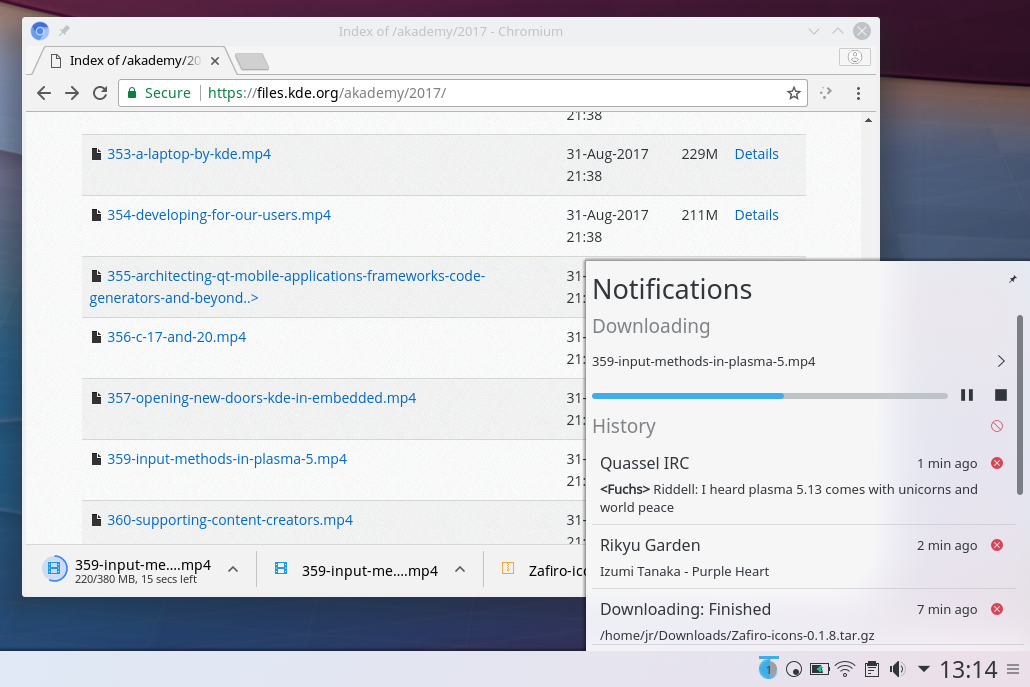
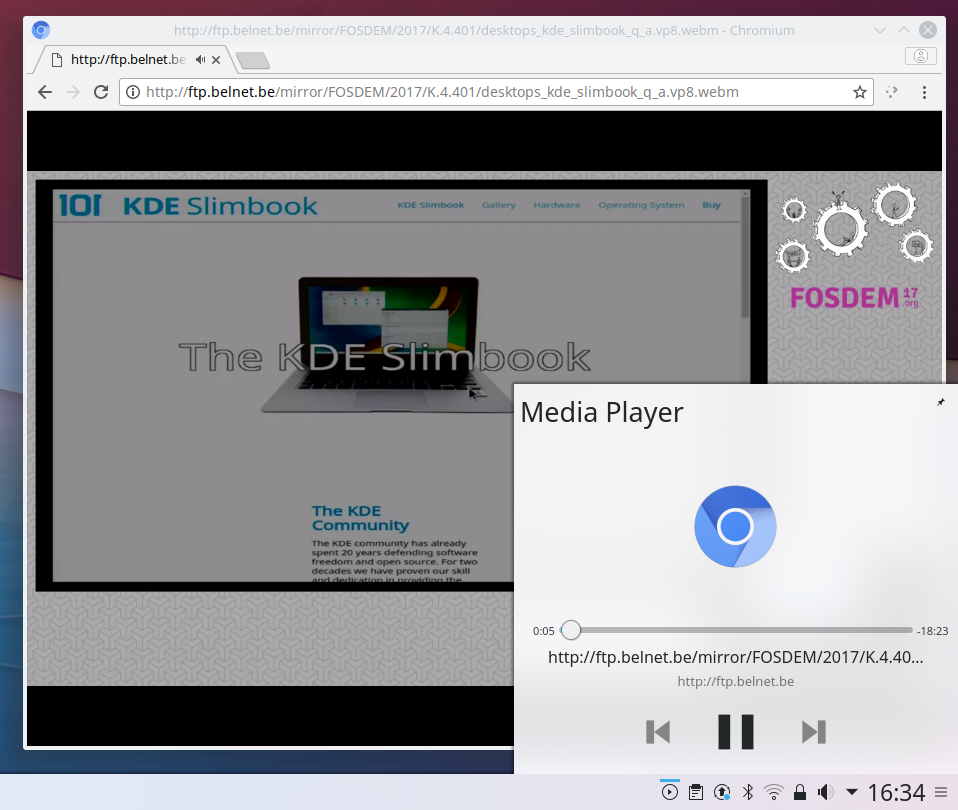
Integración das descargas e dos controis de reprodución do navegador con Plasma
Our settings pages are being redesigned. The KDE Visual Design Group has reviewed many of the tools in System Settings and we are now implementing those redesigns. KDE's Kirigami framework gives the pages a slick new look. We started off with the theming tools, comprising the icons, desktop themes, and cursor themes pages. The splash screen page can now download new splashscreens from the KDE Store. The fonts page can now display previews for the sub-pixel anti-aliasing settings.
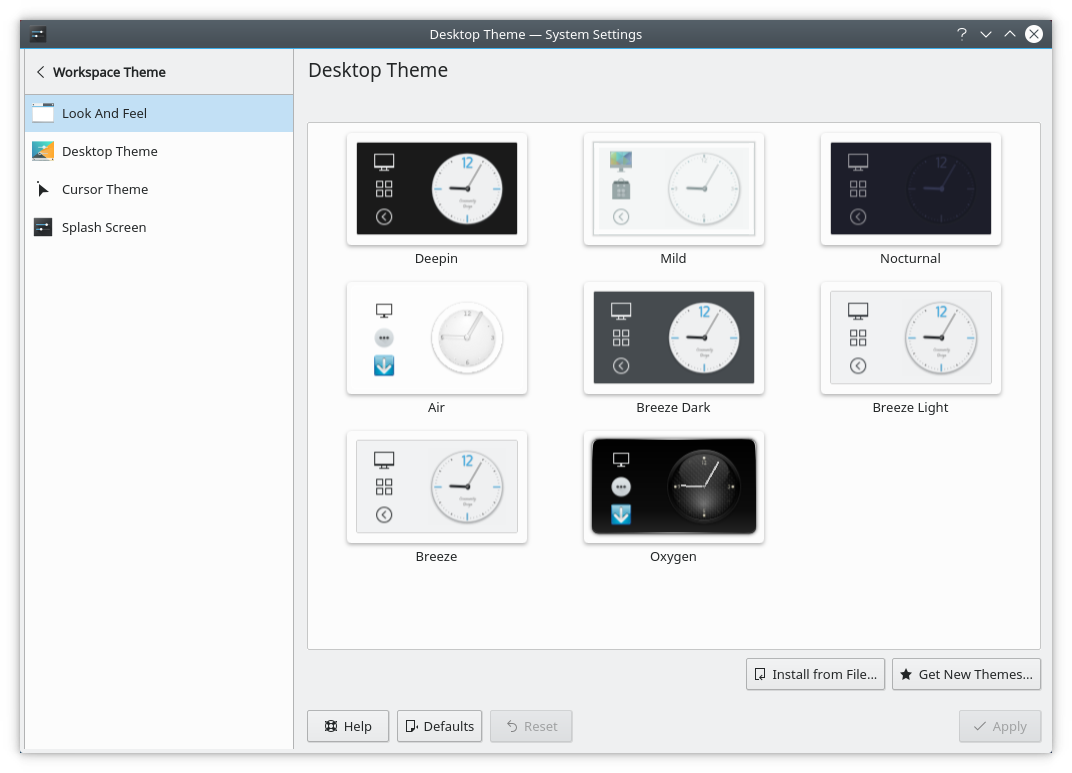
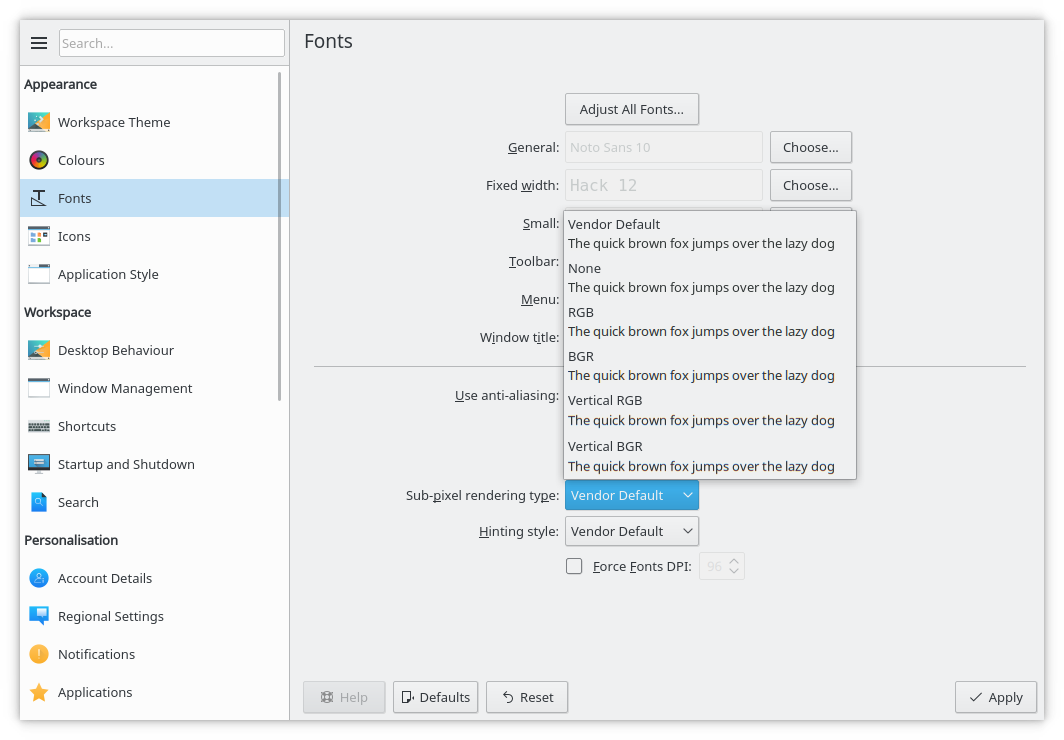
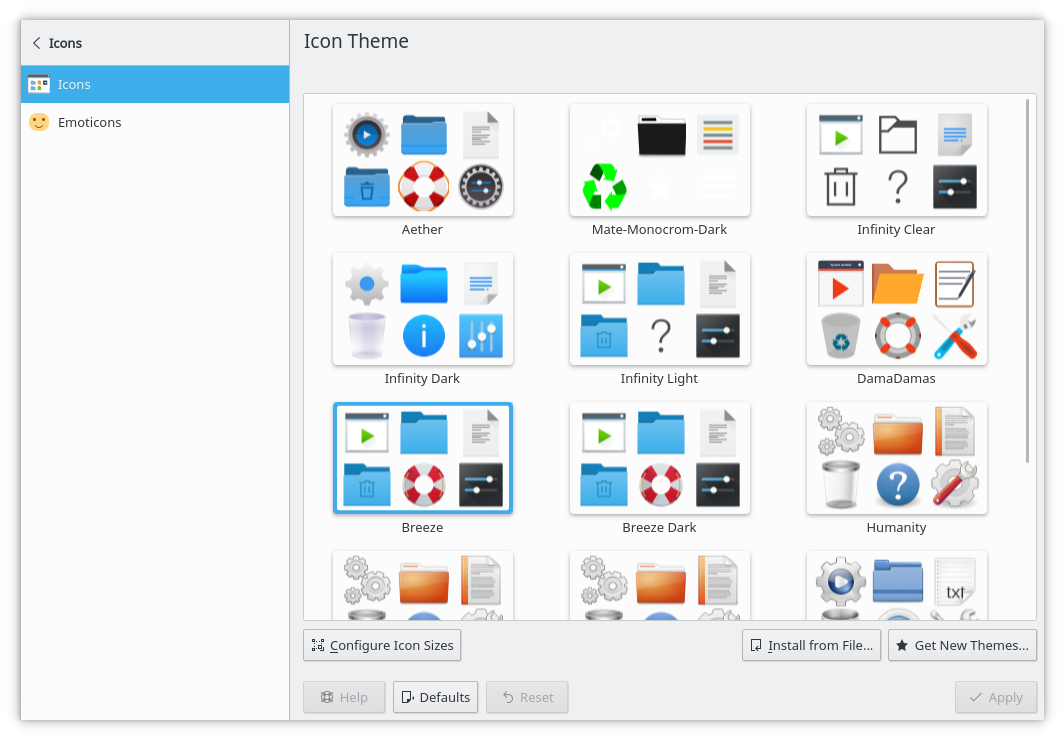
Cambiouse o deseño de páxinas da configuración do sistema
As nosas pantallas de acceso e bloqueo contan con novo deseño que mostra o fondo da versión actual de Plasma de maneira predeterminada. Agora a pantalla de bloqueo incorpora unha transición de esvaer a desenfocar moi bonita para amosar os controis, que permite que se poida usar facilmente como protector de pantalla.
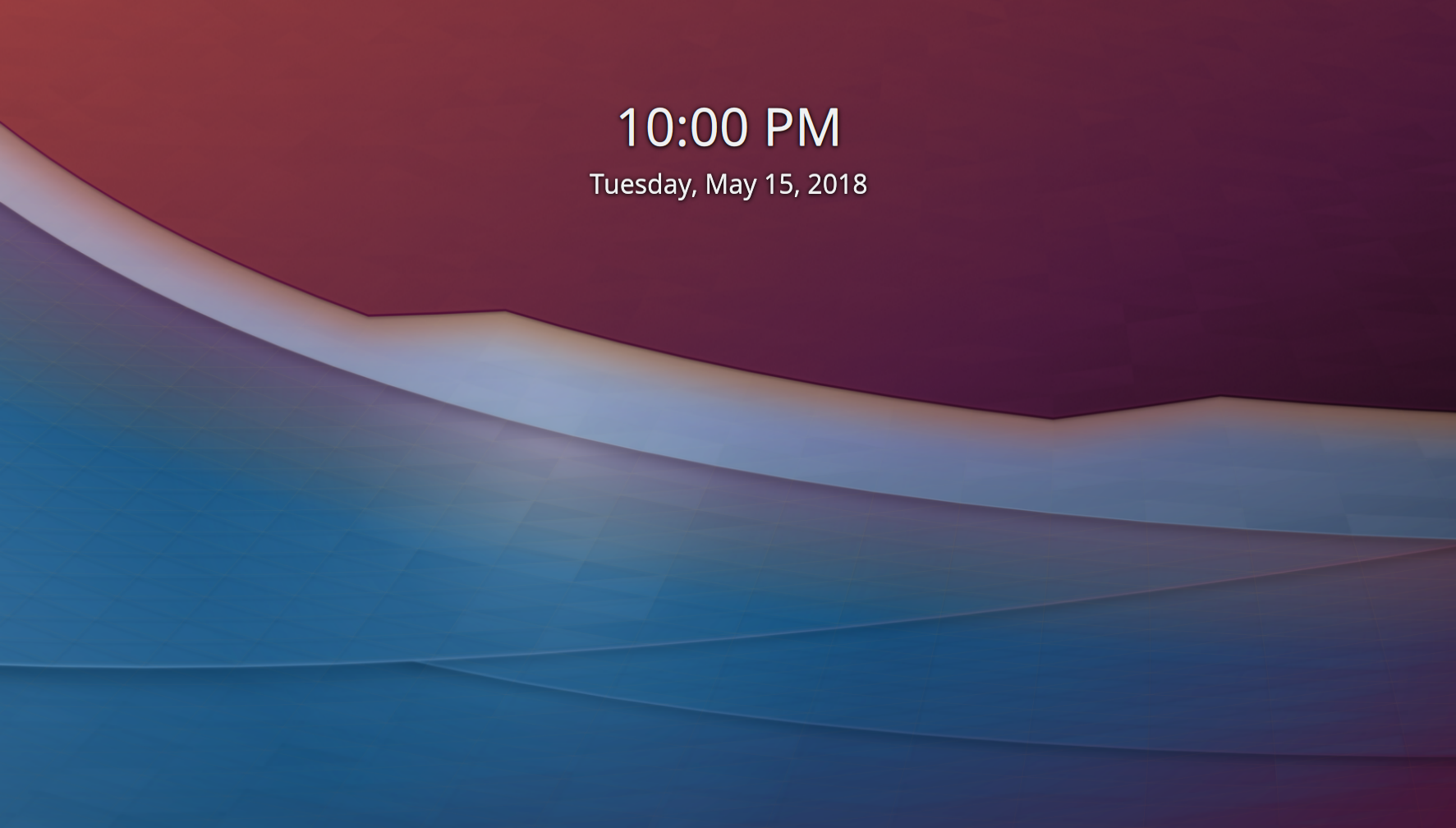
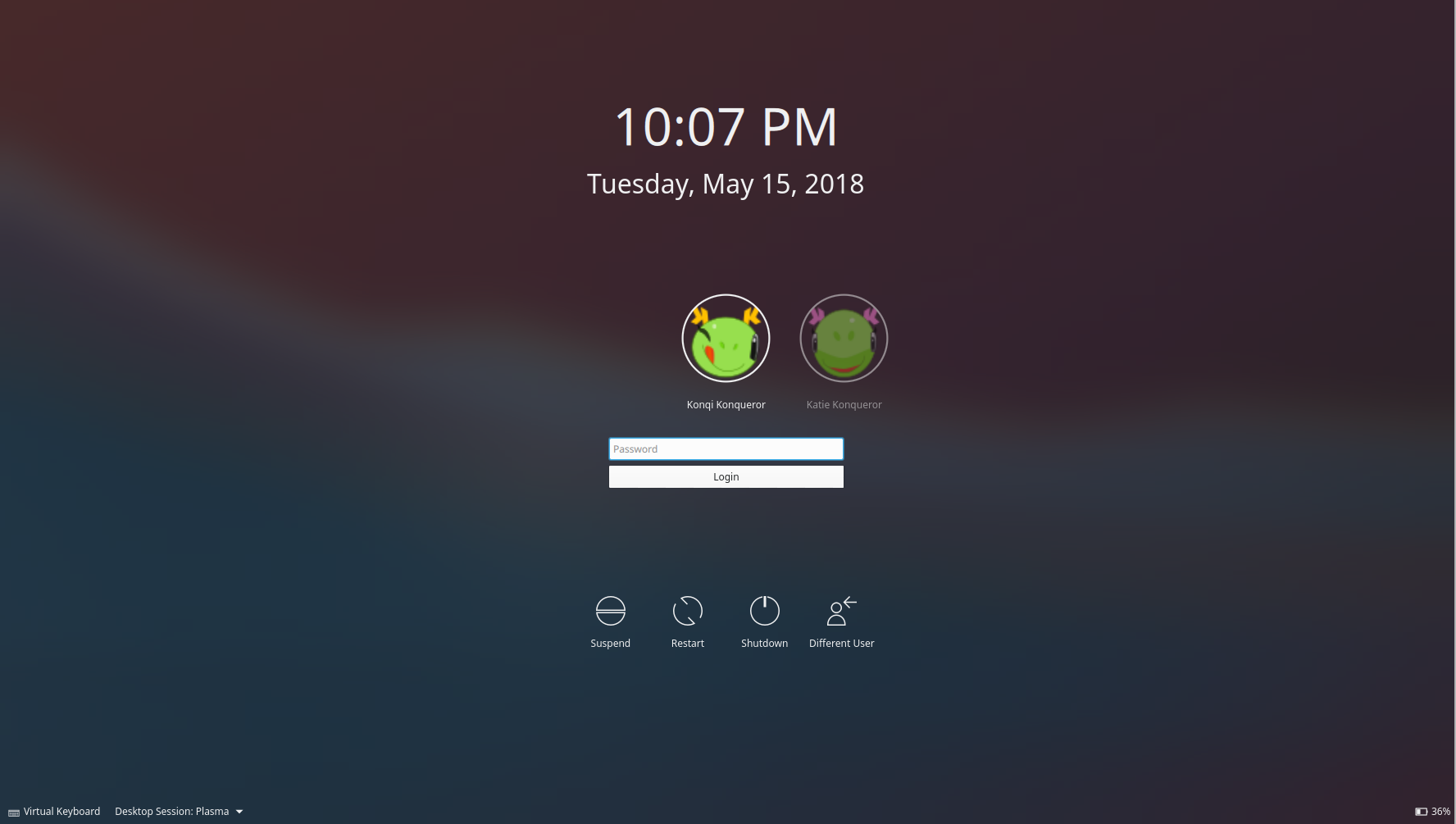
Nova aparencia para as pantallas de bloqueo e acceso
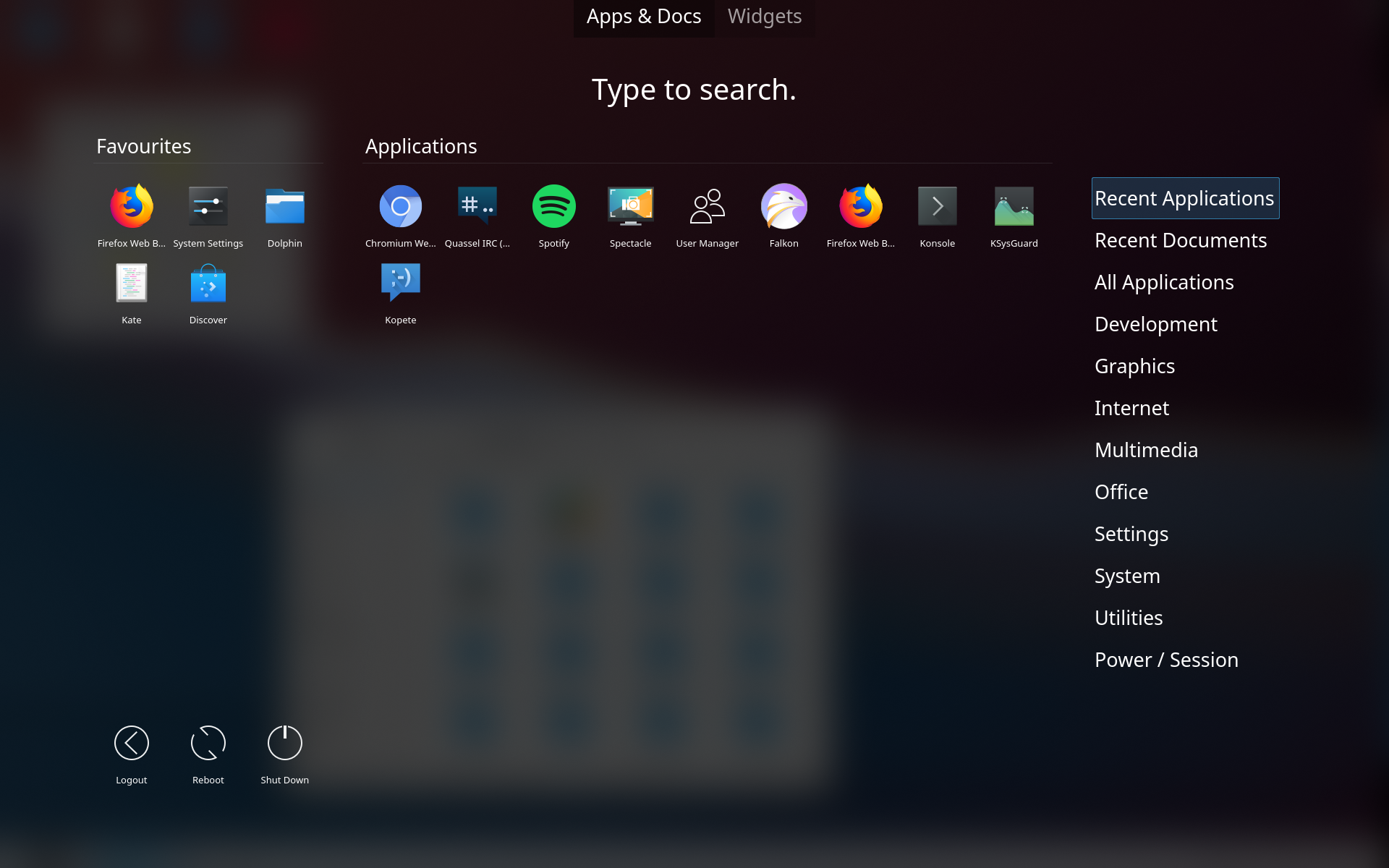
Efecto de desenfoque mellorado no menú do panel de control
O noso compositor, KWin, recibiu efectos de desenfoque e cambio de escritorio moi mellorados. O traballo en Wayland continuou, coa volta das regras de xanelas, o uso de contextos de EGL de prioridade alta, e a compatibilidade inicial con emisións de pantalla e comparticións de escritorio.
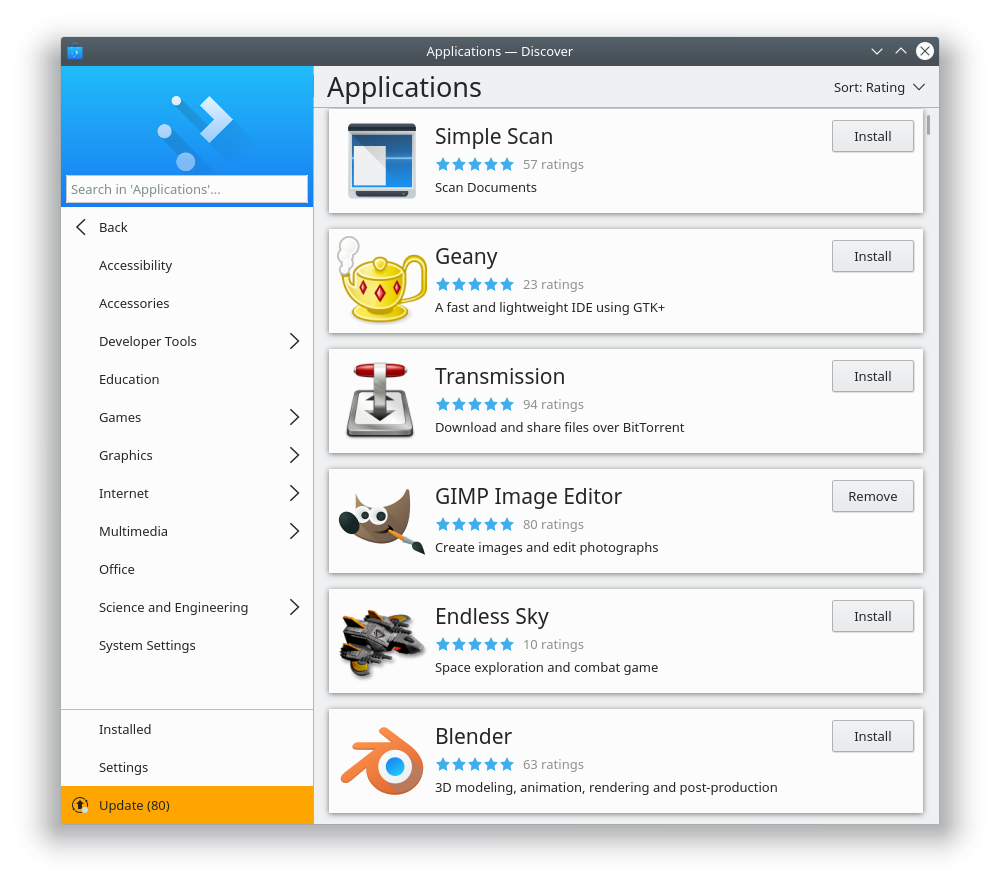
As listas de Discover con puntuacións, iconas adaptadas ao tema e opcións de orde
Discover, a noso instalador de software e complementos, ten máis funcionalidades e inclúe melloras da súa aparencia e comportamento.
Using our Kirigami UI framework we improved the appearance of lists and category pages, which now use toolbars instead of big banner images. Lists can now be sorted, and use the new Kirigami Cards widget. Star ratings are shown on lists and app pages. App icons use your local icon theme to better match your desktop settings. All AppStream metadata is now shown on the application page, including all URL types.
Work has continued on bundled app formats. Snap support now allows user control of app permissions, and it's possible to install Snaps that use classic mode. And the 'snap://' URL format is now supported. Flatpak support gains the ability to choose the preferred repository to install from when more than one is set up.
Entre os outros cambios están:
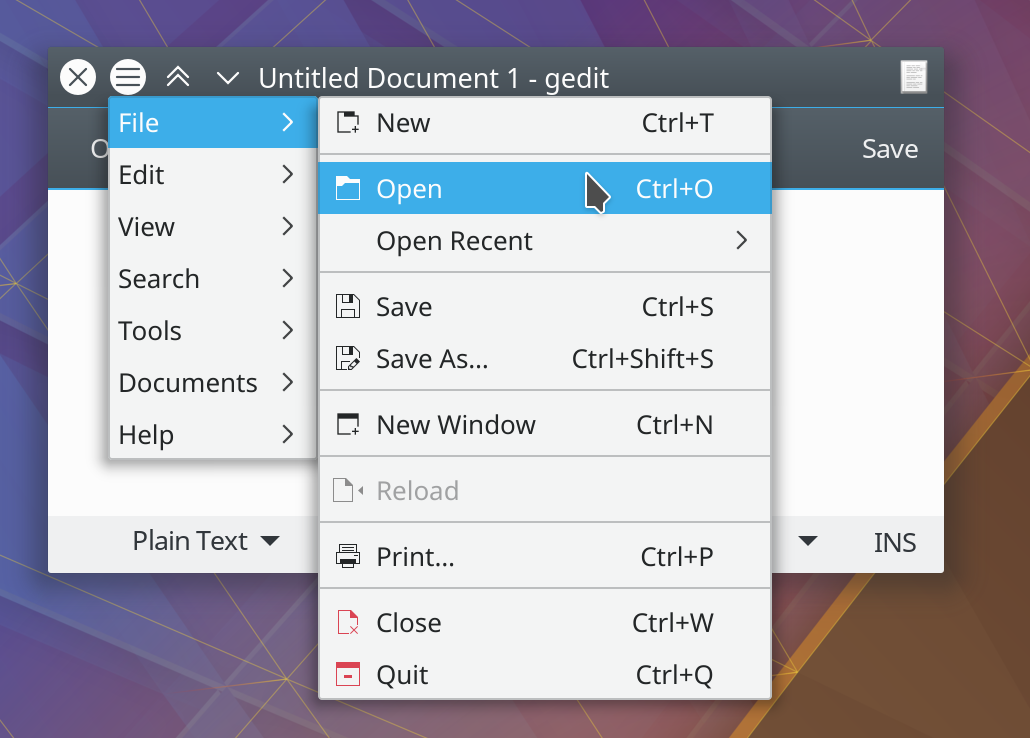
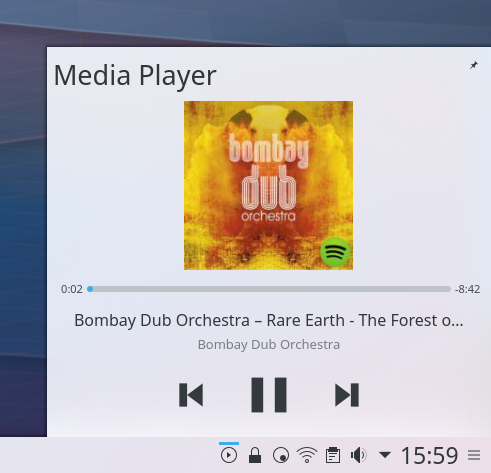
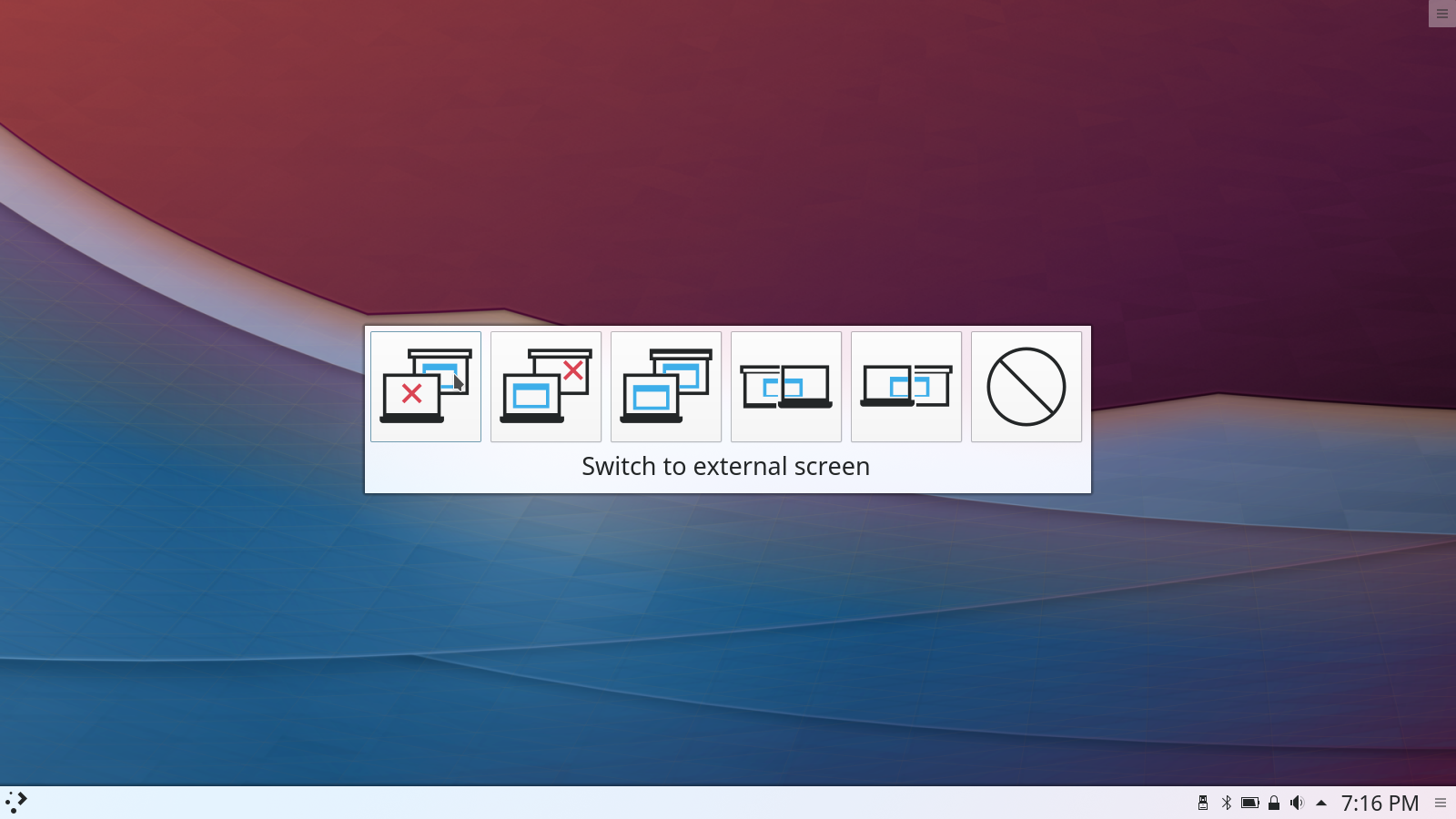
GEdit with Title Bar Menu. Redesigned Media Player Widget. Connect an External Monitor Dialog.
The easiest way to try it out is with a live image booted off a USB disk. Docker images also provide a quick and easy way to test Plasma.
Download live images with Plasma Download Docker images with PlasmaDistributions have created, or are in the process of creating, packages listed on our wiki page.
Note that packages of this release might not be available on all distributions at the time of this announcement.
Package download wiki pageYou can install Plasma directly from source.
Community instructions to compile it Source Info PageYou can give us feedback and get updates on our social media channels:
Discuss KDE on the KDE Forums.
You can provide feedback direct to the developers via the #Plasma Matrix channel, Plasma-devel mailing list or report issues via Bugzilla. If you like what the team is doing, please let them know!
Your feedback is greatly appreciated.
KDE is a Free Software community that exists and grows only because of the help of many volunteers that donate their time and effort. KDE is always looking for new volunteers and contributions, whether it is help with coding, bug fixing or reporting, writing documentation, translations, promotion, money, etc. All contributions are gratefully appreciated and eagerly accepted. Please read through the Supporting KDE page for further information or become a KDE e.V. supporting member through our Join the Game initiative.
KDE is an international technology team that creates free and open source software for desktop and portable computing. Among KDE’s products are a modern desktop system for Linux and UNIX platforms, comprehensive office productivity and groupware suites and hundreds of software titles in many categories including Internet and web applications, multimedia, entertainment, educational, graphics and software development. KDE software is translated into more than 60 languages and is built with ease of use and modern accessibility principles in mind. KDE’s full-featured applications run natively on Linux, BSD, Windows, Haiku, and macOS.
Trademark Notices.
KDE® and the K Desktop Environment® logo are registered trademarks of KDE e.V..
Linux is a registered trademark of Linus Torvalds. UNIX is a registered trademark of The Open Group in the United States and other countries.
All other trademarks and copyrights referred to in this announcement are the property of their respective owners.
For more information send us an email: press@kde.org