صور حية
أسهل طريقة لتجربتها هي باستخدام صورة مباشرة تعمل من قرص يو اس بي. توفر صور دوكر أيضًا طريقة سريعة وسهلة لاختبار بلازما.
حمّل صورا حية مع بلازما حمّل صور دوكر بلازماالأربعاء، 14 أكتوبر 2026
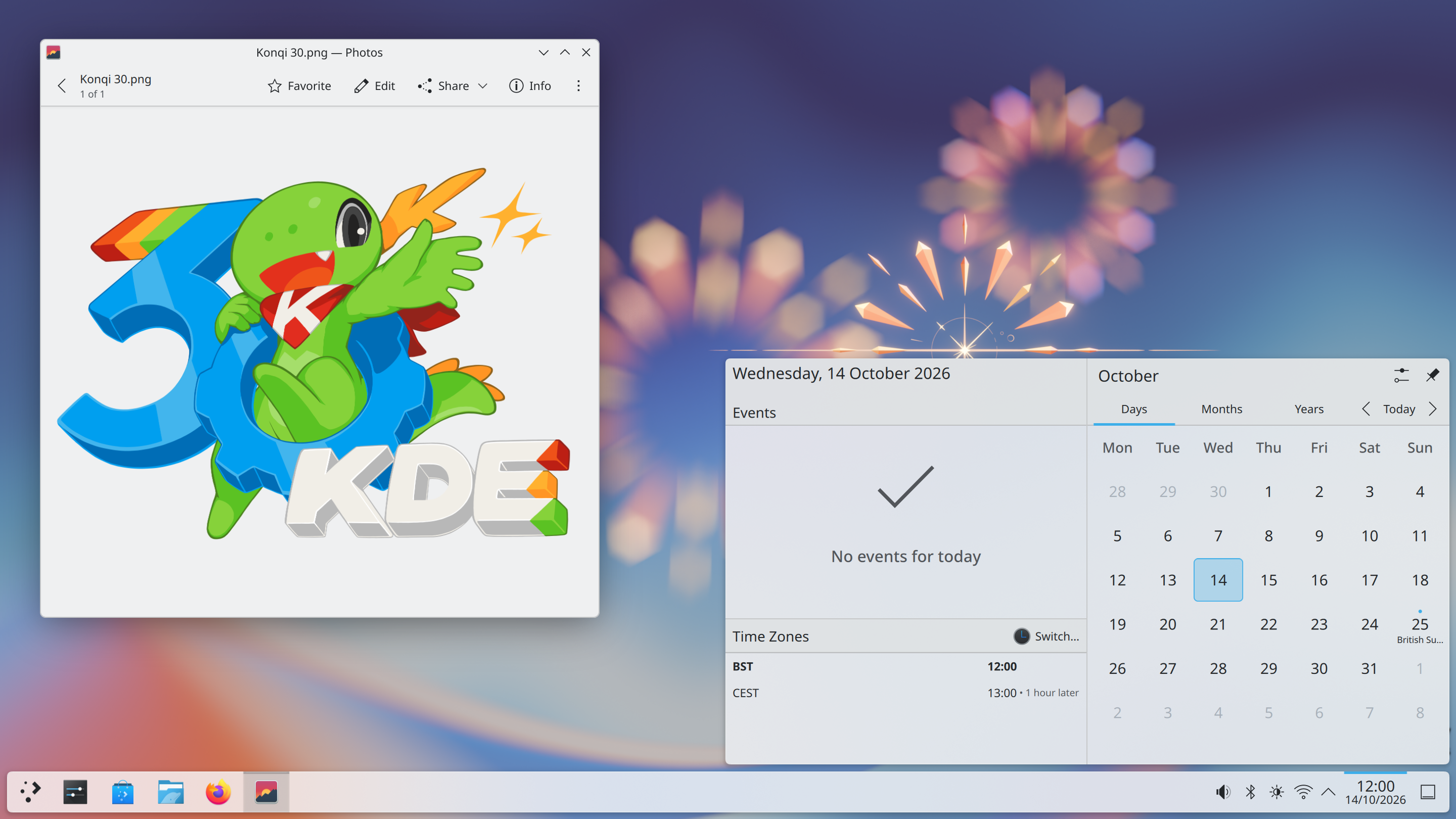
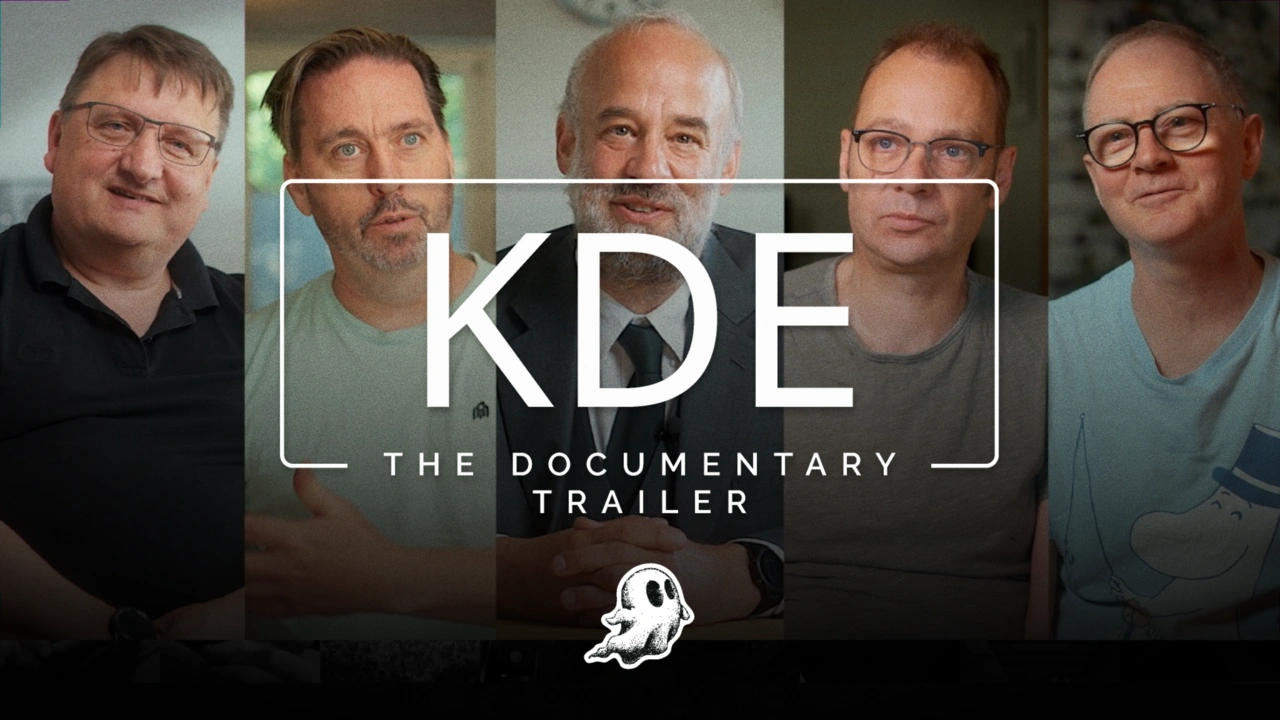
Plasma 6.8 is released on a very special day: KDE’s 30th birthday. Today we celebrate three decades of the KDE community providing the world’s greatest free and open-source software.
Plasma 6.8 is no exception, offering enhancements across much of the user experience and beneath the surface.
6.8 is all about launching Plasma into the future: adding changes you’ll notice right away, combined with major but subtle improvements designed to set the stage for decades of service to come.
Dive in and find out what the desktop environment of tomorrow looks like!
Part of our continued effort to bring digital control to everyone, a new “dwell clicker” feature can send a mouse click when the pointer stops moving. Designed especially for users with mobility issues, an external app is no longer required to use your system in this way; now it’s built right in!
Plasma 6.8 gains support for the Bikram Sambat calendar in the Digital Clock, and the Amharic language in the on-screen keyboard. These are just two more additions of the dozens incorporated into Plasma over recent versions in our effort to make Plasma a truly universal desktop.
 Bikram Sambat calendar
 Amharic on-screen keyboard
Gain an extreme level of control over your system with Plasma’s System Monitor. In Plasma 6.8, you can assign compute-intensive tasks to only the CPUs of your choosing from directly within the monitor, and keep your machine running smoothly.
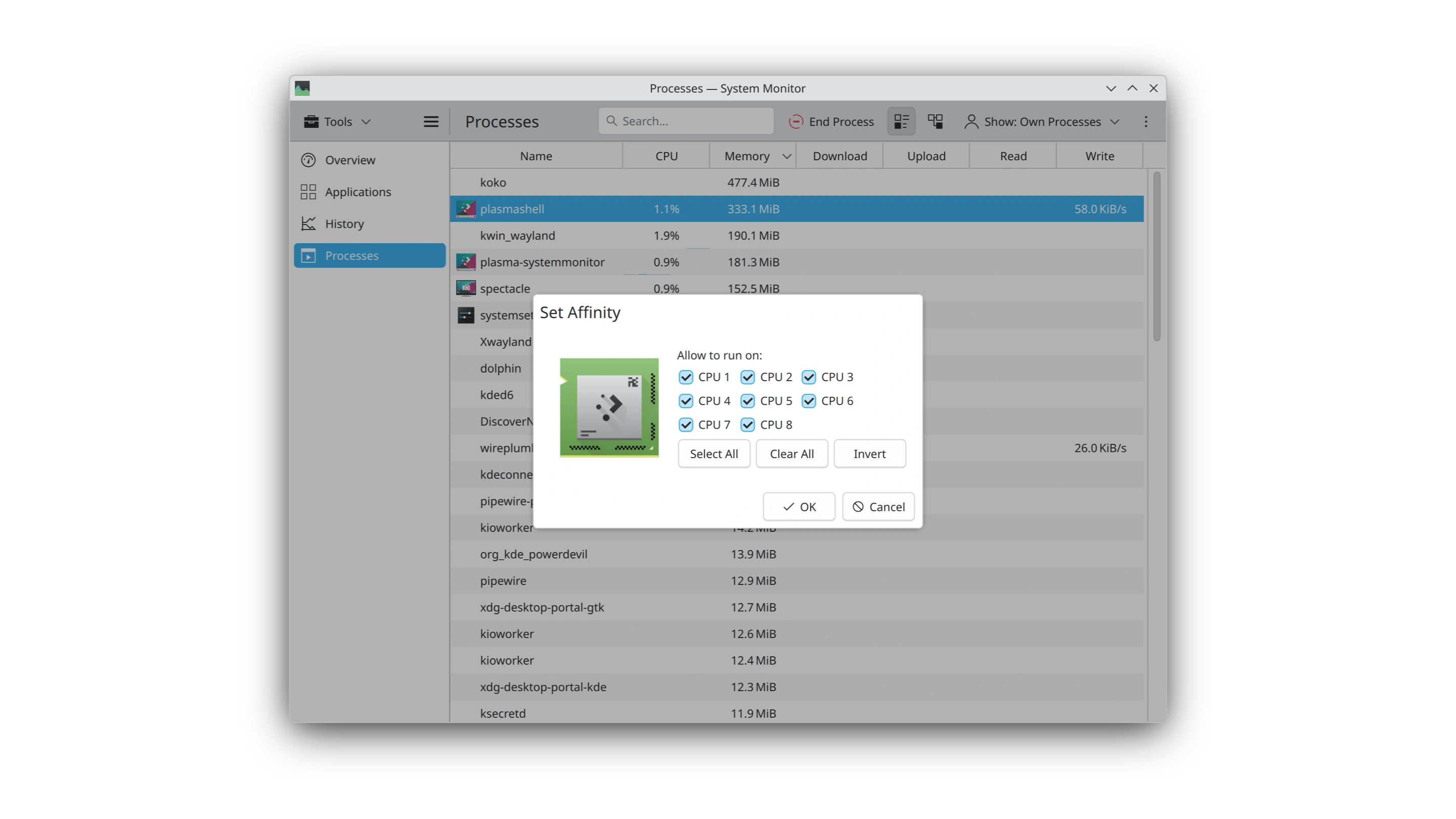
You can also monitor your VRAM more easily, as it now shows the load as an easy-to-read percentage.
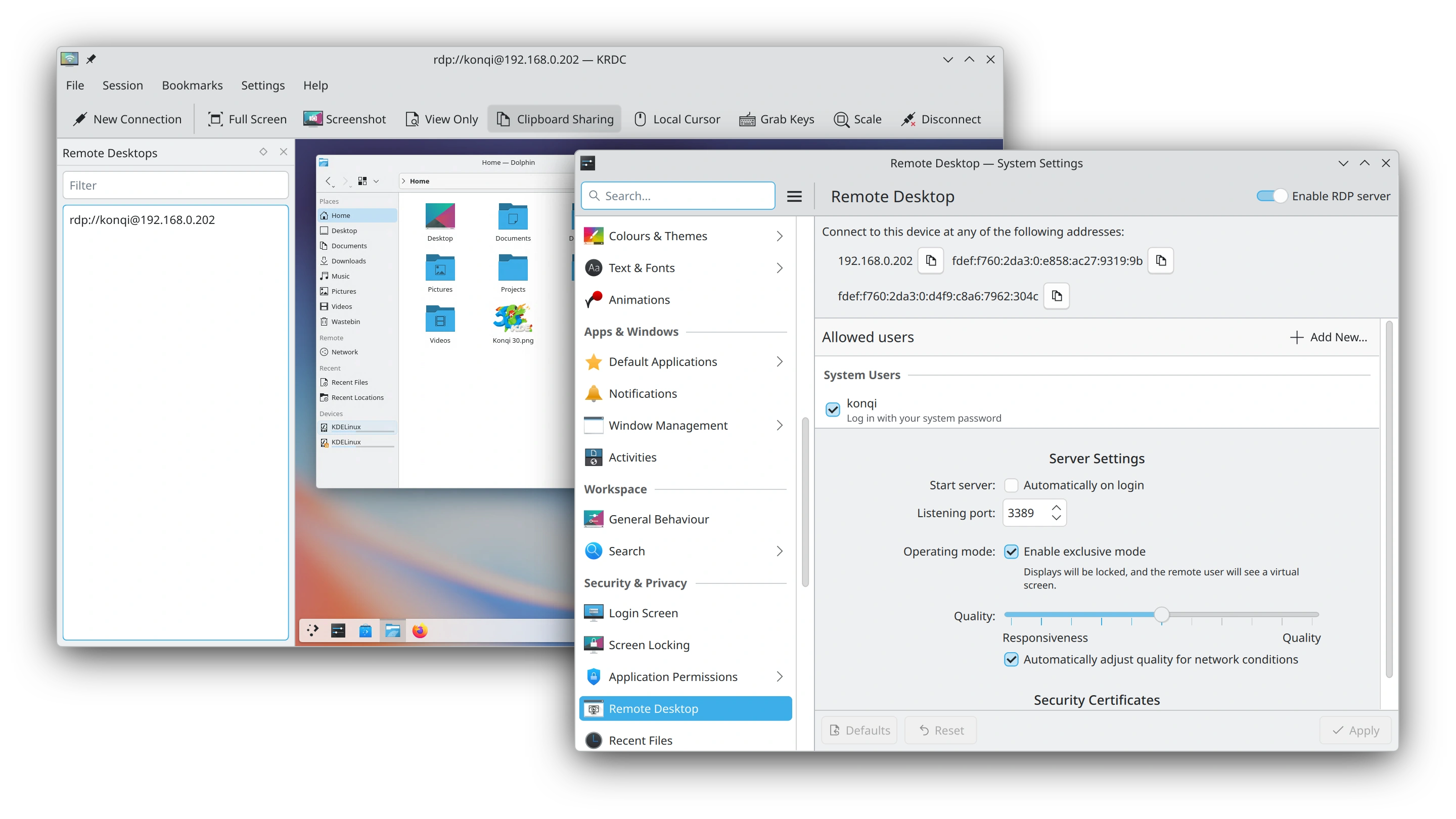
We’ve invested a great deal of time into polishing the experience provided by Plasma’s built-in remote desktop server. In Plasma 6.8, you’ll be able to enjoy the following improvements — with more in the pipeline:
These features will only take effect in remote desktop client apps that support them.
Spectacle can now optionally include both system audio and microphone input in its screen recordings, making it possible to narrate a recording or accurately record everything that’s going on.
Plasma’s screen sharing portal dialog lets you create a virtual screen to share, instead of an existing display. In Plasma 6.8, you can now specify the resolution of the virtual screen instead of being limited to only 1920 × 1080.

In addition, the quality of screen recordings and screencasts has been improved.
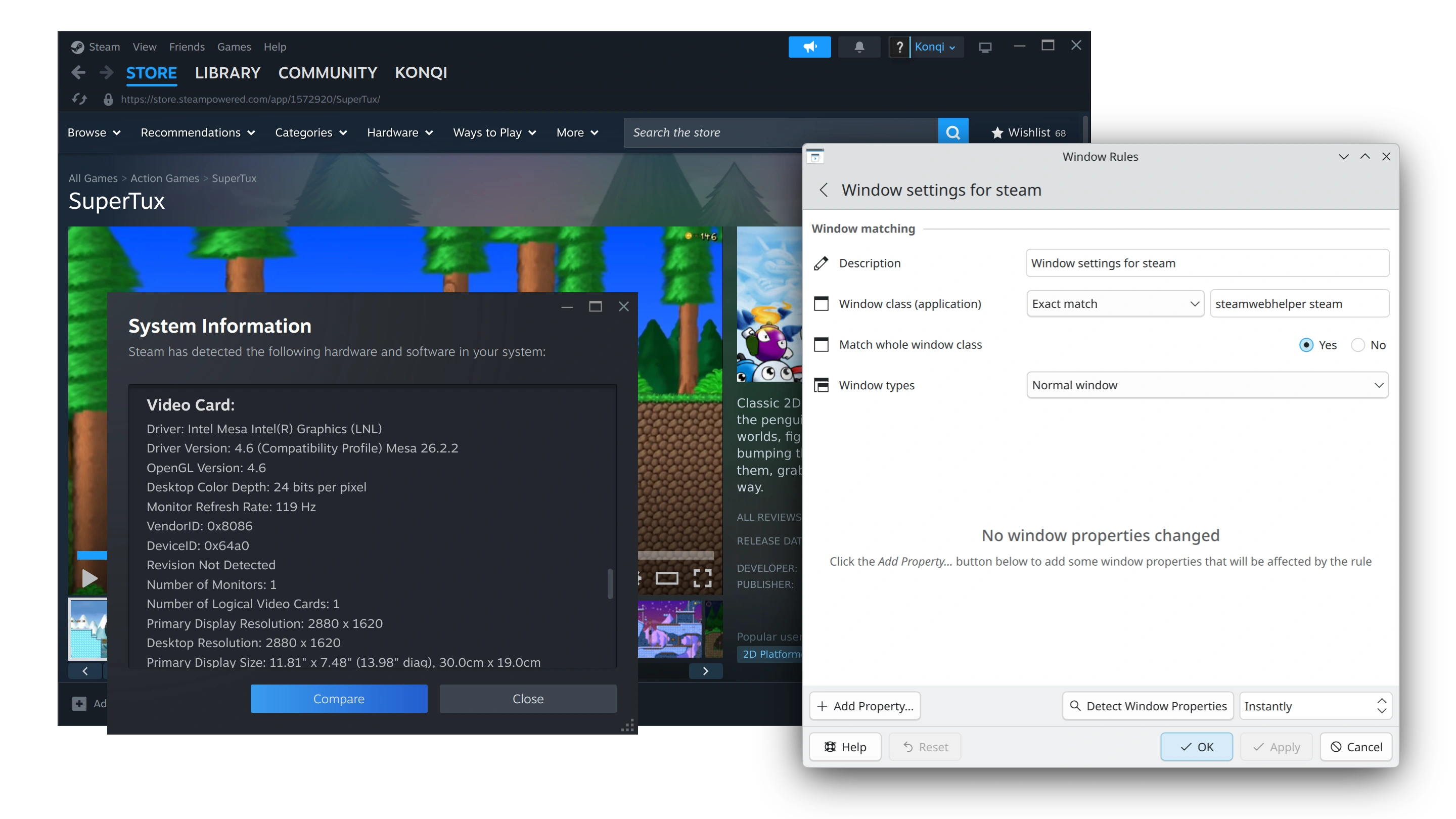
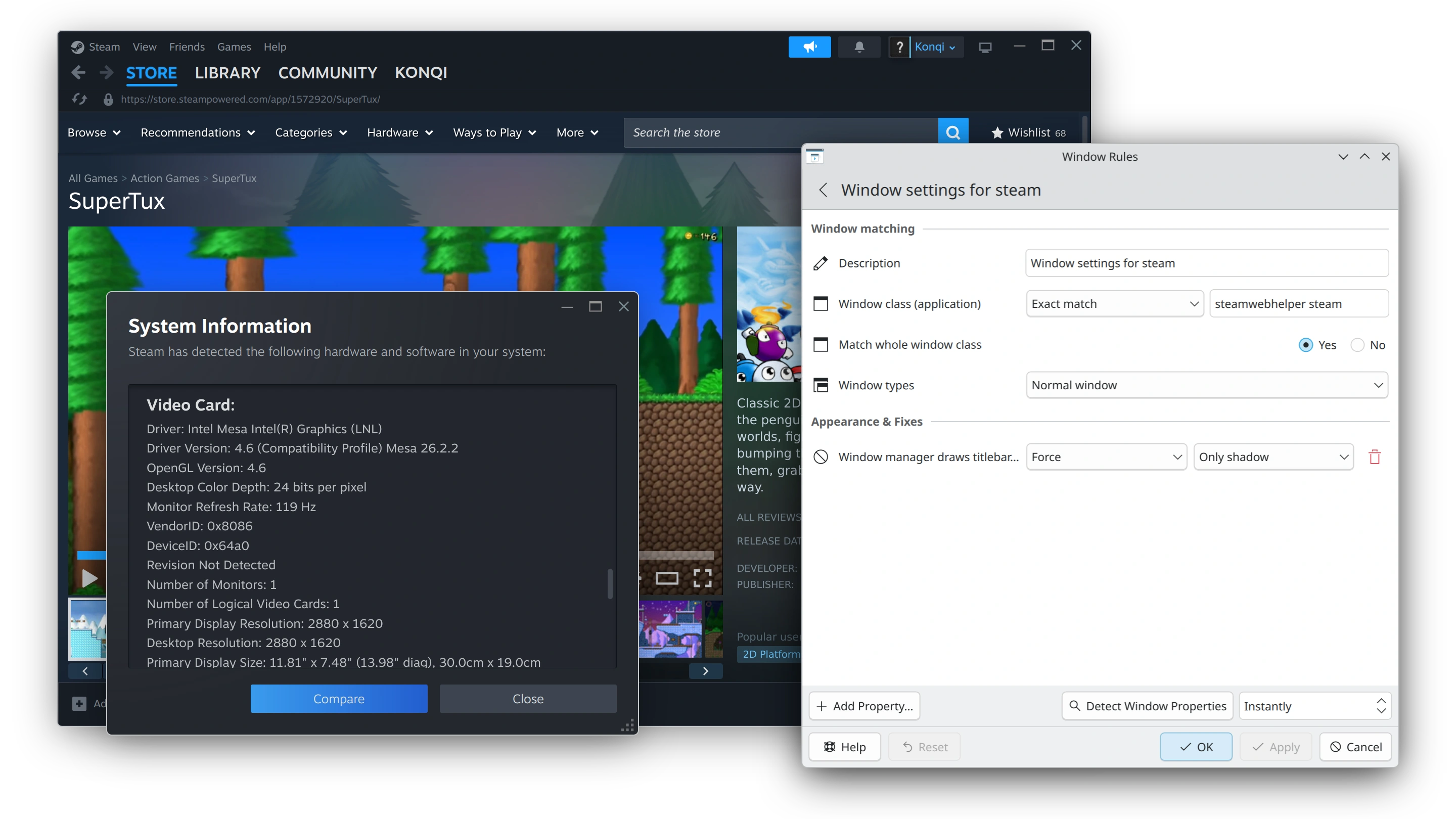
We’ve added support for window rules that add desktop shadows, outlines, and rounded corners to client-side-decorated windows that can’t provide these visual niceties themselves. Plasma 6.8 ships with one such rule for Steam, making it feel more at home in Plasma.
We’ve added new global shortcuts to help power users manage their open windows with the Task Manager widget. By pressing Meta + Ctrl + Page Up or Page Down, you can cycle between the previous and next tasks. By also holding Shift, you can move the active task backwards and forwards.
Four months ago, Plasma 6.7 included an alpha release of the new Union theming system, demonstrating its ability to style Qt Quick applications.
Plasma 6.8 builds on this with a beta release of Union, including not only refinements for Qt Quick theming, but also the ability to style Qt Widgets applications! This includes KDE’s more traditional desktop applications, such as Dolphin, Kate, and Konsole.
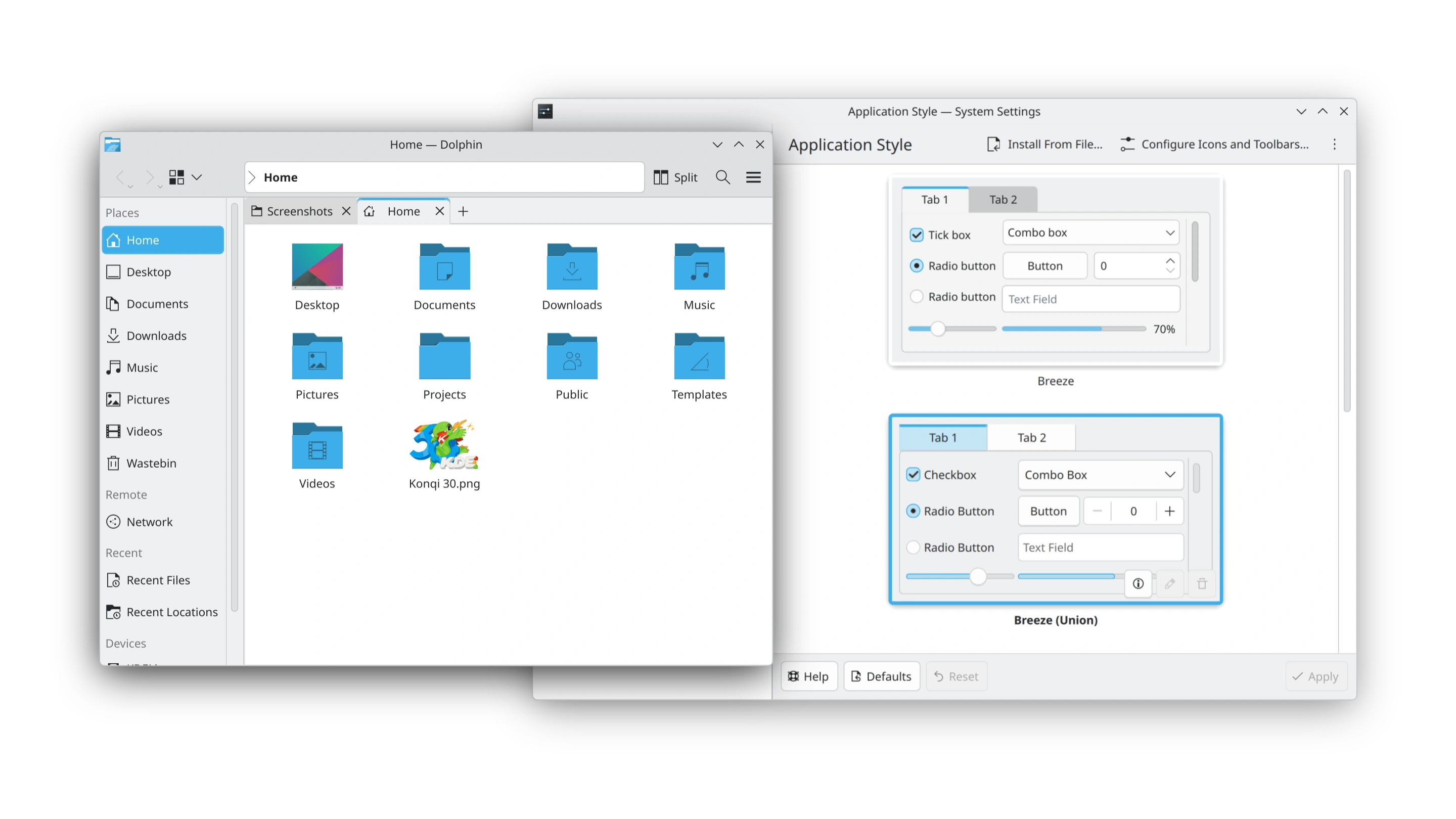
While Union is not quite ready to be used by default, Plasma 6.8 brings it ever closer to being a single source of truth for styling all of KDE’s products, and more. To learn more about the current state of Union, read the blog posts from Arjen and Akseli.
To try Union, ensure the union package is installed (name may differ depending on your distribution), apply “Breeze (Union)” in System Settings → Colors & Themes → Application Style, then restart your apps or the system.
Apps are expected to look nearly identical to how they do with the traditional Breeze theme. If you’ve found a Union-specific issue, please report it.
If you’re interested in experimenting with creating your own Union style, you can find out more in Union’s documentation.
30 years is an impressive milestone for a community like KDE. But even older is the venerable X Window System (or “X11”), first released in 1984! After 42 years of faithful service, support for starting X11 sessions in Plasma is being retired, in conjunction with full adoption of the newer Wayland system.
Compared to X11, Wayland offers better support for modern screens and graphics cards, and is actively developed.
The small number of individual apps that still require X11 will continue to work via the “XWayland” compatibility layer.
KDE applications will continue to support X11 for the foreseeable future.
As part of the backend improvements included in Plasma 6.8, we’ve made changes to help Plasma load faster and use less memory. Discover’s update notifier now uses less memory, too.
With KWin, NVIDIA GPUs now use triple buffering by default, and all users will have better-looking HDR when using an ICC color profile. We’ve also added support for the HLG transfer function, which means that certain media and applications that did not previously work in HDR are now working as expected.
Plasma 6.8 is chock-full of smaller changes, including:
kscreenctl tool makes managing displays from the command-line easier and also offers the potential for scripting and automation.To see a high-level overview of all user-facing changes, see the Plasma 6.8 wiki page.
To see the full list of all changes, read the complete changelog.
أسهل طريقة لتجربتها هي باستخدام صورة مباشرة تعمل من قرص يو اس بي. توفر صور دوكر أيضًا طريقة سريعة وسهلة لاختبار بلازما.
حمّل صورا حية مع بلازما حمّل صور دوكر بلازماأنشأت التوزيعات حزمًا مدرجة في صفحة ويكي الخاصة بنا، أو هي في طور الإنشاء.
لاحظ أن حزم هذا الإصدار قد لا تكون متاحة في جميع التوزيعات في وقت هذا الإعلان.
صفحة ويكي لتحميل الحزميمكنك تثبيت بلازما من المصدر مباشرة.
تعليمات المجتمع لبنائها صفحة معلومات المصدريمكنك إرسال تعليقات إلينا والحصول على تحديثات على قنوات التواصل الاجتماعي الخاصة بنا:
ناقش مواضيع كيدي على منتدى بلازما في منتديات كِيدِي.
يمكنك تقديم ملاحظات مباشرة إلى المطورين عبر قناة #Plasma في ماتركس أو القائمة البريدية لتطوير بلازما أو الإبلاغ عن المشكلات عبر مستودع العلل.إذا كنت تحب ما يفعله الفريق، فيرجى إخبارهم!
ملاحظتك محل الاهتمام
كِيدِي هو مجتمع برامج حرة موجود وينمو فقط بفضل مساعدة العديد من المتطوعين الذين يتبرعون بوقتهم وجهدهم. تبحث كِيدِي دائمًا عن متطوعين ومساهمات جديدة، سواء كانت مساعدة في البرمجة أو إصلاح الأخطاء أو إعداد التقارير أو كتابة الوثائق أو الترجمات أو الترويج أو المال، إلخ. جميع المساهمات نقدرها بامتنان ونتقبلها بشغف. يرجى قراءة صفحة دعم كِيدِي للحصول على مزيد من المعلومات أو تصبح من الأعضاء الداعمين لـ KDE e.V. بواسطة مبادرة انضم إلى اللعبة.
كِيدِي هو فريق تقني دولي ينشئ برامج مجانية ومفتوحة المصدر للحوسبة المكتبية والمحمولة. من بين منتجات كِيدِي نظام سطح مكتب حديث لمنصتي لينكس ويونكس، وإنتاجية مكتبية شاملة ومجموعات البرامج الجماعية ومئات من البرامج في العديد من الفئات بما في ذلك تطبيقات الإنترنت والويب والوسائط المتعددة، والترفيه والتعليم والرسومات وتطوير البرامج. تترجم برامج كِيدِي إلى أكثر من 60 لغة وصممت مع مراعاة سهولة الاستخدام ومبادئ الوصول الحديثة. تعمل تطبيقات كِيدِي كاملة المزايا بشكل مباشر على لينكس و بي اس دي و ويندوز و هايكو Haiku و ماك أو اس.
ملاحظات على العلامات التجارية
شعار KDE® وشعار the K Desktop Environment® علامتان مسجلتان لـ كِيدِي e.V.
linux علامة مسجلة لينوس تورفالدس شعار UNIX علامة مسجلة لـThe Open Group في الولايات المتحدة وبلدان أخرى.
جميع العلامات التجارية وحقوق النشر الأخرى المشار إليها في هذا الإعلان هي ملك لأصحابها.
لمزيد من المعلومات، أرسل لنا بريدًا إلكترونيًا: press@kde.org