Plasma 5.20 Beta: one absolutely massive release
Plasma 5.20 Beta
Wednesday, 16 September 2020
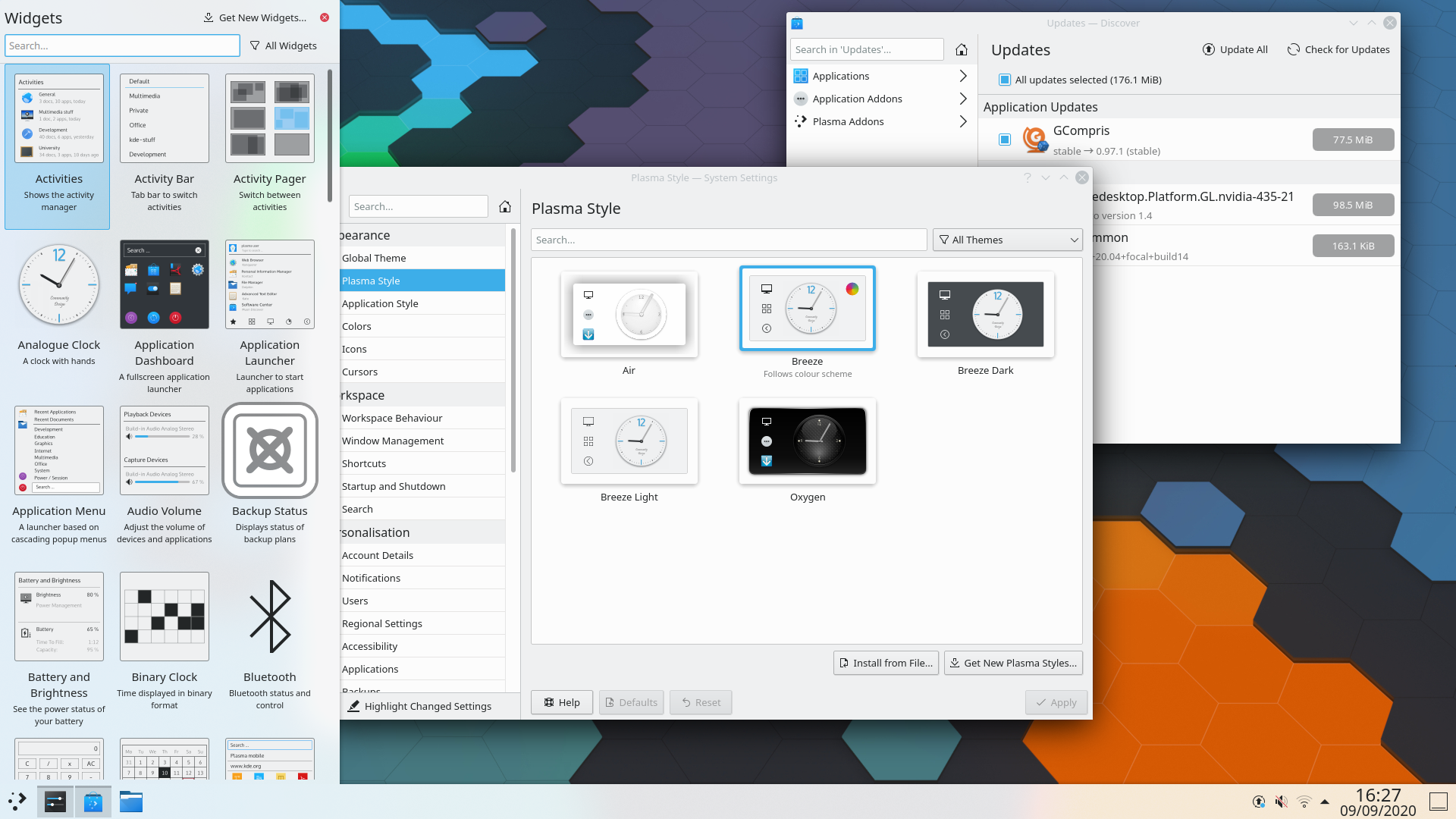
Plasma 5.20 is going to be one absolutely massive release! More features, more fixes for longstanding bugs, more improvements to the user interface! Read on for details:
Read on to discover all the new features and improvements of Plasma 5.20…
Look and Feel


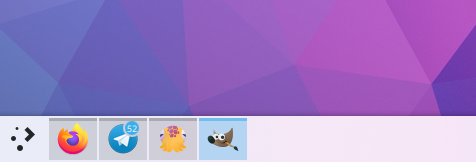
Updated panel default settings
- An Icon-Only Task Manager is used by default, and the default panel is now slightly thicker
- On-screen displays (OSDs) that appear when changing the volume or display brightness (for example) have been redesigned to be less obtrusive. And when using the 'raise maximum volume' setting, the volume OSD will subtly warn you when going over 100% volume
- Changing the display brightness now gives you a smooth transition
- The System Tray popup now shows items in a grid rather than a list, and the icon view on your panel can now be configured to scale the icons with the panel thickness if you'd like
- The Digital Clock applet now shows the current date by default
- The Digital Clock popup is now more compact and space-efficient
- Throughout KDE apps, toolbar buttons which display menus when clicked now show downward-pointing arrows to indicate this
Workspace Behavior

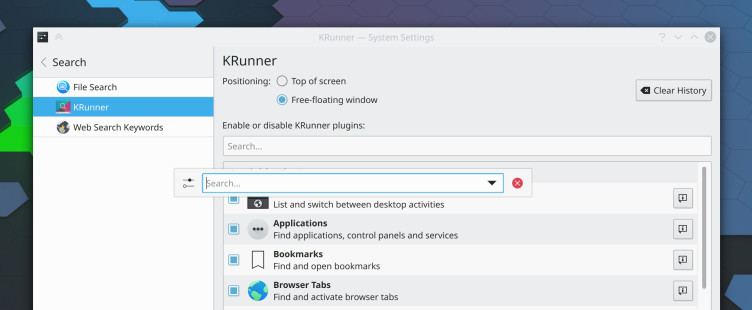
KRunner standalone
- Changed the default shortcut for moving and resizing windows to Meta+drag (instead of Alt+drag) to resolve conflicts with many popular productivity applications
- Clicking on grouped Task Manager tasks now cycles through each task by default, and you can choose alternative behaviors if you don't like that one
- The Task Manager can now be optionally configured to not minimize the active task when clicked on
- On supported laptops, you can now configure a charge limit below 100% to preserve the battery health
- You can now corner-tile windows by combining left/right/up/down tiling shortcuts. For example, hit Meta+up arrow and then left arrow to tile a window to the upper left corner.
- GTK headerbar apps now respect the appearance you've chosen for your titlebar buttons
- Widgets now display an 'About' page in the settings window
- You are now notified when your system is about to run out of space even if your home directory is on a different partition
- Minimized windows are no longer placed last in the alt-tab task switcher
- KRunner can now be configured to be a free-floating window, rather than glued to the top of the screen
- KRunner now remembers the prior search text by default and can be optionally configured to appear as a free-floating window
- KRunner can search and launch open pages in Falkon
- Unused audio devices are now filtered out of the audio applet and system settings page by default
- The Device Notifier applet has been renamed to 'Disks & Devices' and it is now easier to use it to show all disks, not just removable ones
- You can now middle-click on the Notifications applet or system tray icon to enter Do Not Disturb mode
- The Web Browser widget now has a user-configurable zoom setting
System Settings & Info Center

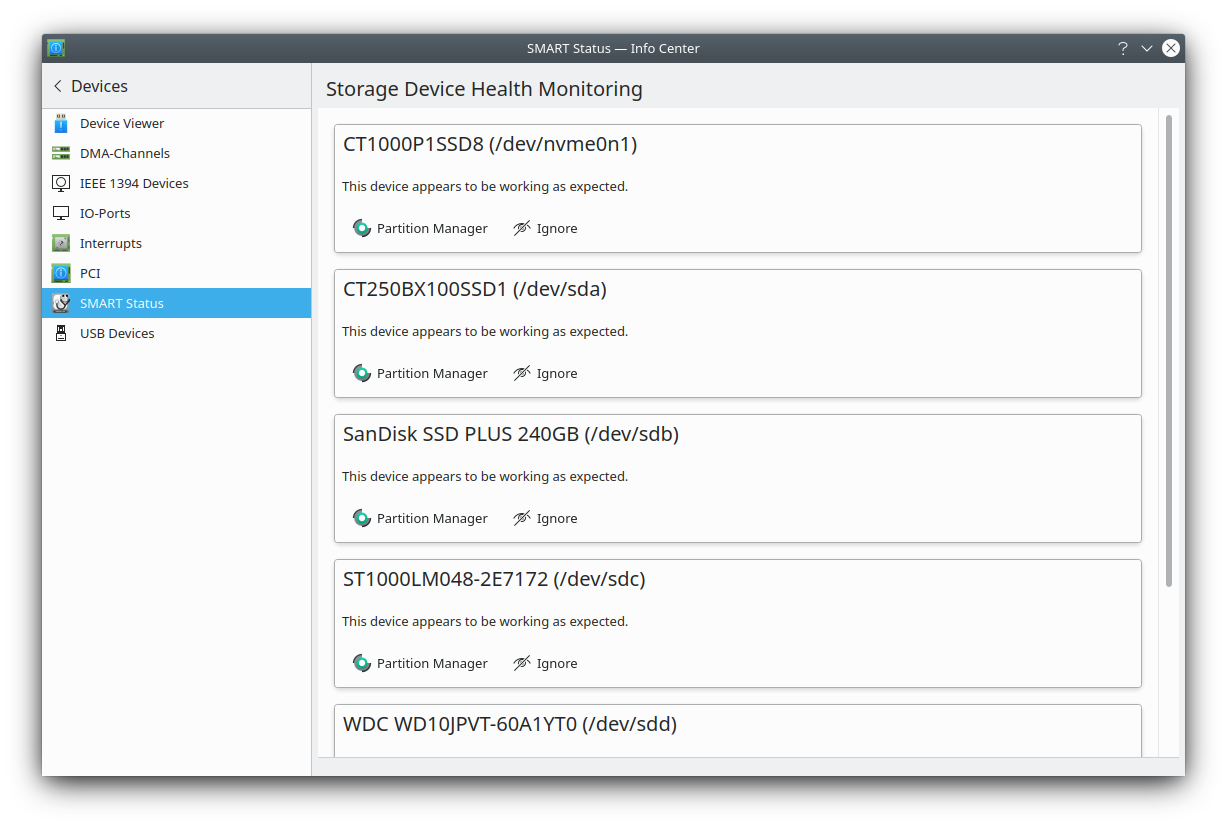
Plasma Disks for S.M.A.R.T disk monitoring
- There is now a 'highlight changed settings' feature that will show you which settings you've changed from their default values
- S.M.A.R.T monitoring and failing disk notifications
- The Autostart, Bluetooth, and User Manager settings pages have been redesigned according to modern user interface standards and rewritten from scratch
- The Standard Shortcuts and Global Shortcuts pages have been combined into one, which is just called 'Shortcuts' now
- A new audio balance option has been added to let you adjust the volume of each individual audio channel
- The touchpad cursor speed can now be configured on a much more granular basis
Wayland
- Klipper support
- You can now middle-click to paste (at least in KDE apps; GTK apps do not implement this yet)
- KRunner appears at the right place when using a top panel
- Mouse and touchpad scroll speed is now adjustable
- Screencasting is now supported
- The Task Manager now shows window thumbnails
- The whole desktop session no longer crashes if XWayland crashes
Live Images
The easiest way to try it out is with a live image booted off a USB disk. Docker images also provide a quick and easy way to test Plasma.
Download live images with Plasma Download Docker images with PlasmaPackage Downloads
Distributions have created, or are in the process of creating, packages listed on our wiki page.
Note that packages of this release might not be available on all distributions at the time of this announcement.
Package download wiki pageSource Downloads
You can install Plasma directly from source.
Community instructions to compile it Source Info PageFeedback
You can give us feedback and get updates on our social media channels:
Discuss KDE on the KDE Forums.
You can provide feedback direct to the developers via the #Plasma Matrix channel, Plasma-devel mailing list or report issues via Bugzilla. If you like what the team is doing, please let them know!
Your feedback is greatly appreciated.
Supporting KDE
KDE is a Free Software community that exists and grows only because of the help of many volunteers that donate their time and effort. KDE is always looking for new volunteers and contributions, whether it is help with coding, bug fixing or reporting, writing documentation, translations, promotion, money, etc. All contributions are gratefully appreciated and eagerly accepted. Please read through the Supporting KDE page for further information or become a KDE e.V. supporting member through our Join the Game initiative.
About KDE
KDE is an international technology team that creates free and open source software for desktop and portable computing. Among KDE’s products are a modern desktop system for Linux and UNIX platforms, comprehensive office productivity and groupware suites and hundreds of software titles in many categories including Internet and web applications, multimedia, entertainment, educational, graphics and software development. KDE software is translated into more than 60 languages and is built with ease of use and modern accessibility principles in mind. KDE’s full-featured applications run natively on Linux, BSD, Windows, Haiku, and macOS.
Trademark Notices.
KDE® and the K Desktop Environment® logo are registered trademarks of KDE e.V..
Linux is a registered trademark of Linus Torvalds. UNIX is a registered trademark of The Open Group in the United States and other countries.
All other trademarks and copyrights referred to in this announcement are the property of their respective owners.
Press Contacts
For more information send us an email: press@kde.org