KDE 🎄 Gear 25.12
"The Gear that Keeps on Gearing" Edition
Thursday, 11 December 2025
'Tis the season of giving, and we're here to give you a taste of the new software KDE is releasing for you today.
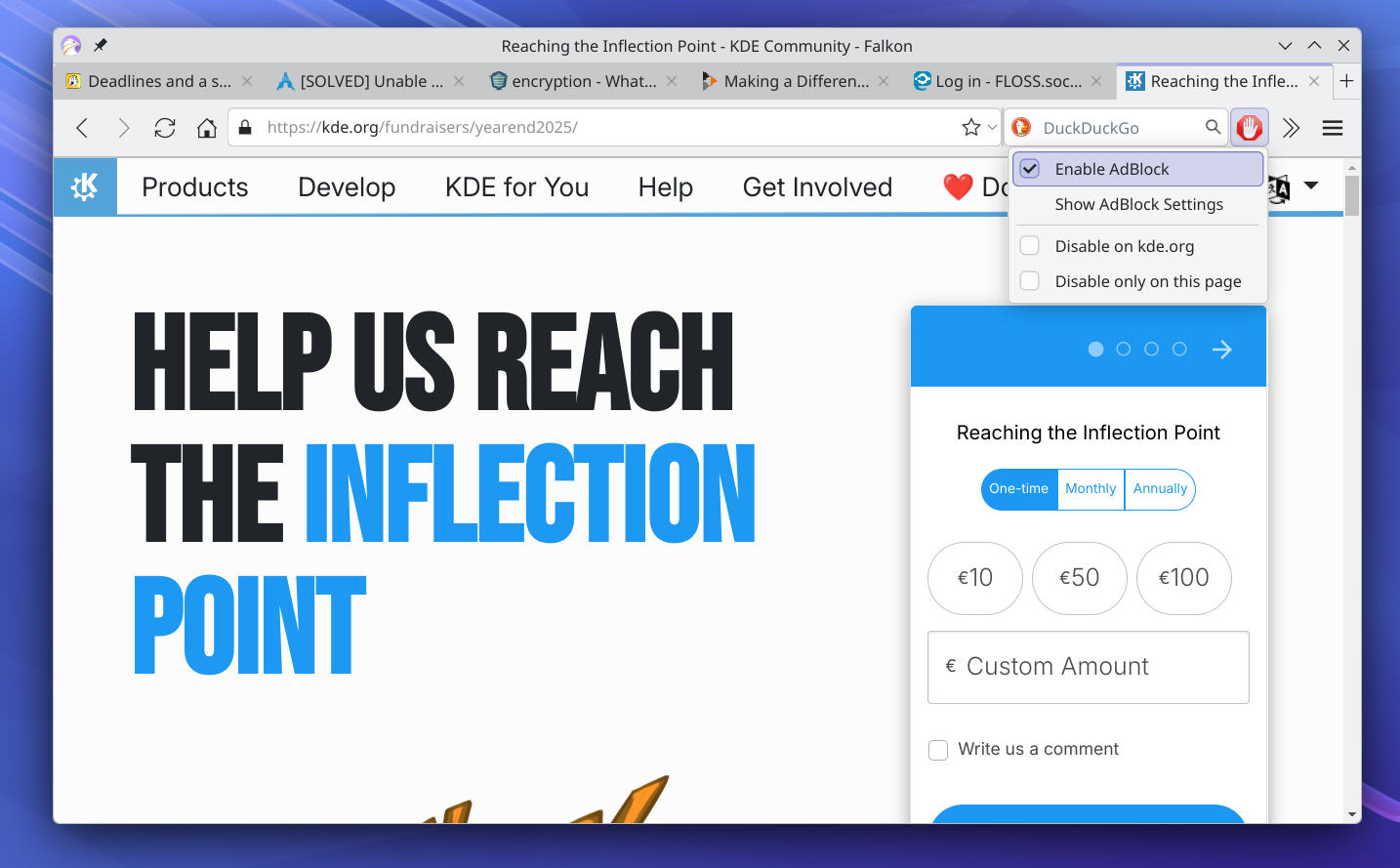
KDE relies on your support to continue producing top-notch quality free software. Support us by becoming a contributing member, by donating to our fundraiser, or just using the donation form on this page.
You make KDE Gear possible with your support and donations. Help us keep improving and building apps by using the donation form.
Travel
Itinerary
Let's start with your holiday trips. Whether it is to visit family or to get away from it all, Itinerary has got you covered.
We have added over a dozen more extractors (the add-ons that allow you to process information on your tickets automatically) for railway companies, events, and more, and the newest version of Itinerary simplifies the journey planning and can automatically determine your location as the starting point.
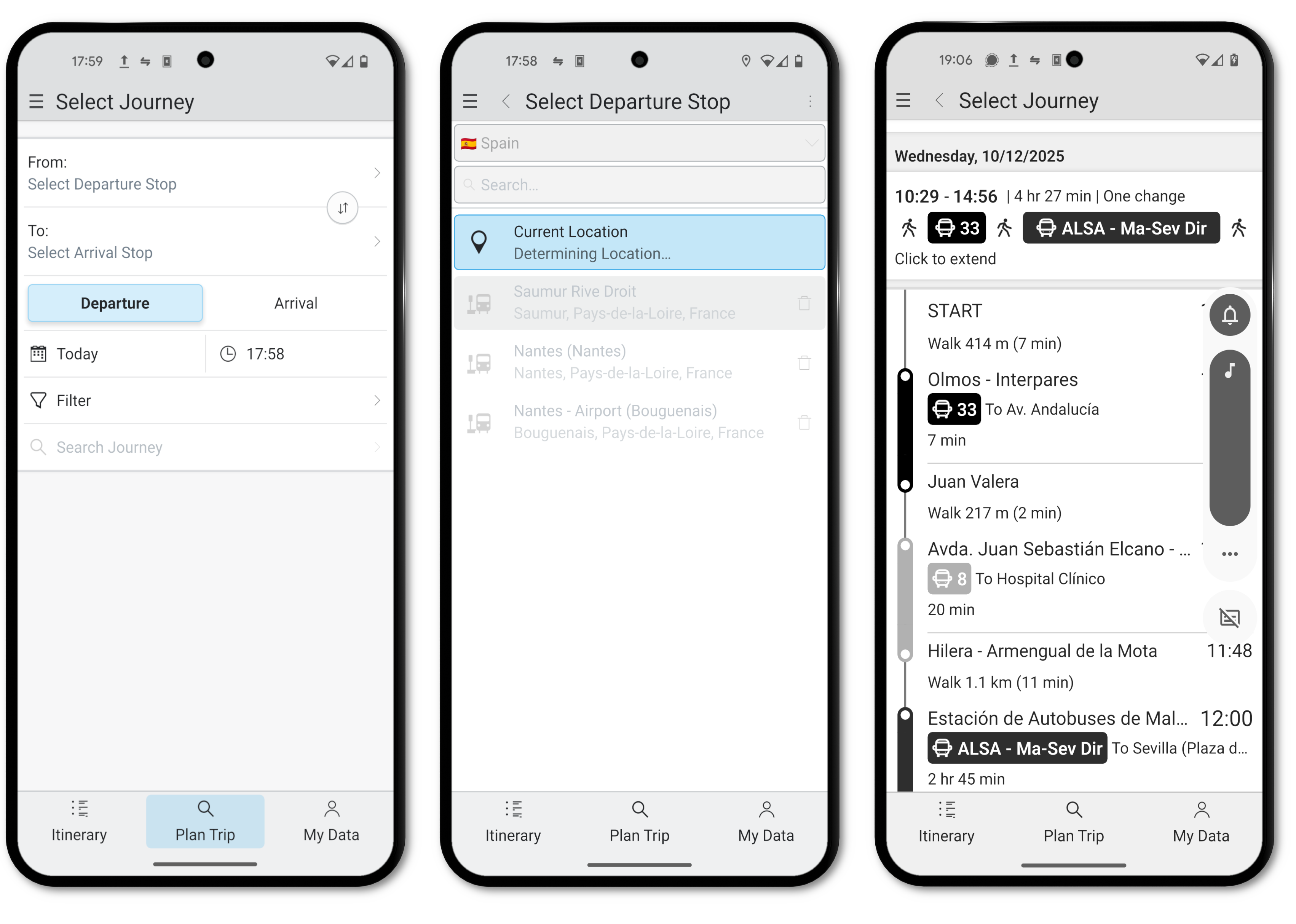
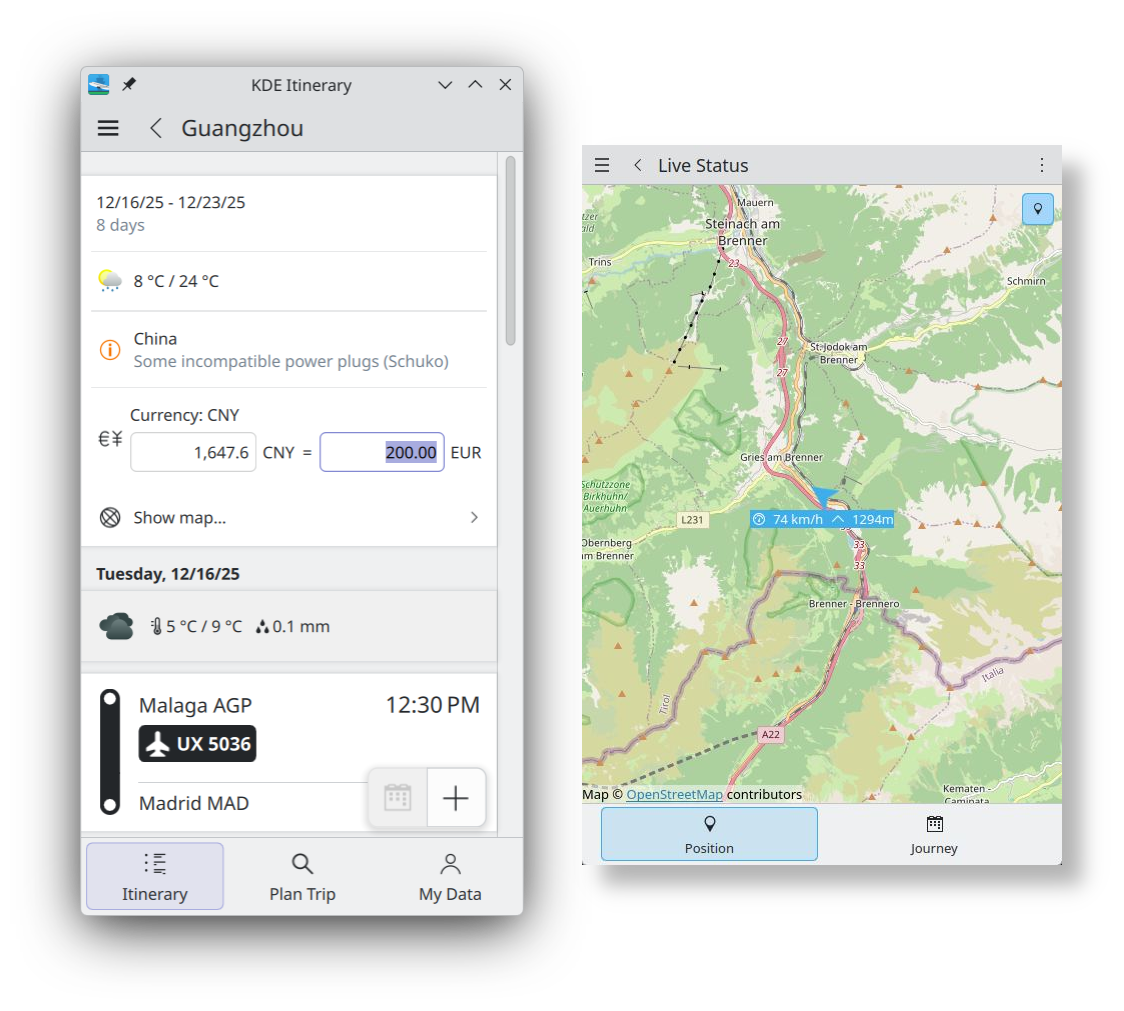
As you travel, Itinerary not only shows you your moving location on a map, but it will also tell you your altitude, and when you arrive at your location, you can use the builtin currency converter to buy souvenirs for your friends.
System
KJournald
You may have heard of systemd as the underlying software that controls all the services on your system. journald is the tool you can use to check the many entries systemd records in its logs. If you want to know why your network files start during the boot, or your Bluetooth suddenly cuts out, you would usually use journald to find out.
But wading through the thousands of entries on the command line can be a slog. That's why KDE provides you with KJournald, a graphical app that allows you to filter, select and highlight exactly what you're looking for.
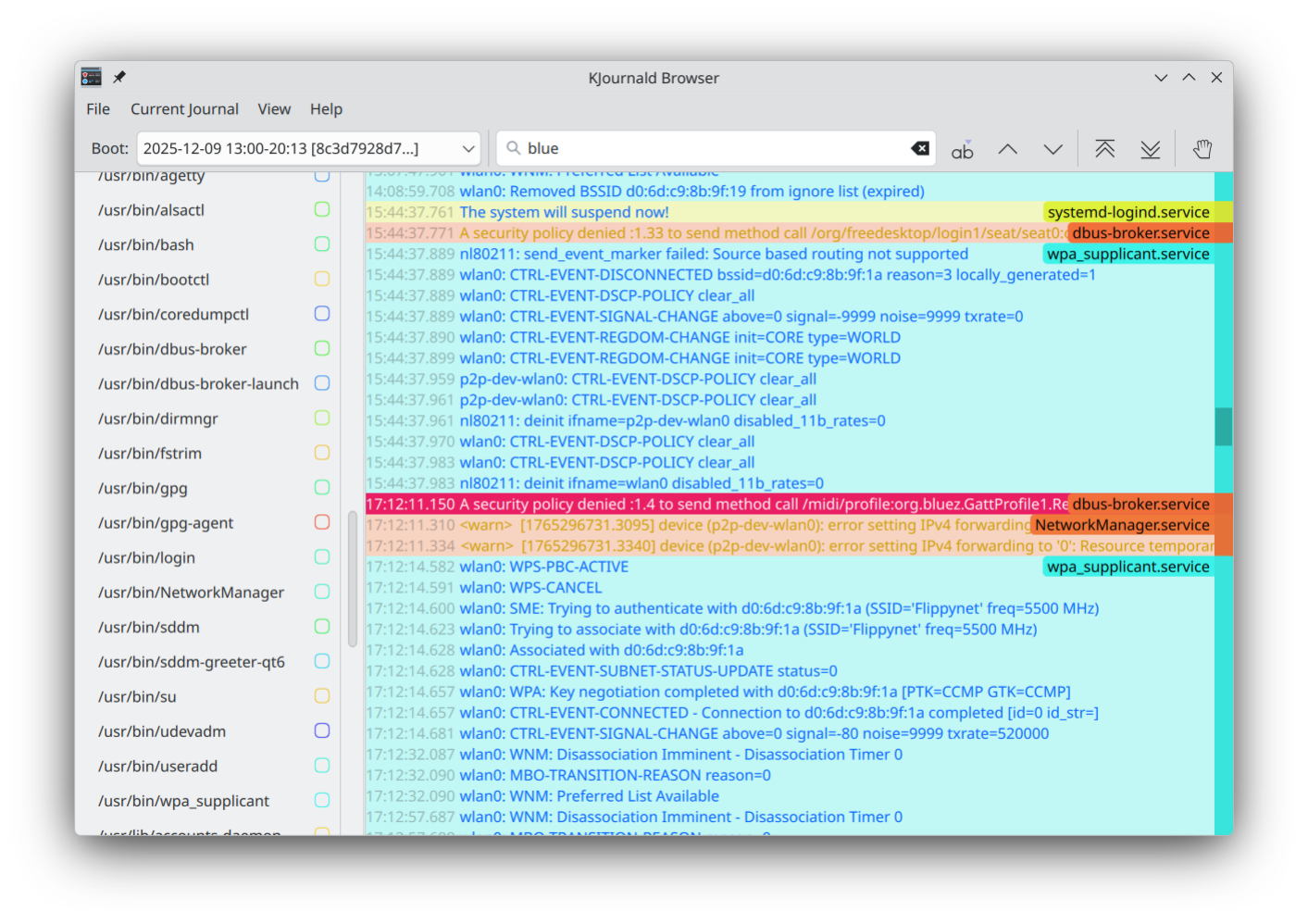
In this new version, Kjournald adds support for loading user units in the KJournald Browser.
Dolphin
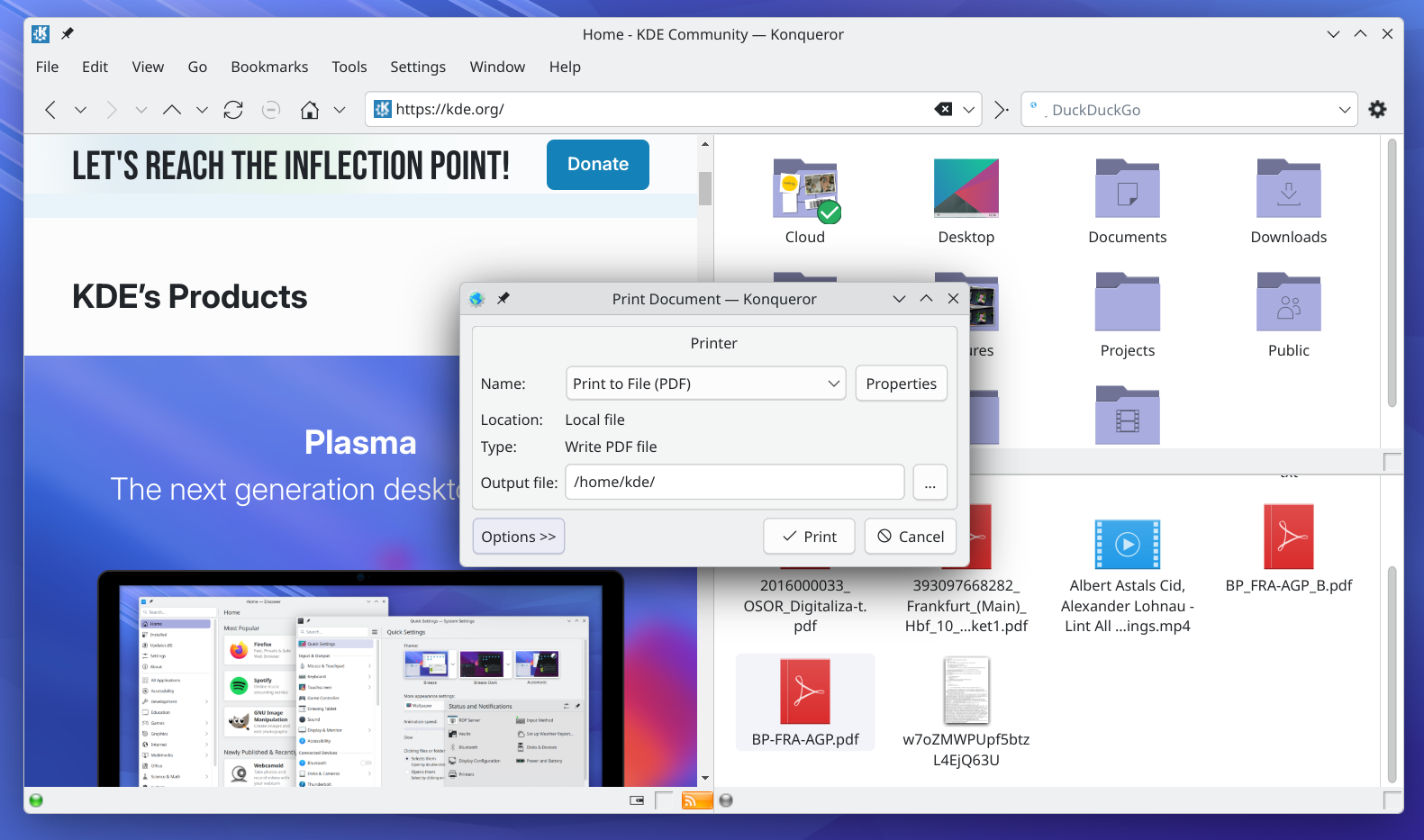
Dolphin, KDE's file and folder manager/explorer, continues to incrementally improve, as trashed temporary folders no longer end up in your home trash bin, and you can now hide files and folders from the Dolphin context menu.
Utilities
Kate
If you are into programming, Kate, KDE's Advanced Text Editor, continues to add features to make your life easier. Version 25.12 improves Git support, and the list of branches now shows the latest activity.
The Quick Open dialog (button with the ⚡ icon at the top right of the workspace) lets you jump to a specific line and column. Start typing the name of the file you want to open. When it is highlighted, type :12:5 and the file will open with the cursor on the 5th character of the 12th line.
Kate 25.12 also lets you use bracketed paste when piping text to the terminal.
Photos
Photos, KDE's image viewer for desktop and mobile, has some exciting new features, like a new crop tool among the image editing tools.
And a bunch of gestures for that allow you to expand and pinch to zoom in and out of images, drag when zoomed in to explore different parts of the picture, and swipe to pass on to the next image in the gallery.
On mobile, you can use Photos to enter slideshow mode.
Social
NeoChat
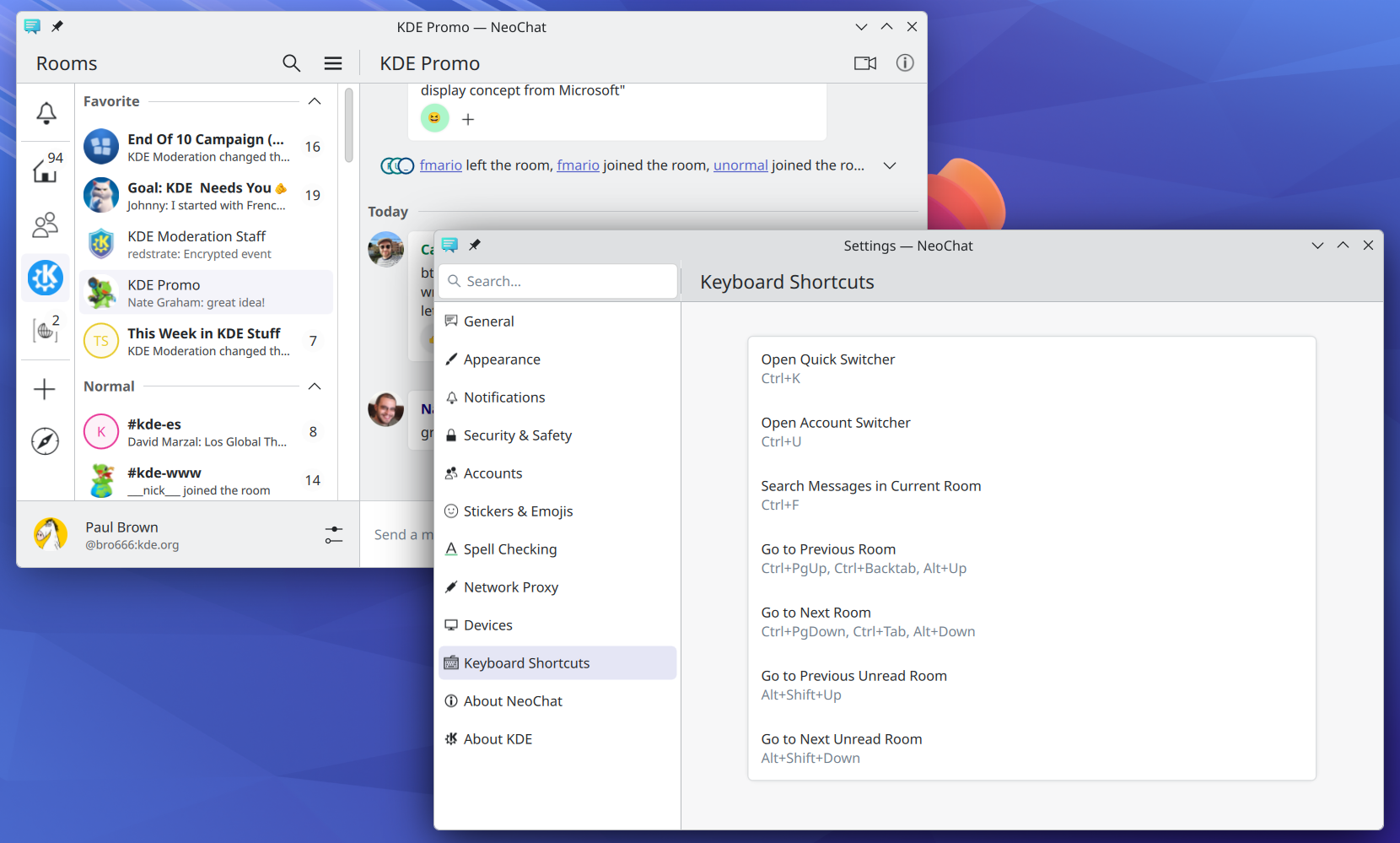
NeoChat lets you meet up and chat with people on the free and distributed Matrix network. In version 25.12, we have added an informational Keyboard Shortcuts settings page to NeoChat. Did you know for example you can switch from account to account using Ctrl u or skip from room to room using Ctrl PgUp and Ctrl PgDown?
Support for Matrix extensions, like the Jitsi videoconferencing software has also been improved. The basic Jitsi meeting button now shows whether a meeting is in progress and is only enabled when the user has permission to start a meeting.
Full changelog here
Where to get KDE Apps
Although we fully support distributions that ship our software, KDE Gear 25.12 apps will also be available on these Linux app stores shortly:


If you’d like to help us get more KDE applications into the app stores, support more app stores and get the apps better integrated into our development process, come say hi in our All About the Apps chat room.
Note that packages of this release might not be available on all distributions at the time of this announcement. Package download wiki page
Compiling KDE Gear
The complete source code for KDE Gear 25.12.0 may be freely downloaded. Instructions on compiling and installing are available from the KDE Gear 25.12.0 Info Page.
About KDE
KDE is an international technology team that creates free and open source software for desktop and portable computing. Among KDE’s products are a modern desktop system for Linux and UNIX platforms, comprehensive office productivity and groupware suites and hundreds of software titles in many categories including Internet and web applications, multimedia, entertainment, educational, graphics and software development. KDE software is translated into more than 60 languages and is built with ease of use and modern accessibility principles in mind. KDE’s full-featured applications run natively on Linux, BSD, Windows, Haiku, and macOS.
Trademark Notices.
KDE® and the K Desktop Environment® logo are registered trademarks of KDE e.V..
Linux is a registered trademark of Linus Torvalds. UNIX is a registered trademark of The Open Group in the United States and other countries.
All other trademarks and copyrights referred to in this announcement are the property of their respective owners.
Press Contacts
For more information send us an email: press@kde.org